FiiO K13 R2R
Retro sound, modern control — a pragmatic R2R you can actually live with
FiiO’s new K13 R2R is a fully balanced desktop headphone DAC/amp that embraces a 24‑bit R2R ladder DAC while keeping the pragmatic feature set and price that made the K‑series so popular. In a landscape where many subjectivists find delta‑sigma (DS) DACs “too clean,” R2R has made a comeback — and FiiO has been at the forefront of accessible retro‑inspired hi‑fi, from tape players to R2R desktop DACs.
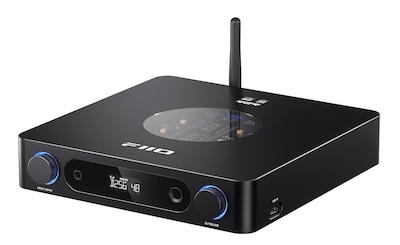
I would like to thank FiiO for providing the K13 R2R for the purposes of this review.
If you are interested in finding more information about this product, you can find it at the product page link
It comes in 2 finishes Black or Silver and retails for about $320 though regional pricing and tariffs will vary
Having listened to K13 R2R and integrated it into my setup for the past few weeks, I feel it offers something exceptional at its price point. You get both transparent OS (oversampling) and that R2R ‘NOS (non‑oversampling) modes’ that many will find compelling.
NOS definitely leans into that nostalgic, “organic” warm R2R presentation that many listeners enjoy. Though, while I personally thought sounded lovely with some of my older recordings, I overall prefer to use the more linear and transparent OS mode and play with the extensive PEQ options when I want to adjust the sound profile. But I do appreciate the flexibility of having NOS mode for those who ‘believe’ it will sound better.
The OS mode is effectively indistinguishable from a good DS DAC in audible terms (though not in objective measurements), yet here delivered by a discrete, fully differential R2R array.
Compared to the previous R2R from FiiO that I reviewed, the K13R2R brings a meaningful power bump and some great new features: a capable companion app with 10‑band PEQ and presets, a handy remote, balanced I/O, and the option to upgrade to a linear power supply.
In short, it does exactly what it says on the tin and is a substantial upgrade over the previous K11 R2R.
But before we get into the detail’s let us look at the unboxing:
Unboxing and Build Quality
FiiO keeps the presentation tidy and protective, with a distinctly modern vibe.
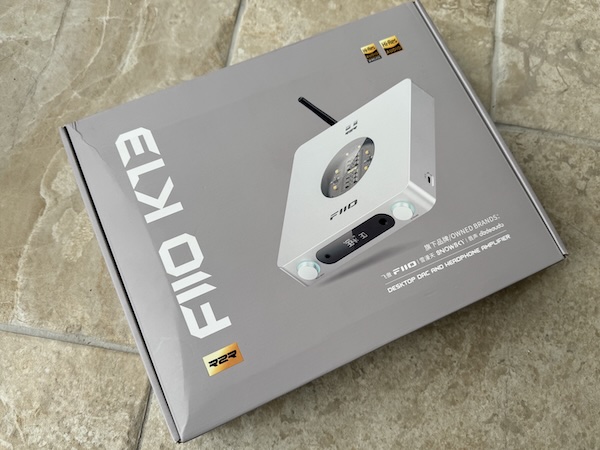
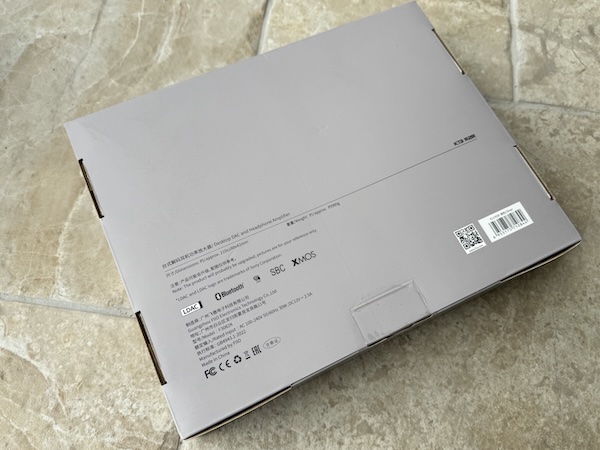
The rear of the packaging has minimal information but does list the bluetooth codecs supported:
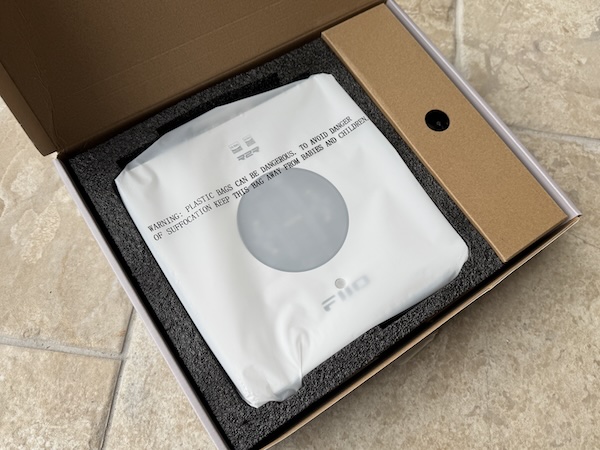
Opening the box, you see everything is neatly organized and well-protected.
 |
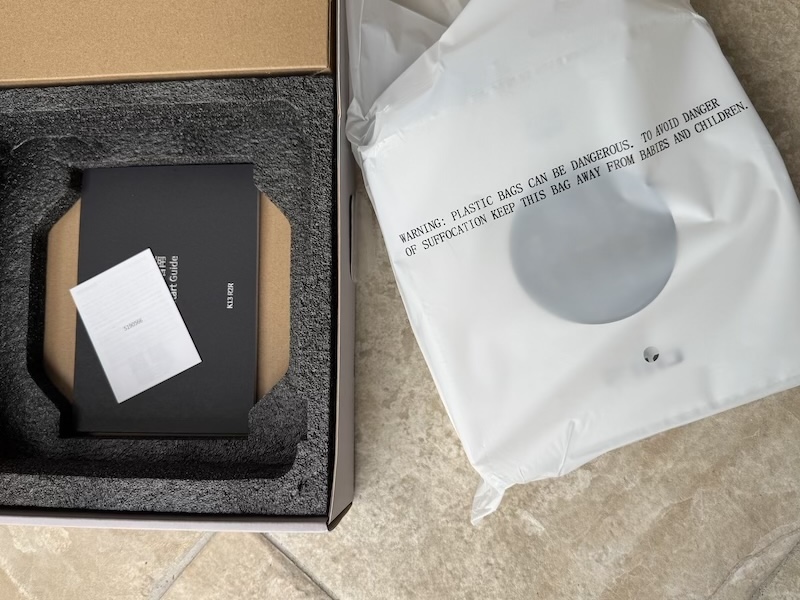 |
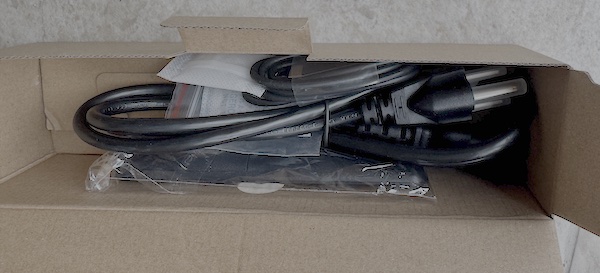
The accessories box shows cables and remote:
Chassis fit and finish feel solid and purposeful.
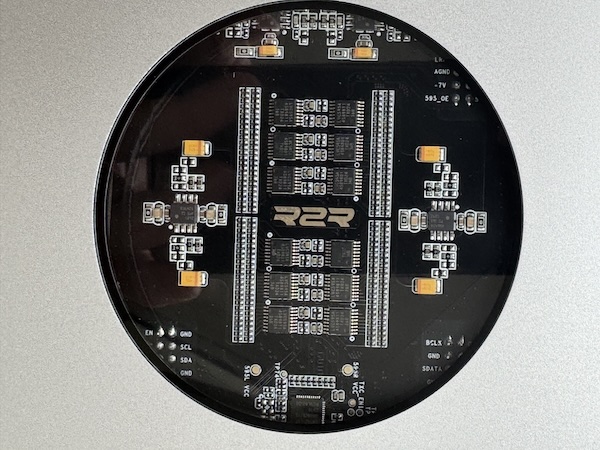
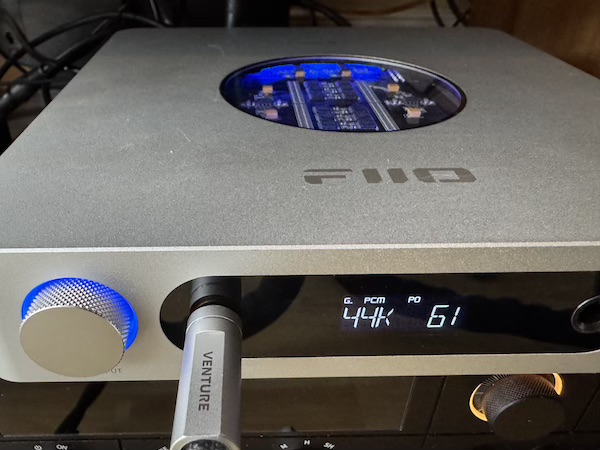
The top window with status lighting looks great on a desk, especially in dim light.
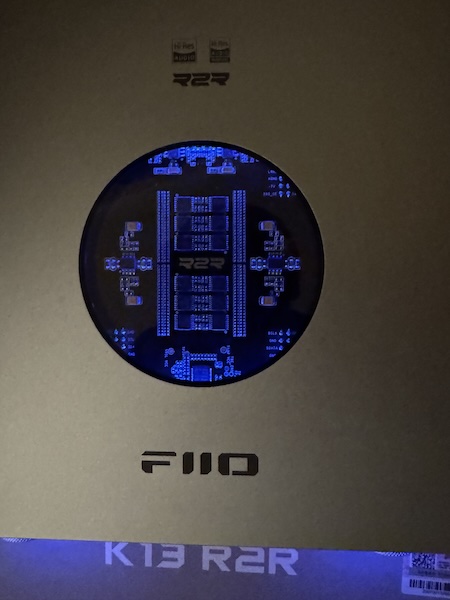 |
 |
The startup sequence is quick as it is fairly simple to get into bluetooth pairing mode:
Front and back
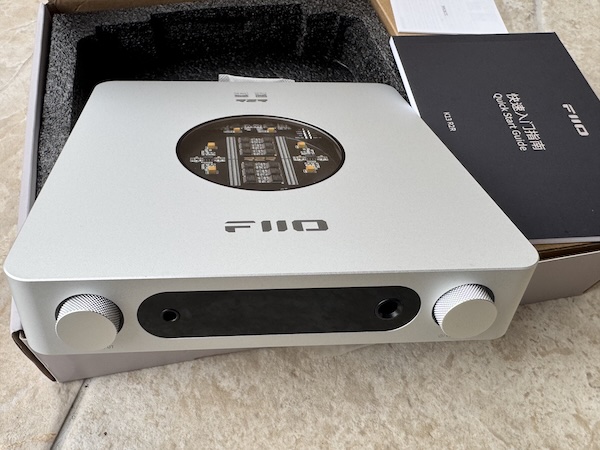
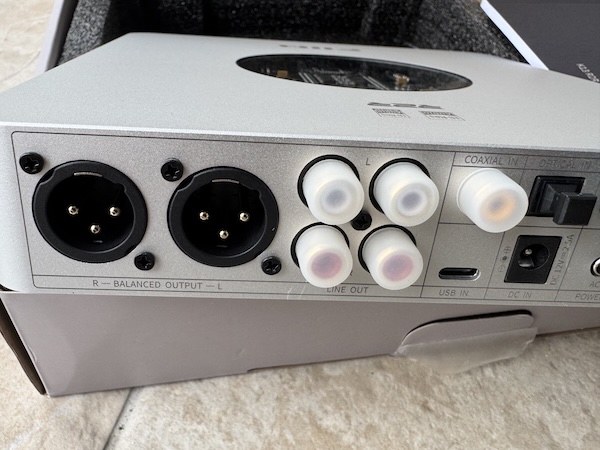
A quick tour of the unit from the front and back to highlight the display and connections.
 |
 |
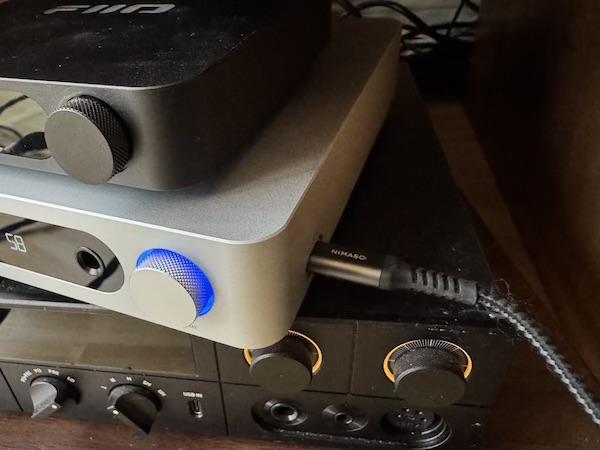
I love how there is now a handy little usb-c connection on the side of the unit:
Zooming in on the input and power options:
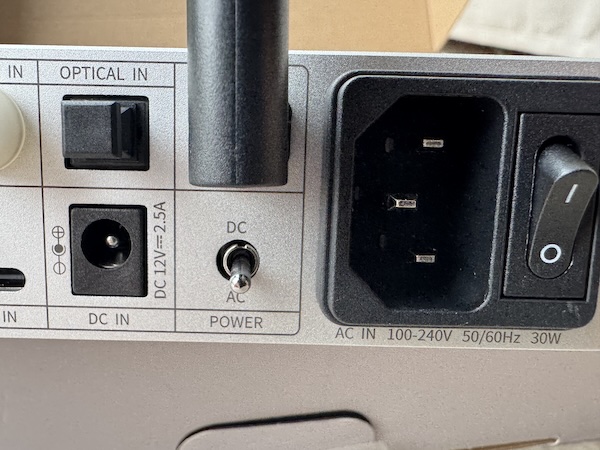
Note: I like how FiiO has offered two power options for the K13R2R with both DC and AC inputs and I believe you can buy a separate discrete power supply for the K13R2R from FiiO.
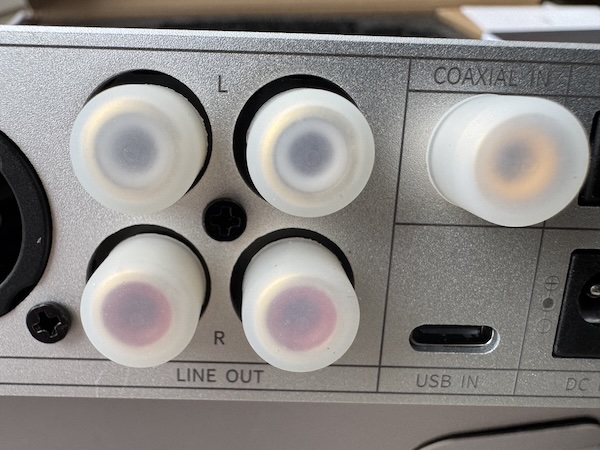
With pre-amp outputs, I also appreciate that we get dual RCA outputs as well as XLR outputs:
 |
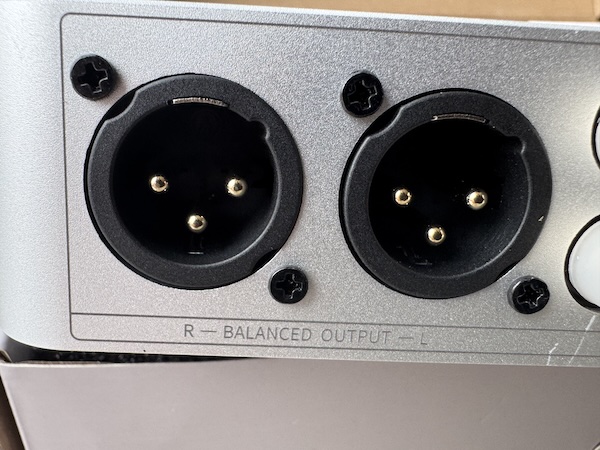 |
I feel the XLR outputs is another great addition over the K11 (and justifies the extra size of the K13).
Accessories and Remote
A look at the included bits plus a closer view:
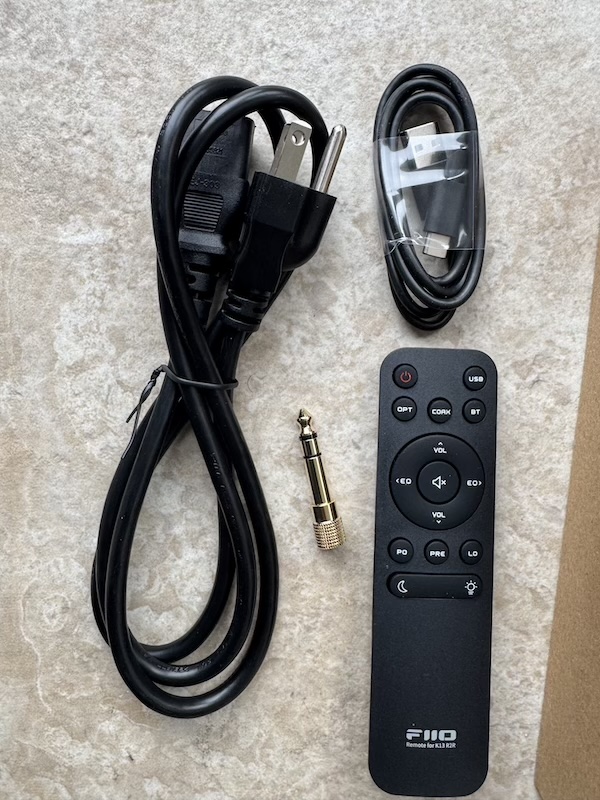
The Remote is another nice upgrade over the K11 R2R and as someone who loves to see PEQ in devices, I do like how there are
dedicated buttons to switch EQ profiles:
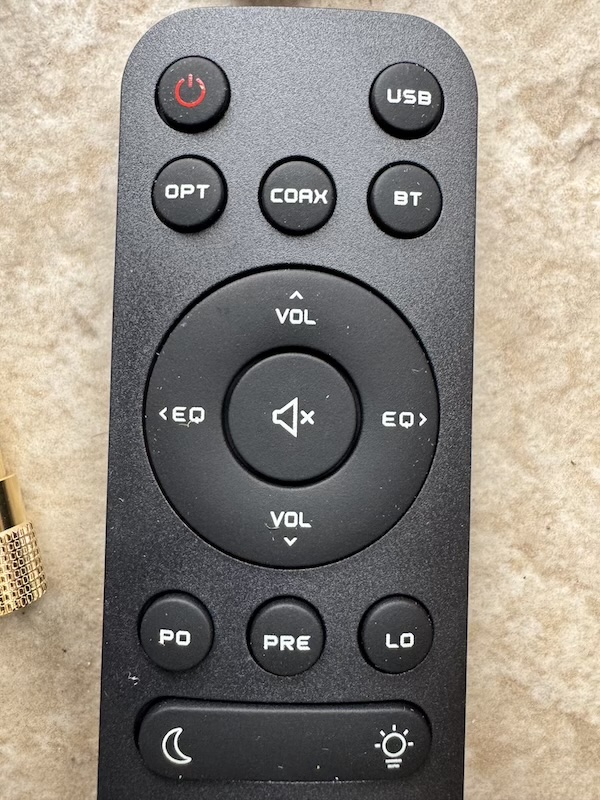
And the remote control allows you to control the navigate the menus on the display.
Here is another video showing navigation and most of the settings you can tweak via the remote:
Fit and Desktop Ergonomics
As a desktop DAC/amp, the K13 R2R offers straightforward ergonomics: a clear front display, tactile controls, and easily accessible 6.35 mm and 4.4 mm headphone outputs.
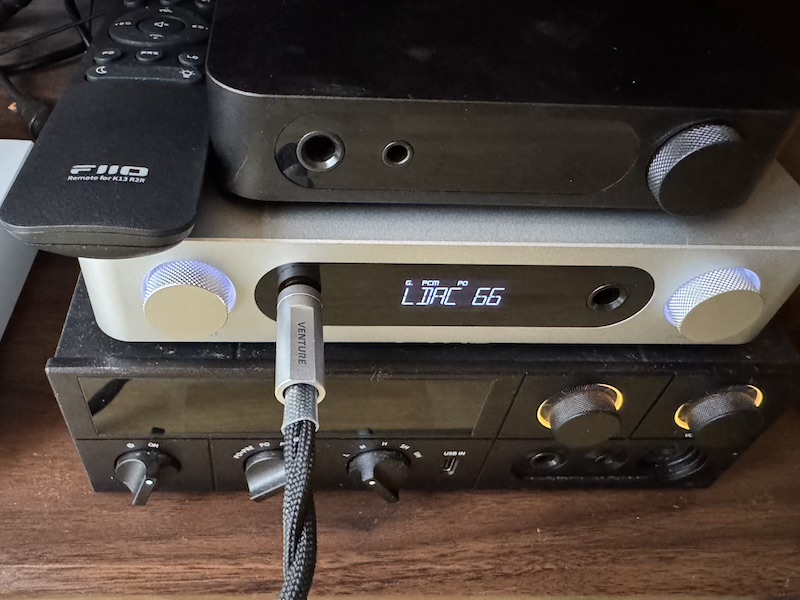
It is larger than the K11/K11 R2R, so plan a bit more space on your desk, though not as large as the K15/K17.
It is that ‘goldilocks’ size between the K11 and K17 and mostly I think this larger size is to accommodate the XLR outputs on the back:
Features and Performance
Here is a quick overview of the key features of the K13 R2R:
- Fully differential true 24‑bit R2R DAC resistor arrays
- OS and NOS modes for two distinct listening philosophies
- Substantial power output — up to 2400 mW into 32 Ω from the 4.4 mm balanced output (high gain)
- Companion app with 10‑band PEQ editing and many presets
- Dual USB‑C, optical, and coax inputs; RCA and balanced XLR line outs
- Remote control included (input/EQ/mode switching from the couch is addictive)
- Upgradable power — supports external linear PSU for those who want to squeeze out every drop
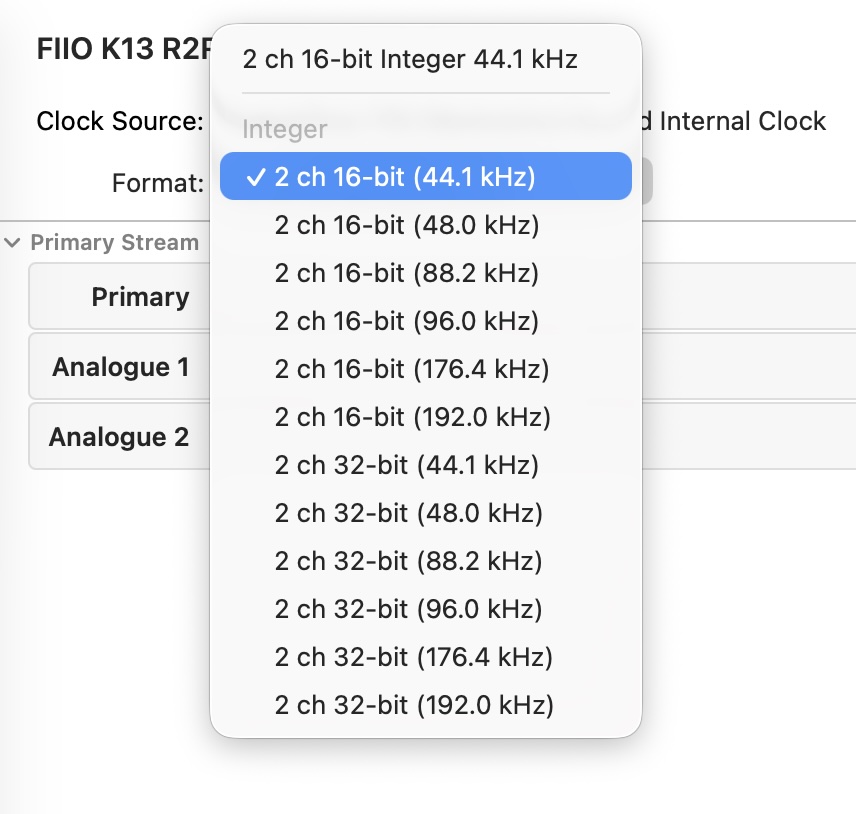
As a USB DAC on macOS, the K13 R2R supports high sample rates:
And it also appears as a bluetooth device on IOS:
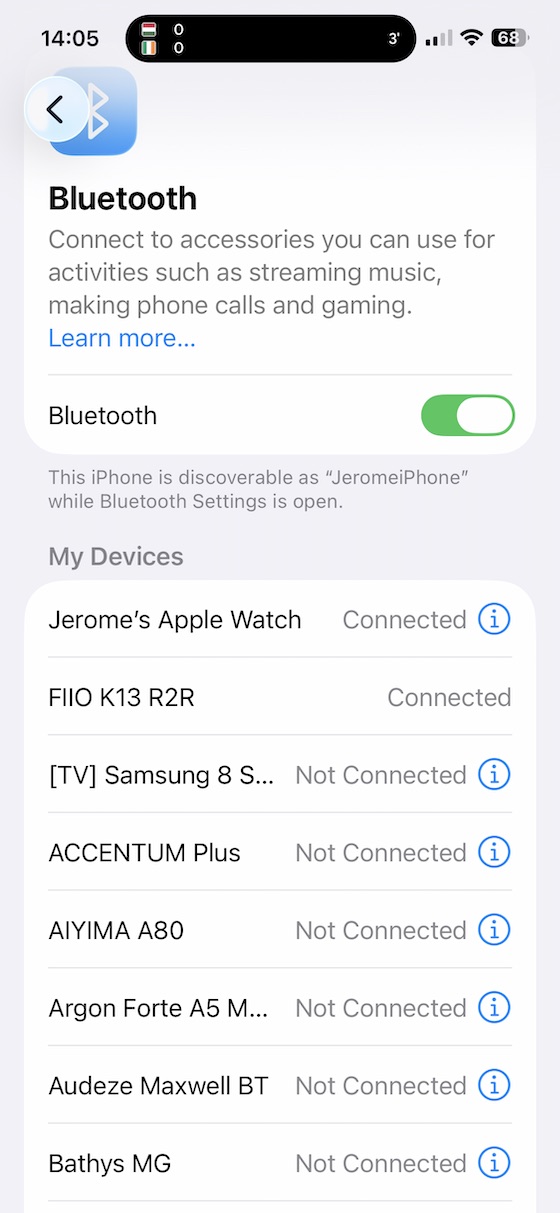
And I really liked how once it was paired with IOS via Bluetooth, the IOS FiiO Control App worked perfectly allowing me to control various aspects of the K13R2R remotely from my iPhone. Lets have a look at what you can do with the mobile app:
App control and PEQ
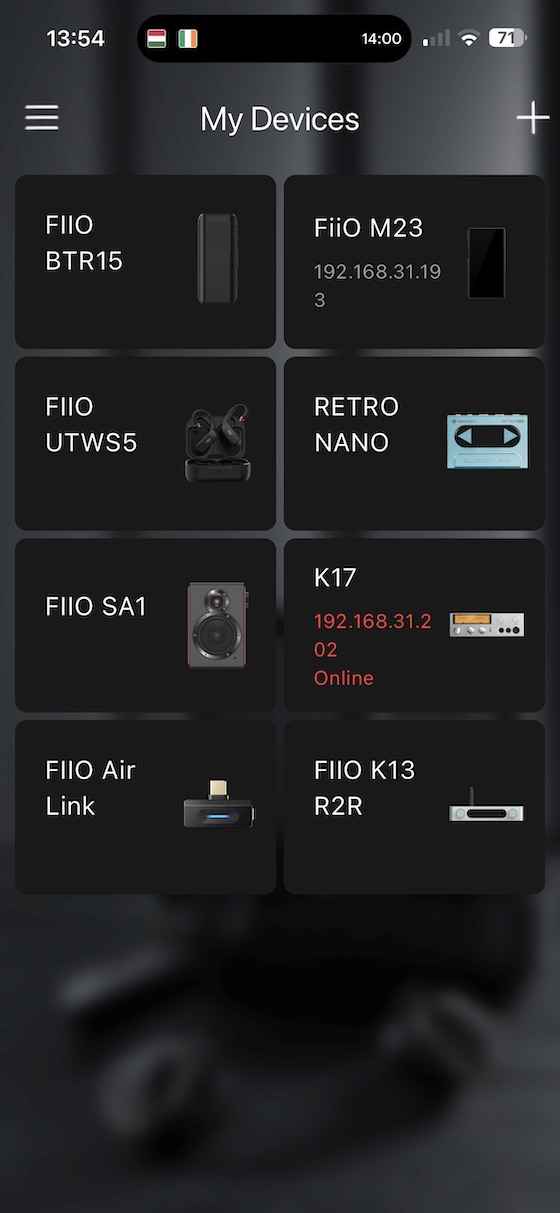
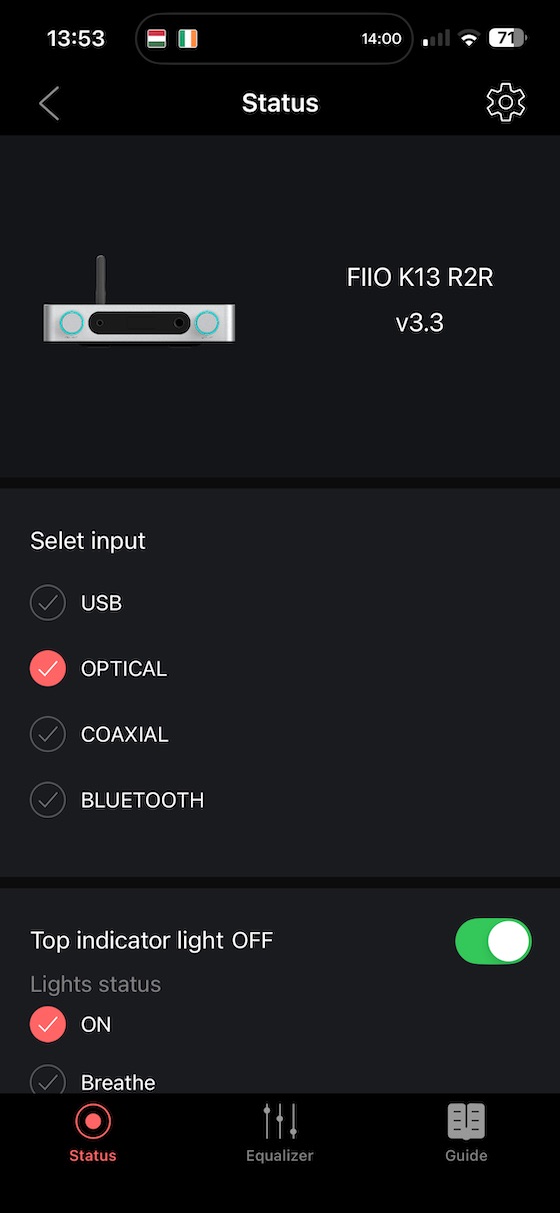
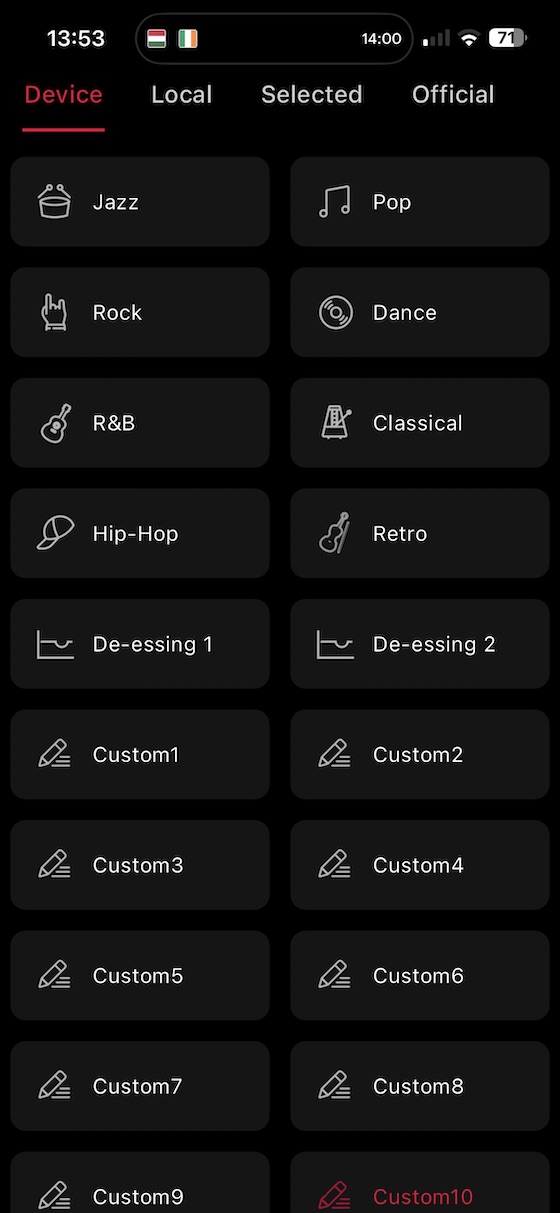
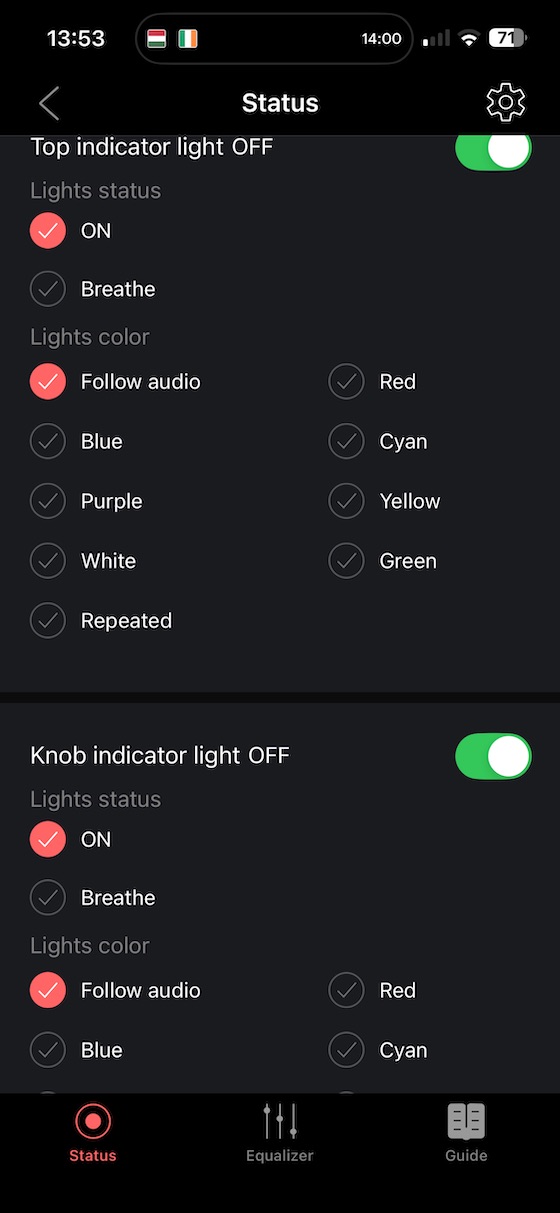
FiiO’s companion app in both iOS and Android offers some nice control features, and this is a welcome upgrade over the K11 and K11 R2R:
| List of devices within the app: | K13R2R Home screen: |
|---|---|
 |
 |
| EQ presets | Colour selection via the App: |
| ———————————————————————– | ——————————————————————————————————— |
 |
 |
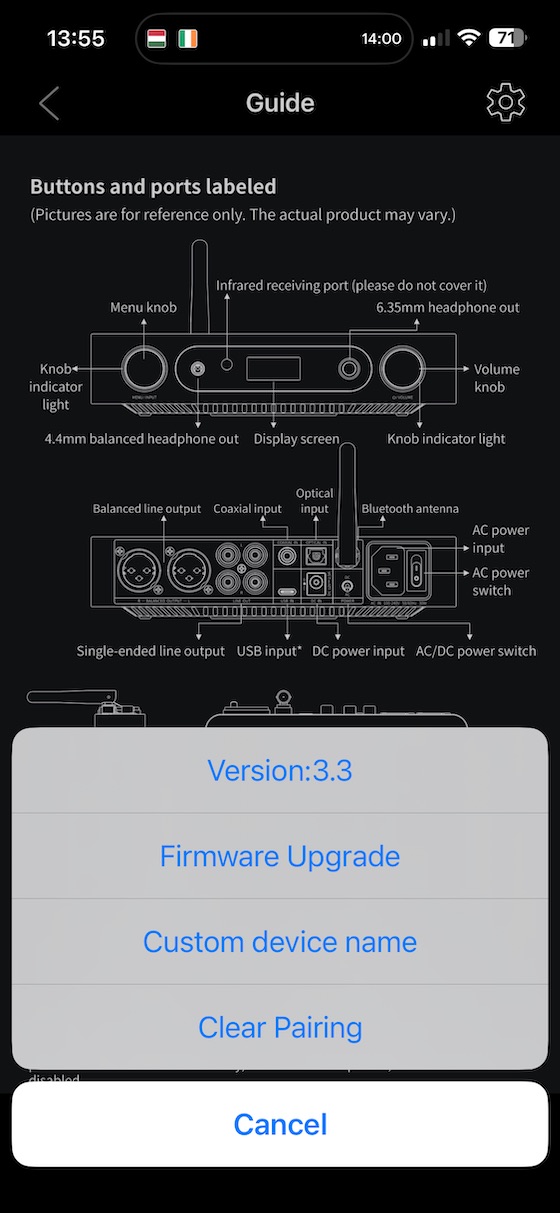
You also get the documentation and the ability to upgrade the firmware:
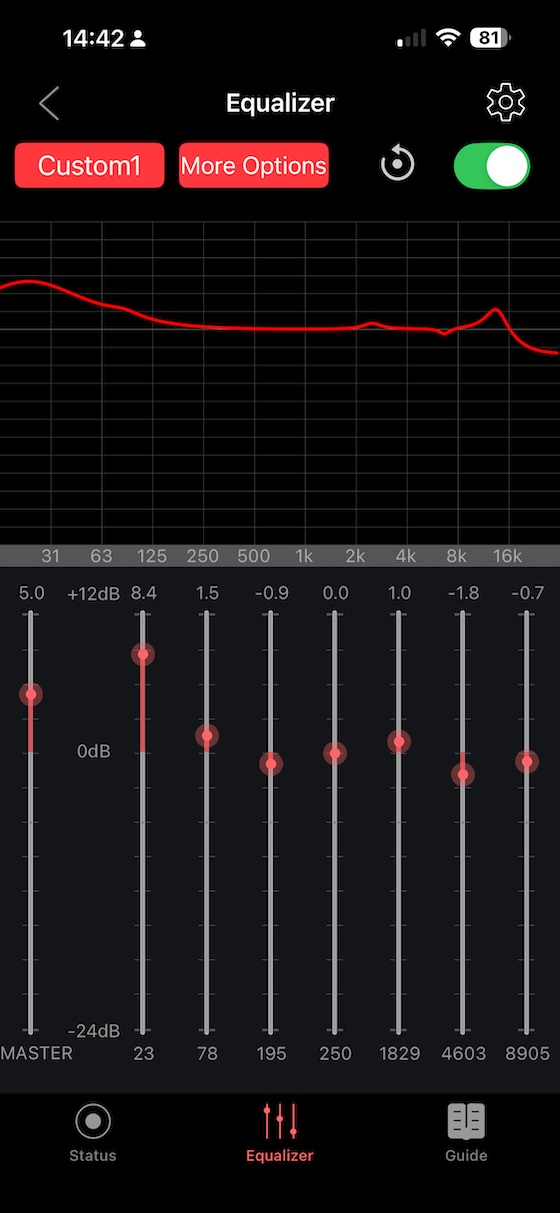
But for me the most impressive new feature is the ability to control the onboard PEQ via the App:
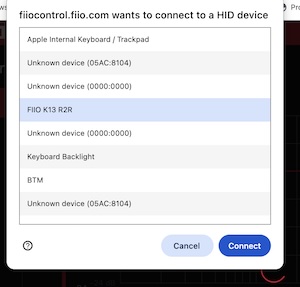
And there are more PEQ options is available via the FiiO Control Web App here where you
simply connect your PC or Macbook and select a paired K13R2R:
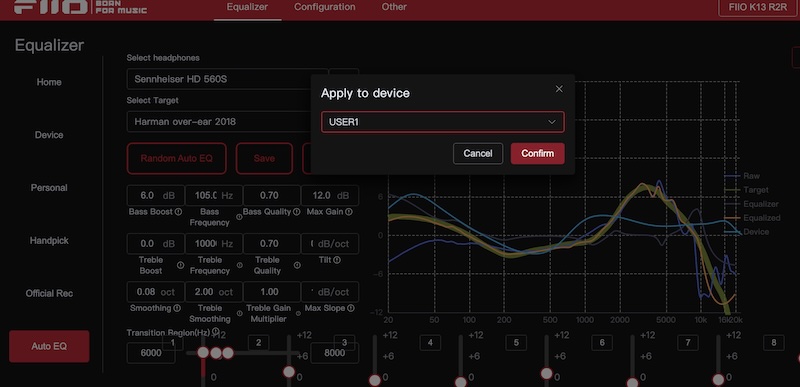
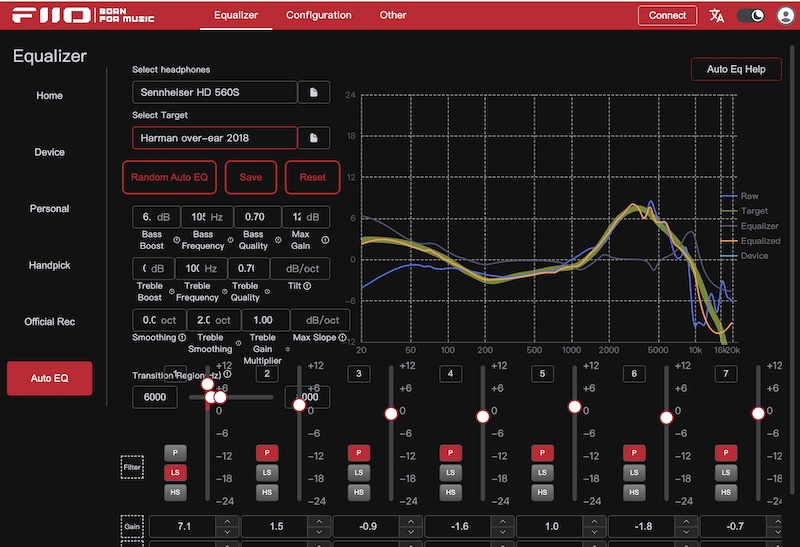
And once connected, you can view and edit the PEQ filters, including picking a target frequency response and applying autoEQ:
 |
 |
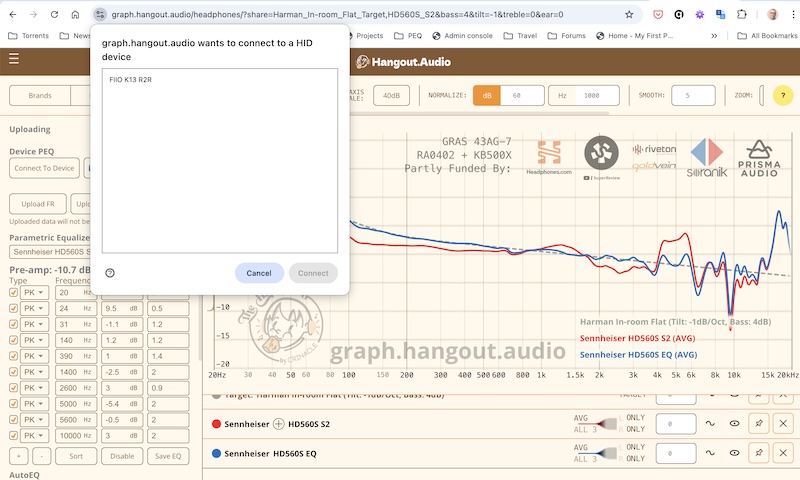
And for those interested, there is a third way to edit and apply PEQ to the K13R2R is via the devicePEQ plugin that I have developed which is available on Pragmatic Audio here but also on many other measurements websites including the CrinEar hangout.audio. Here is an example of the devicePEQ plugin in action:
 |
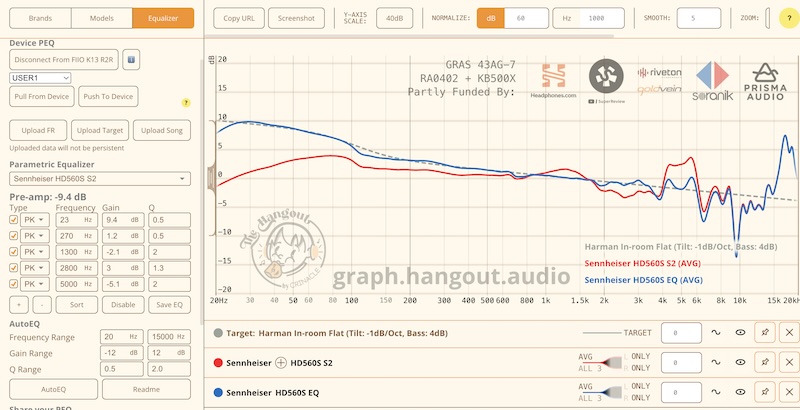 |
Once connected, you can push or pull from given PEQ custom profiles into the list PEQ filters within the measurement tool allowing both AutoEQ but also crucially some visualisation of any manual changes to the PEQ filters that you might want e.g. Harman with less bass is super easy with this plugin.
Note: I would like to thank Benji Hertel for assisting me with the support for the K13R2R, I hope more people in future will help with as newer devices get released. .
While I love this ability to tweak the sound offered via PEQ, probably the key feature for many people will be the inclusion of that R2R Ladder DAC. And what I love about reviewing products like the K13 R2R, is as I listen more and investigate the sound signatures I get, I do love to dig deeper into the architecture and audio technology to understand how it works, so I thought it would be good to have a section on the architecture before I delve into the sound:
Architecture highlights
Since I am a sucker for detailed audio-architecture diagrams, let’s start with the diagram that FiiO provide on their website:
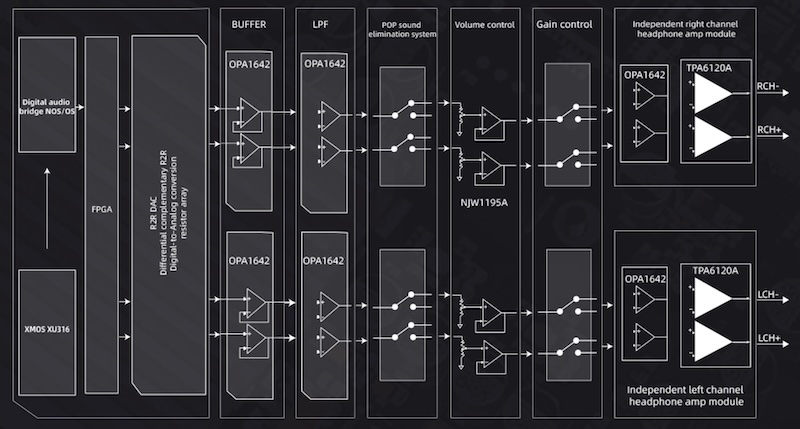
These show a careful separation of domains (digital, R2R ladder, LPF, buffer, and headphone amp), with op‑amp choices that suit the task: OPA1642 for R2R/LPF and pre/headamp stages, LTA8092 for LO buffering, and TPA6120A for high‑current headphone drive. As well as the R2R ladder which I will get to in a second, I feel the TPA6120A is an excellent choice at this price point to get the power you need for almost any headphone, with an excellent 2400 mW into 32 Ohms.
FiiO also has an interesting architecture overview showing the power supply differences:
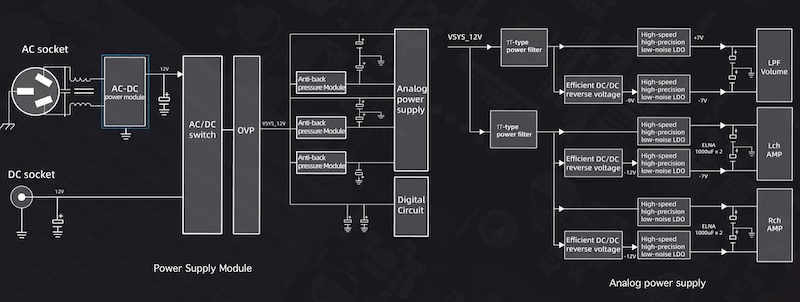
But lets delve into the R2R DAC next:
R2R Ladder DAC
The most interesting aspect of the architecture will be that R2R ladder DAC and how it might affect the sound you hear from the K13 R2R. There is a lot of misinformation online with many subjective opinions about the benefits of R2R, but for me there are 2 key points about a R2R DAC:
-
OS mode is a reconstruction filter
While modern Delta Sigma DACs have many optimal reconstruction filters, R2R DACs were the original design of DACs, and they quickly adopted over sampling mode which was typically a low pass filter on an oversampled signal. Its purpose (just like with a DS DACs) is not to colour the sound but to reproduce the original analog signal as accurately as possible. And the K13R2R does an exceptionally good job for an R2R DAC at this price in doing that in OS mode. An oversampled R2R operation is functionally similar to delta-sigma DACs, with the remaining differences dominated by resistor matching accuracy and low-level linearity rather than by filtering philosophy. -
NOS mode
But, NOS mode is probably more interesting for many people but not necessarily ‘better sounding’ it is, as the name suggests there is no oversampling so a RAW signal including audio way beyond the audible listening range is ‘folded’ back into the audio you hear causing ‘artifacts’. So, this approach will colour the sound. Whether you feel this is better or worse is “a religious matter” as we sometimes say in Ireland. People should be happy with their beliefs, but for me, if I want to colour the sound in a more controlled way, it is much more accurate to use NOS mode and then apply some PEQ filters.
One interesting point I have seen discussed recently, about R2R DACs in NOS mode is using them with HQ Player via usb from a PC as HQ player has much higher quality of Filters which can be applied to the signal before going into the K13 R2R and that option technically allows you even more experimentation with the sound that you might get with even the best delta sigma DACs.
So, I think that is the beauty of the K13 R2R, you get both these ‘modes’ and then features like configurable PEQ ontop to give you excellent control over every aspect of the sound.
Sound Impressions
So, as I mentioned above, with the K13 R2R you can pick your flavour (or religon). In OS mode, it aims for faithful reconstruction; in NOS it leans into that R2R ease and warmth (or alternative if you use an external filter even more control).
For testing, I used a range of headphones of my typical ’test’ headphones (Sennheiser HD600, HIFIMAN Edition XS, FiiO JT7) and IEMs (Crinear Protocol Max, Truthear Pure) to cross‑check behavior across impedances and sensitivities.
Bass
Tracks: Massive Attack – Angel; Daft Punk – Doin’ It Right; Hans Zimmer – Why So Serious?
- OS: Taut sub‑bass extension with good slam; kick drum edges are neatly defined. Planars like Edition XS appreciate the current on tap.
- NOS: A shade rounder and bloomier, which can be very pleasing with dynamic headphones. Texture remains convincing, but the absolute tightest control is in OS.
Midrange
Tracks: Adele – Hello; Fleetwood Mac – Dreams; Agnes Obel – The Curse
- OS: Center image is locked; vocals sit forward without shout. Piano transients are clean and decay smoothly.
- NOS: Vocals sound a touch more integrated, with a hint of sweetness to upper mids; guitars have a woodier timbre. It’s a very easy listen for long sessions.
Treble
Tracks: Norah Jones – Don’t Know Why; Vivaldi – Four Seasons (Carmignola); Tool – Pneuma
- OS: Airy and extended; cymbal sheen is crisp without edge. Microdetail retrieval is strong for the price.
- NOS: A bit softer on attack; hi‑hat tizz is reduced which many will welcome with brighter headphones/IEMs. Extension remains respectable.
Soundstage and Imaging
- OS: Stage is wide with stable left‑right placement and good center fill; depth layering is better than expected at this price.
- NOS: Perceived space grows a hair wider and more diffuse, but I felt this was different depending on the track; macro‑images feel a little larger. Great for ambient, live, and orchestral.
Comparisons
FiiO K11 R2R
- Size and build: K13 R2R is noticeably larger than the K11/K11 R2R — keep desk space in mind.
- Power: K13 R2R’s balanced headphone output jumps to a rated 2400 mW into 32 Ω, which is a clear upgrade over K11 R2R for planars and high‑impedance dynamics.
- Features: Balanced inputs and linear PSU upgrade support make K13 R2R more flexible in a desktop chain. The companion app with 10‑band PEQ is a big quality‑of‑life win too.
- Sound: Both offer OS/NOS. K13 update R2R sounds a touch more spacious and authoritative in OS, with better headroom; NOS remains that easy, organic R2R vibe. If desk space and budget allow, K13 R2R is the more future‑proof box.
For reference, see my K11 R2R review
| Category | K13 R2R | K11 R2R |
|---|---|---|
| DAC architecture | Fully differential true 24‑bit R2R | FIIO‑developed R2R ladder |
| OS/NOS modes | Yes (both) | Yes (both) |
| Max USB input | 384 kHz/32‑bit, DSD256 | 384 kHz/32‑bit, DSD256 |
| Headphone outs | 6.35 mm SE, 4.4 mm balanced | 6.35 mm SE, 4.4 mm balanced |
| Line outs | RCA SE, XLR balanced | RCA SE |
| Balanced inputs | Yes | No |
| Peak balanced power @ 32 Ω | 2400 mW + 2400 mW | 1300 mW + 1300 mW |
| Dimensions (W×D×H) | ~210 × 188 × 42 mm | 147 × 133 × 32.3 mm |
| Weight | ~980 g | ~420 g |
| App with 10‑band PEQ | Yes | Limited/None |
| Linear PSU upgrade | Supported | Not applicable |
The key upgrades are the R2R DAC itself, the nearly doubling of the power output, the features like PEQ and the XLR balanced output. For its price, it is an excellent upgrade over the K11 R2R.
Specifications and Measurements
Core specifications
| Parameter | Value |
|---|---|
| Color | Black, Silver |
| Main control chip | ESP32‑S3 (MCU) |
| USB chip | XMOS XU316 |
| DAC | Fully differential true 24‑bit R2R DAC resistor arrays |
| Volume control chip | NJW1195AV |
| R2R and LPF op‑amp | OPA1642 ×4 |
| LO buffer op‑amp | LTA8092 ×2 |
| Headphone amplifier | OPA1642 ×2 + TPA6120A ×2 |
| USB input | 384 kHz/32‑bit, DSD256 |
| Coaxial input | 192 kHz/24‑bit, DSD64 |
| Optical input | 192 kHz/24‑bit |
| USB connector | Dual Type‑C |
| Display | Custom LCD |
| Power input | AC 100–240 V 50/60 Hz; DC 12 V/2.5 A |
| Dimensions | About 210 × 188 × 42 mm (including feet) |
| Weight | About 980 g |
| Frequency response | 20 Hz–80 kHz, attenuation < 2.9 dB |
| SNR | ≥ 116 dB (A‑weighted) |
| Noise floor | PO < 5 µV (A‑weighted, M gain); BAL < 8 µV (A‑weighted, M gain) |
| Output impedance | PO < 0.7 Ω (32 Ω load); BAL < 1.5 Ω (32 Ω load) |
| THD+N | About 0.0173% (1 kHz/−6 dB @ 32 Ω) |
That THD+N is based on the OS mode and while not great in delta sigma terms, it is still beyond the human perception of noise. NOS mode will introduce much more harmonics into the signal, but I have not seen a measurement of the THD+N of that mode, but I would suggest technically it will be much ‘worse’.
Detailed output performance (as provided by FiiO)
FiiO have lots of measurements for various configuration on their website but I thought I would provide some of the key metrics below:
4.4 mm balanced headphone output — High gain, OS mode
| Parameter | Value |
|---|---|
| Output power (16 Ω) | L+R ≥ 1200 mW + 1200 mW (THD+N < 1%, 4.4 Vrms) |
| Output power (32 Ω) | L+R ≥ 2400 mW + 2400 mW (THD+N < 1%, 8.8 Vrms) |
| Output power (300 Ω) | L+R ≥ 600 mW + 600 mW (THD+N < 1%, 13.5 Vrms) |
| Noise floor | < 18 µV (A‑weighted) |
| Frequency response | 20 Hz–20 kHz: < 0.2 dB; 20 Hz–80 kHz: < 2.9 dB |
| Output impedance | < 1 Ω (32 Ω) |
| Crosstalk | ≥ 110 dB (1 kHz @ 32 Ω) |
| THD+N | About 0.0173% (1 kHz/−6 dB @ 32 Ω) |
| SNR | ≥ 115 dB (A‑weighted) |
| Dynamic range | ≥ 109 dB |
| Peak output voltage | > 38 Vp‑p |
For me, the 2 key values are the 2.4mW into 32 Ohms ) which is great and easily enough for the majority of headphones and that THD+N of 0.0173%.
Again, Objectively minded readers will note this is far below state‑of‑the‑art DS DACs — and that’s rather the point here: it’s the particular distribution of distortion and the resultant presentation that many R2R fans seek out.
XLR balanced line output — OS mode
| Parameter | Value |
|---|---|
| THD+N | About 0.0185% (1 kHz/−6 dB @ 10 kΩ) |
| Crosstalk | ≥ 113 dB |
| Noise floor | < 7.3 µV (A‑weighted) |
| Frequency response | 20 Hz–20 kHz: < 0.2 dB; 20 Hz–80 kHz: < 2.9 dB |
| SNR | ≥ 117 dB (A‑weighted) |
| Dynamic range | ≥ 109 dB |
| Line output level | 5.3 Vrms (1 kHz @ 10 kΩ) |
Some FiiO K13 R2R measurements (by FiiO)
FiiO shared a comparison graphic focusing on harmonic structure. Take it with the usual grain of salt, but I thought
it was a good illustration of the point they’re making:
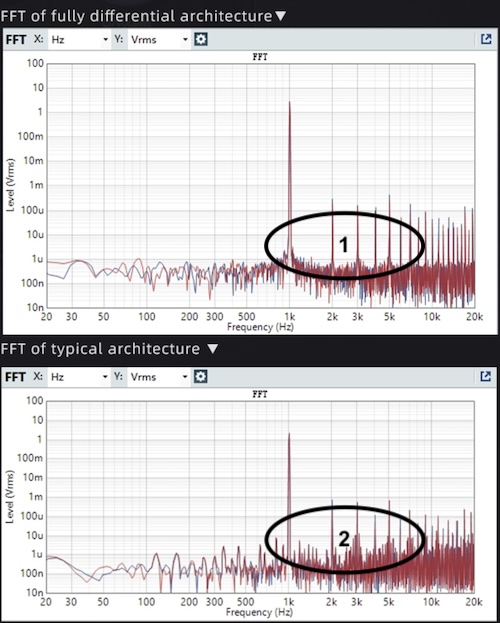
I’ve highlighted two aspects: (1) the focus on harmonic components around the fundamental, and (2) how some typical R2R implementations show more inter‑harmonic noise. FiiO’s message is that K13 R2R emphasizes the harmonics we tend to perceive musically, rather than minimizing total noise at all costs.
Rating
I have given the K13 R2R a Pragmatic rating of 4. It does exactly what it promises — a feature‑complete, powerful, usable R2R desktop DAC/amp at an attainable price, with OS/NOS to allow people to pick their own flavour. For what it offers, it is an excellent bargain at ~ $320 and a huge upgrade over the K11 R2R with the PEQ, App Control and power output especially outstanding.
So, If you’re curious about R2R and want something far more powerful than FiiO’s earlier K11 R2R without spending $1000+, the K13 R2R is aimed at you.
If you already know you want the most transparently accurate sound with PEQ and similar power, consider a different headphone DAC — for example, the Topping DX5 II, which I recently reviewed — but for anyone curious about R2R, the K13 R2R is an amazing option.
Though at the other end of the ‘scale’ if you want an even more retro styling, then the upcoming “Warmer R2R” though that is just a pure DAC but also includes both an R2R ladder DAC and tubes. I will have a detailed review coming very soon.
Conclusion
If you are curious about R2R, I can’t really find anything to complain about with the K13 R2R. It’s bigger and far more powerful than the K11 R2R. It has some great features like PEQ, options for a linear power supply, balanced outputs, great power output and even both a remote control and a companion app for control.
So for those who want to experiment a little with a retro ‘sound’ but still want a powerful headphone output and all the modern features like PEQ, Balanced outputs, remote control, and a nice display, the K13 R2R is an easy recommendation.