JCALLY JM98MAX USB Dongle DAC/AMP
A tiny SE 3.5 mm dongle with real grunt — and a simple, useful EQ button
JCALLY’s JM98MAX is one of the most capable single‑ended 3.5 mm dongles I’ve used this year. It looks great, with a metal shell and a little see‑through window that gives a peek at the internals, and it punches far above its size in raw drive capability. The headline party trick is a physical EQ button that cycles three tonal options on the fly. It’s a pragmatic design: no fuss, no menus, just click to adjust to the music or to the IEM you’ve plugged in. It easily earns its 5/5 pragmatic rating for the combination of power, portability, and price. My only real wish is for the EQ button to become user‑tunable in the WalkPlayer app so it could serve as a true A/B toggle between stock and a custom profile.
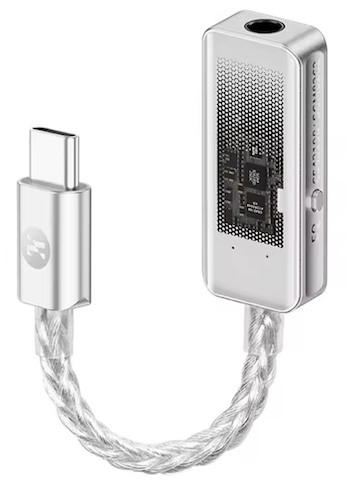
I would like to thank JCALLY for providing the JM98 Pro. If you are interested in finding more information about this series, check their AliExpress page: JCALLY JM98MAX (AliExpress)
What’s in the box
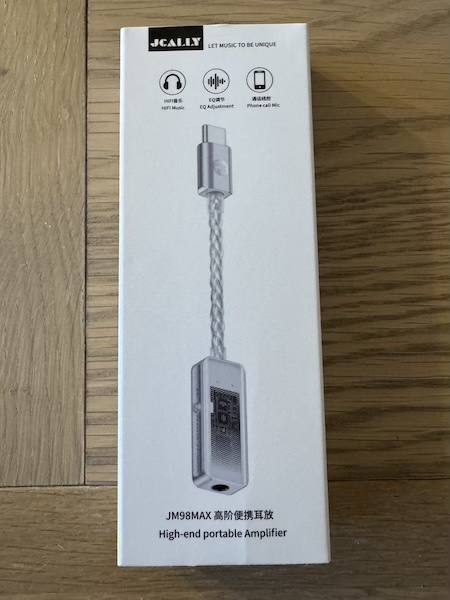
The JM98MAX ships in a compact package with the dongle itself, a short, permanently attached USB‑C lead, and basic documentation. Some kits include a USB‑C to USB‑A adapter for PC use. The first impression is tidy and purposeful — you pull it out, plug it in, and it just works.
 |
 |
Build quality and design
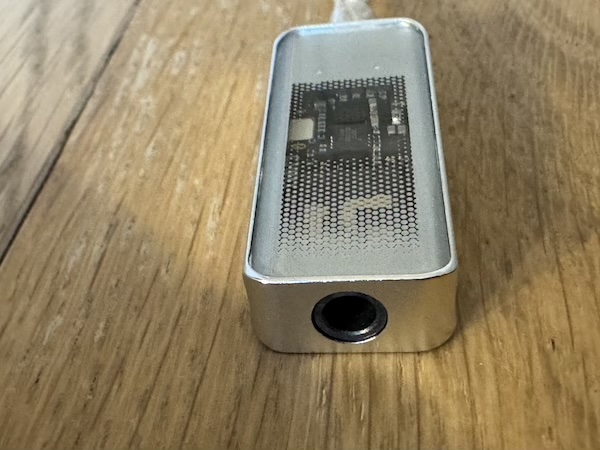
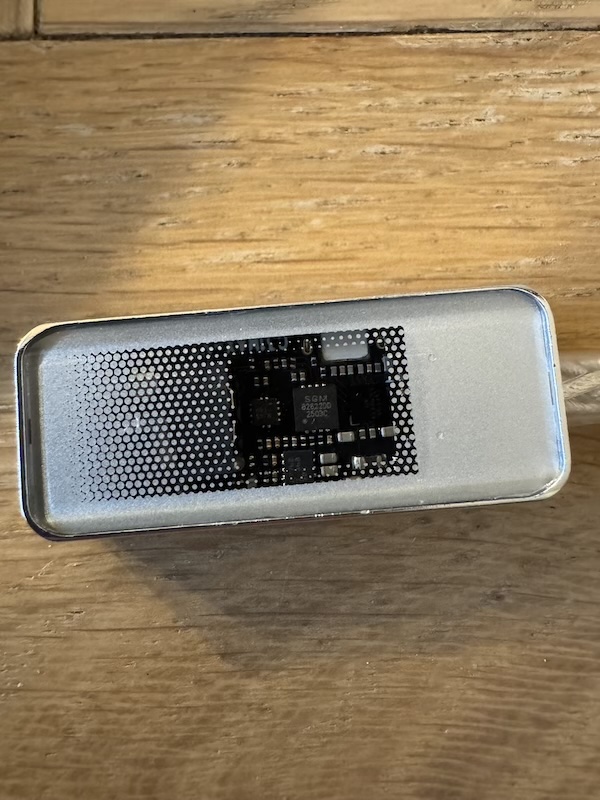
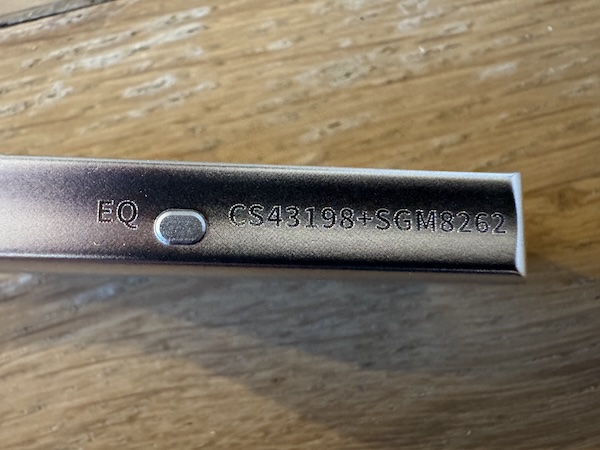
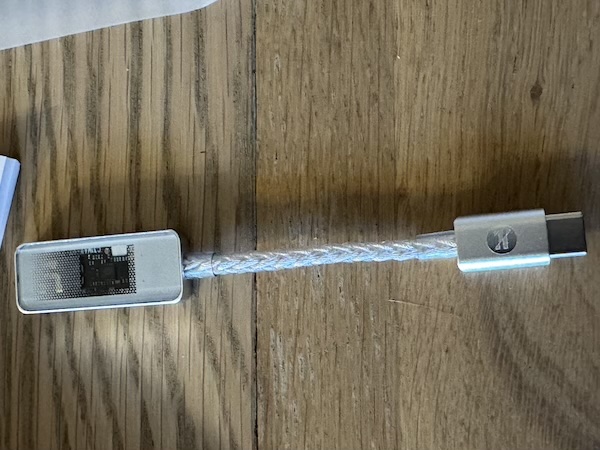
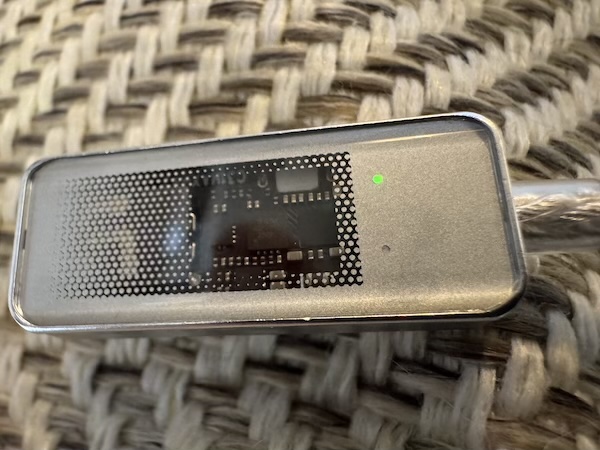
In the hand, the JM98MAX feels solid. The aluminum alloy body is precisely machined, and the front is capped with a tempered‑glass window that shows a glimpse of the internals. Two tiny LEDs sit above the window — one for power/lock and one for EQ mode — and on the back there’s a discrete button to switch between Balance, Bass, and Treble curves. The single 3.5 mm output sits on the top edge, and the fixed cable exits the bottom with proper strain reliefs.
Like many JCALLY units, the non‑detachable cable trades modularity for reliability. The eight‑strand silver‑copper braid is thicker than average for this class yet remains reasonably supple, so the dongle doesn’t tug at your phone when it’s in a pocket.
 |
 |
 |
 |
Day‑to‑day use and features
Under the hood is Cirrus Logic’s CS43198 DAC feeding an SGM8262 amplifier stage. That combination delivers clean, low‑noise output with surprising headroom for a single‑ended 3.5 mm device — roughly 195 mW into 32 ohms at 1% THD+N, with output impedance around 0.65 ohms to keep multi‑BA IEMs happy. Idle noise is essentially inaudible on my most sensitive sets. Compatibility is broad: it works with Android and iOS (with a Lightning/USB‑C adapter where needed), macOS and Windows (UAC 2.0 by default, with a UAC 1.0 fallback for older hosts, Switch, and PS5). Calls and recording are supported as well.
The hardware EQ button is a clever quality‑of‑life feature. I used Balance for neutral‑leaning IEMs, Bass when pairing with leaner earphones or when I wanted a little extra thump, and Treble when a warmer IEM needed a touch of extra air. Today these three modes are fixed — you can’t yet assign your own filters to the button — but even stock they cover a lot of practical ground.
App experience: WalkPlayer and devicePEQ
JCALLY’s WalkPlayer app gives a clean status view (sample rate/format), access to firmware, and utility toggles like UAC mode. Crucially, it shows which EQ mode you’re in when you press the physical button, so you always know where you landed. As of writing, the three EQ modes are not user‑editable, which is why I’d love to see a future update that turns the button into a true A/B switch between two user profiles.
I’ll also include two screenshots of my devicePEQ tool configuring the JM98MAX. While you don’t remap the hardware button with it, devicePEQ is handy for quickly visualizing and auditioning filter ideas, saving presets, and sharing settings.
 |
 |
 |
 |
Wish list: An A/B toggle using the physical EQ button to switch between two profiles (or stock vs. custom) would be a killer update.
Sound impressions and how the EQ button changes FR
On Balance, the JM98MAX presents a broadly neutral‑to‑slightly‑bright tilt compared with warmer dongles. Bass is tight and controlled, mids are clean, and treble has good definition without tipping into glare with sensible pairings. The stage is tidy with decent separation for the class.
Switching to Bass brings a tasteful mid‑bass lift. It doesn’t push substantially deeper sub‑bass, but it fills out note weight, adds punch, and gently smooths upper mids and treble. Treble mode goes the other direction: bass quantity steps down, upper mids/treble energy steps up, and the presentation becomes leaner and faster sounding — nice for darker IEMs, potentially too thin on already bright sets.
I’ll add FR overlays showing the measured deltas between modes. Expect a modest mid‑bass shelf on Bass and a bass reduction plus upper‑mid/treble lift on Treble.
 |
 |
 |
 |
Specifications and Measurements
Specifications
| Item | Details |
|---|---|
| Product | JM98MAX “Advanced Portable Earamplifier” |
| DAC | Cirrus Logic CS43198 |
| Amplifier | SGM8262 |
| PCM | Up to 32‑bit/384 kHz |
| DSD | Up to DSD256 (1‑bit 11.2 MHz) |
| Output | 3.5 mm single‑ended |
| Input | USB Type‑C; UAC 2.0 with UAC 1.0 fallback |
| Output power | ≈195 mW (32 Ω, THD+N < 1%) |
| Output impedance | ≈0.65 Ω |
| SNR | ≈125 dB (A‑weighted, 32 Ω) |
| Dynamic range | ≈120 dB (32 Ω) |
| Crosstalk | ≈ −70 dB (32 Ω) |
| THD+N | ≈0.0003% (32 Ω) |
| Idle noise | ≈1.3 μV A‑weighted (32 Ω) |
| Functions | Music, gaming, live streaming, calling/recording; remote control; 3‑mode hardware EQ; UAC 1.0/2.0 switch |
| Platforms | Android/iOS (via adapter), macOS/Windows 10+, Switch/PS5, legacy Win 7 (UAC1.0) |
| Cable | Eight‑strand silver‑copper braid (448‑core), silver‑plated conductor |
| Shell | Aluminum alloy, five‑axis CNC with tempered‑glass window |
| Size | ~110 ± 10 mm overall length |
Measurements (FR changes from the EQ button)
All measurements shown here focus on how the three hardware EQ modes alter frequency response. Captured on a 711‑clone coupler (KB501X soft pinna), with multiple reseats averaged. Expect Bass to add a modest mid‑bass shelf with slightly softer upper mids; Treble reduces bass and elevates upper mids/treble, increasing perceived brightness and speed.
|
|
|
|
Rating Explanation
I’m giving the JM98MAX a 5/5 pragmatic rating because it delivers unusually strong single‑ended power in a tiny package, keeps noise in check with sensitive IEMs, and adds a genuinely useful one‑click EQ button for quick tonal shifts. The UAC 1.0/2.0 flexibility makes it play nicely with everything from modern phones to game consoles, and the see‑through window is just plain fun.
The only notable caveats are the fixed cable — which is robust but not replaceable — and the current limitation that the EQ button can’t be mapped to custom profiles in the app. If JCALLY adds that A/B feature, this already‑excellent dongle gets even better.
Conclusion
The JM98MAX nails the brief: small, stylish, and seriously powerful for a single‑ended 3.5 mm dongle. The three‑mode EQ button adds pragmatic flexibility, and while I still want user‑defined A/B EQ via the app, the current implementation is already handy. If you need a pocket dongle that can wake up hard‑to‑drive IEMs or efficient on‑ears without going balanced, this is an easy recommendation.