Viaim OpenNote
The AI Note-Taker That Fits in Your Ears
Viaim is an AI-first company that approaches personal audio from the productivity end of the spectrum rather than the audiophile end. Their portfolio is built around AI-powered recording and transcription — the RecDot being their dedicated standalone recorder — and the OpenNote represents their attempt to embed that intelligence directly into an open-ear wearable. Open-ear audio has had a notable rise over the past couple of years, driven by lifestyle scenarios where ambient awareness matters as much as sound quality: desk work, meetings, commutes, and situations where you need to hear the world around you while still having audio in your ears. Most players in this space — EarFun, Shokz, Anker — treat it primarily as an audio product with some ambient benefits folded in. Viaim’s proposition is distinctly different: the OpenNote is an AI-powered recording and transcription platform that happens to sit in your ears and play audio, and understanding that distinction is key to knowing whether this is the right product for you.
I would like to thank Viaim for providing the OpenNote for the purposes of this review.
If you are interested in finding more information about this product, you can find it at the official Viaim store.
The Viaim OpenNote retails for $169.99. Available in Black and White. An optional NoteKit desktop add-on is also available for those who want extended desktop recording capabilities.
I have had the OpenNote for about a month, using it at my desk for podcast and audiobook listening, during meetings for its AI recording capabilities, and on a recent trip to Japan where the live transcription proved genuinely useful for navigating conversations in real time. The AI recording feature is comprehensive and the clear reason to buy this device — but there is a caveat to the subscription model that is worth understanding before you commit, and I will come back to it properly in the features section. But first, let’s take a look at what’s in the box.
Unboxing and Packaging
 |
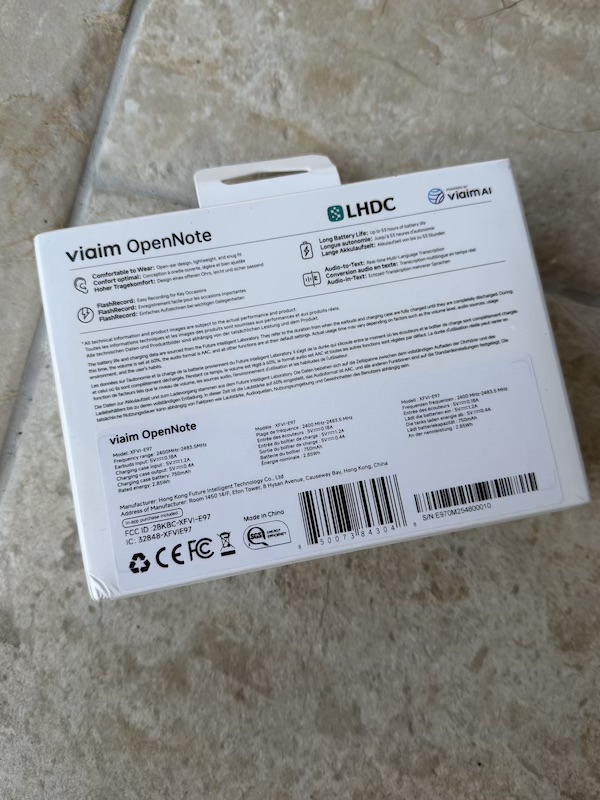 |
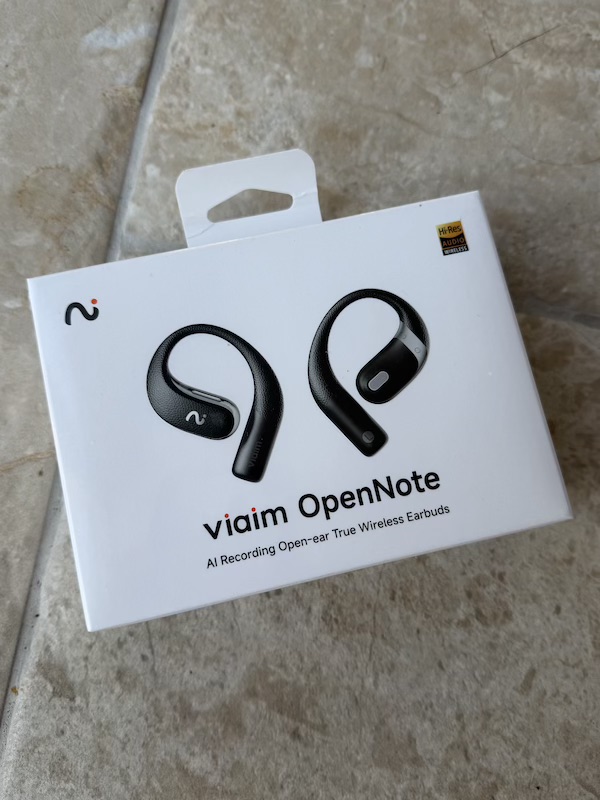
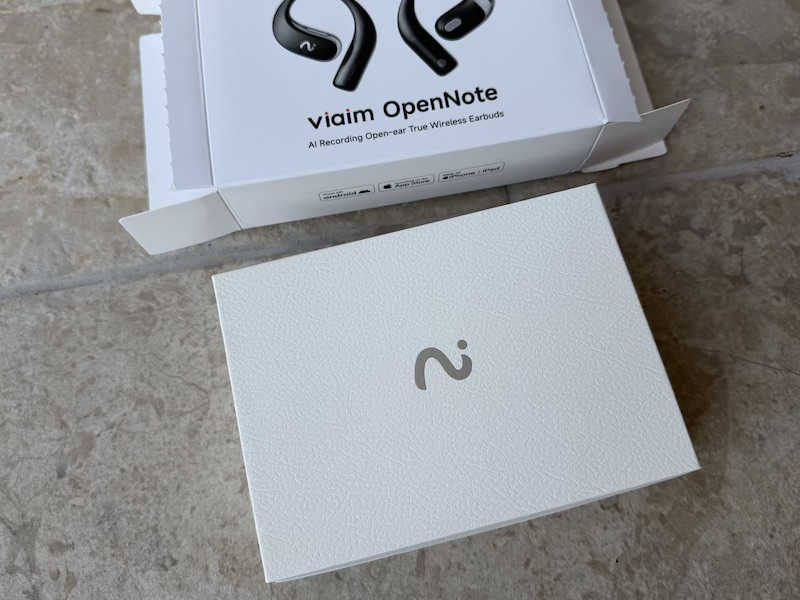
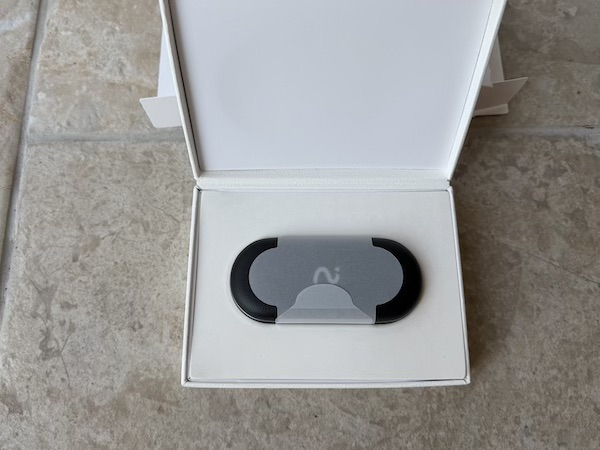
The OpenNote arrives in packaging that matches the premium positioning Viaim is aiming for — clean, confident, and well-structured. There is a clear intention here to signal quality before you even open the box.
 |
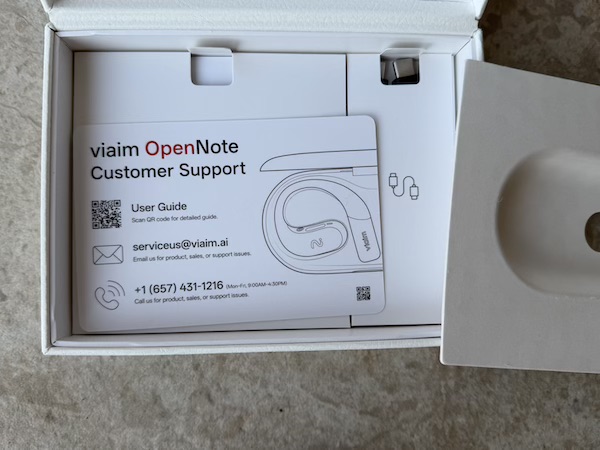 |
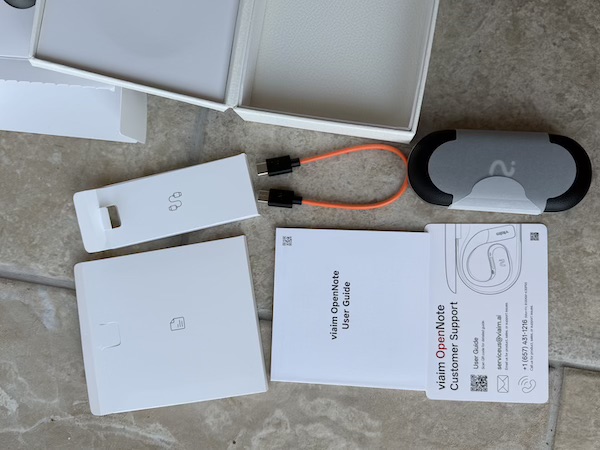
In the box you get: the Viaim OpenNote earbuds, the leather charging case, a USB-C charging cable, a selection of ear tip options, and documentation including a customer support note.
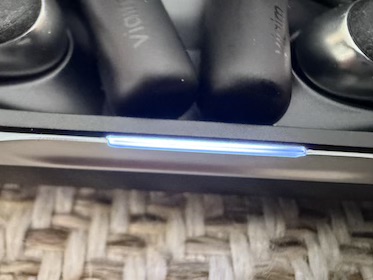
The USB-C cable is worth calling out specifically: it is a bright, distinctive colour rather than the generic black cable most manufacturers bury under the product as an afterthought. It is a small thing, but it is the sort of detail that suggests the team has thought about the unboxing experience holistically. The LED indicator on the case is a practical touch — it gives you an immediate read on charge status without opening the case.
Build Quality and Case
 |
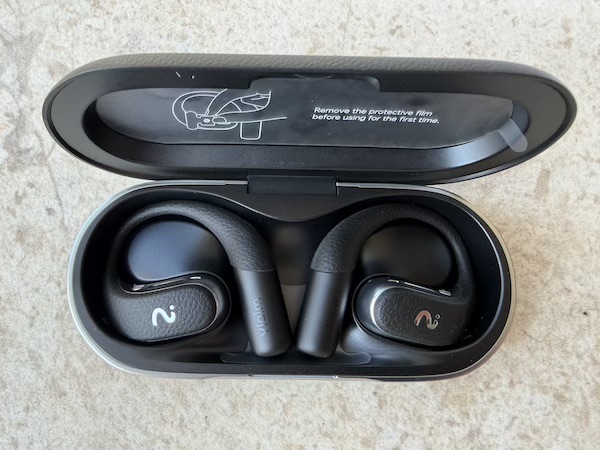 |
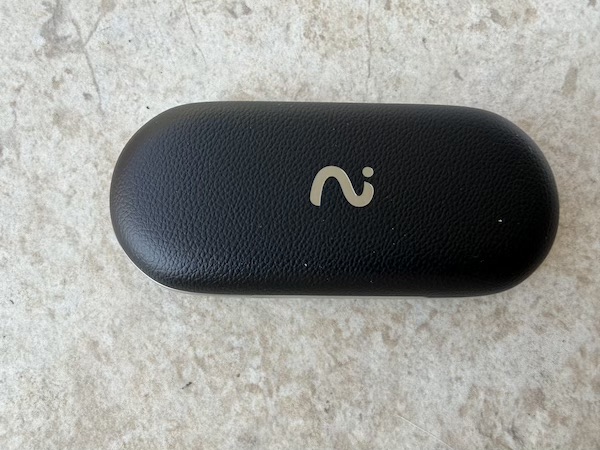
The case is one of the OpenNote’s most immediately impressive physical qualities. The leather texture is genuine and well-finished, with a tactile warmth that elevates the overall feel of the product considerably. It is compact — smaller and more pocketable than many TWS cases in this price range — and the magnets holding it closed and securing the earbuds inside are firm and satisfying. For a device that you will be carrying to meetings and dropping into a bag repeatedly, the case feels genuinely durable.
 |
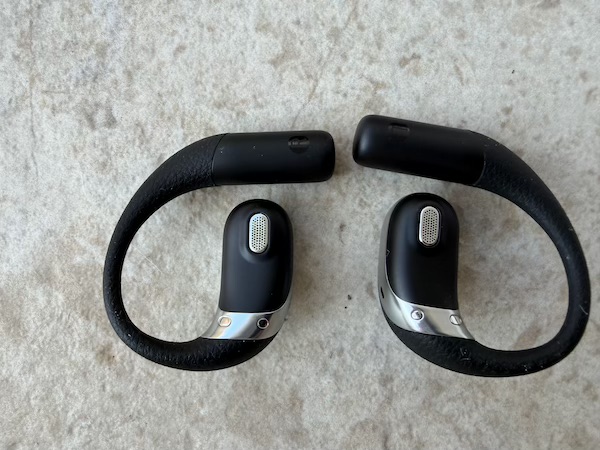 |
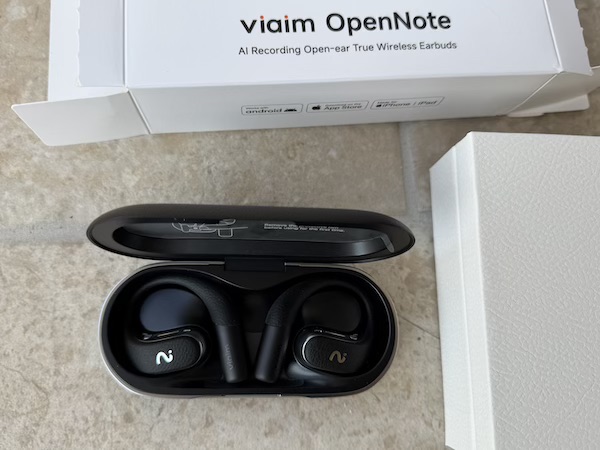
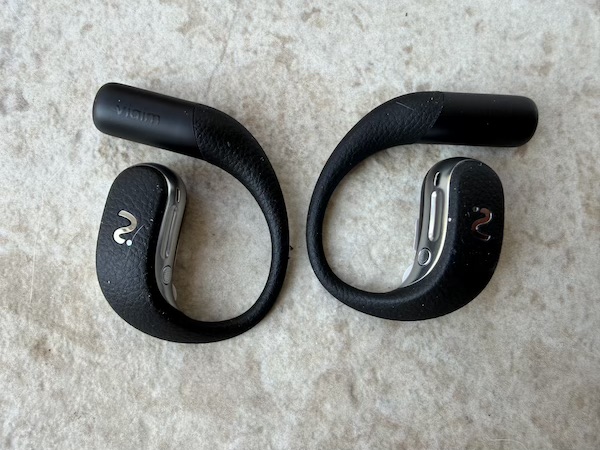
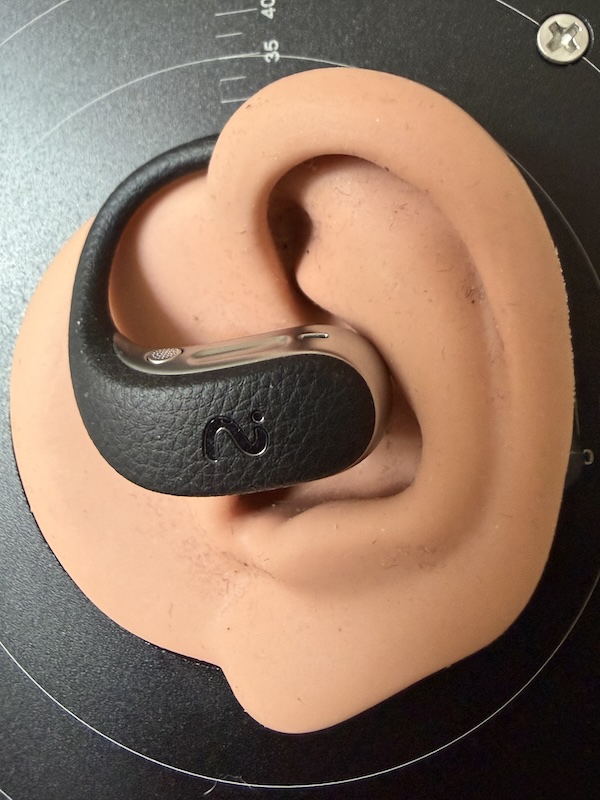
The earbuds themselves are clean and minimal. The open-ear speaker design — visible in the image above — is the core of the product: rather than sealing into the ear canal, the OpenNote rests lightly against the outer ear and projects audio openly. This is what gives the device its ambient-aware character. The materials feel solid, the finish is consistent, and there are no concerning gaps or flex in the construction. At just 10.5g per earbud, they are genuinely light — a meaningful comfort advantage for all-day wear. The earbuds carry an IP55 water resistance rating, which covers sweat and splashes; it is worth noting, however, that the case itself is not IP-rated, so keeping it dry matters.
Features and App
Connectivity and Firmware
 |
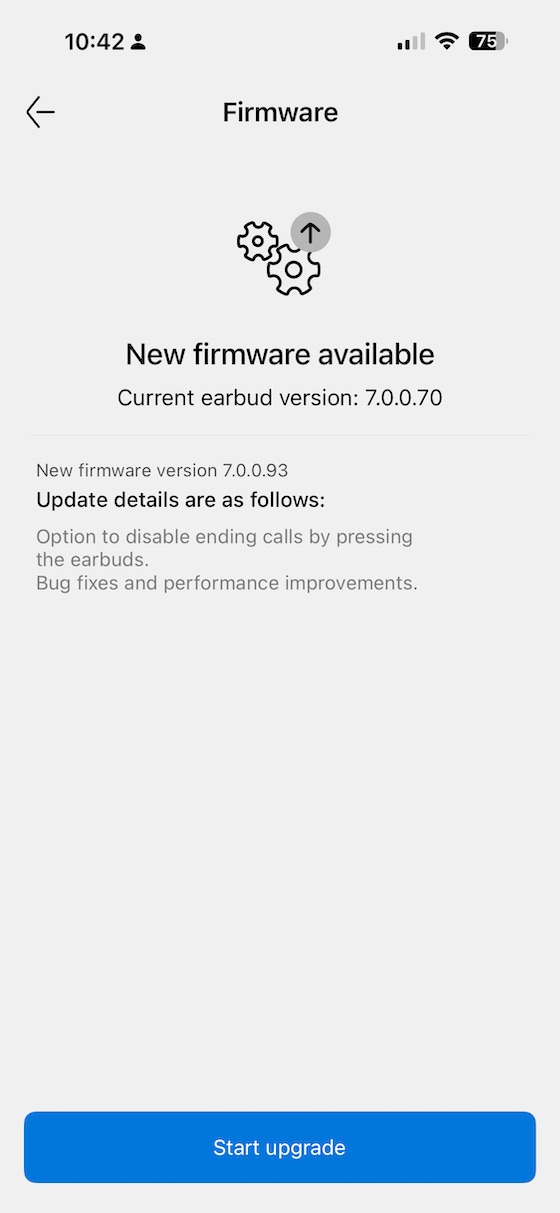 |
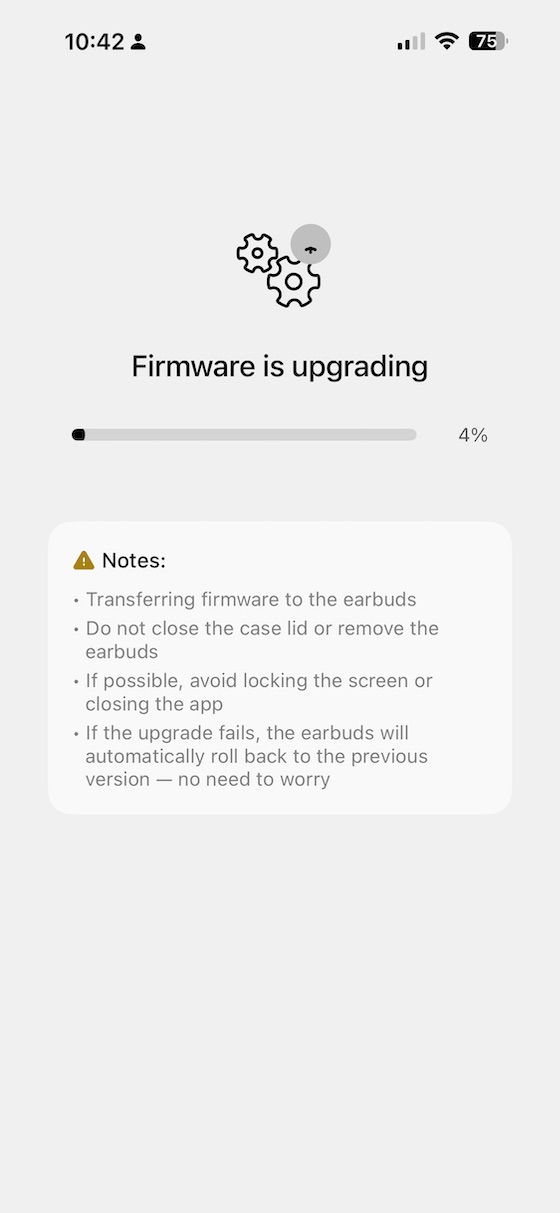
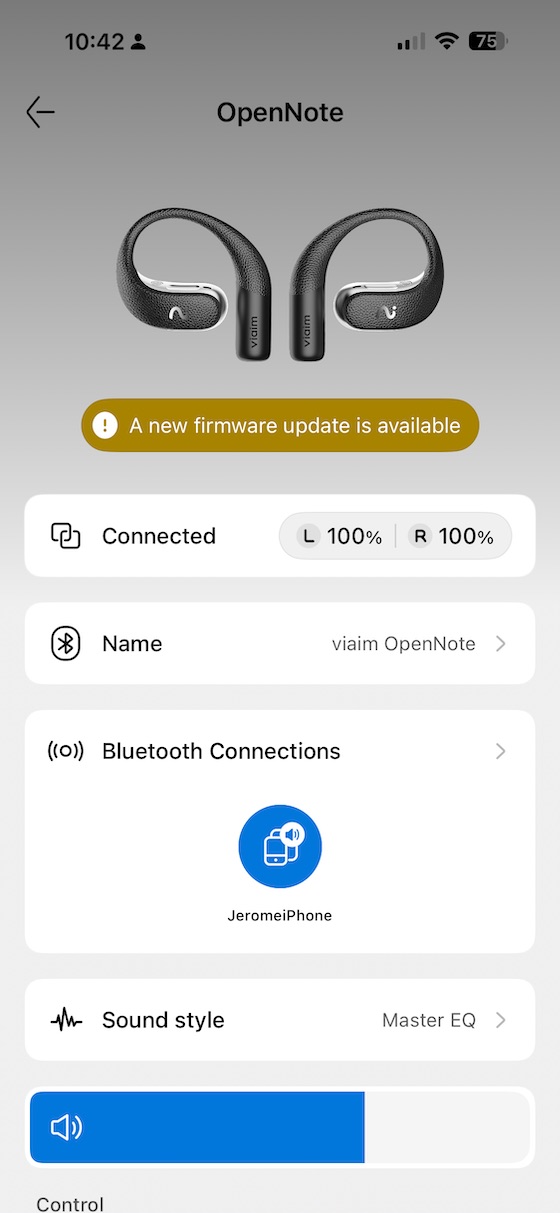
The companion app handles firmware updates cleanly, and during my review period there was an update available that installed without issue. Viaim appears to be actively developing the firmware, which is encouraging for a product whose core value is in software-driven AI features.
 |
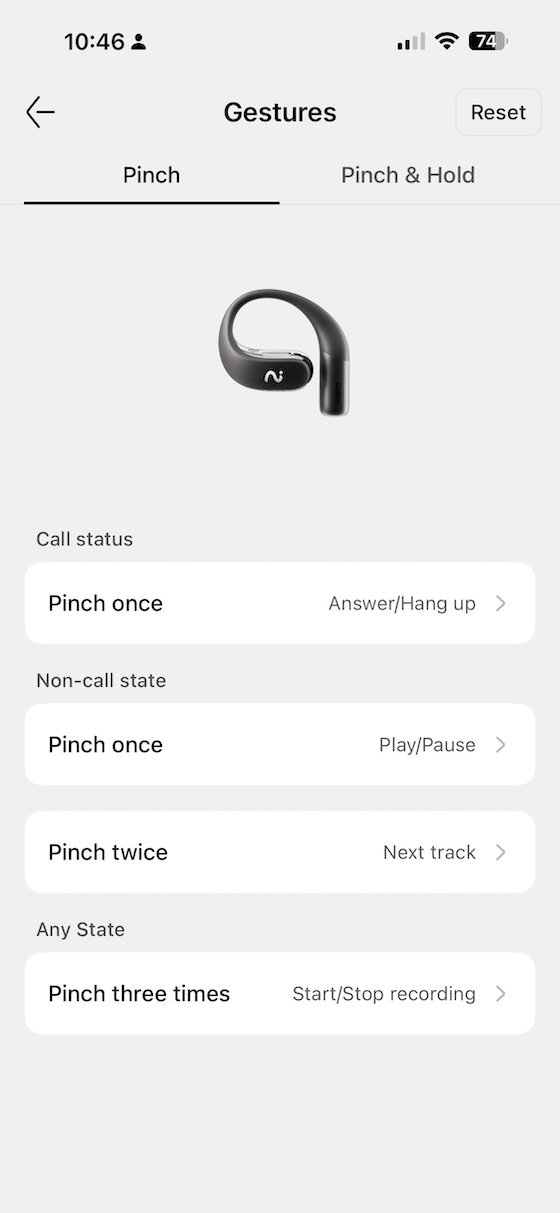 |
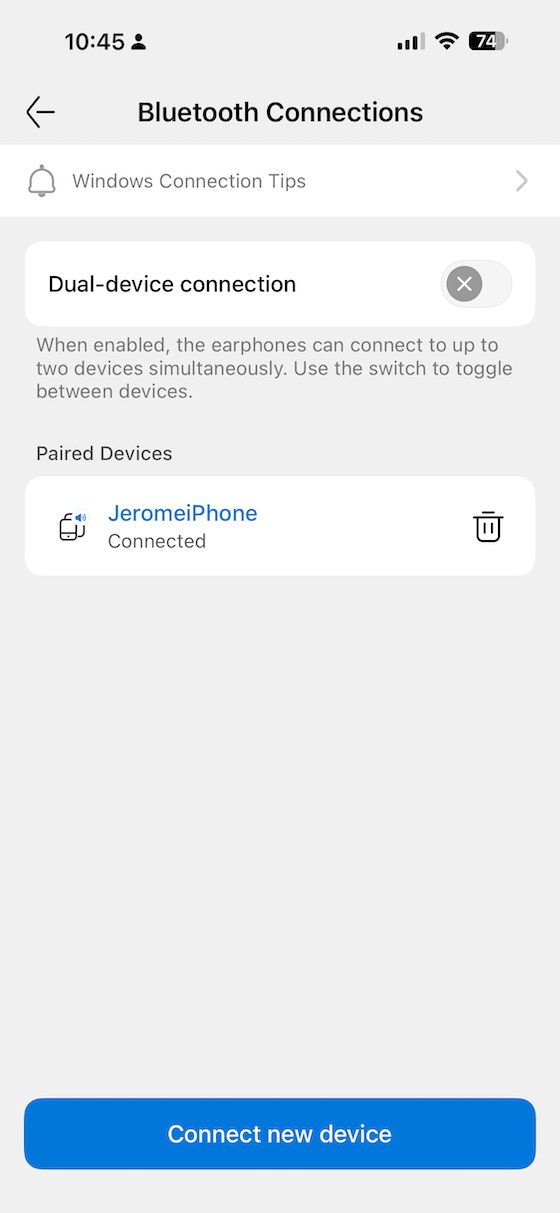
Dual connection is supported, allowing the OpenNote to be paired to two devices simultaneously — a practically useful feature for anyone switching between a laptop and a phone throughout the day. Gesture controls are customisable, and it is worth noting that Viaim has deliberately chosen pinch gestures rather than tap gestures: this is an intentional design decision to prevent accidental triggers when the open-ear bud is resting against your ear. Pinch and pinch-hold can each be mapped to different functions, and in practice the lower false-trigger rate justifies the unconventional choice. The OpenNote also includes a low-latency gaming mode and supports LHDC for hi-res Bluetooth audio on compatible Android devices — alongside the standard SBC and AAC — giving it a codec range that outperforms most devices in this category.
 |
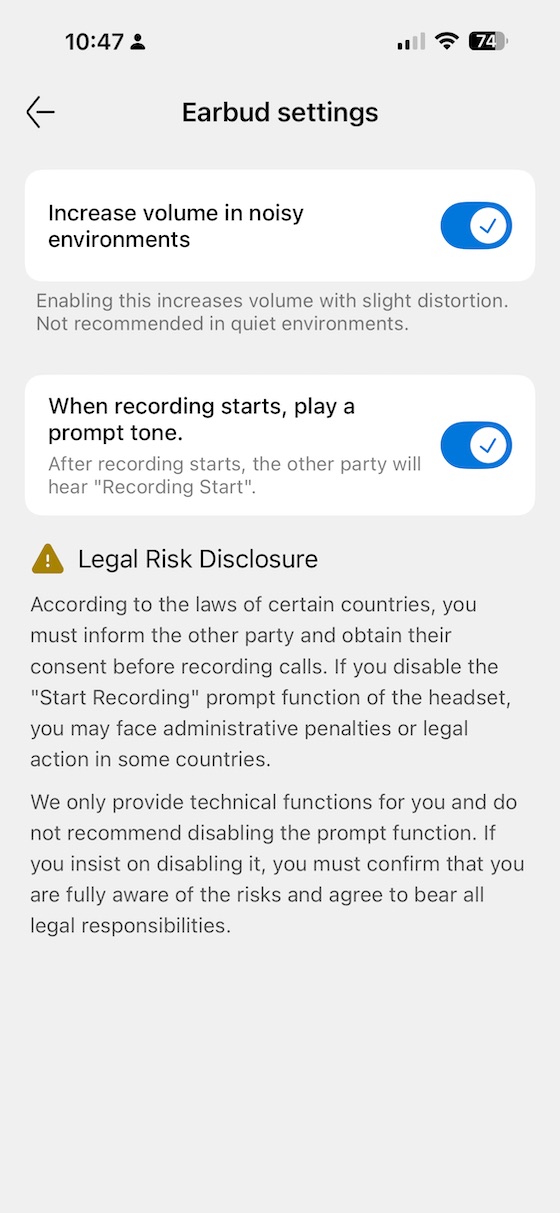 |
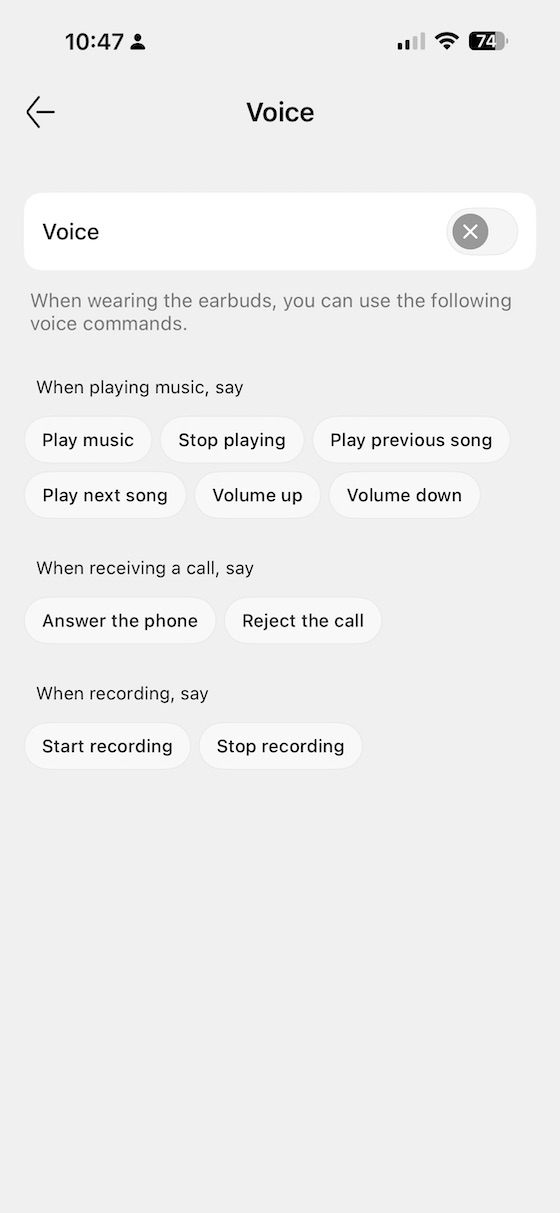
Voice triggering is supported for hands-free playback control, which sits naturally alongside the recording-centric use cases this product is designed for. Additional earbud configuration options in the app cover related behaviours; one notable absence is auto-pause when the earbuds are removed, which is a convenience most competing TWS earphones now offer as standard.
Audio and EQ
 |
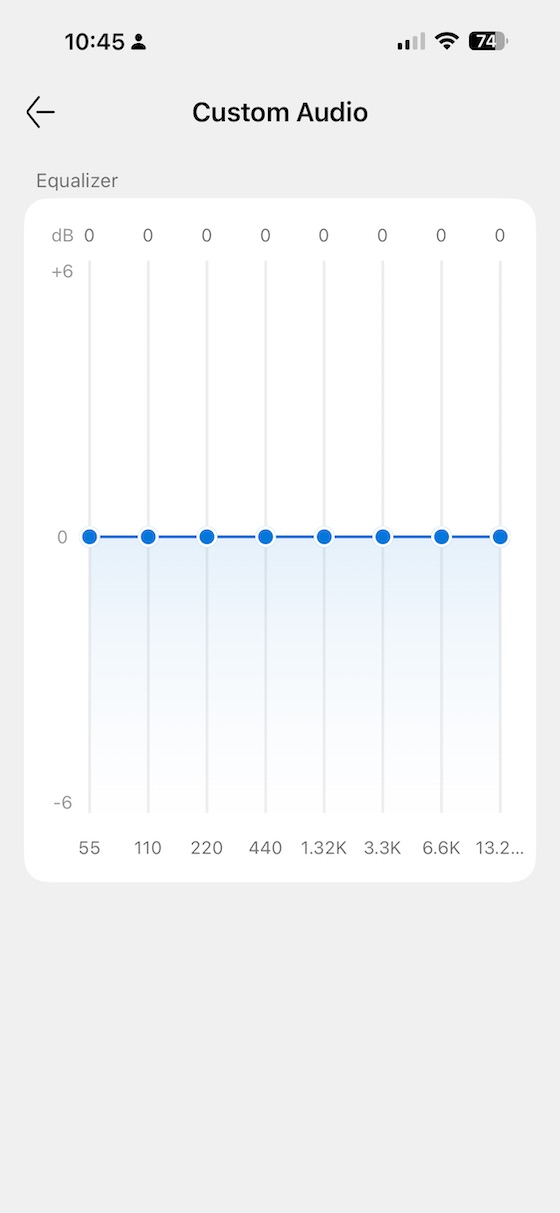 |
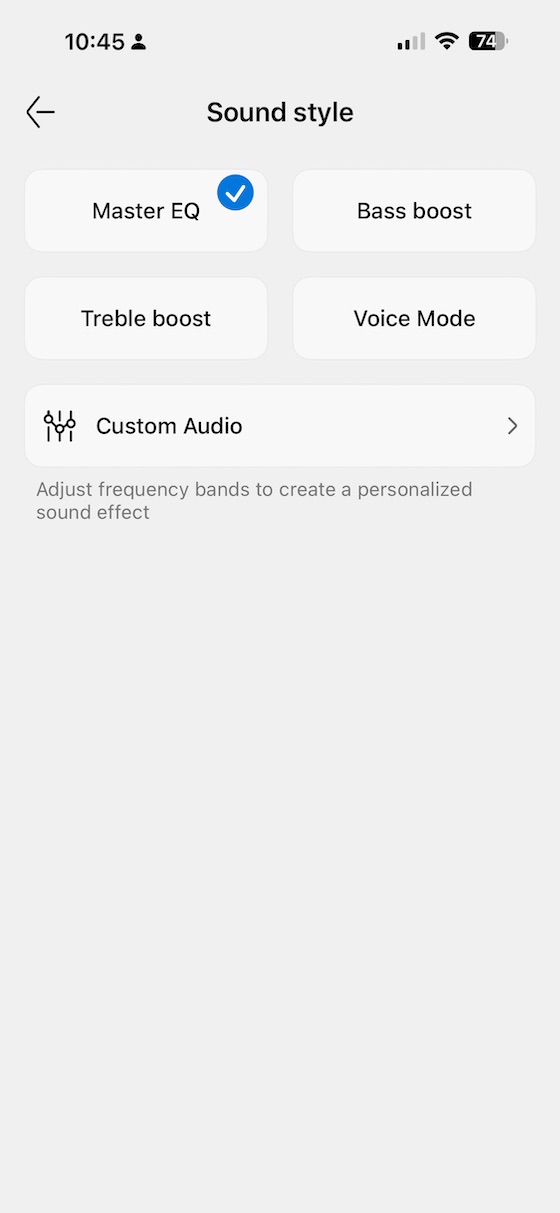
The EQ section of the app offers 18 sound profiles — covering a range of genre and use-case presets — alongside an 8-band custom EQ for those who want to shape the response manually. The Bass Boost preset is, in my experience, the most musically useful starting point for general listening, and the measurements confirm this — it does the most to address the inherent bass-light character of the open-ear design. I’ll come back to what those measurements show in the specifications section.
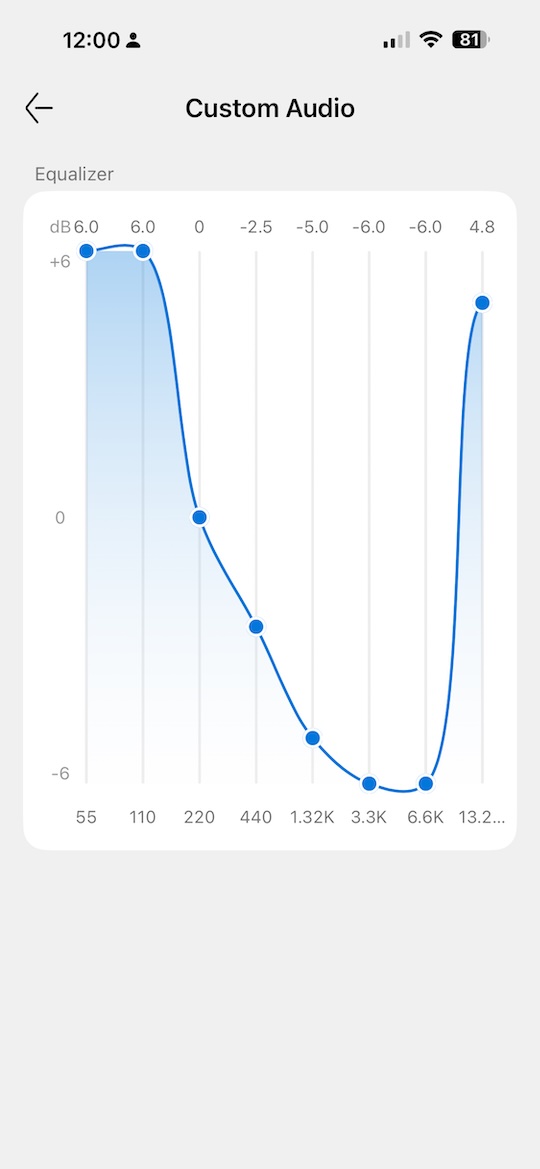
For those willing to spend a few minutes in the custom EQ, a targeted approach works even better than the Bass Boost preset: pulling back the upper-midrange and treble peak while lifting the low end produces a more balanced, natural result that the open design can actually deliver. The image above shows the custom EQ recommendation that I settled on after measurement and listening.
AI Recording Features
The AI recording capability is the defining feature of the OpenNote and the primary reason to choose it over cheaper open-ear alternatives. The four built-in microphones support a pickup range of up to seven metres — impressively wide for a wearable — and the system supports 78 languages across 145 accents, making it genuinely usable across a broad range of real-world recording situations.
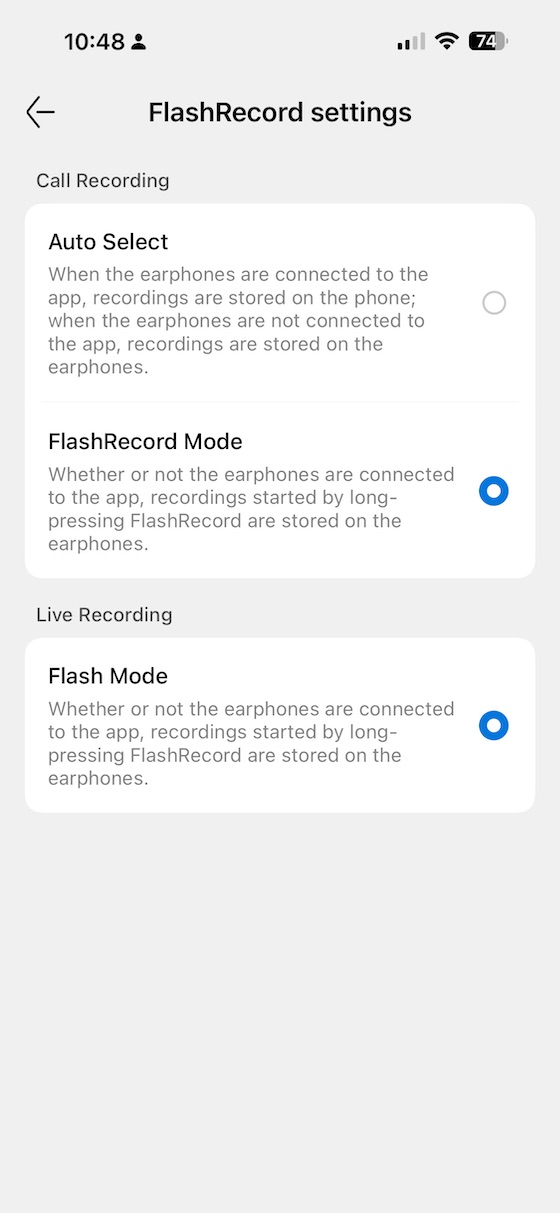
Flash Recording is designed for quick, frictionless capture — a press to record a thought, a meeting note, or a voice memo without navigating menus. In practice this works well for its intended purpose and is the feature I found myself using most during the review period, particularly when capturing listening notes for this very review while on the move.
 |
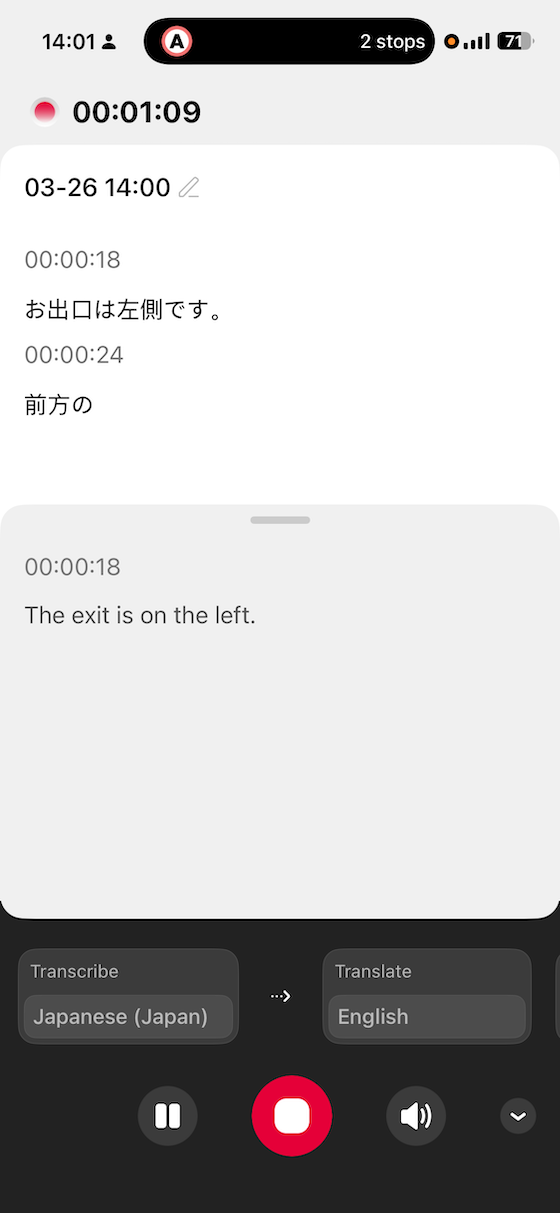 |
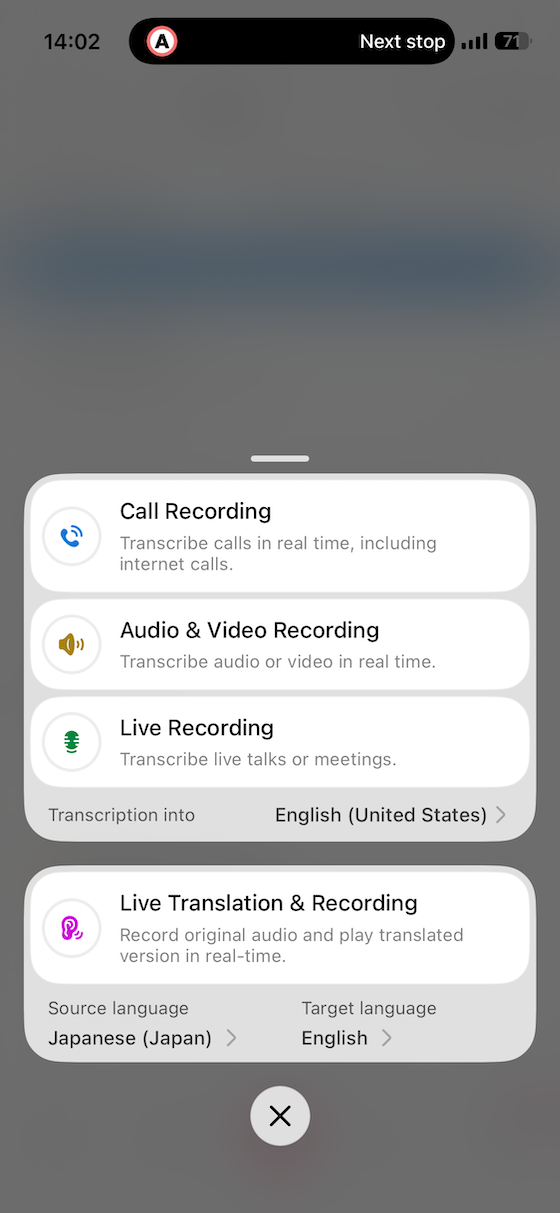
Three distinct recording modes cover different scenarios: Call mode for telephone and video calls, Audio/Video mode for recording ambient content, and Live mode for meetings and real-time transcription. During my Japan trip, Live mode proved genuinely impressive — the ability to capture spoken Japanese and receive a transcription in near-real time was more practically useful than I expected. That said, there is a latency of roughly three to five seconds between speech and transcription appearing on screen, which is enough to disrupt the natural flow of a fast conversation. The system also handles formal language well but struggles with slang and idiomatic expressions; anything colloquial or heavily context-dependent will likely require manual editing of the transcript afterwards. One genuinely useful feature for team contexts is Live Text Streaming, which allows you to share your live transcription with remote colleagues in real time — useful for distributed meetings where one person is on-site and others are remote.

Recorded sessions are managed within the app, with post-recording options including speech-to-text generation and auto-generated mind maps — the mind map feature in particular is a thoughtful addition for anyone using the OpenNote for lecture notes or brainstorming sessions. Offline recording is also supported: the OpenNote will record without a paired phone and sync the audio when reconnected, which is a practically valuable capability for situations where carrying your phone is inconvenient. Transcription quality is solid for clear speech in quiet environments and degrades gracefully rather than catastrophically in noisier conditions. The overall workflow for managing recordings and generating transcripts is functional, though it carries more steps than the use case ideally warrants — users who are not naturally comfortable with app-based workflows will find a learning curve.
One note on privacy worth flagging: recordings are processed and stored on cloud servers, which is a consideration for anyone using the OpenNote in sensitive professional or confidential settings. Viaim is transparent about this, but it is worth being aware of before recording in environments where data security matters.
Subscription Model
 |
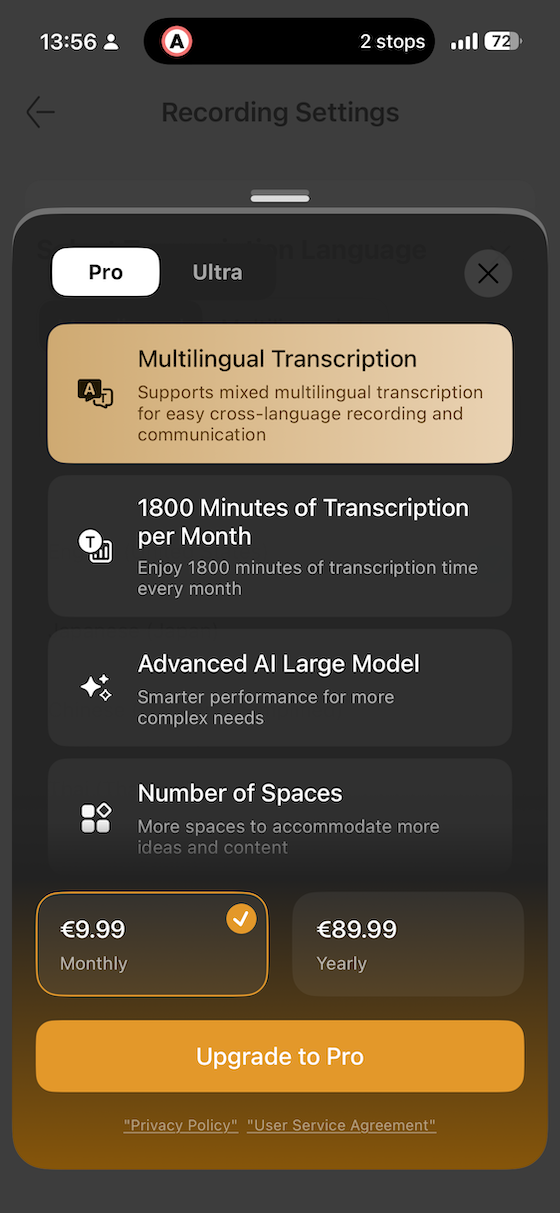 |
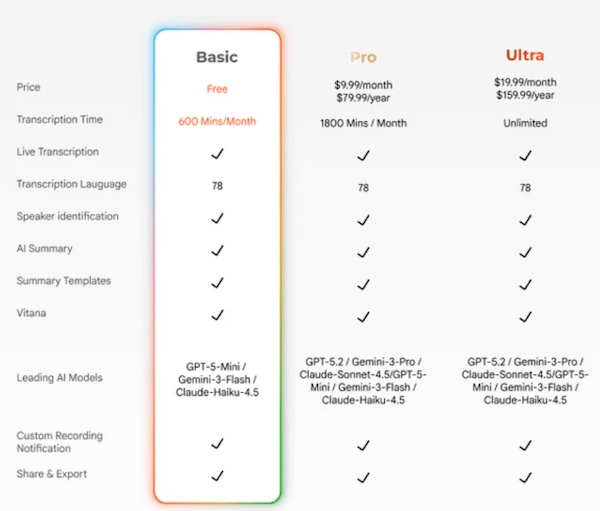
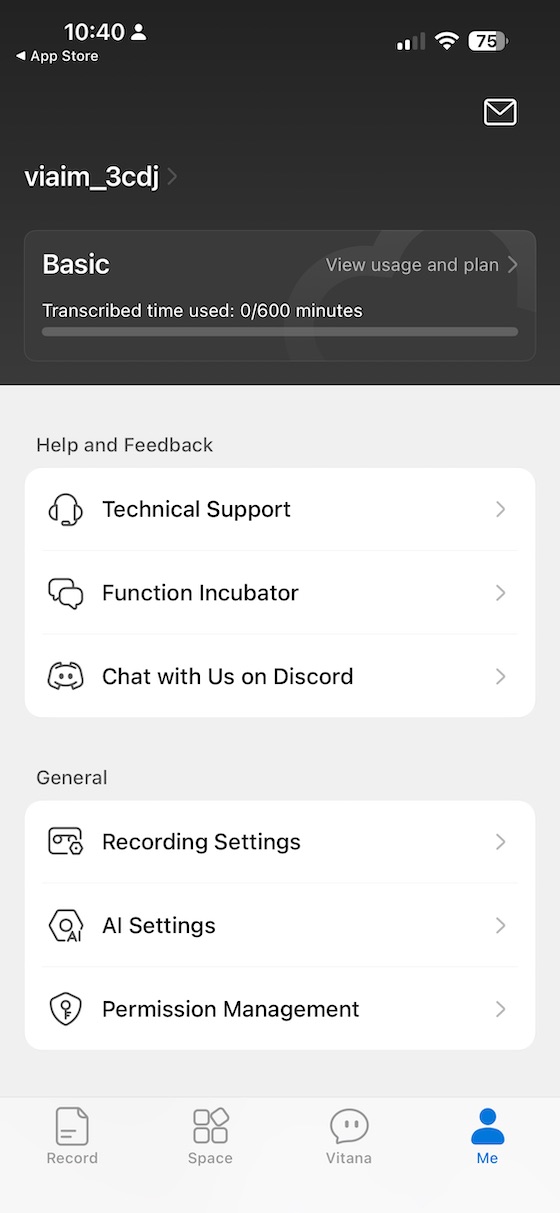
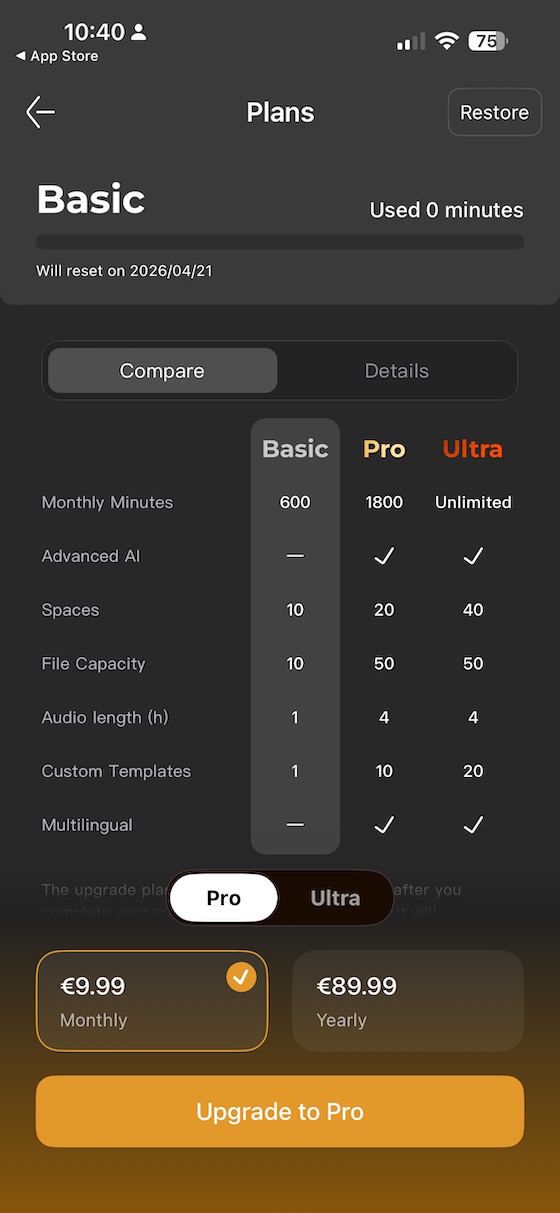
The AI features are tiered behind a subscription model, and this is where I have my clearest reservation about the OpenNote. The free tier provides 600 minutes of transcription per month — enough for occasional use, but a meaningful constraint for anyone in frequent meetings. The Pro tier at $8.49 per month (or $79.99 per year) raises that to 1800 minutes, while the Ultra tier at $16.99 per month (or $159.99 per year) removes the cap entirely. Higher tiers also unlock access to more capable AI models for summaries — including GPT-5, Claude-3.7, and Gemini 2.5 Pro — for users who want the best available AI processing applied to their transcripts. Having spent time with the free tier, my assessment is that it covers the most practically useful features well enough that the subscription feels like an optional enhancement rather than a necessary unlock for most users. That said, anyone who genuinely relies on the OpenNote as a daily meeting recorder will likely hit the 600-minute free limit within two to three weeks of heavy use, at which point the Pro tier’s value calculation becomes more straightforward. I would recommend starting with the free tier and upgrading only when you find yourself consistently bumping against the monthly cap.
Sound Impressions
The OpenNote’s sound character is shaped above all by one physical reality: it is an open-ear device, and open-ear devices simply cannot pressurize a bass wave the way an in-ear or closed-back headphone can. Every listening observation below is made with that constraint understood. The OpenNote is not a music device in the conventional sense — it is a productivity and ambient-listening device that handles podcasts, audiobooks, and casual streaming well. Comparing it to closed TWS earbuds for music would be an unfair framing of the product’s purpose.
My listening was primarily conducted via Bluetooth from an Android source, using the FiiO Music app for local playback and Apple Music for streaming. All sound impressions are formed using the Bass Boost preset unless otherwise stated, as this is the most balanced starting point the app offers.
Bass
Bass is, predictably, the OpenNote’s most significant limitation — and it is a fundamental one rather than a tuning failure. Open-ear drivers project audio without a sealed acoustic chamber, which means there is no mechanical support for sub-bass frequencies and mid-bass authority is considerably reduced compared to any sealed or in-ear design. What bass the OpenNote does produce is clean and free of distortion, but it is lightweight and lacks the slam, rumble, or textural layering that makes bass reproduction engaging for music. The Bass Boost preset does a meaningful job of adding body to voices and kick drums, making the low end feel present rather than entirely absent, but there is a ceiling to what EQ can achieve when the physics are working against it. Donald Fagen’s The Nightfly is a good reference for understanding this ceiling — the tight, controlled low end that makes that recording a joy on a well-sealed transducer is present in outline form on the OpenNote, but without the weight and grip that gives it its signature character.
Midrange
The midrange is where the OpenNote genuinely shines, and it is the primary reason the device works as well as it does for its intended use cases. Vocal clarity is excellent — open-ear designs benefit from an inherent naturalness in the midrange that sealed designs sometimes have to engineer around, and the OpenNote’s midrange has a transparent, uncoloured quality that makes voices sound immediate and true to life. This is the frequency range where podcasts, audiobooks, and spoken-word content live, and for those uses the OpenNote delivers a convincingly open and engaging experience. Joni Mitchell’s “A Case of You” is worth a listen here — not for the full weight and body that a better-sealed design would deliver, but for how well the vocal texture and melodic character of the recording are preserved in the OpenNote’s midrange rendering. For voices, this earphone simply sounds right.
Treble
The treble requires some management. The default Standard preset has a noticeable presence peak in the upper midrange and lower treble that adds an edge to certain recordings — particularly those with forward-mixed vocals or prominent acoustic guitar. The custom EQ shown in the earlier image addresses this effectively: a targeted reduction in the 5–8 kHz region smooths the response and makes the OpenNote considerably more comfortable for extended listening. The Bass Boost preset achieves a similar result by shifting the tonal balance away from the treble peak without the need for manual intervention, which is why I recommend it as the default starting point. The Eagles’ acoustic “Hotel California” is a useful test — the guitar pick attack that should sit naturally in the mix can feel slightly forward through the OpenNote in its default state, and the improvement with EQ correction is immediately audible.
Soundstage and Imaging
This is where open-ear design pays its most obvious dividend. The OpenNote’s spatial presentation is inherently expansive and room-like in a way that no sealed earphone can fully replicate — music does not feel contained inside your head but projects outward, with a sense of air and space that makes extended listening genuinely comfortable. Instrument placement is approximate rather than pin-point, which is typical for this driver topology, but the overall sense of three-dimensionality is one of the most pleasant aspects of the listening experience. Supertramp’s Crime of the Century — a recording that rewards width and spatial layering — sounds genuinely open and breathable through the OpenNote in a way that makes you appreciate what the open-ear format uniquely offers. This openness is also, of course, what makes the device excellent for ambient-aware listening in meetings or office environments: the music blends with the world around you rather than blocking it out.
Comparisons
Viaim OpenNote vs EarFun OpenJump
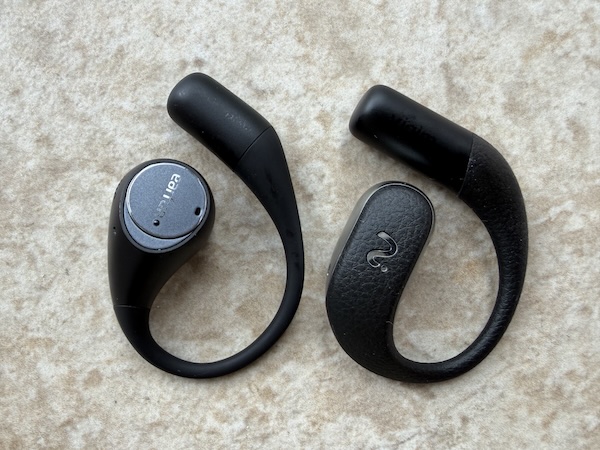
The EarFun OpenJump is the most obvious audio-focused comparison for the OpenNote, sharing the open-ear form factor and a broadly similar sound philosophy. The key difference is one of purpose rather than performance: the OpenJump is an audio-first open-ear earphone at a considerably lower price, while the OpenNote is an AI productivity device that also plays audio. Sound quality between the two is broadly comparable, with the OpenJump benefiting from a more competitive price and the OpenNote benefiting from a smaller, better-built case and a superior material finish. If your primary interest is in the open-ear listening experience and you have no use for AI transcription or recording, the OpenJump is the more pragmatic choice. If the AI note-taking capability is what draws you to this category in the first place, the OpenNote’s premium is entirely justified by that feature set alone.
Specifications and Measurements
| Specification | Detail |
|---|---|
| Form factor | Open-ear wearable |
| Driver | High-Polymer Racetrack-Shaped Dynamic Driver |
| Microphones | 4 microphones; pickup range up to 7m (22ft) |
| Call noise cancellation | Supported |
| Bluetooth | 5.3 |
| Codecs | SBC, AAC, LHDC (device-dependent) |
| Dual device connection | Yes |
| Voice control | Yes |
| Gestures | Pinch / pinch-hold (configurable) |
| EQ | 18 sound profiles + 8-band custom EQ |
| Recording modes | Call / Audio-Video / Live |
| FlashRecord | Yes |
| AI transcription | Speech-to-text; 78 languages / 145 accents |
| Offline recording | Yes (syncs on reconnection) |
| Live Text Streaming | Yes |
| Mind map generation | Yes |
| Low-latency gaming mode | Yes |
| Earbud battery | 19 hours |
| Total battery (earbuds + case) | 53 hours |
| Earbud battery capacity | 115mAh |
| Charging case battery capacity | 750mAh |
| Earbud weight | 10.5g |
| Charging case weight | 55.5g |
| Water resistance | IP55 (earbuds); case is not IP-rated |
| Charging | USB-C |
| AI subscription | Free: 600 min/mo · Pro: $8.49/mo or $79.99/yr (1800 min) · Ultra: $16.99/mo or $159.99/yr (unlimited) |
| Colours | Black, White |
| Optional accessory | NoteKit desktop add-on |
| Price | $169.99 |
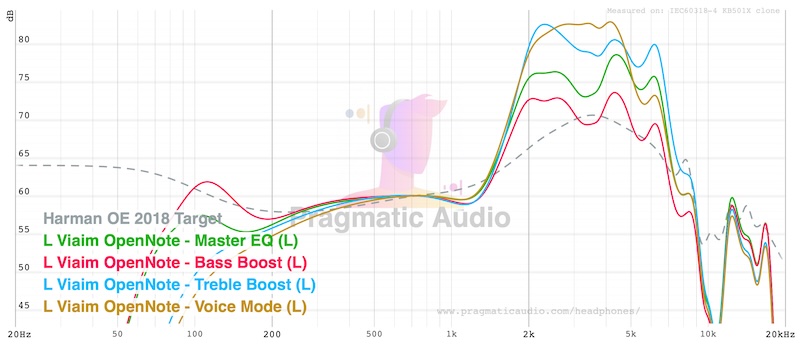
The frequency response measurement across the four presets tells a clear story. The Standard preset shows the inherent character of the open-ear driver: a roll-off in the bass frequencies that accelerates below 200Hz, a reasonably flat midrange, and a presence peak in the upper midrange that contributes to the slight treble edge noted in the listening impressions. The Bass Boost preset does the most useful work of the four: it adds meaningful low-end body without overcooking the mid-bass, bringing the tonal balance closer to a neutral-feeling presentation than the name might suggest. The Treble Boost and Vocal presets are more specialised and suit narrower use cases — Vocal in particular is worth exploring for podcast-heavy listeners who want forward vocal presence and are not concerned about low-end output at all.
 |
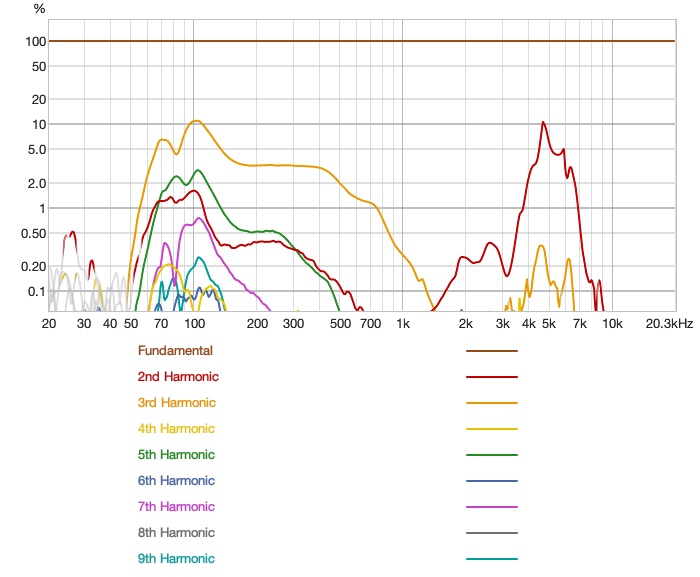 |
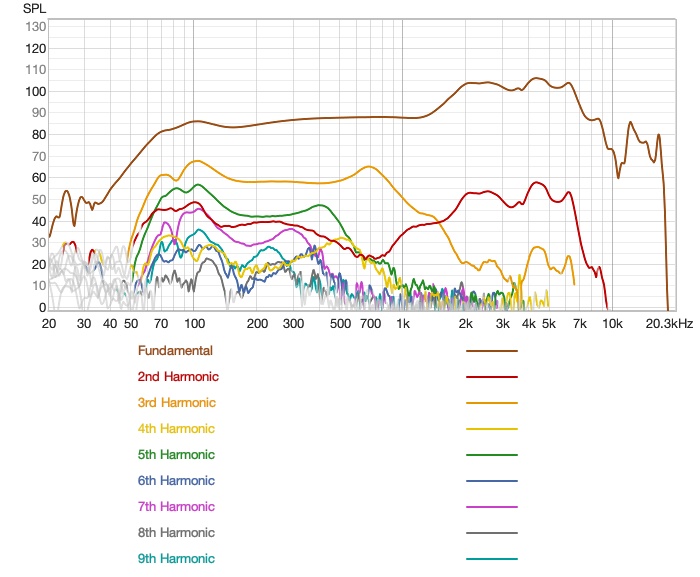
The distortion measurements are acceptable for an open-ear design at this price. Distortion rises as expected in the low-frequency range where the driver is working hardest against the open acoustic environment, but remains well-controlled through the midrange and treble — the frequencies that matter most for the device’s primary use cases of voice, podcasting, and transcription monitoring. The measurement confirms that the OpenNote’s limitations are architectural rather than build-quality related: it is a well-made driver being asked to work in a difficult acoustic environment, and it handles that situation competently.
Rating Explanation
The OpenNote earns its pragmatic rating of four because it does its primary job — AI recording and transcription in an open-ear form factor — genuinely well, and it does so with a build quality and case design that feel appropriate to the price. The live transcription feature is impressive in real-world use, the Flash Recording mode is the frictionless quick-capture tool it promises to be, and the open-ear design is genuinely well-suited to the meeting and ambient-listening scenarios the product targets. For that specific buyer, this is a well-executed device.
The price and features ratings each come in at four rather than five because the subscription model creates friction that the experience does not fully justify at its current tier pricing. The free tier is functional and covers the most practically useful features, but the tiered model introduces a mental overhead that an otherwise clean product would be better without. The EQ features are also slightly limited for a device at this price — the 8-band custom EQ is welcome, but the preset range could be broader to give users more meaningful starting points for different content types.
The measurements rating of three reflects the inherent constraints of the open-ear architecture. The OpenNote is not a bad-measuring device — its distortion figures are clean through the frequencies that matter most — but the bass roll-off is significant and the treble peak in the default profile requires attention before the listening experience feels balanced. These are not failures of the product, but they are real limitations that buyers should understand going in.
Conclusion
The Viaim OpenNote occupies a niche that barely existed a couple of years ago: a wearable that treats AI productivity as its core purpose and audio as its delivery mechanism rather than the other way around. For listeners who spend time in meetings, lectures, or environments where capturing spoken information matters, it is a genuinely useful tool — one that I found myself reaching for specifically for its recording capabilities in ways I did not anticipate before the review period began. The Japan trip crystallised this: using it to capture real-time Japanese transcription was one of those product moments where you think “this is why this device exists.”
As an audio product for music listening, the OpenNote is not what you should buy at $169.99. The open-ear design makes it pleasant for podcasts, audiobooks, and ambient sound monitoring, and with Bass Boost or a thoughtful custom EQ it delivers a listenable result — but the physics of an open driver are not negotiable, and music lovers will want to look elsewhere. For the right person, though — someone who records meetings, captures voice notes, wants real-time transcription in their ears, and also wants to hear the world around them while listening to audio — the OpenNote is a thoughtfully designed tool that earns its price.