JCALLY JM98 MAX2
The JM98 MAX Gets a Dashboard: Same Chip, Same Amp, Now It Tells You Everything
A small USB-C dongle DAC/amp with a 3.5mm single-ended output, a colour screen, three buttons and an engraved aluminium face.
I reviewed the JCALLY JM98MAX in May and the thing I liked most was how much single-ended power it put into such a small box. The JM98 MAX2 keeps the same DAC (a Cirrus Logic CS43198), the same amplifier chip (an SGM8262) and the same published output of around 195mW into 32Ω, and changes the parts around them: a colour LCD, three buttons instead of one, five EQ presets instead of three, 120 volume steps and an anime portrait engraved into the shell.
Whether that makes it a better dongle or just a busier one is what I wanted to find out, and since the screen is the part I kept coming back to, a good chunk of this review is about what it reports and whether any of it is useful.
I would like to thank JCALLY for providing the JM98 MAX2 for the purposes of this review.
If you are interested in finding more information about this product, you can find it on ZETTGEAR and on Headphone Zone, and JCALLY’s own site is at jcally.com.
The JM98 MAX2 is listed at $44.99 on ZETTGEAR (still the price when I checked again in November 2026), and it was ₹5,499 (reduced from a ₹5,999 list price) on Headphone Zone in India when I checked in September 2026. I could not find a dedicated European retailer listing for the MAX2 (the JM98 MAX family sits between roughly €36 and €49 on AliExpress’s EU storefront, but none of those listings clearly identifies itself as the MAX2), so treat the euro figure as unconfirmed. The unit reviewed here is the Moonlight Silver variant, which is the only colour named on the box.
I loved the screen and the power output and the general high quality feel for this at a super low price. It is only let down by the fact that the EQ buttons are fixed presets rather than user ‘configurable’.
I have had the JM98 MAX2 for about two months now, since CanJam London, using it with the Crinear Daybreak and a number of other IEMs I have reviewed recently. The one thing the spec sheet does not tell you is how good the low-gain performance actually is: dead silent on sensitive IEMs, with none of the low-level hiss that trips up cheaper multi-mode dongles. But first, let’s take a look at what’s in the box.
Unboxing and Build Quality
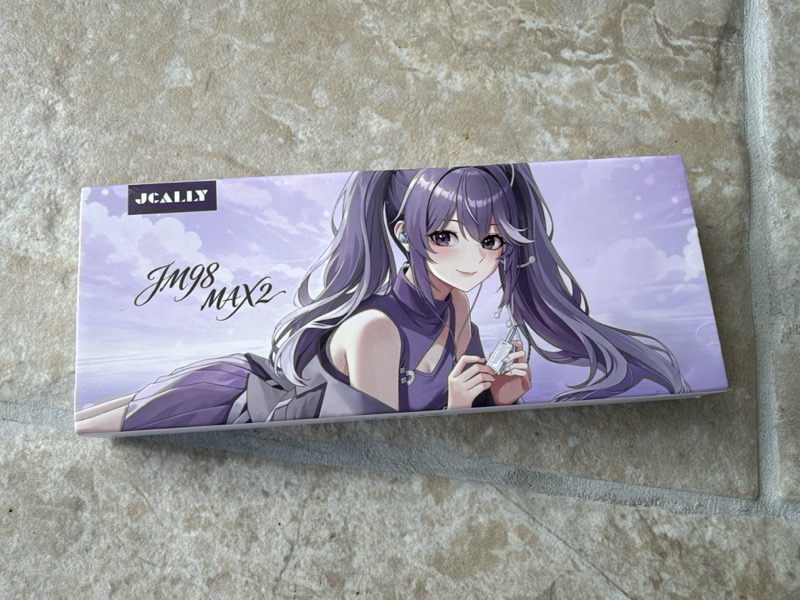
The sleeve is a single wraparound illustration of a purple-haired anime character with the JM98 MAX2 name in script across the left, and no specifications on the front at all:
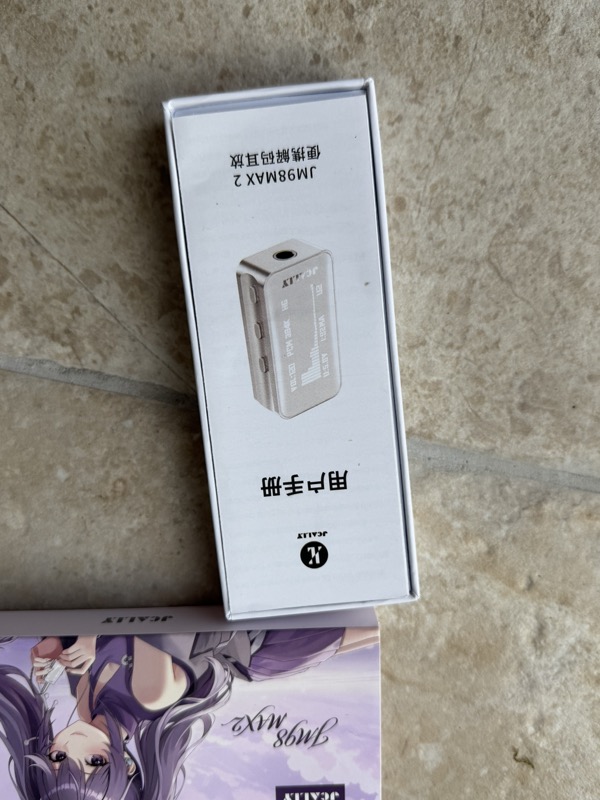
Under the sleeve is a plain white inner box holding the manual, printed in Chinese, with a render of the dongle on the cover that shows the display face and the button edge:
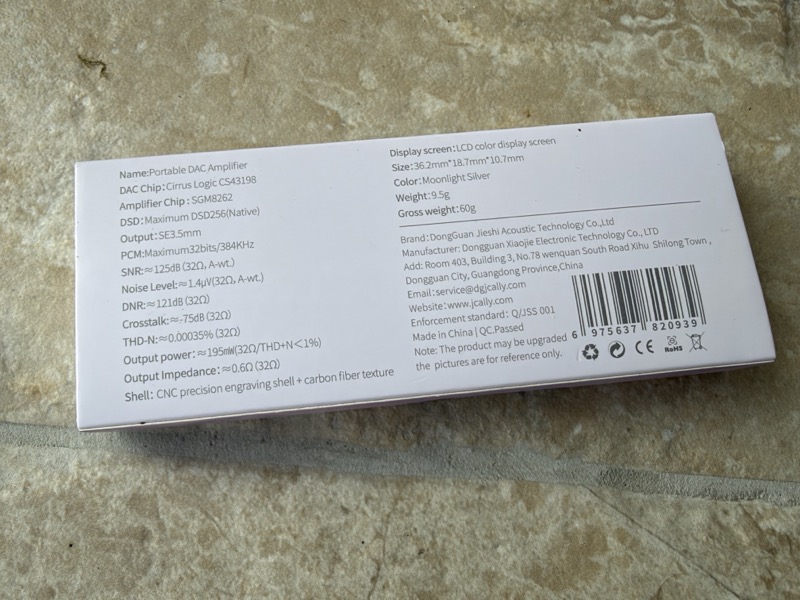
The specification sticker is on the underside of the sleeve, and it is worth reading before anything else because it is the most complete published spec for this device that I have found (more complete than either retailer listing):
What’s in the box is the dongle, a short braided USB-C to USB-C cable, a USB-C to USB-A adapter, and the manual:
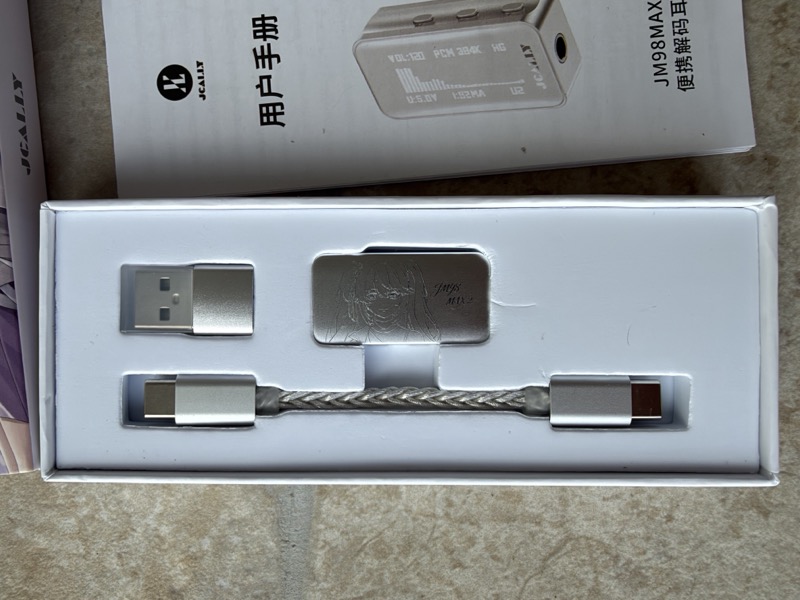
Two things stand out about that set. The cable is detachable, which is a straightforward improvement on the JM98 MAX’s permanently attached lead (if the cable fails you replace the cable, not the dongle), and the USB-A adapter is included so a desktop PC works out of the box. Here they are out of the tray:
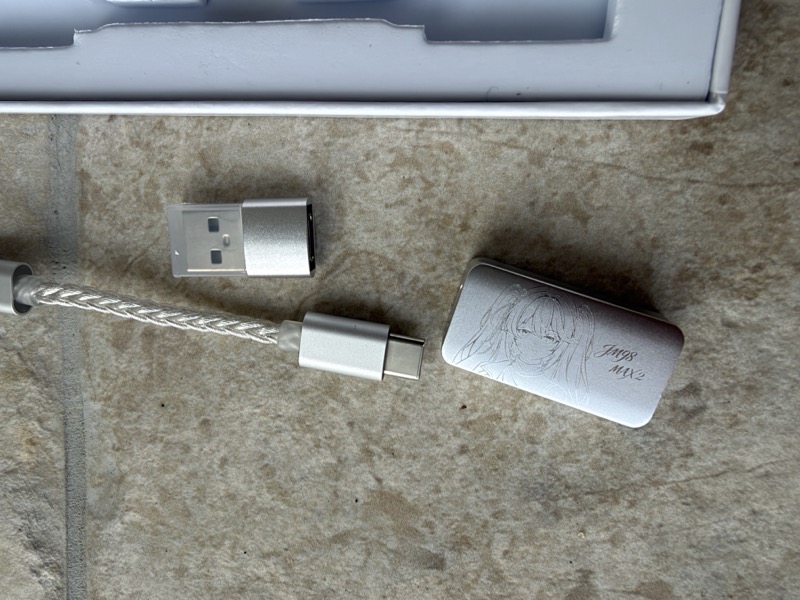
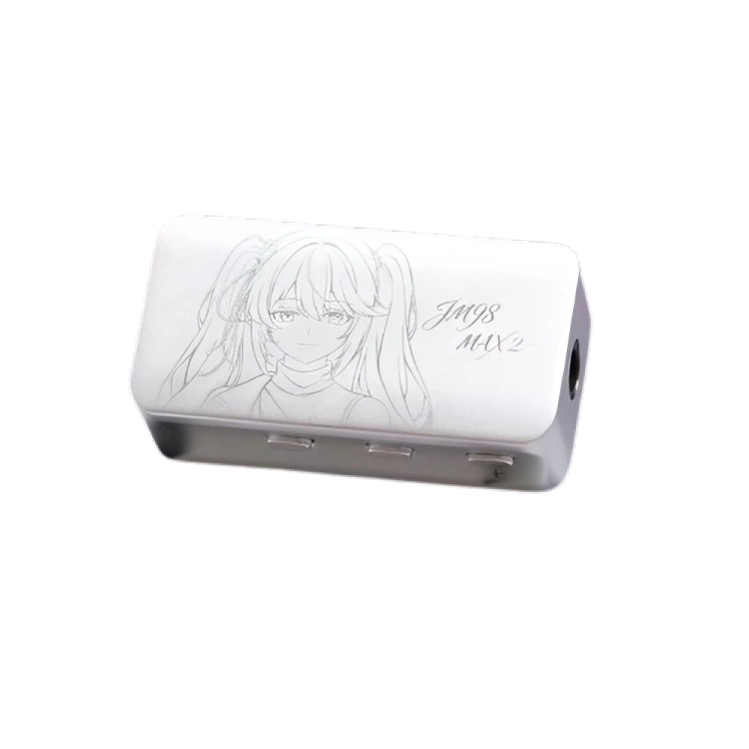
The box describes the shell as CNC precision engraving with a carbon fibre texture, in Moonlight Silver, at 36.2 × 18.7 × 10.7mm and 9.5g. The face carries a line-art portrait, laser-engraved rather than printed, with the JM98 MAX2 name beside it:
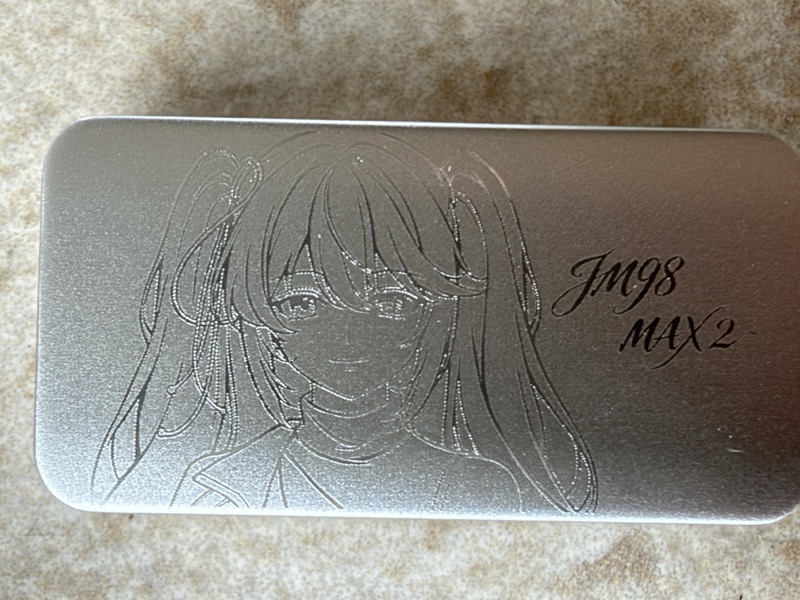
The engraving is shallow and low-contrast, so it catches the light rather than announcing itself. Whether you want an anime portrait on your DAC is a matter of taste, and I could not find a plain version listed.
Along one long edge sit three small oval buttons, engraved minus, M and plus. The M button is the mode control that cycles gain, EQ preset and UAC setting, with the outer two handling volume:
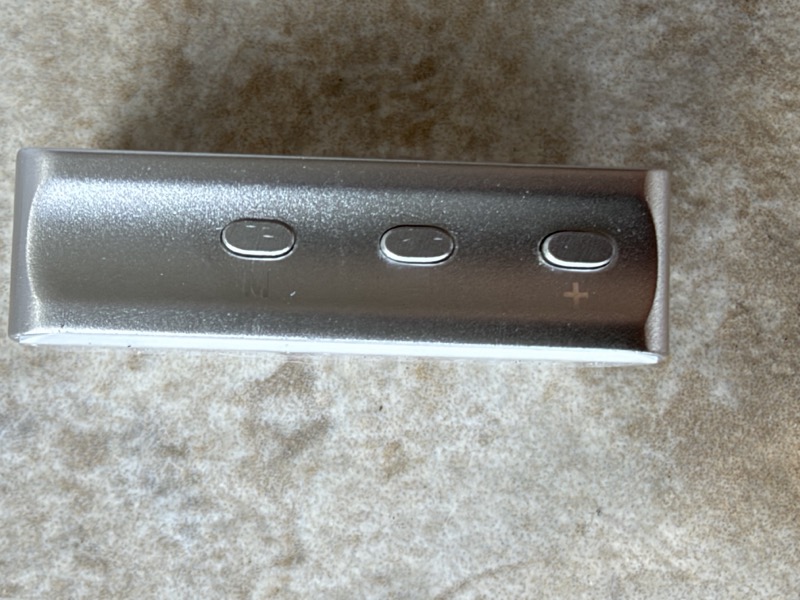
The two short ends carry the connections. The USB-C input is on one end:
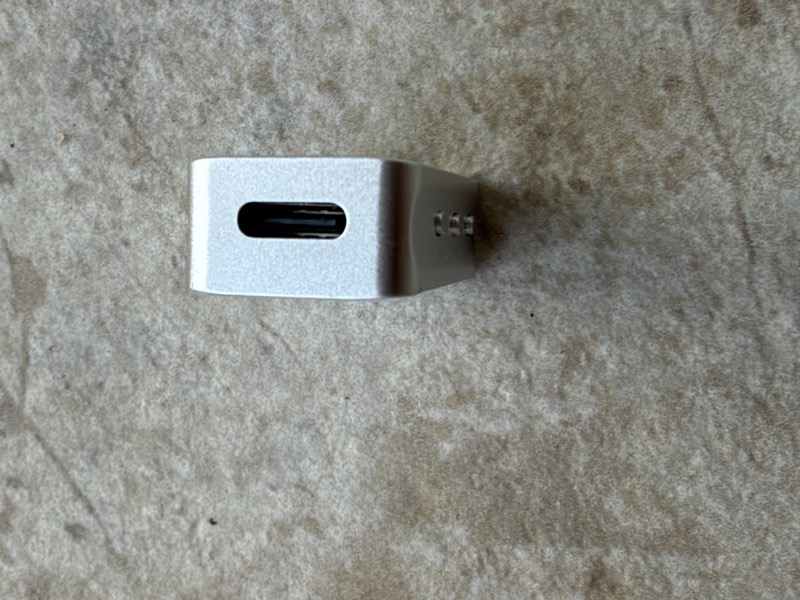
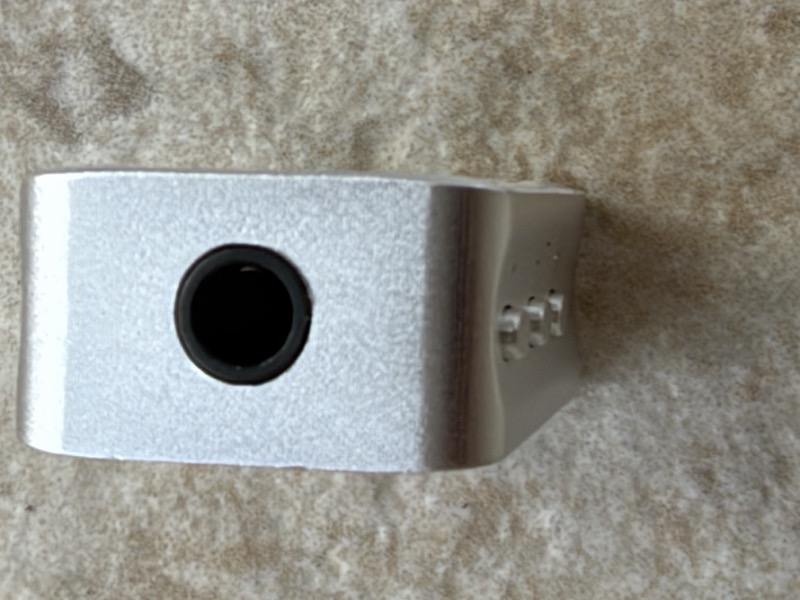
And the 3.5mm output is on the other, which is the only analogue output on the device (there is no 4.4mm balanced socket):
Features and Performance
The LCD, and what it reports
The screen is a 0.96-inch colour LCD according to ZETTGEAR’s listing, and the box simply calls it an LCD colour display screen. With the display off the face reads as plain brushed metal and nothing gives away that a screen is there at all, which I think is cool, and it only reveals itself once you wake the device and the readout lights up:
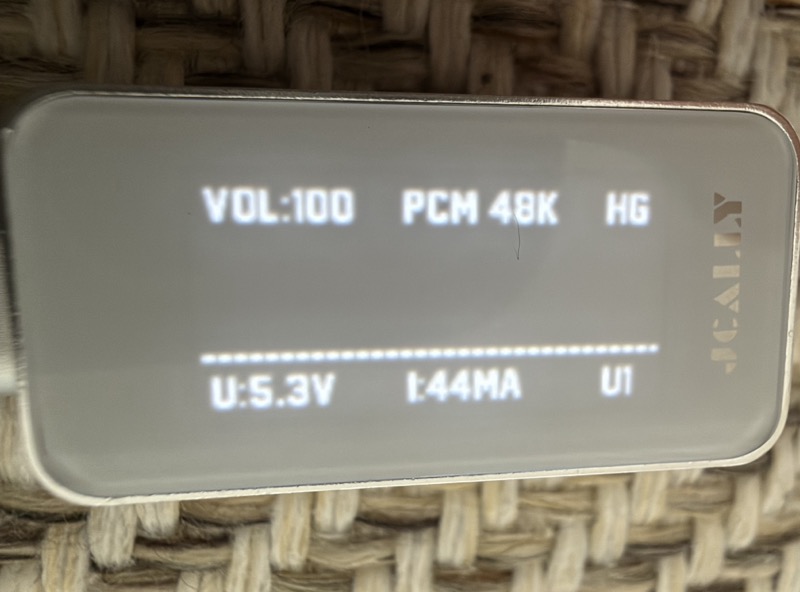
The top line reads VOL:100 PCM 48K HG, which I take to be volume step 100 of 120, a PCM stream at 48kHz and high gain. The bottom line reads U:5.3V I:44MA U1, which I take to be the supply voltage on the USB bus, the current the dongle is drawing and the USB Audio Class mode (they do not label any of it, so that part is my reading). The dashed line between them was flat here because nothing was playing, and with music running it becomes a live spectrum display:
The top line is the useful half. Seeing the sample rate on the device rather than in a phone’s developer settings tells you whether your player is sending 48kHz or something else, and the gain and volume readouts mean the three-button interface is no longer guesswork. The bottom line is more interesting than useful, though 5.3V at 44mA does work out to roughly 0.23W at idle if you want to know what the dongle costs your phone battery.
In practice the readout confirmed what you would expect rather than telling me anything I could act on day to day: battery drain over a listening session was not bad in general, but a more demanding headphone like the Sennheiser HD600 pulled noticeably more current and drained my phone faster than a typical IEM did. That is understandable given how much harder the HD600 is to drive, and the current display at least let me see it happening rather than just feeling my battery disappear.
Gain, EQ presets and volume steps
JCALLY publish high and low gain, five preset EQ curves (up from three on the JM98 MAX) and 120 volume steps. The step count is the least glamorous of the three and possibly the most useful, because with around 195mW into 32Ω at under 1% THD+N it is easy to end up using only the bottom of the range with sensitive IEMs if the control is coarse.
The EQ buttons switch between fixed EQ presets, which is fun, but I would be more of a fan if each button switch was user ‘configurable’. This is effectively my only complaint about the JM98 MAX 2.
Pressing M steps through the settings, and the screen shows each change as it happens:
Low gain is where this device is at its best with sensitive IEMs: performance there was excellent, with no audible hiss on anything I tried it with.
Microphone, UAC switching and compatibility
The listings also credit the MAX2 with microphone support, a mute button and switchable UAC 1.0 / UAC 2.0 operation, and I take the U1 on the screen to be that setting reported live. UAC 1.0 is the mode for hosts that will not talk UAC 2.0 (consoles, older Windows installs), so having it visible rather than buried is a small practical win.
I did test the microphone, briefly, and it was fine for the short call I used it for, nothing that stood out as good or bad. I have not tested UAC 1.0 mode on this specific unit against a Switch or PS5, but I have had it work reliably on other dongles with the same switchable mode, so I would expect it to behave the same way here - treat that as an expectation rather than something I have verified on the MAX2 itself.
Sound Impressions
The thing that stood out over two months of listening with the Crinear Daybreak and a number of other IEMs I have reviewed recently was what I did not hear: no audible hiss on either gain setting with sensitive IEMs and nothing playing. The volume steps held up too, since even on low gain at the quiet end, where a coarse control usually shows itself first, I never found myself stuck between two steps that were both wrong.
On power the MAX2 does not disappoint: the available drive for a dongle this size is impressive, and it is one of the two things (alongside the screen) that made this an easy device to like.
Beyond that it has an excellent, transparent sound, and the EQ buttons add a bit of fun to many tracks when listening.
Comparisons
The JCALLY JM98MAX is the comparison that matters, because on paper the two devices are the same amplifier in a different box: same CS43198, same SGM8262, same ≈195mW into 32Ω, same 3.5mm-only output. The differences are interface and construction. The MAX2 adds the LCD and a third button, goes from three EQ presets to five, publishes a 120-step volume control and swaps the attached cable for a detachable one. If you already own the JM98 MAX, none of that is a sound-quality upgrade, and whether it is worth it comes down to how much you want the screen and a replaceable cable.
Having lived with both, I would call the MAX2 an easy upgrade over the also-powerful JM98 MAX, not necessarily a sonic one, since A/B listening on the same IEM did not turn up a difference I would put my name to, but for the build quality and, especially, that screen, which is the kind of thing you only appreciate once you have lived without it.
Tanchjim Space Pro
The Tanchjim Space Pro at $119.99 is a dual-CS43198 design with 505mW into 32Ω from its 4.4mm output and a 10-band parametric EQ, so it outclasses the MAX2 on power for roughly two and a half times the money. It has no screen, and when I reviewed it I noted that the screen of the far more expensive FiiO QX13 was the one thing it conceded and that I did not miss it. The MAX2 puts a readout in at a fifth of the QX13’s $219. If you drive planars the Space Pro is the one to look at, and if you drive IEMs from a phone and the thing that irritates you is not knowing what your source is doing, the MAX2 addresses that for $45.
EPZ TP35 PRO
The EPZ TP35 PRO at around $100 uses the same CS43198 DAC, but its single-ended output is 112mW into 32Ω against the MAX2’s 195mW, and it reaches 262mW only through its 4.4mm balanced socket. So the MAX2 has more power if your cable ends in a 3.5mm plug, and the TP35 PRO is the one to look at if you have re-terminated to 4.4mm.
The Space Pro and the TP35 PRO are both better (and more expensive) in terms of power output and flexibility with custom PEQ, but they are also much bigger, so much less portable and less ‘cool looking’ in my opinion.
Specifications
These are the manufacturer’s published figures, taken from the specification sticker on the retail box and cross-checked against the ZETTGEAR and Headphone Zone listings. They are claims, not independent measurements.
| Item | Details |
|---|---|
| Product | JM98 MAX2 portable DAC amplifier |
| DAC | Cirrus Logic CS43198 |
| Amplifier | SG Micro SGM8262 |
| Output | 3.5mm single-ended |
| Input | USB Type-C, switchable UAC 1.0 / UAC 2.0 |
| PCM | Up to 32-bit/384kHz |
| DSD | Up to DSD256 (native) |
| SNR | ≈125dB (32Ω, A-weighted) |
| Dynamic range | ≈121dB (32Ω) |
| Crosstalk | ≈ -75dB (32Ω) |
| THD+N | ≈0.00035% (32Ω) |
| Noise level | ≈1.4µV (32Ω, A-weighted) |
| Output power | ≈195mW (32Ω, THD+N < 1%) |
| Output impedance | ≈0.6Ω (32Ω) |
| Display | 0.96-inch colour LCD (per ZETTGEAR); the readout shows volume, sample rate, gain, supply voltage, current and a waveform line |
| Controls | Three buttons (minus, M, plus); high/low gain; five EQ presets; 120 volume steps |
| Microphone | Supported, with mute (per the retailer listings) |
| Shell | CNC precision engraving shell with carbon fibre texture |
| Colour | Moonlight Silver |
| Size | 36.2 × 18.7 × 10.7mm |
| Weight | 9.5g (60g gross) |
| Barcode | 6975637820939 |
The dynamic range on the box reads ≈121dB, Headphone Zone quote around 120dB and ZETTGEAR’s table says 110dB, so I have gone with the box because it is the manufacturer’s own printed sticker. The 20Hz-20kHz frequency response the retailers quote has no tolerance attached, so I have left it out of the table.
JCALLY do not publish any measurements of their own beyond those figures, and I have not found independent ones yet. The two numbers I would look at first are the 0.6Ω output impedance (low enough that it should not change the response of an IEM with a lumpy impedance curve) and the 1.4µV noise level, which is the one that decides whether you hear hiss on a sensitive IEM (published noise figures are measured into a resistor, so a sensitive IEM is a harder test than the datasheet).
Rating Explanation
Five for pragmatic, because a colour display that shows your sample rate, gain and volume step, together with power that outruns most dongles this size and a high quality feel, is hard to beat at this price. Five for price, because $44.99 for a screen, a detachable cable, a microphone and this much drive is not a close call. Five for features, with the one niggle already mentioned: the EQ buttons are fixed presets, and I would like each one to be user configurable.
Four for measurements, because I have not measured the MAX2 yet and everything in the specification table above remains a manufacturer claim. If my own numbers change anything, this score moves with them.
Conclusion
The JM98 MAX2 is not a new amplifier. It is the JM98 MAX with a dashboard bolted to the front, and the DAC, the amplifier and the output figure are all carried straight over. What the dashboard buys you is the end of guessing: you can see your sample rate, your gain and your volume step without opening an app, on a device that costs $44.99.
While there are cheaper dongles, like the new Crinear Protocol Micro, everything about this dongle is pragmatic quality. It is small, it looks like plain metal until the screen lights up, and it has plenty of power for its size. Make the EQ buttons user configurable and there would be nothing left to complain about.