TOZO NC9 Pro
Screen Time for Your Earbuds
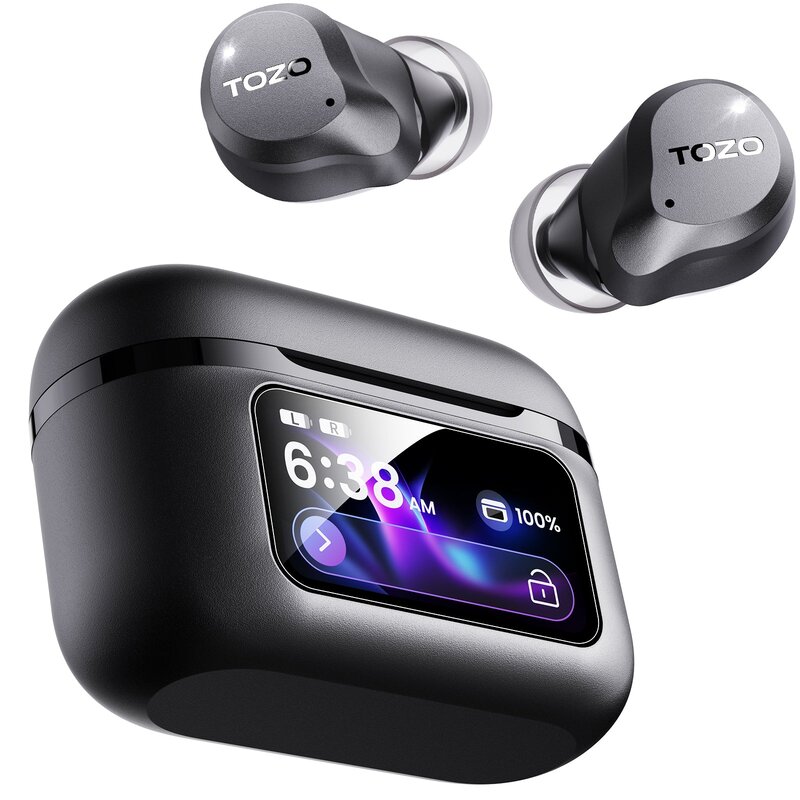
The TOZO NC9 Pro is a pair of true wireless earbuds with LDAC, hybrid ANC and a touchscreen on the charging case
The TOZO NC9 Pro is one of the coolest devices I have used at any price, but the fact that it can be had for $50 to $60 is pretty incredible. This is mainly because the interactive screen on the case is very cool.
This is my first TOZO review, and the NC9 Pro is the step up from the NC9, where the change that matters most is the case. It now has a 1.47-inch colour touchscreen, so you can switch ANC modes, change EQ presets and control playback without picking up your phone. TOZO also adds LDAC, Bluetooth 6.0 and a 10mm dynamic driver, and they say the hybrid ANC is “up to 45dB”, which I was interested to find out how much of I would actually notice.
I have been using it for 2 months (on and off), and as I have been travelling a lot it was one of the devices I brought with me on many flights, which helped me evaluate it. I knew I would be travelling, so I was picking good feature rich audio devices that I felt I could evaluate on these trips.
The NC9 Pro was sent to me by TOZO for the purposes of this review.
If you are interested in finding more information about this product, you can find it at the TOZO store, and on Amazon US and Amazon DE.
The NC9 Pro lists at $79.99, but there are often discounts available, and as I write this it is $49.99 after discounts on Amazon US, which is pretty amazing. TOZO’s own store lists it in Black, and Amazon US also lists a Matte Black variant.
The EQ is the interesting part for me, because TOZO doesn’t show any Q values in the app ( you get an EarTune tile, six ANC and ambient modes, spatial audio, a 10-band preset EQ and a separate “Advanced EQ” with draggable points ), so you can’t just turn a measurement into filters the way you can with a ‘proper’ parametric EQ. But first, the box and what is in it.
Unboxing and Build Quality
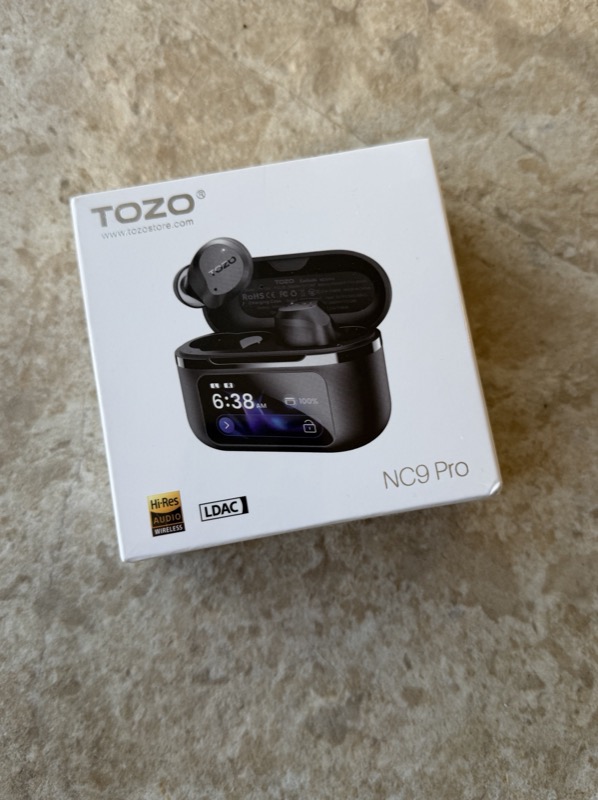
The box is a small white retail box with the case on the front, along with the Hi-Res Audio and LDAC logos:
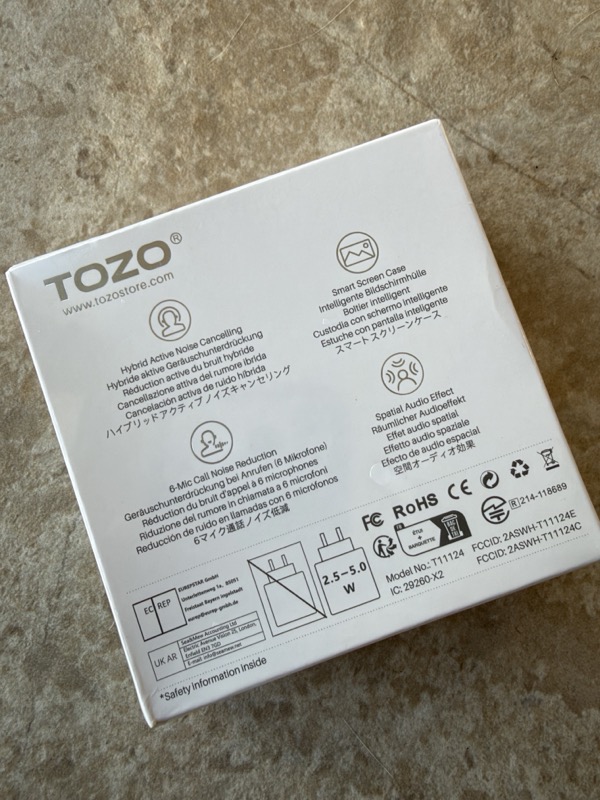
The back lists four features in six languages (hybrid ANC, the smart screen case, 6-mic call noise reduction and spatial audio), and it also gives the model number (T11124) and the regulatory marks:
With everything laid out you get the case in its tray, a user manual, a quick guide and a support card advertising 24/7 live-chat support:
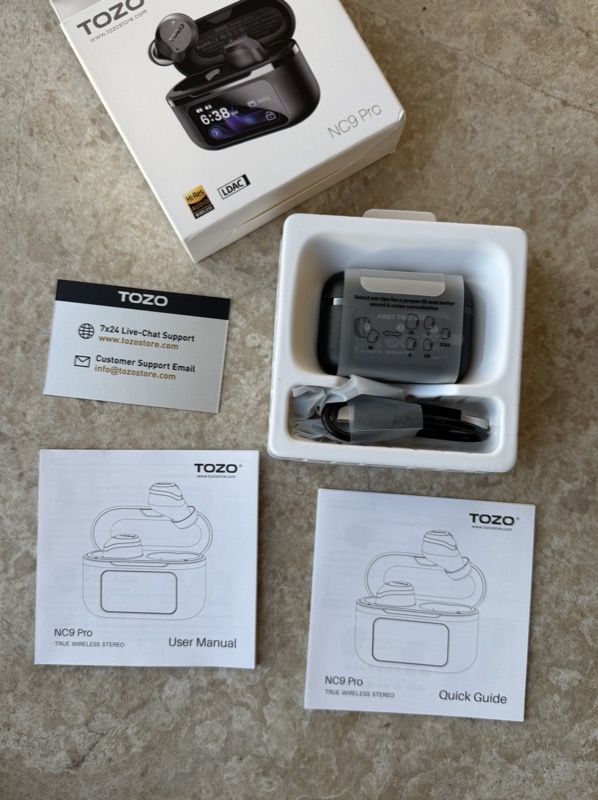
The case arrives in the inner tray with an eartip-sizing card on top and the cable tucked underneath:
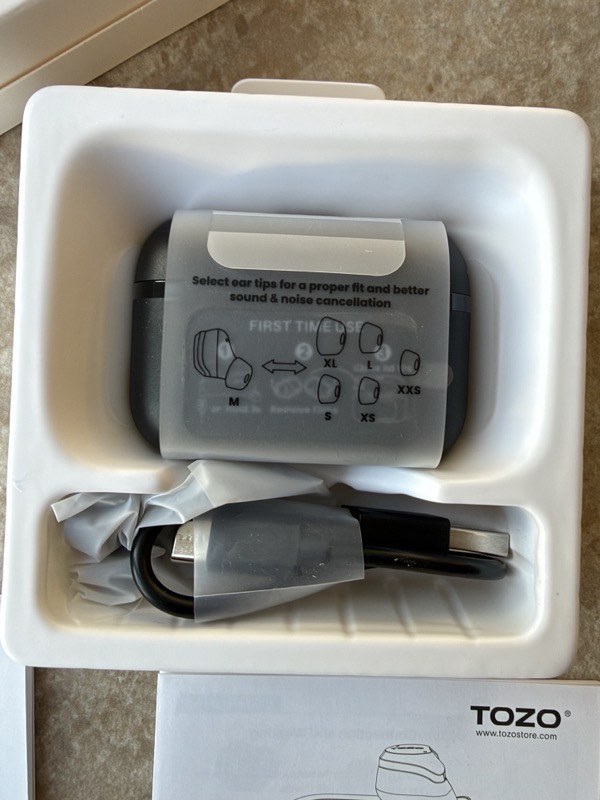
In the box:
- NC9 Pro earbuds (with a pair of eartips fitted) and the touchscreen charging case
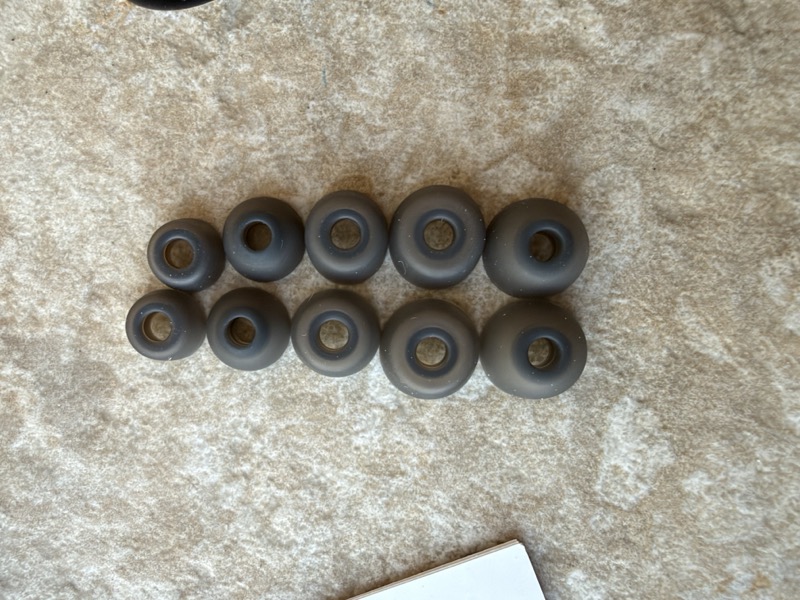
- Five spare pairs of silicone eartips in graduated sizes
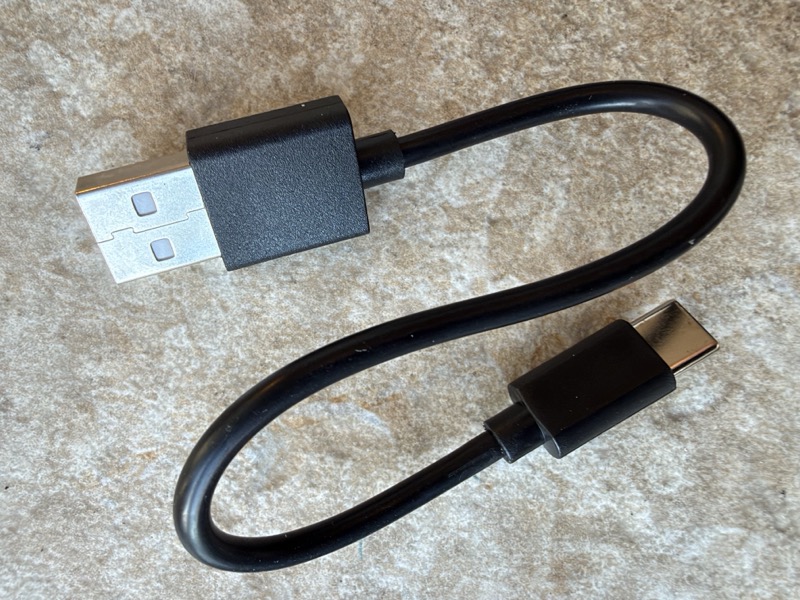
- A short USB-A to USB-C charging cable
- User manual, quick guide and a support card
The spare eartips are plain grey silicone in five sizes:
The cable is a short USB-A to USB-C lead, so you will need a USB-A charger or port, and going by TOZO’s specs there is no wireless charging either:
Case
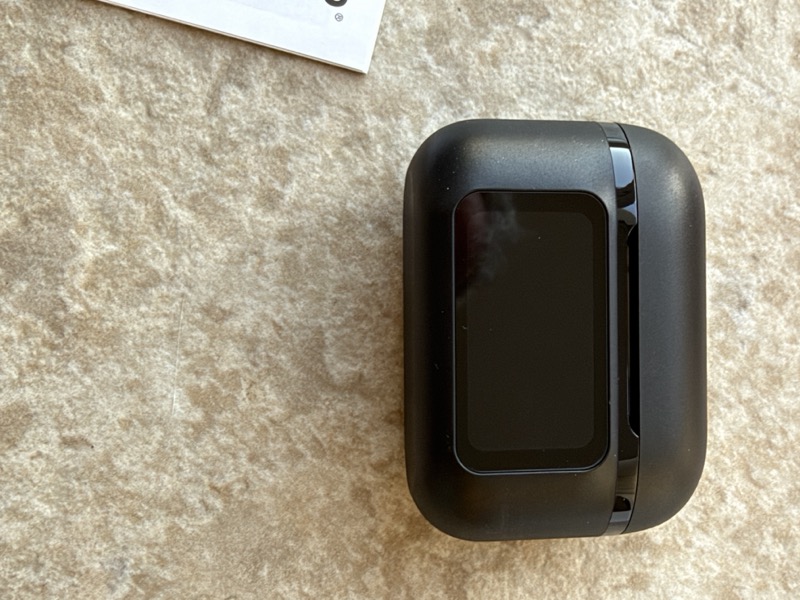
The case is a rounded matte-black rectangle with the screen covering most of the front. Out of the box it has a ‘first time use’ film over the screen that walks you through three steps (connect to power or hold for three seconds, remove the protective films from the earbuds, then close the lid for 10 seconds):
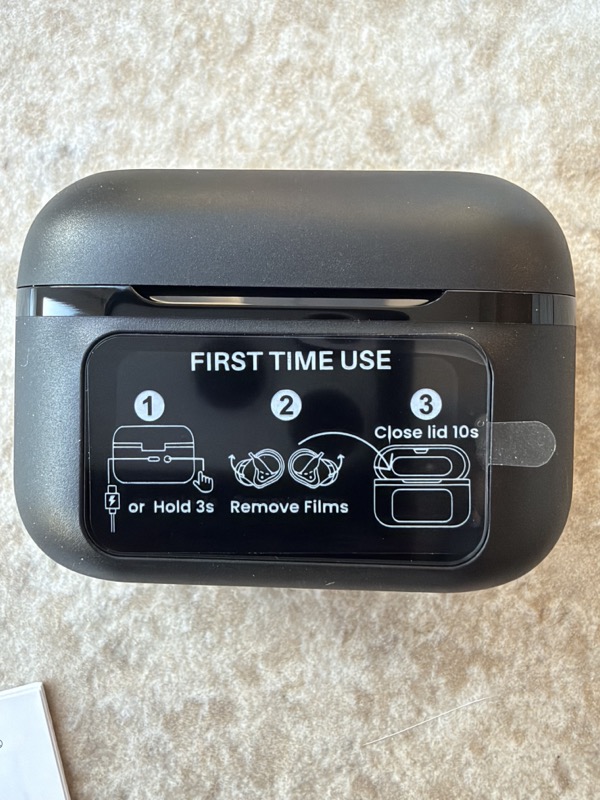
With the film off and the screen asleep it is just a glossy black panel on the front:
 |
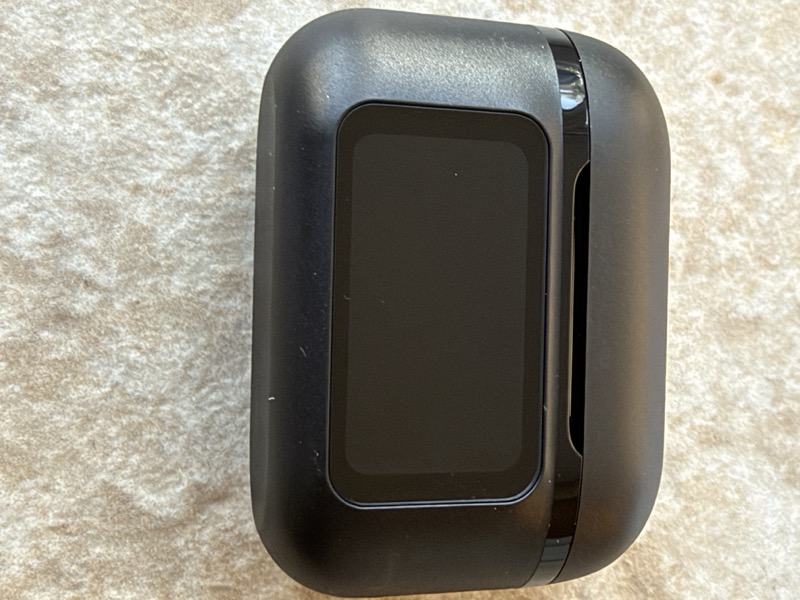 |
The case is a lovely size, both for a pocket and also just sitting on the desk. The screen isn’t really glass but hard plastic, and I would think it will scratch eventually, but after a month or more of travel it was still scratch free.
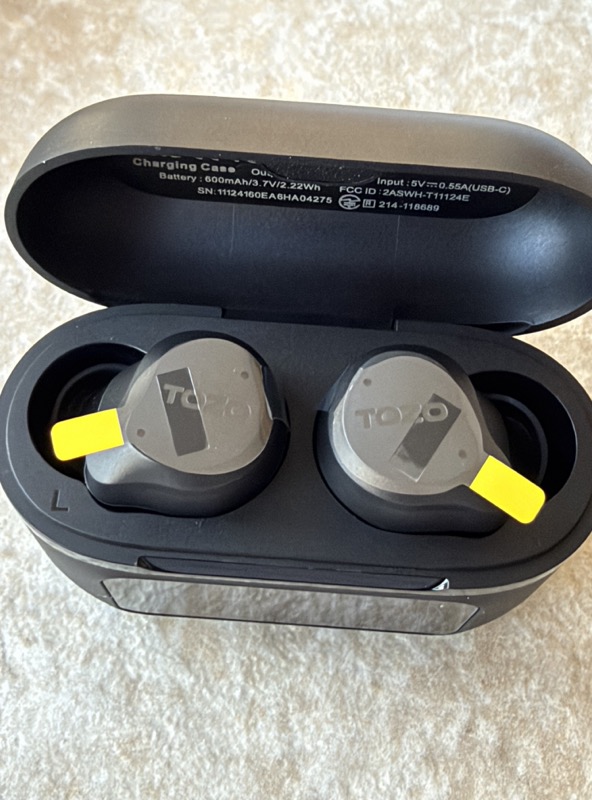
The first time you open the case the earbuds are sitting with yellow pull-tabs on the charging-contact films, and the underside of the lid has the case’s rating label (600mAh battery, 5V 0.55A USB-C input):
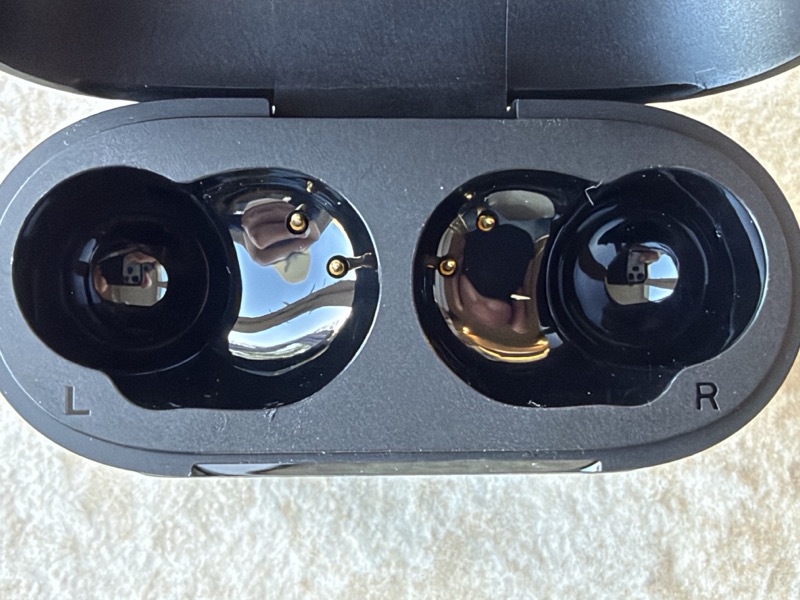
With the earbuds out you can see the two pogo-pin charging contacts in each well, marked L and R:
Fit and Comfort
The earbuds are compact rounded shells with a flat TOZO-branded touch panel on the outside and a short, angled nozzle:
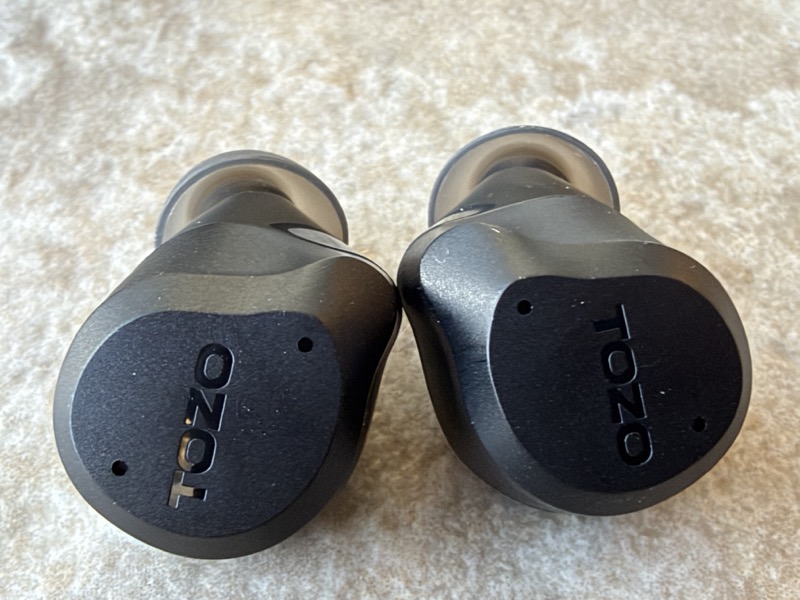
Here they are next to the spare eartips, which gives you a sense of the nozzle length and the tip sizes:
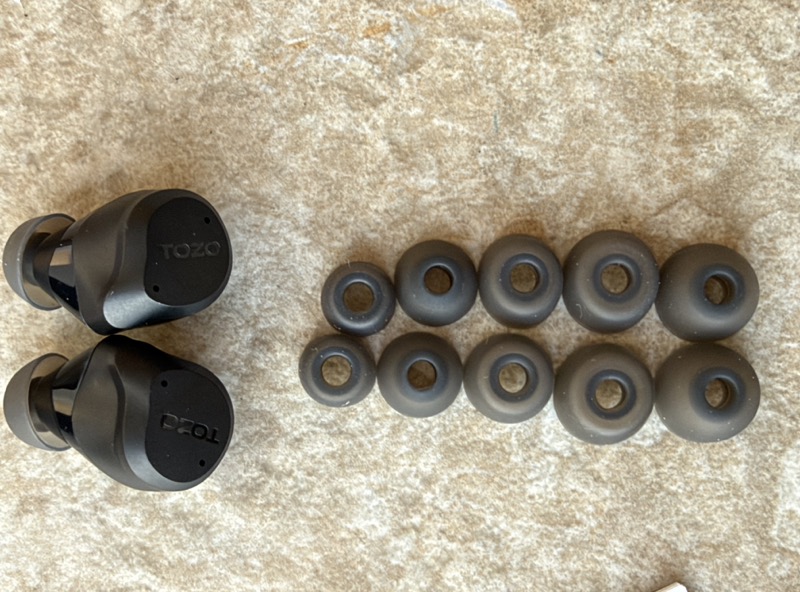
The general comfort is great. I wore them on a few long haul overnight flights and they were very comfortable and didn’t fall out of my ears. I typically use the largest size eartip to get the best seal (which also translated into the best bass response).
Features and Performance
The case screen and the app are really the point of this product, so I have given each feature its own section below with the screenshots and clips I took of the menus.
Connection, battery and the basics
The NC9 Pro uses Bluetooth 6.0 with two-device multipoint and it supports LDAC, though TOZO hasn’t said whether LDAC and multipoint work at the same time ( plenty of earbuds drop one to use the other ). TOZO say you get 10 hours per charge with ANC on (14 hours off) and 40 hours (60 hours) including the case, with 10 minutes of charging giving about three hours. The earbuds are rated IPX8 ( I didn’t test that, but I did not notice any issue with sweat or water ), and as TOZO don’t mention wireless charging I am assuming the case charges over USB-C only.
Multipoint worked well between my MacBook and iPhone. I didn’t really use LDAC with multipoint, as my main devices are my MacBook and an iPhone, but I briefly tested LDAC with my Android DAP and it sounded pretty great. As for the battery, I think TOZO’s numbers are a bit of a stretch in my experience, and maybe 10 hours without ANC and 7 hours with ANC enabled would be more realistic.
There is also an EarTune tile in the app, which is a way of tuning the FR. I briefly tried it but did not use it, as I preferred to measure the FR for this review, but I appreciate that they provided this option.
The touchscreen case
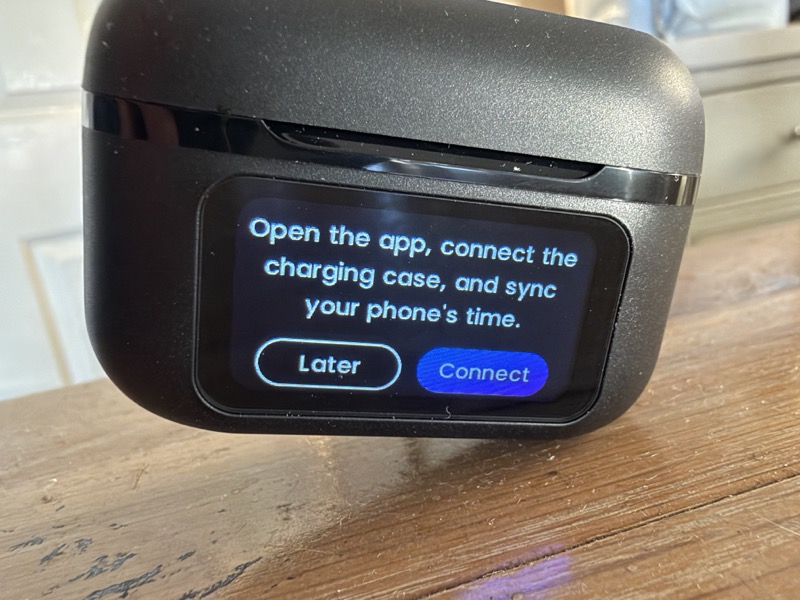
The case screen walks you through setup on its own, and when it first powers up it asks you to open the app, connect the case and sync the phone’s time:
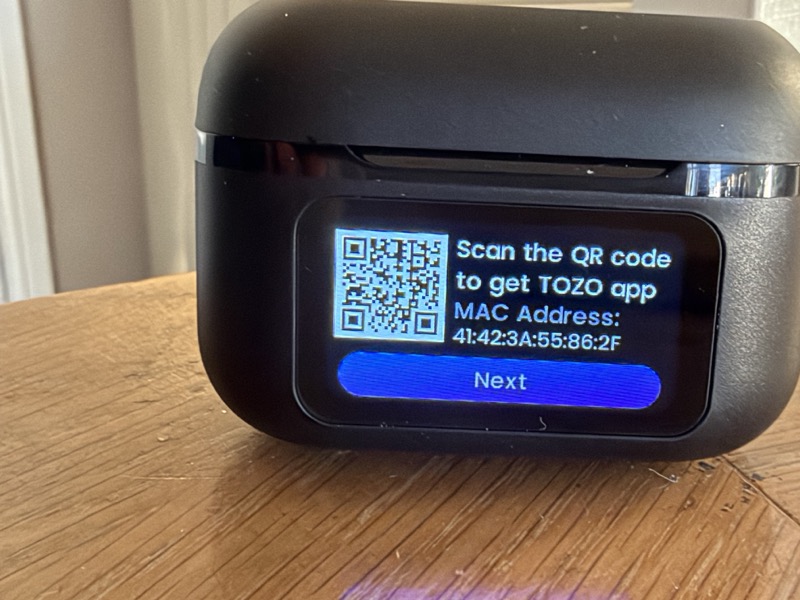
It then shows a QR code that links to the TOZO app, along with the case’s Bluetooth MAC address:
Once it is set up the screen looks a bit like a small smartwatch display, with the time, the earbud and case battery levels and a swipe-to-unlock bar on the lock screen. In this clip I unlock it and go into the Noise Cancellation mode grid and then the music controls:
While the case is charging it shows a battery ring first, and then swiping sideways moves through the icon menu, which TOZO list as Sound Mode, Noise Cancellation, Equalizer, Settings and Music. The Equalizer page scrolls through the named EQ presets, so you can change the ANC mode or the EQ preset without the phone:
The screen greatly helps when you do not want to keep reaching for your smartphone, e.g. when on an airplane the case was very handy. Volume is also a simple control on the case, which is great when your smartphone is out of reach. The touch controls on the earbuds themselves were fine and very competitive, but I typically found the case was much more effective for controlling the volume, the ANC modes and switching EQ profiles. The touch screen was very responsive, and it was mostly readable outdoors, but given this time of year I haven’t been out in super bright conditions. Mostly I don’t feel the screen causes a major change with the battery, as you only use the screen to make changes so it is not on all the time, and I think TOZO did a good job in balancing the battery life with the functionality.
Case screen settings in the app
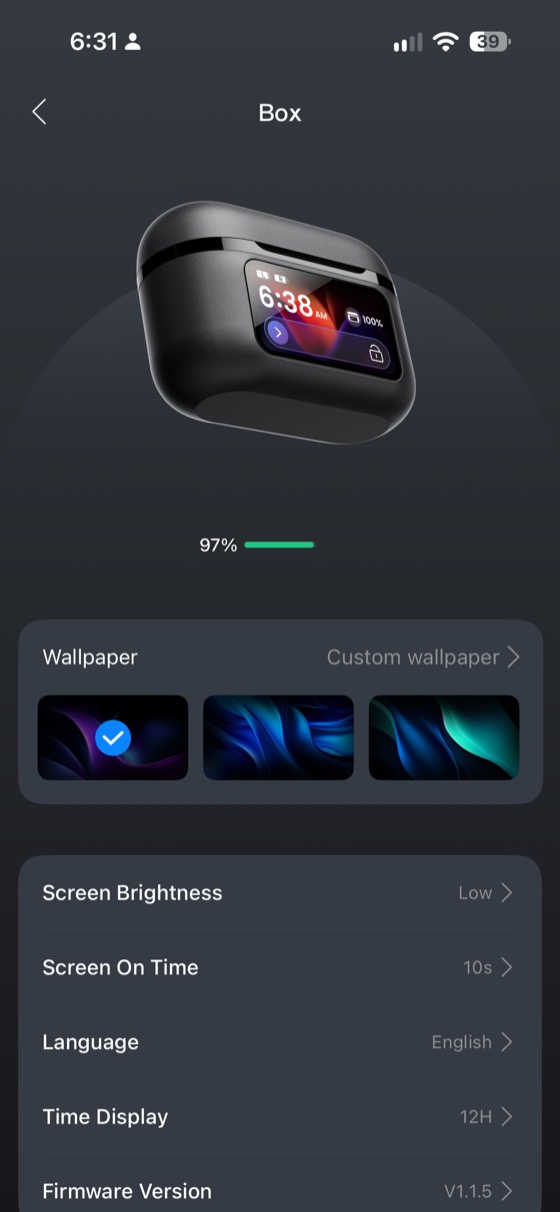
The case shows up in the app as its own device (“TOZO NC9 Pro Box”), and the Box page is where you set up the case screen. You can pick one of three wallpapers or a custom image, and set the screen brightness, screen-on time, language and 12/24-hour time:
App home
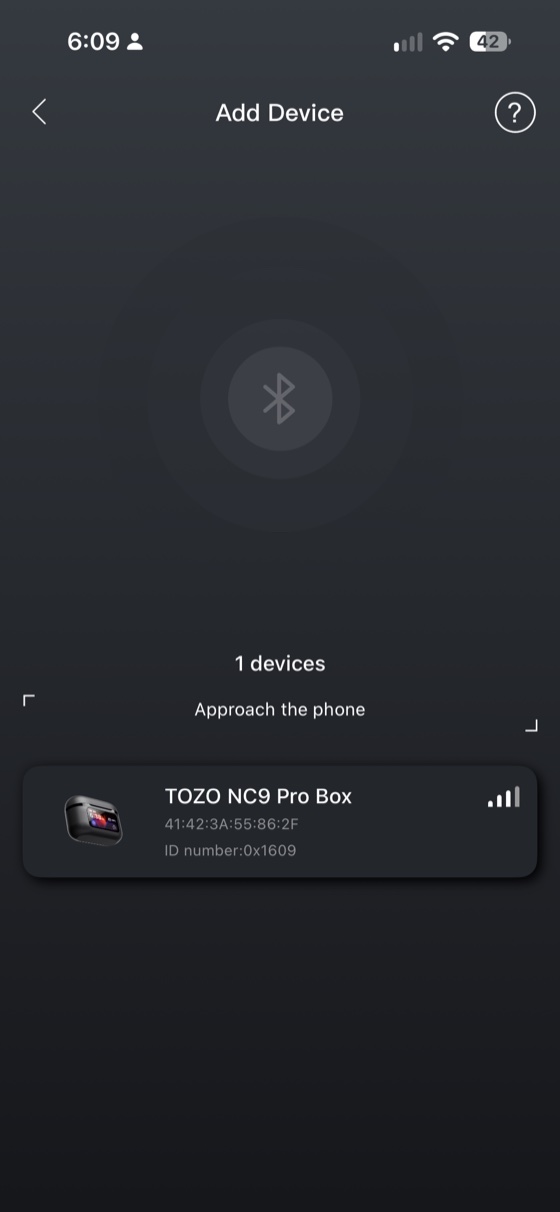
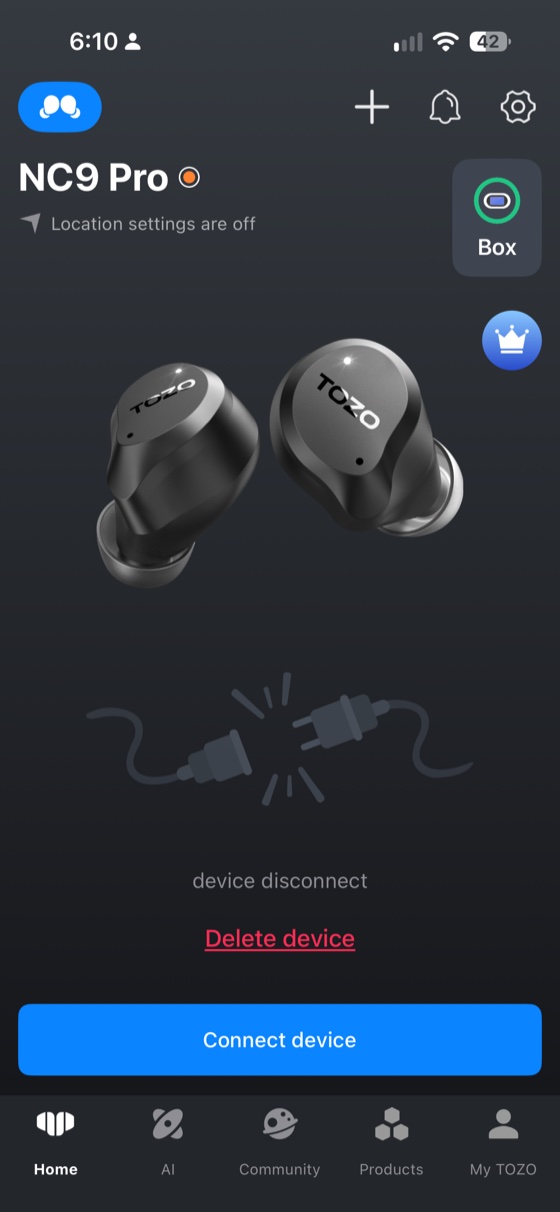
Adding the case in the TOZO app is the first step, and until the earbuds are paired the home screen shows them as disconnected:
 |
 |
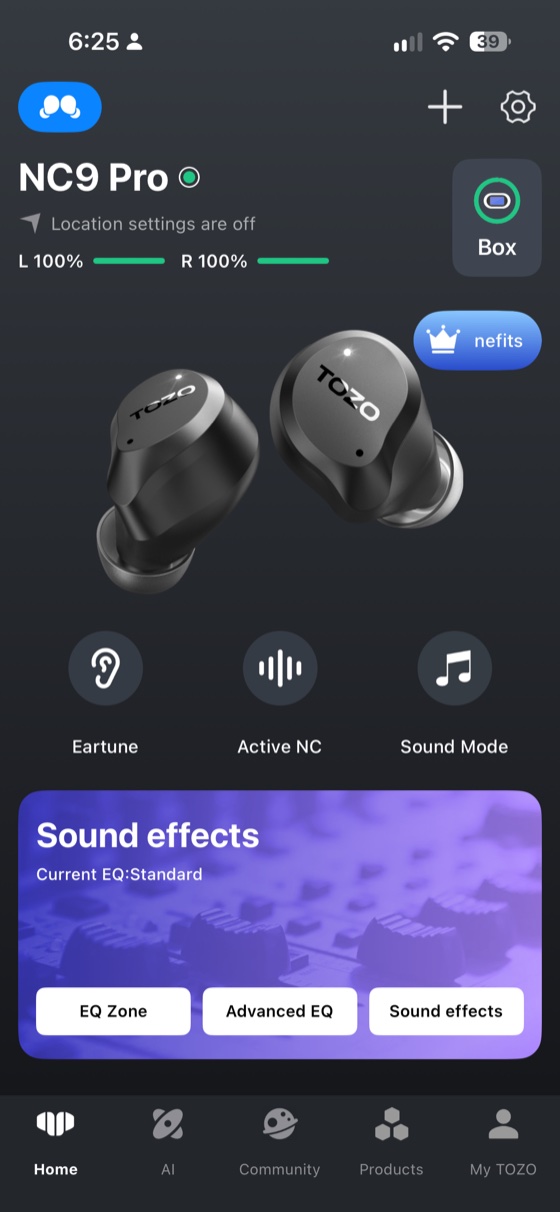
Once connected the home screen shows the battery for each earbud, a “Box” shortcut for the case and the three main tiles (Eartune, Active NC and Sound Mode), with a ‘Sound effects’ panel underneath for the EQ options:
Sound mode and spatial audio
Sound Mode switches between Ordinary and Spatial Audio:
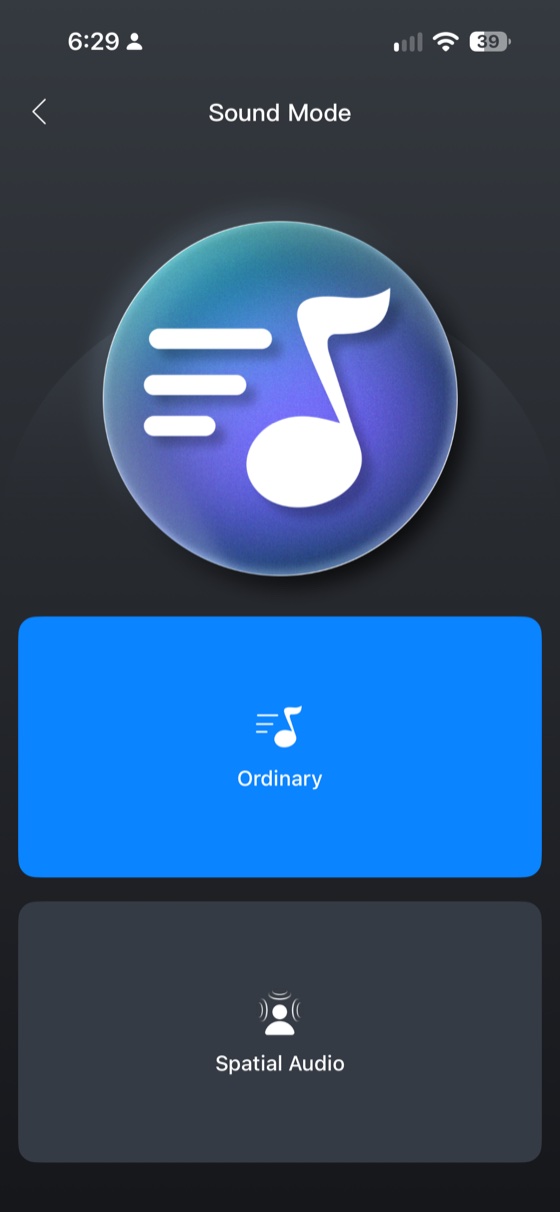
I did not keep Spatial Audio on, as I think it is a fun effect that only works with very particular tracks, and mostly I would rather listen to tonally accurate sound.
Active noise cancellation
The Active NC page has six modes (Noise Cancellation, Transparency, Windproof, Leisure, Normal and Adaptive):
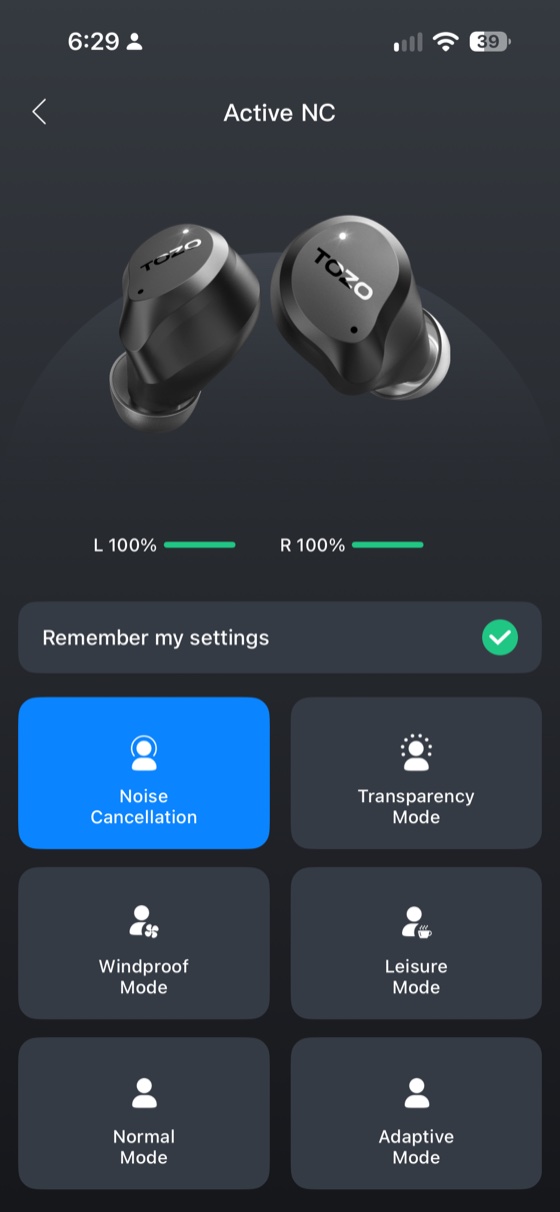
In a later version of the app the same page has a ‘Remember my settings’ option, here with Windproof selected:
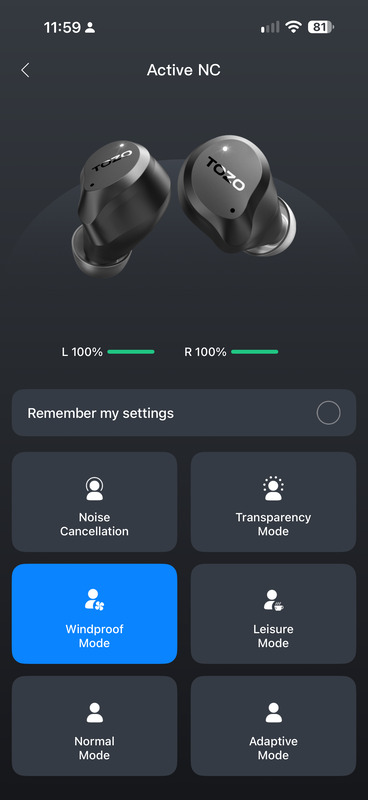
The ANC is just ok, mostly you are getting passive blocking, and while it is not ground breaking it is reasonable for a device in this price range. TOZO quote up to 45 dB of noise reduction but don’t publish an attenuation curve or say how they tested it, so for now that number is their claim.
Transparency sounded ok but not particularly realistic ( you still know you are listening in transparency mode ). Windproof reduced the effectiveness of the ANC, though it did stop the wind noise during calls, and Adaptive only made a minor difference in my testing.
Call quality was fine, but compared to something like my AirPods it was not as realistic, and especially out walking it was just passable.
Preset EQ
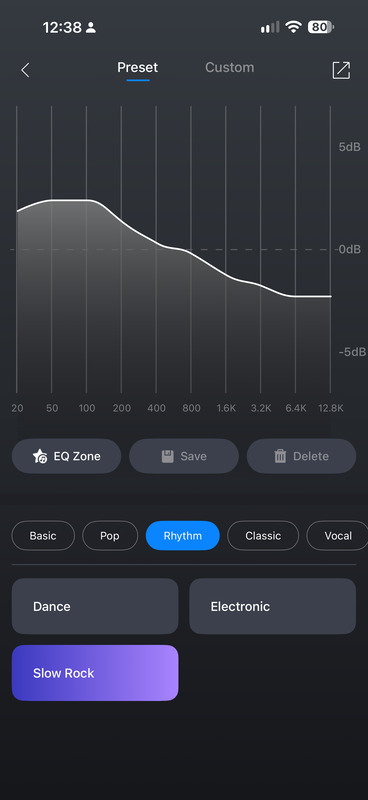
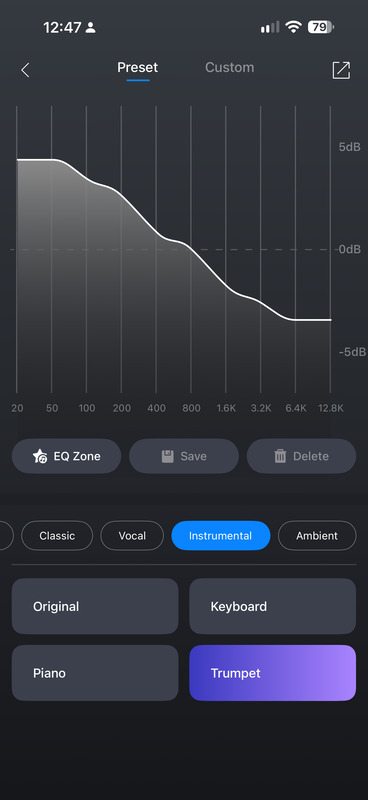
The app has two EQs and they work differently. The Preset/Custom EQ is a fixed 10-band graphic EQ at 20, 50, 100, 200, 400, 800, 1.6k, 3.2k, 6.4k and 12.8 kHz with +/-5 dB per band, and the presets are grouped under Basic, Pop, Rhythm, Classic and Vocal ( Basic covers Standard, Bass+, Bass-, Treble+ and Treble-, and TOZO say there are 32 in total ):
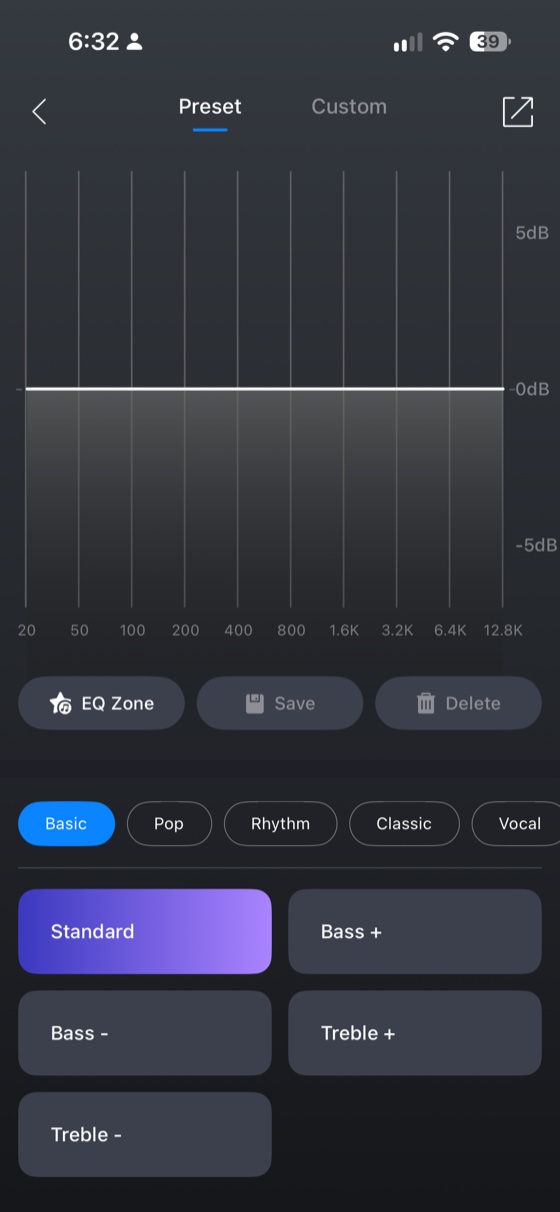
Here are Slow Rock under Rhythm and Thunderous under Vocal, and you can see what each of them actually does to the response in the measurements section:
 |
 |
Advanced EQ
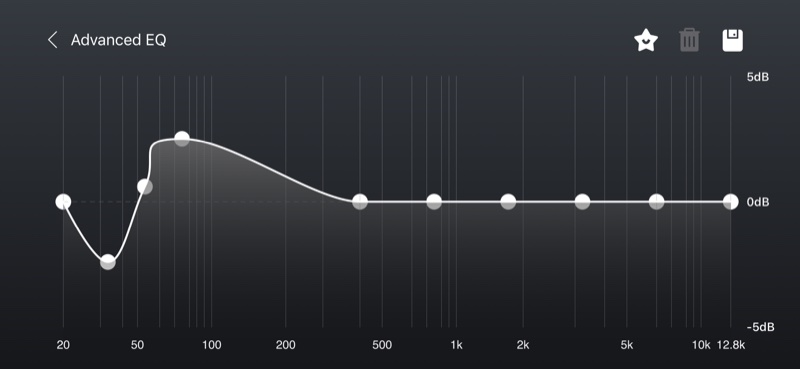
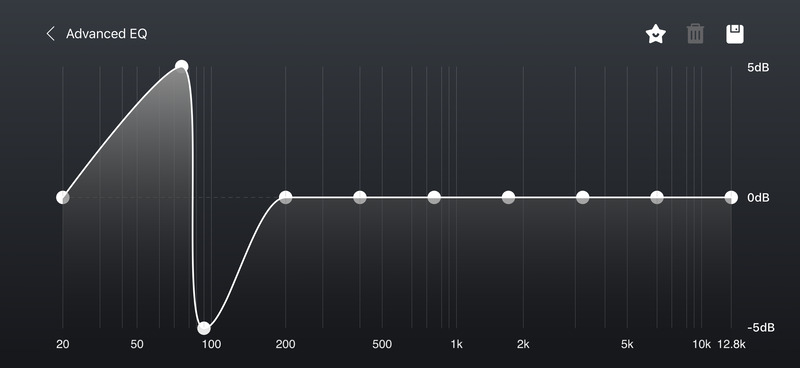
The Advanced EQ is a 10-point curve editor over the same 20 Hz to 12.8 kHz range and +/-5 dB. You can drag each point sideways to change its frequency as well as up and down to change its gain, but there is no Q adjustment, and you never see a frequency, gain or Q value as the curve is just drawn as a smooth line between the points:
 |
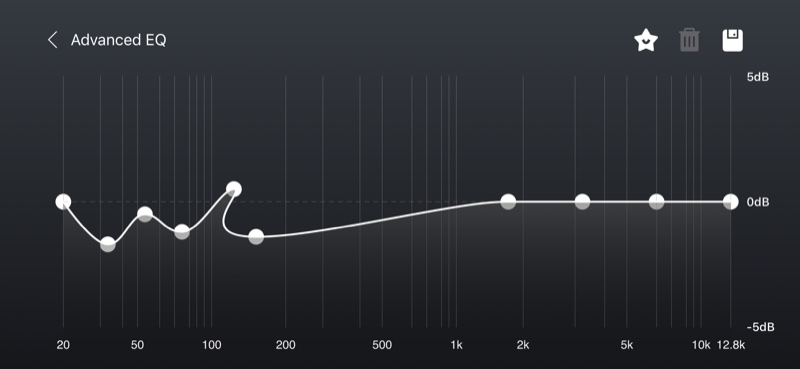 |
This one is a bass boost followed by a notch ( just to show what the editor can do, not a correction I would recommend ):
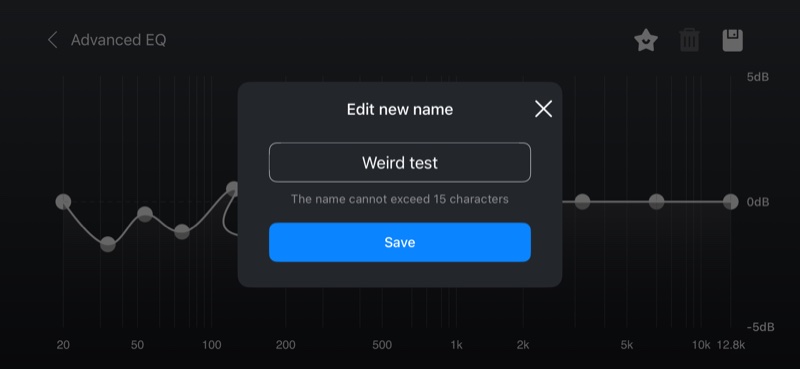
You can save a custom curve under a name of up to 15 characters:
EQ Zone
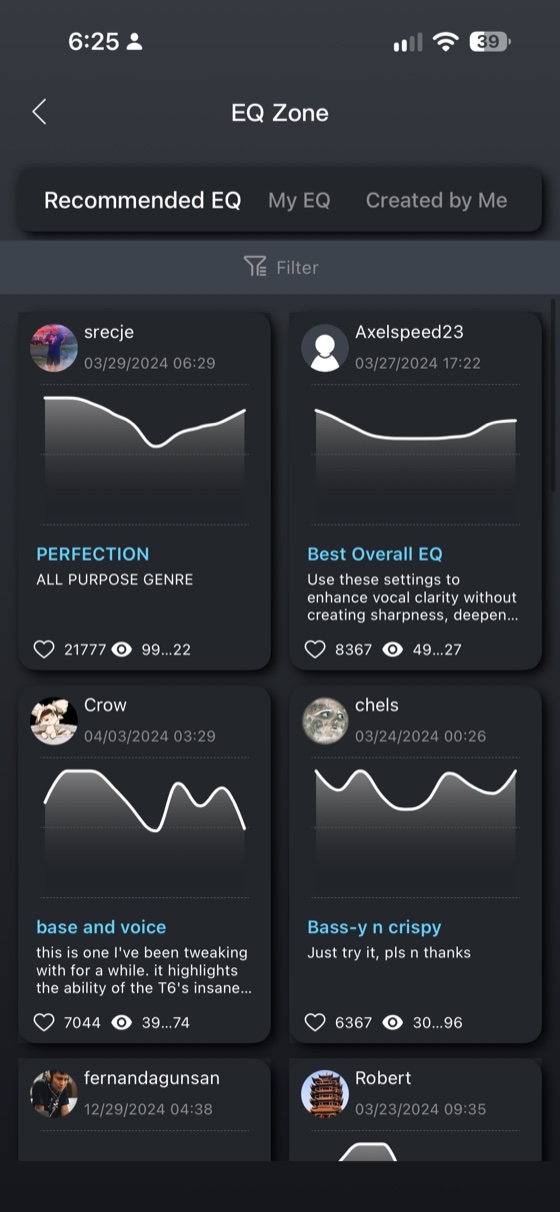
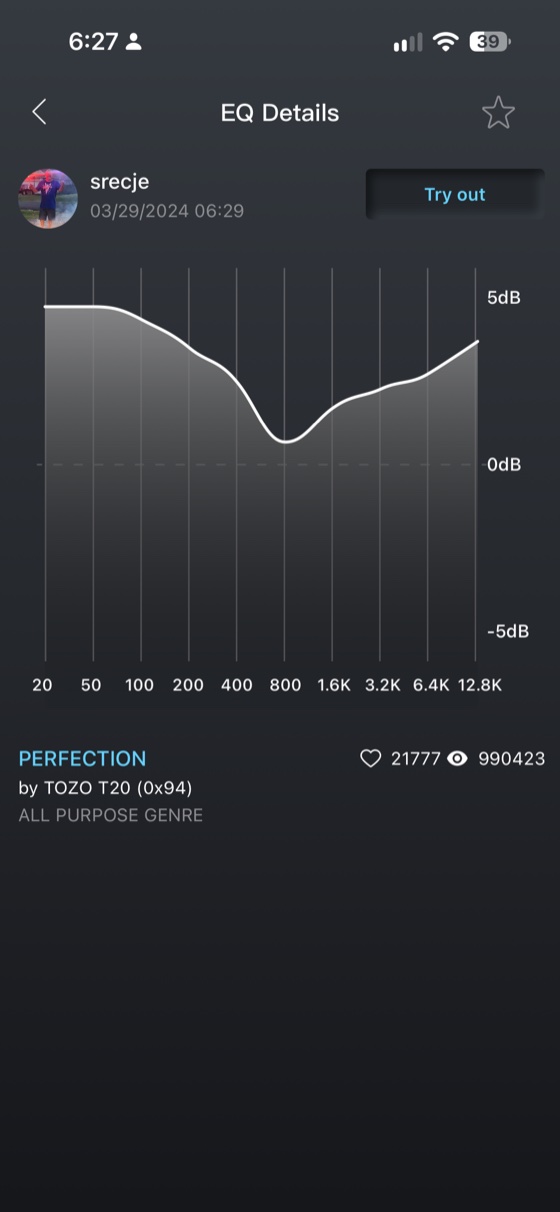
EQ Zone is a library of curves that other TOZO owners have shared. They are labelled by who made them rather than by product, and the one I opened in detail was made on a TOZO T20 (a different model), so I would only use these as a starting point and not as a tuning for the NC9 Pro:
 |
 |
Firmware updates
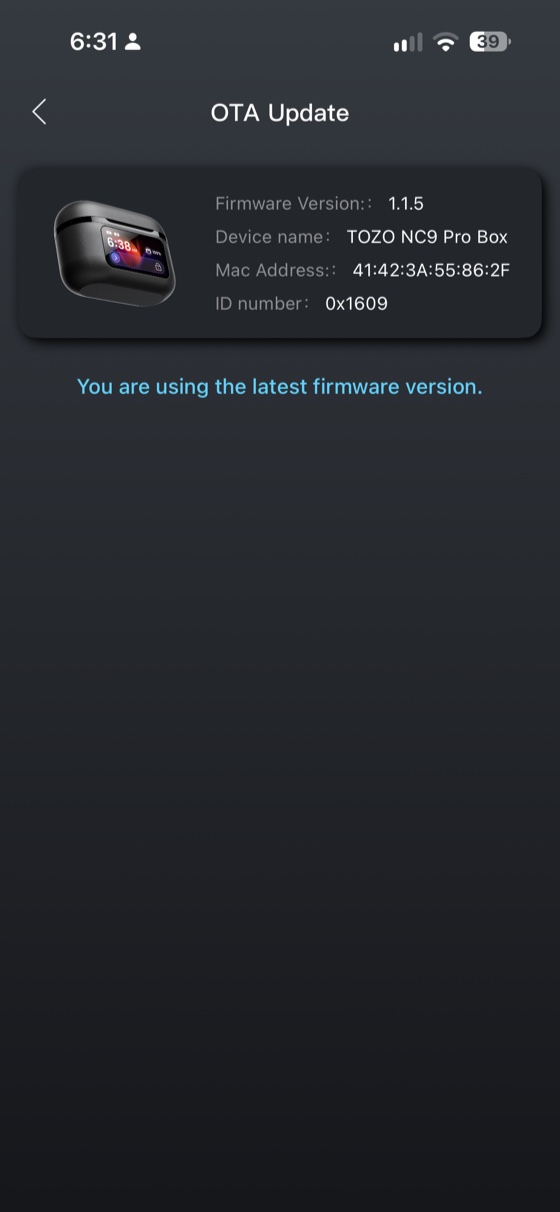
Firmware updates for the case are done from the OTA page, which reports V1.1.5 as current on my sample:
And the earbuds have their own OTA page, which also says the firmware is current:
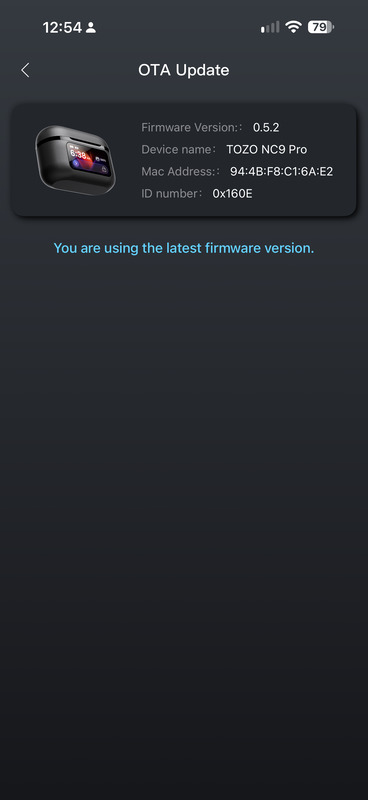
I got an initial firmware update, which I immediately applied.
Membership and AI tools
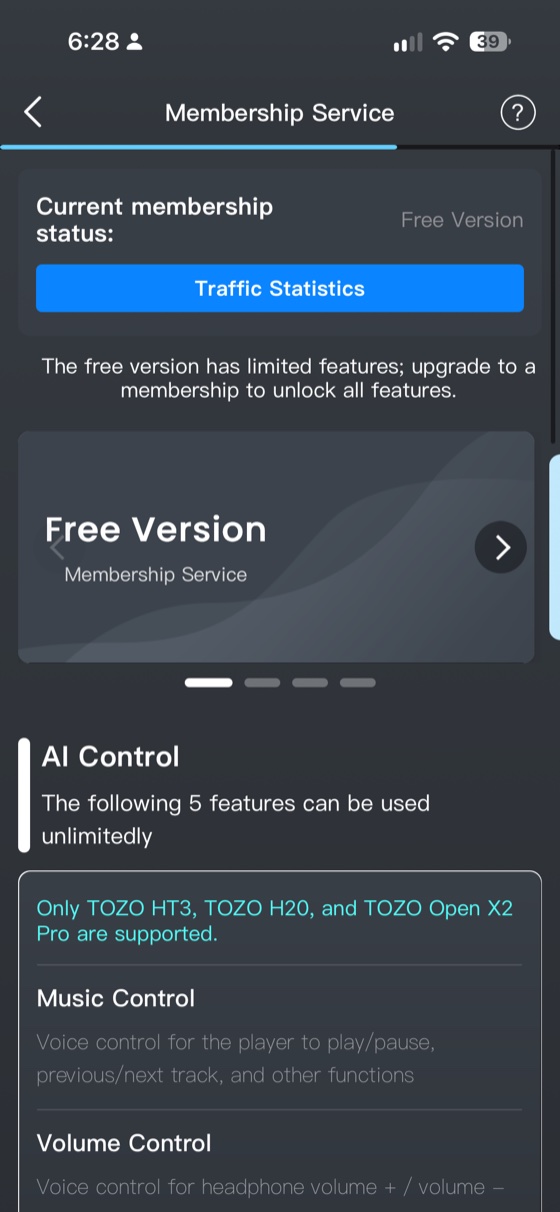
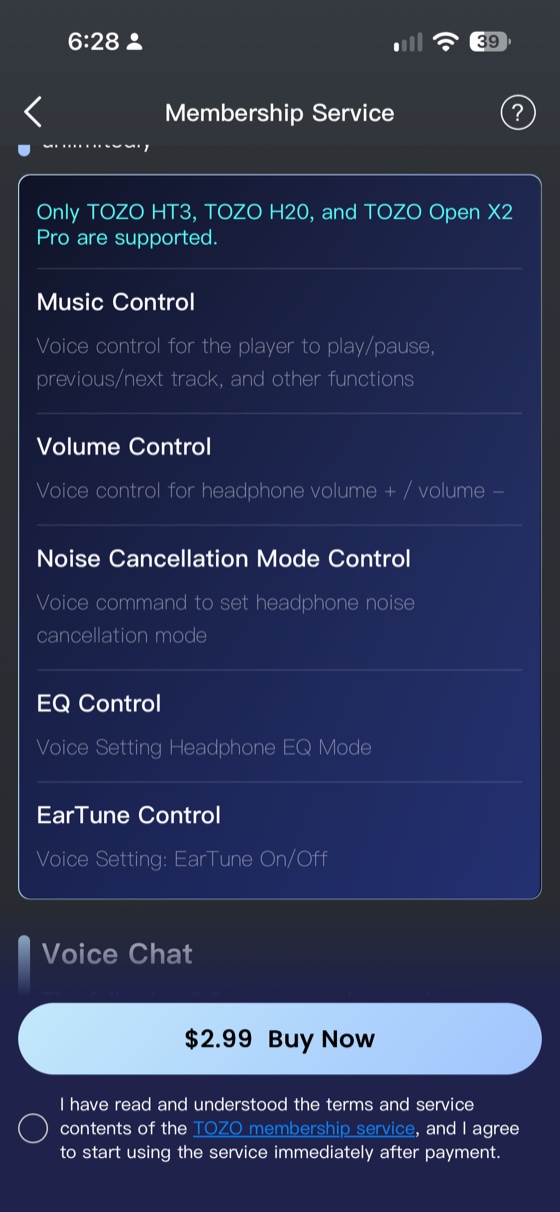
The paid membership ($2.99 in my screenshot, with no billing period shown) unlocks “AI Control” voice commands for music, volume, noise-cancellation mode, EQ and EarTune, but the same screen says “Only TOZO HT3, TOZO H20, and TOZO Open X2 Pro are supported”, so as far as I can tell the paid AI features don’t apply to the NC9 Pro:
 |
 |
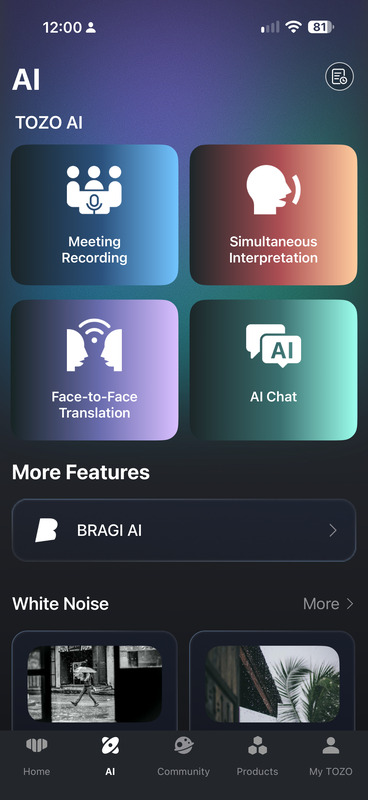
Another page lists meeting recording, simultaneous interpretation, face-to-face translation, AI chat and white noise, and I didn’t try these as they were part of a subscription:
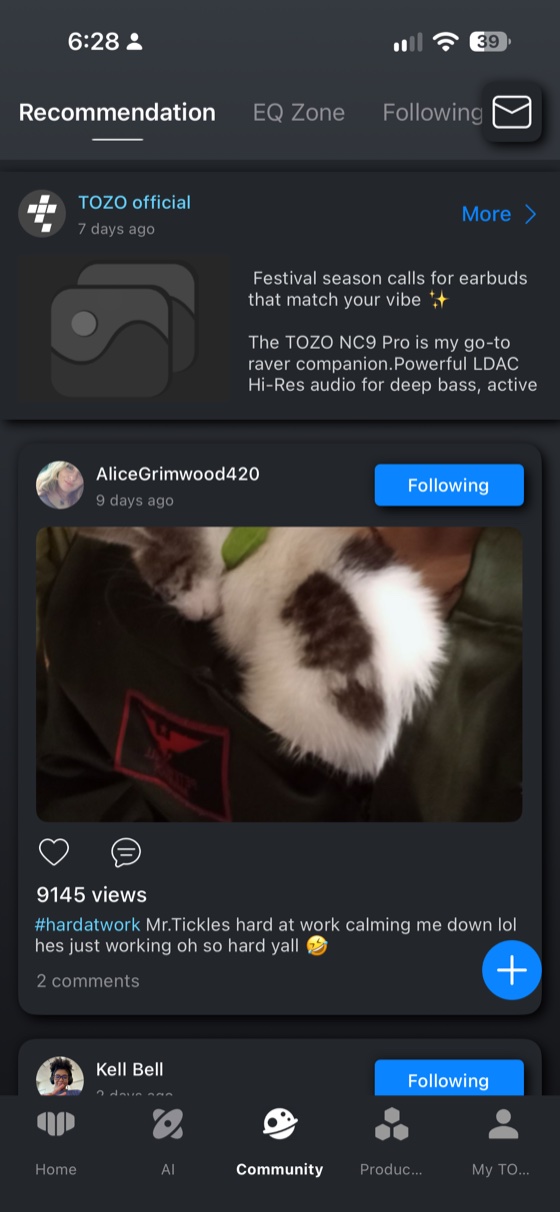
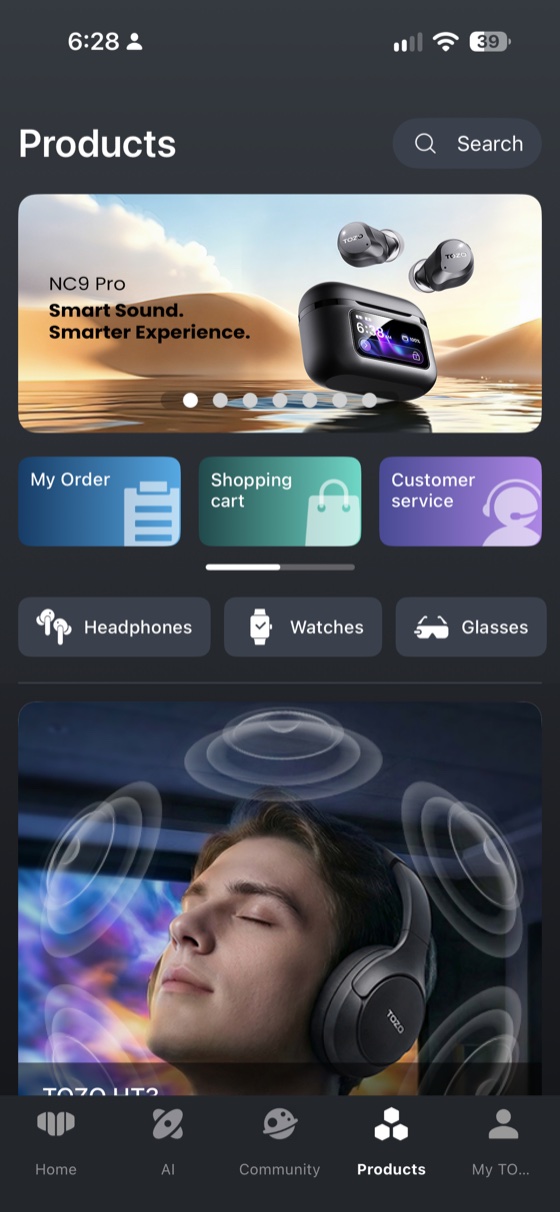
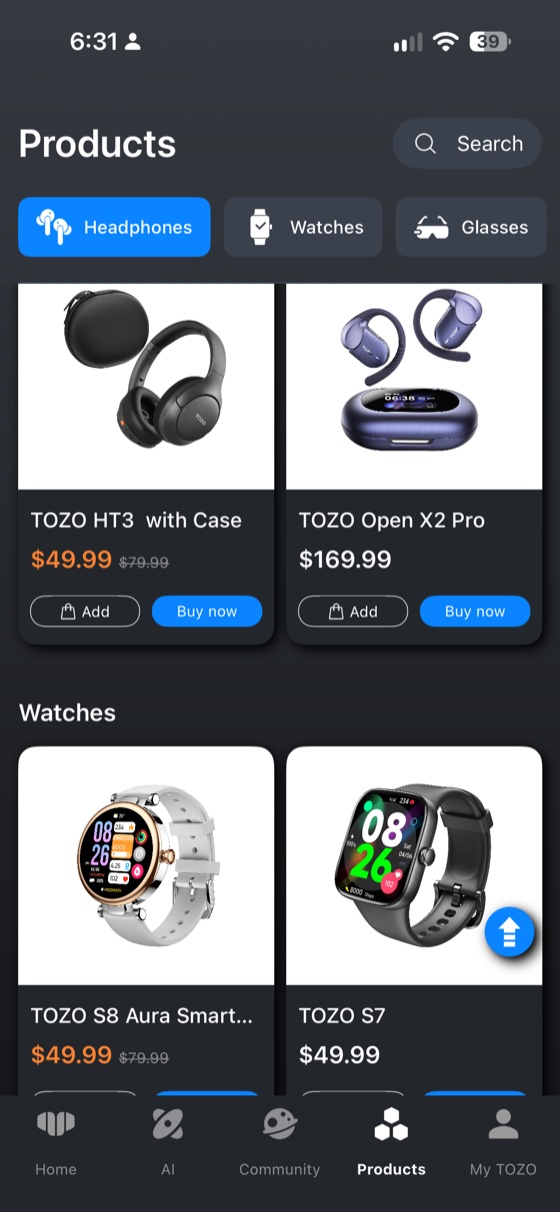
Community feed and store tabs
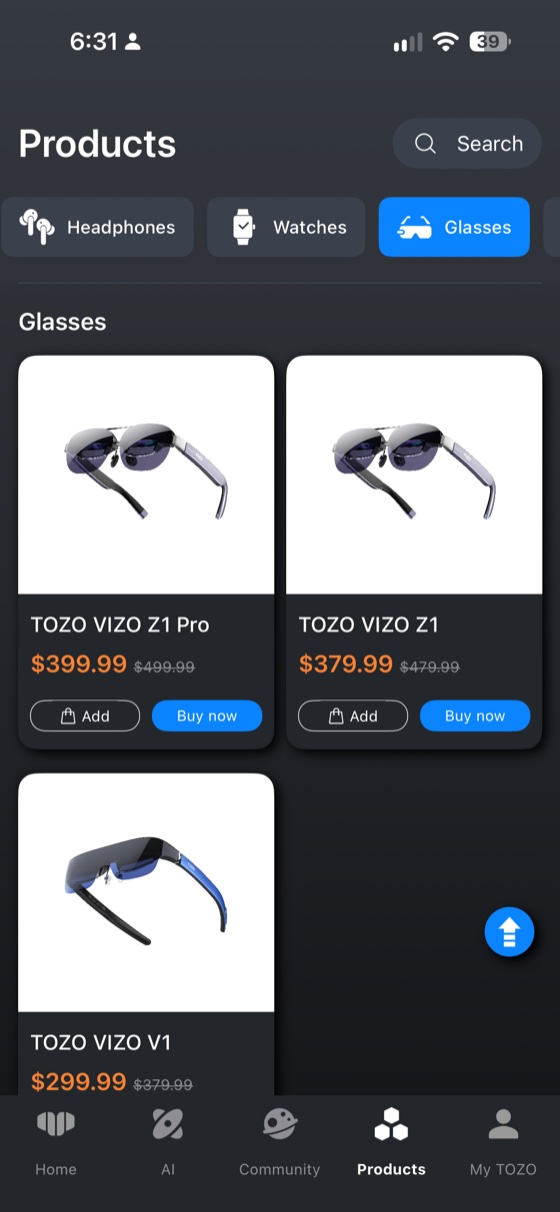
The TOZO app is also a TOZO shop and a social feed, with a Community tab and a Products tab selling TOZO headphones, watches and smart glasses. None of this has anything to do with audio, but it is part of the app:
 |
 |
 |
 |
I just ignored the feed and the membership.
Sound Impressions
The default sound signature is very good for a TWS, and you also get some advanced EQ (sadly not PEQ) within the app which can also help greatly.
Mainly I used AAC with my iPhone, but I did try LDAC via Android and it was very effective. I did set up a custom EQ, but the Classic Folk preset is exceptionally good ( more on that in the measurements ). On those long haul flights I also switched to podcasts and audiobooks, and used the Vocal preset very effectively.
Bass
Bass was definitely too mid-bass heavy by default and needs some EQ to adjust it and make the midrange clearer, but this is typical for all TWS, and TOZO of course need to follow the normal expectations for bass level, which sadly is what most of the general public would expect ( a lot of bass ). If you want to try this yourself, Limit to Your Love by James Blake is a good track for hearing how much sub-bass is there before and after you EQ it.
Midrange
The midrange was pretty good but a little recessed, and once I fixed the bass level the midrange sounded much more balanced again. Fast Car by Tracy Chapman is a good one for hearing that change in her voice.
Treble
The treble was good for a TWS at this price level, with not that many peaks, but you cannot expect to get perfect treble at this price. The EQ can partially help with reducing any peaks, though with wider treble adjustments you will lose some detail compared to the more fine grained controls that other TWS are starting to offer with PEQ (e.g. Moondrop’s TWS). Tamacun by Rodrigo y Gabriela is a good test for the treble detail.
Soundstage and imaging
The soundstage and imaging were reasonable at this price, and Hotel California by the Eagles is a good track to check them with.
Comparisons
Compared to the two EarFuns it is very close. I would say by default the EarFuns are better, but once you dial in your personal preference the TOZO can be very competitive, and having the option to adjust the EQ via the case can be a nice advantage of the design.
EarFun Air Pro 4 Plus
The EarFun Air Pro 4 Plus is the closest on features, as both have Bluetooth 6.0, LDAC, hybrid ANC, a six-microphone call system and a 10-band app EQ. The EarFun adds more codecs (aptX Lossless, aptX Adaptive, LE Audio/LC3 and Auracast), a hybrid dynamic plus balanced armature driver and wireless charging, its default tuning was close to neutral in my review, and it was $99 when I reviewed it, so it costs more than the NC9 Pro. The TOZO has the case screen though. If you want the longer codec list and a neutral default tuning the EarFun is the one to get, and if you want to change modes without using your phone the TOZO is the one with the screen.
EarFun Air Pro 4
The older EarFun Air Pro 4 also has LDAC, plus aptX Lossless and LE Audio, an ANC claim of up to 50 dB and an IPX5 rating. TOZO claim 10 hours per charge with ANC on and 14 with it off against 7.5 and 11 hours for the Air Pro 4, and IPX8 where the EarFun is IPX5.
Soundcore P3i
The Soundcore P3i is the closest on price and approach, a sub-$50 hybrid ANC earbud with a fairly heavy bass tuning out of the box and a 10-band app EQ that fixes most of it. The NC9 Pro adds LDAC, Bluetooth 6.0 and the case screen, so if the touchscreen and LDAC don’t matter to you the P3i is the cheaper one to compare it against.
The NC9 Pro sounds much better than the Soundcore P3i.
Apple AirPods 4 with ANC
The AirPods 4 with ANC are a very different design ( open and unsealed, with no user EQ and ANC that I found weak ) and they cost $179. Their strengths in my review were the default tuning and the Apple ecosystem integration rather than features, and a sealed earbud like the TOZO should block more noise passively, though I haven’t tested that here.
The NC9 Pro also has better sub-bass than the AirPods 4 ANC, as that is an open TWS with some bass but rolled off sub-bass.
Specifications and Measurements
These are TOZO’s published specifications, with the model number, battery capacities and charging input taken from the labels on the box and inside the case lid:
| Specification | Value |
|---|---|
| Model | T11124 |
| Driver | 10 mm dynamic, “SDLC” diaphragm |
| Bluetooth | 6.0, multipoint (two devices) |
| Codecs | LDAC and AAC (my iPhone connected with AAC) |
| ANC | Hybrid ANC, claimed up to 45 dB; Adaptive, Transparency, Windproof modes |
| Microphones | 6 mics with ENC |
| Battery | 55 mAh per earbud, 600 mAh case |
| Playtime (claimed) | ANC on: 10 h (40 h with case); ANC off: 14 h (60 h with case) |
| Fast charge | 10 minutes for up to 3 hours (claimed) |
| Charging | USB-C, 5 V 0.55 A input; no wireless charging listed |
| Water resistance | IPX8 (claimed) |
| Case display | 1.47-inch LCD touchscreen |
| App | TOZO app: EarTune, 10-band preset/custom EQ, Advanced EQ, EQ Zone |
TOZO don’t publish any measurements for the NC9 Pro, with no frequency response, ANC attenuation curve or distortion figure on the product page or on Amazon, so the 45 dB ANC figure and the ‘Hi-Res’ claims are just their claims. I have measured the noise modes and the EQ presets below, but I have not measured the ANC attenuation.
Frequency response
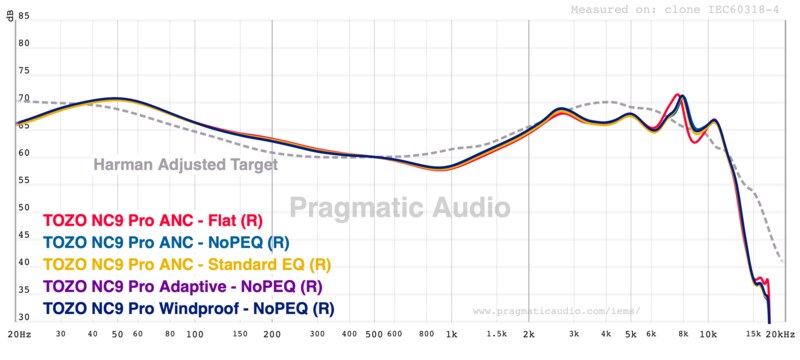
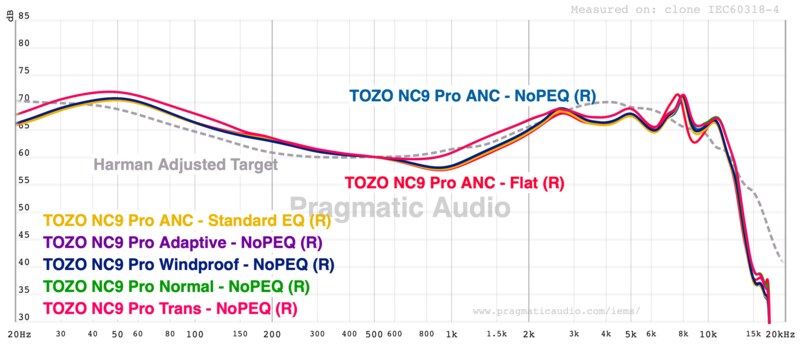
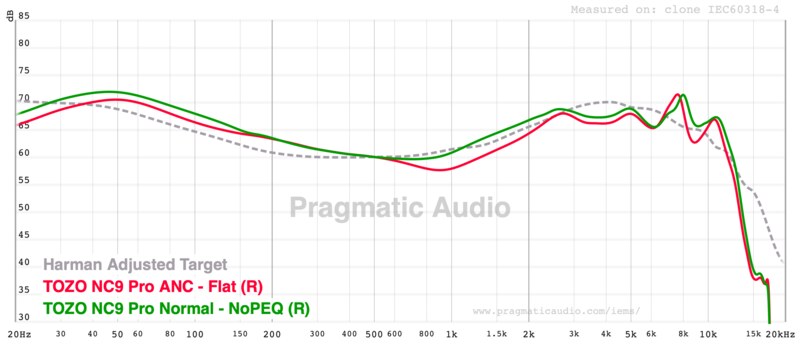
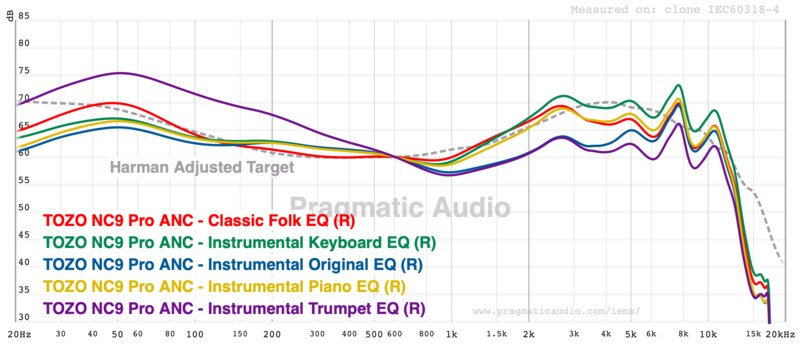
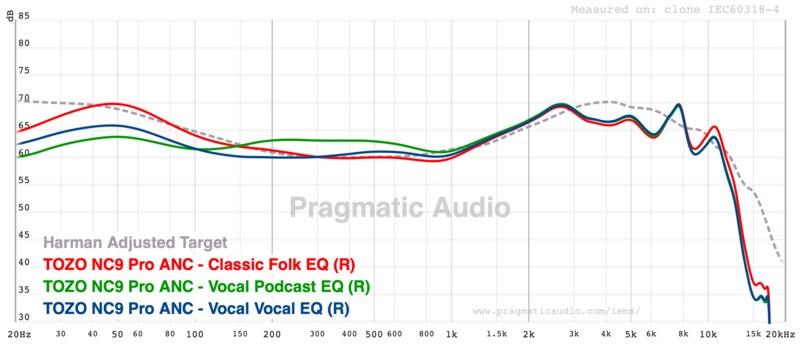
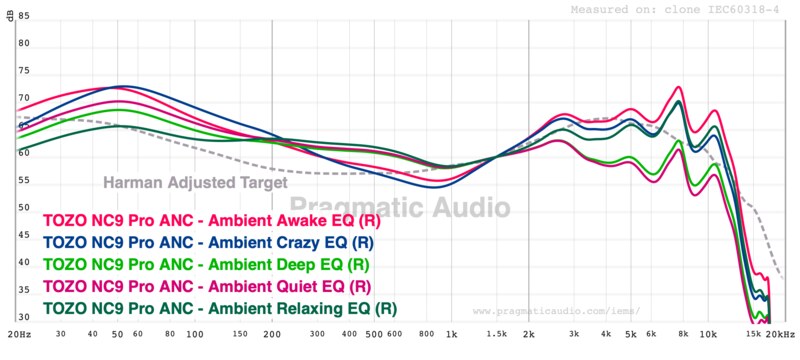
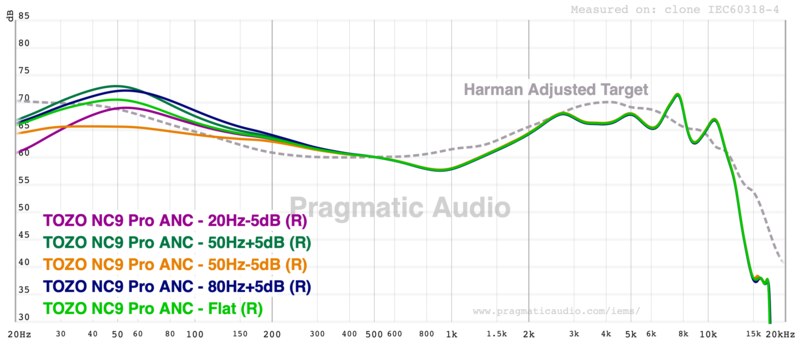
All of these graphs are of the right earbud (R) on my clone IEC60318-4 coupler against the Harman Adjusted Target (the grey dashed line), and apart from the Ambient graph they are lined up at 500 Hz, so you can see how each mode or preset moves the bass and treble relative to the midrange.
First the default sound. With ANC on, the Flat and Standard EQ settings are effectively the same curve as no EQ at all, and Adaptive and Windproof barely change it either. Against the target there is about 2 dB too much at 50 Hz and 2 to 3 dB too much between 100 and 300 Hz ( that is the mid-bass I was hearing ), a dip of about 3 dB around 900 Hz, the 3 to 5 kHz region sits 3 to 4 dB under the target, and then there is a peak at about 7.5 kHz before the treble rolls off steeply above 12 kHz:
Transparency and Normal ( ANC off ) are the two noise modes that change the sound, adding about 1.5 dB of bass and filling in most of that 1 kHz dip:
Here is just ANC on against Normal to make that clearer, and with ANC off the 1 to 2 kHz region actually tracks the target more closely:
Classic Folk, the preset to use
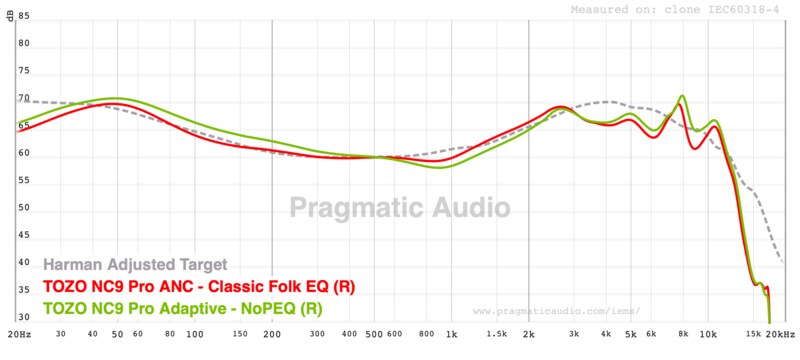
The Classic Folk preset is exceptionally good, with just the right amount of bass, a decent midrange, a slight ‘soundstage’ dip around 1 kHz, very slightly vocal forward and a good treble that is never too sibilant. Compared to the default (Flat) it takes about 1.5 dB off at 50 Hz and 2 to 3 dB off between 100 and 300 Hz, which puts the bass almost right on the target, it fills the 1 kHz dip to about 1 dB below the target, it lifts 1.5 to 3 kHz to about 1 dB above the target, and it takes about 2 dB off the peaks at 5 kHz and 7.5 kHz:
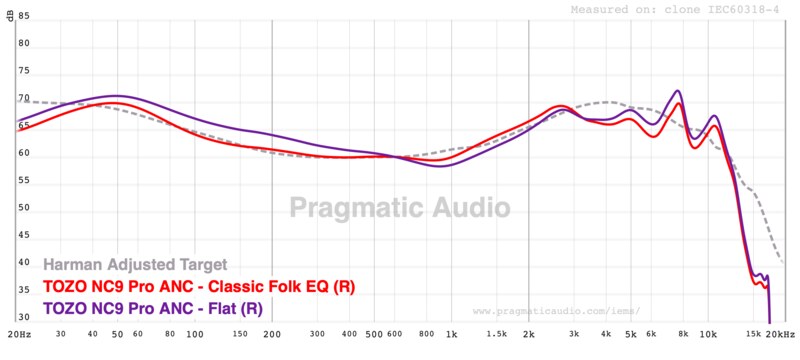
The default preset is not bad, just a little too much bass, but picking the Folk preset is a little tweak that is fantastic. Against the default with Adaptive ANC the difference is small, about 1 to 2 dB less from 50 Hz to 300 Hz, a little more between 1 and 2 kHz, and a few dB off the peak near 8 kHz:
How the other presets compare to Classic Folk
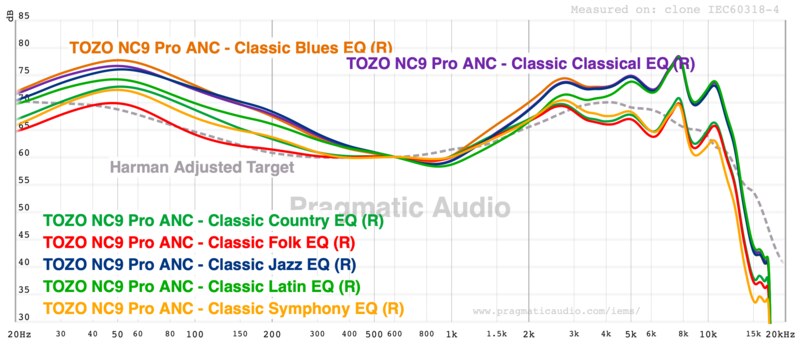
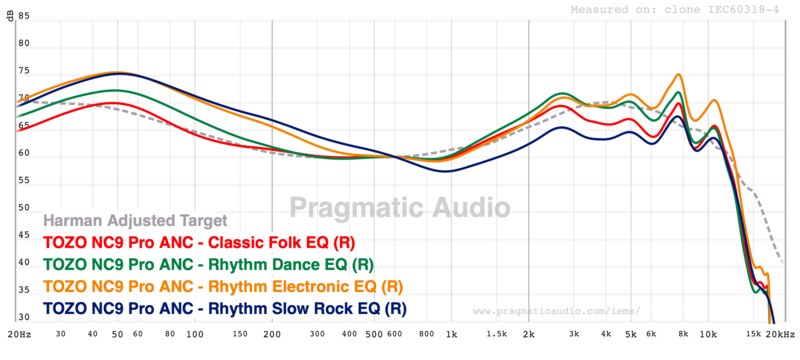
The Classic Folk lowers the bass and keeps an excellent midrange, but some of the other presets are decent for other people’s preferences, and I hope these graphs help people quickly understand what they might like without resorting to editing the custom EQ ( though it is great that you have that capability with this TWS ).
In the Classic group, Blues, Classical and Jazz add about 7 to 8 dB of bass at 50 Hz over Classic Folk and boost everything from 2 kHz up by 4 to 6 dB, so they are the most V-shaped presets in the app. Country and Latin sit in between with 3 to 4 dB more bass than Folk, and Symphony has about 2.5 dB more bass and about 2 dB less from 8 kHz up:
In the Rhythm group, Electronic and Slow Rock add about 5 to 6 dB of bass at 50 Hz over Classic Folk and carry it up into the 200 to 300 Hz region. Electronic also has the brightest treble, with the 7.5 kHz peak about 5 dB above Folk, while Slow Rock pulls 1 to 6 kHz down by 3 to 4 dB for a much darker sound. Dance is the mildest, with about 2.5 dB more bass than Folk and a little more upper midrange:
In the Instrumental group, Trumpet is the bass heavy one ( about 6 dB more than Folk at 50 Hz ) with 4 to 5 dB less from 2 kHz up, and Original sits about 4 dB under Folk in the bass and 2 to 5 dB under it in the treble. Keyboard and Piano are the closest to Folk above 1 kHz but with about 3 dB less bass, so they would suit someone who wants a leaner bass than Folk:
The Vocal group is the opposite of Rhythm, as Vocal and Podcast drop the bass 4 to 6 dB below Classic Folk ( and below the target ), and Podcast adds 2 to 3 dB between 200 and 600 Hz, while from 1 kHz up all three are almost identical. This is the Vocal preset I used for podcasts and audiobooks on my flights:
The Ambient graph is lined up at about 1.5 kHz instead of 500 Hz and doesn’t include Classic Folk. Awake and Crazy are the ‘fun’ ones, with 5 to 7 dB of extra bass and a deeper 1 kHz dip, Quiet and Deep cut everything from 3 kHz up by 5 to 8 dB which makes them very dark, and Relaxing has the least bass of the five but lifts 200 to 600 Hz above the target:
Bass customisation
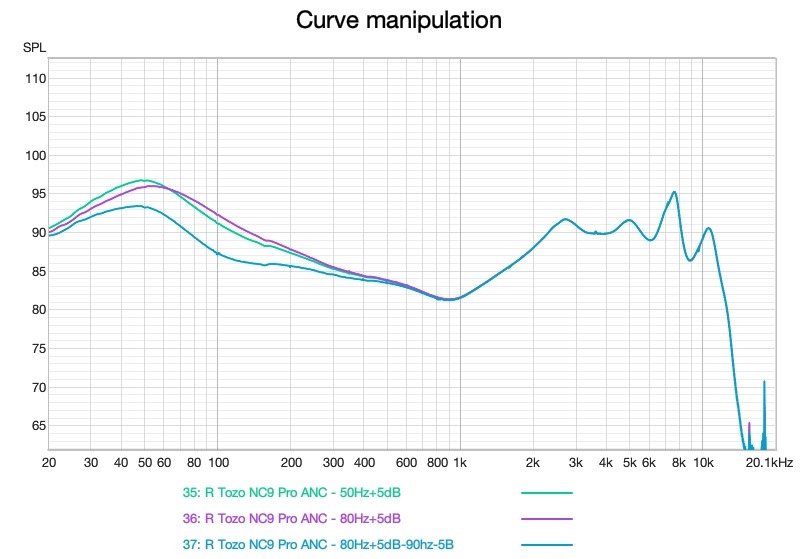
The customisation of the bass is excellent, probably the best I have seen. These are single-band changes from Flat in the 10-band EQ: a -5 dB cut at 20 Hz takes out just the deepest sub-bass ( about 5 dB at 20 Hz, but only about 1.5 dB by 50 Hz ), a -5 dB cut at 50 Hz takes the whole bass shelf down by about 5 dB, and the +5 dB boosts at 50 Hz and 80 Hz each add about 2.5 dB where they are centred, with the 80 Hz one reaching further into the mid-bass. Interestingly the boosts measure about half of their slider value here, while the cuts measure the full 5 dB:
With the Advanced EQ you can also drag a point to the frequency you want, and here is a +5 dB point at 50 Hz, the same point moved to 80 Hz, and the 80 Hz boost with a -5 dB point at 90 Hz next to it:
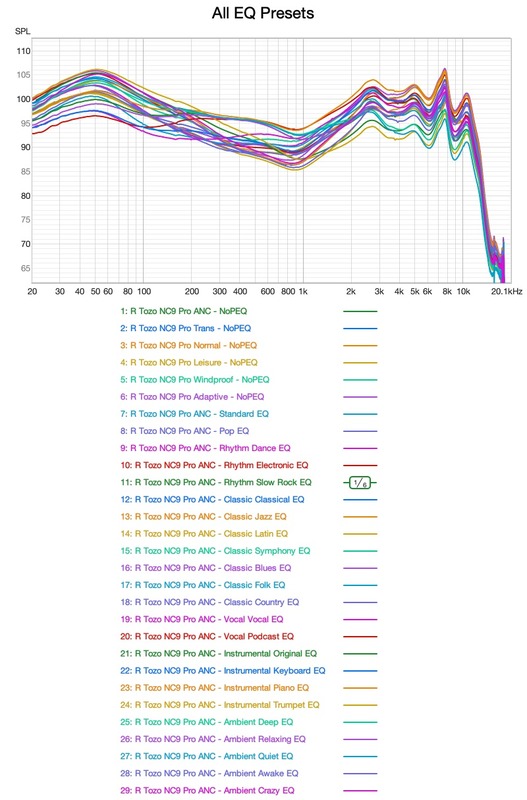
Finally, this is the ‘raw’ measurement of every preset and noise mode together, without a target, and it shows how much the EQ can change the NC9 Pro, with about 10 dB of range at 50 Hz and close to that in the upper midrange and treble across the presets ( unlike recent Soundcore TWS, which I have given up reviewing as they are all harder to get to sound good ). I would still love to see TOZO ultimately provide PEQ though:
Rating Explanation
The interactive screen on the case is what makes this one stand out for me, and at $50 to $60 with the usual discounts the price is the other half of it, with the default sound and the general comfort backing that up.
My niggles are that the EQ is ‘advanced’ but not PEQ ( there are no Q values ), and that the ANC is not ground breaking. The app also gives a lot of space to a store, a social feed and a paid tier that, going by the screen in the app, doesn’t support this model at the moment.
I give it a Pragmatic 5 stars overall, 5 for price ( it is an extremely good price for the features it provides ), 5 for features and 4 for measurements, as the out of the box tuning needs some adjustments, and while the advanced EQ is a welcome improvement on most competitors ( including Soundcore ) we are starting to see full PEQ.
Conclusion
The screen on the NC9 Pro’s case lets you switch ANC modes and EQ presets without the phone, and behind it is an app with two EQs and a long list of modes.
For its price and the feature set, I feel it is very competitive against any Soundcore or EarFun offering, and I would recommend it for ‘gadget lovers’ who are looking for a feature rich but easy to live with TWS. With the Classic Folk preset this is one of the best sounding TWS you can get ( if you like a neutral sound signature ).