Viaim RecDot
A more AI-focused than sound-focused TWS packed with features
Viaim is a company that has taken a very deliberate bet: that the next step for earbuds is not better drivers, but smarter software. I reviewed their Viaim OpenNote recently — a remarkable nice open ear device that I found fantastic for meeting capture and live transcription. The RecDot is their TWS ‘in-ear’ alternative, so a proper pair of wireless earbuds with ANC that also happens to carry all of Viaim’s AI recording and transcription features inside a Hi-Res certified package for $199.
The timing of my review unit arriving could not have been better, as both the RecDot and the OpenNote arrived just days before a trip to Japan. Taking a review sample to a foreign country is not something I normally do, but with the RecDot it turned out to be the ideal testing ground for both the AI’s features but also the audio quality.
Outside of Tokyo, where English signage and English speakers are far less
common, I leaned heavily on the live translation feature — pointing the earbuds at a conversation or announcement and
receiving some accurate almost real-time translation in my ear. It worked far better than I expected, and I even
captured most of the early notes used for this review using the RecDot’s AI recording feature while travelling
around Japan.
I would like to thank Viaim for providing the RecDot for the purposes of this review.
If you are interested in finding more information about the RecDot, you can find it at the official product page.
The Viaim RecDot typically retails for $199.
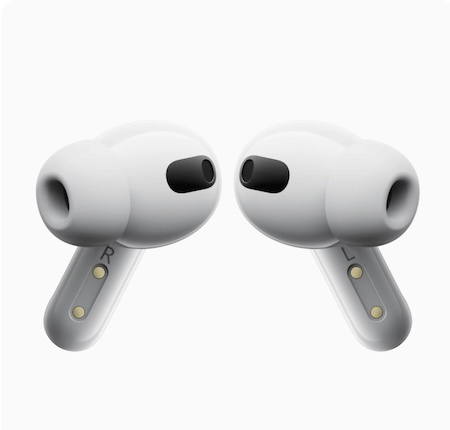
Since returning from Japan, I switched to a more critical listening mode — commuting into the office and evaluating the sound quality properly, working through the EQ options, and spending some time subjectively and objectively (with measrurements) evaluating the RecDot from an audiophile perspecitive. After about two months with them, my overall take is that the RecDot is a genuinely clever and useful tech gadget that happens to include a decent TWS experience, rather than a serious audio device that also has some smart features on the side.
But before I get into the details, let’s look at the unboxing experience:
Unboxing and build quality
The RecDot packaging is clean and functional — white with a product render and the tagline “AI Recording True Wireless Earbuds” prominently below it.
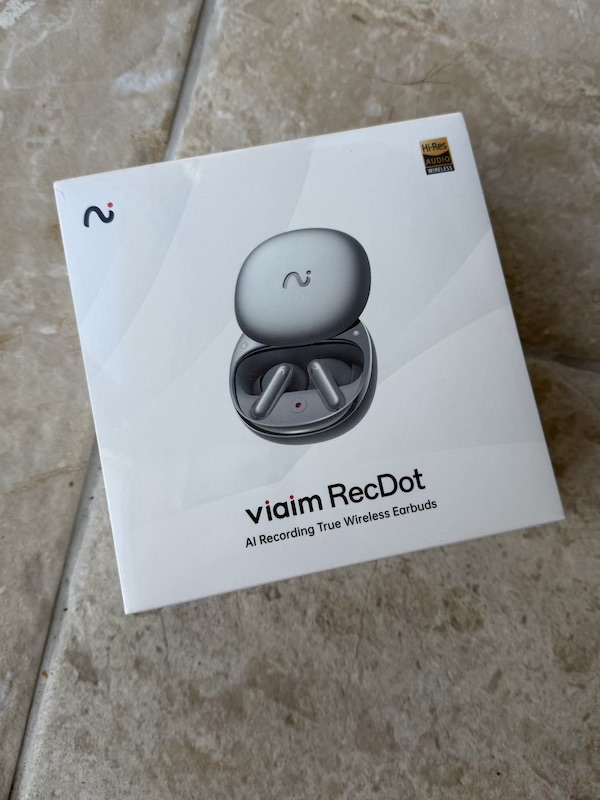
I noticed that the OpenNote actually felt like a higher-end unboxing experience despite costing less.
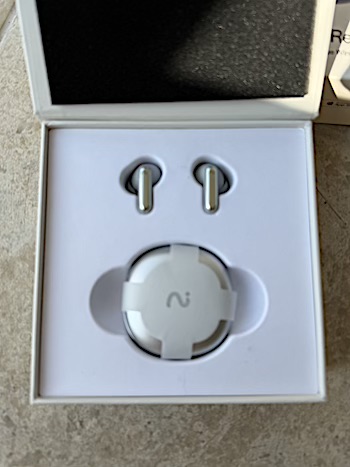
The box opens to reveal the case and the earbuds:
There is also the usual paperwork in a tray underneath:
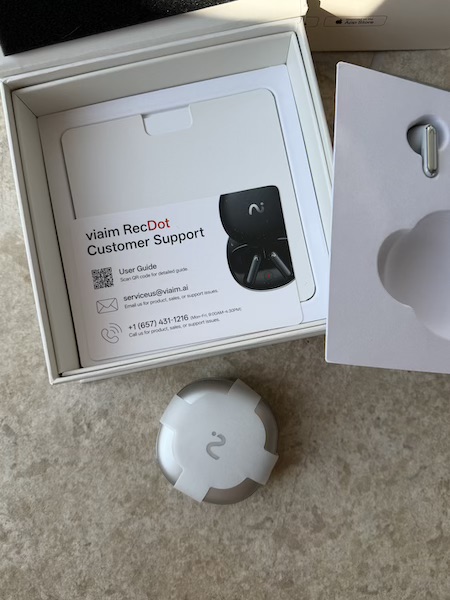
Lifting the RecDot out reveals a second layer with the accessories organised in neat cardboard trays:
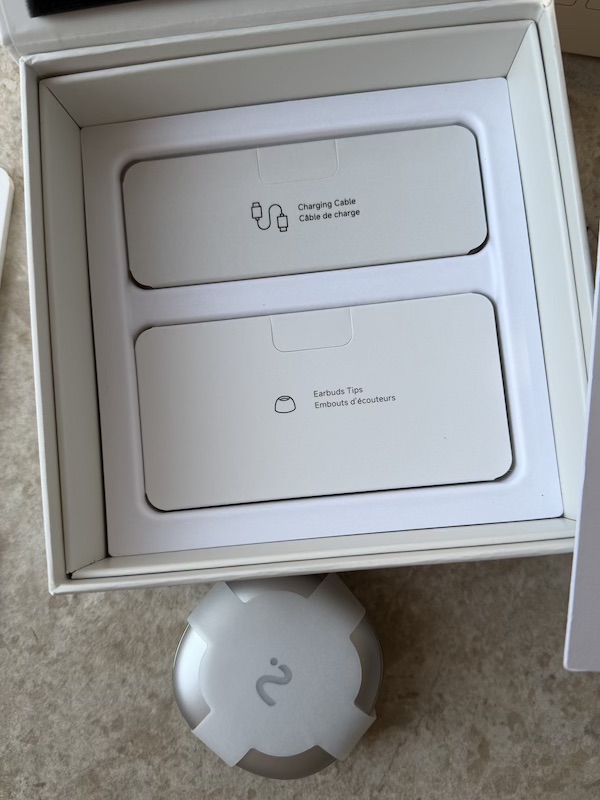
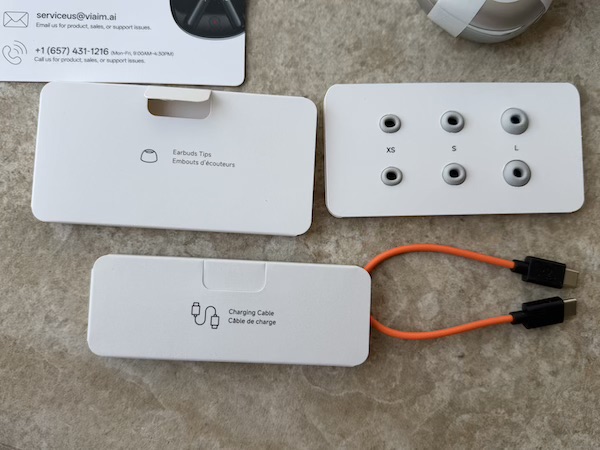
In the box you get the RecDot case and earbuds, three sizes of silicone eartips (XS, S, and L), and a short USB-C charging cable — in orange, which is a fun detail.
Build quality and case
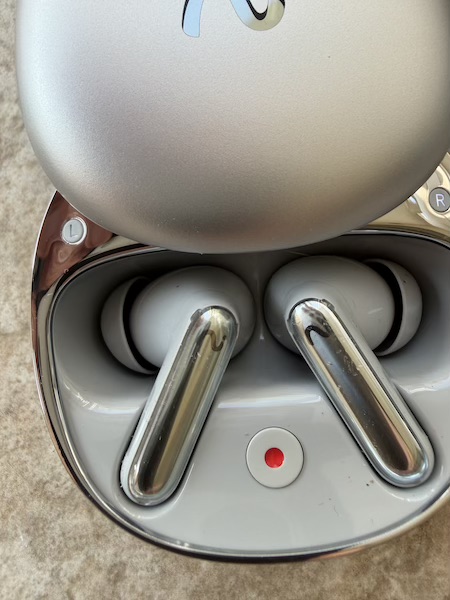
The case itself is a round, pebble-like design in silver. It feels solidly plastic rather than particularly premium, which is consistent with the price tier, but the hinge is smooth and the magnets that hold it closed are firm. The standout build feature is the small red button in the centre of the case interior — pressing it triggers a recording without needing to pull your phone out, which is exactly what you want in a meeting:
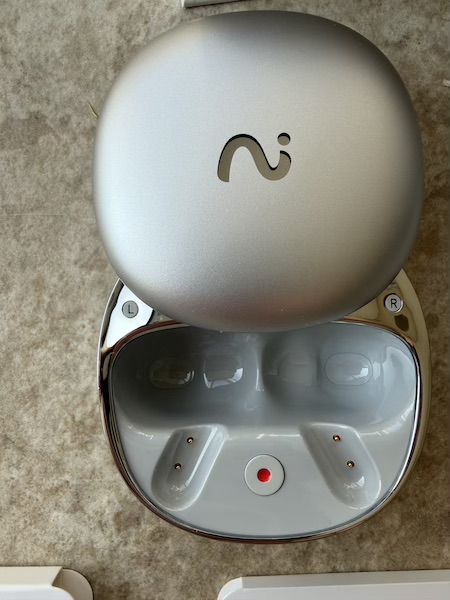
With the RecDots:
One nice detail on the box itself is the small LED indicator — it lights up to show the charging status:
Earbuds
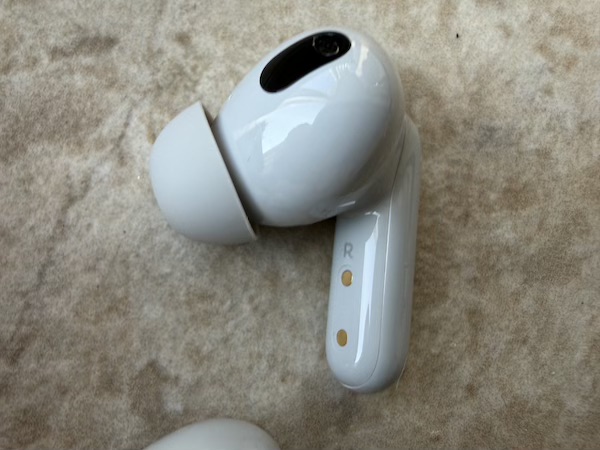
The earbuds themselves use a familiar AirPods Pro-like stem design with an in-ear body and a short stem hanging below the ear.
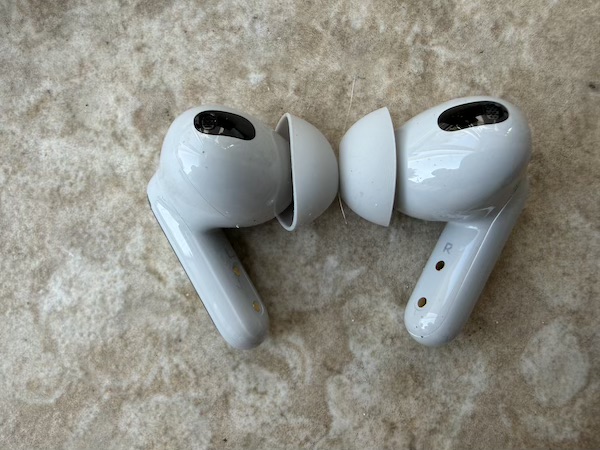
The shape is tried and well understood at this point — there is nothing surprising here, which is either reassuring or disappointing depending on how much you value originality in industrial design.
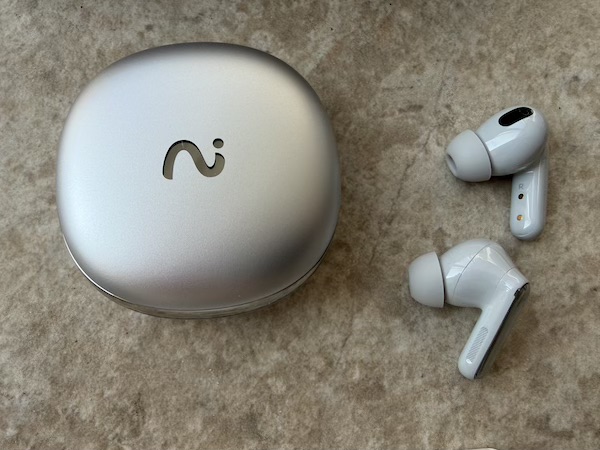
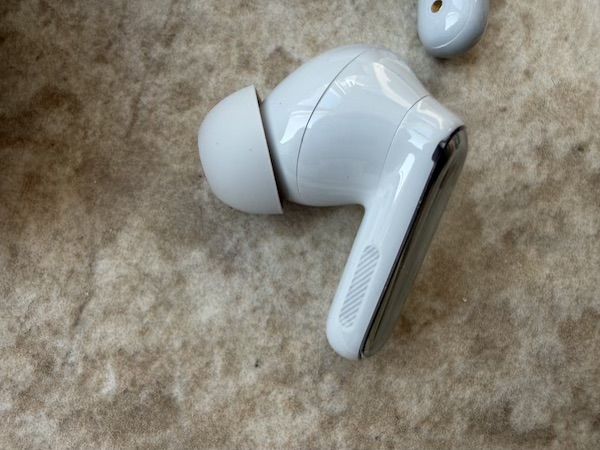
Up close, the build quality is functional rather than premium — the plastic finish is consistent, and the gold contact pins on the stem are cleanly implemented:
 |
 |
Fit and comfort
The RecDot is roughly the same size and shape as AirPods Pro — those gold contact pins on the stem are visible in side
profile, and the overall silhouette is very close:
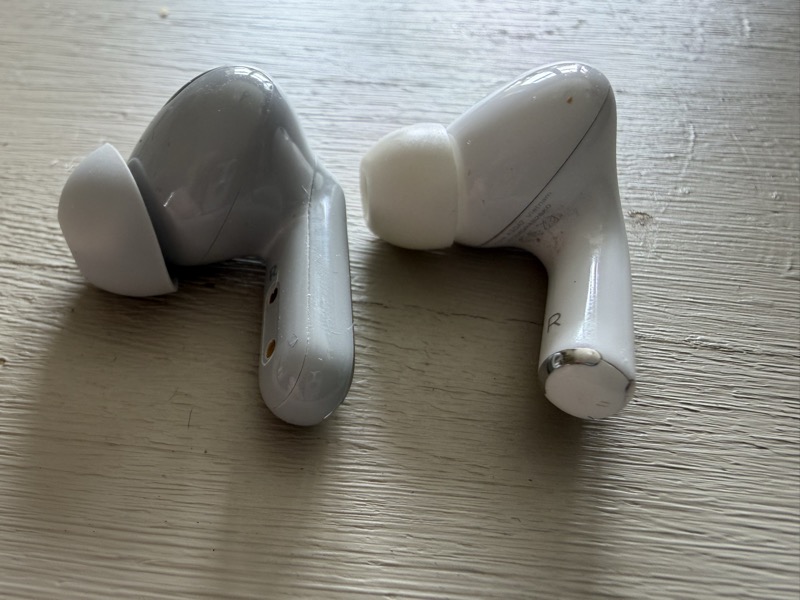
In terms of comfort in my ears, that meant a familiar experience:
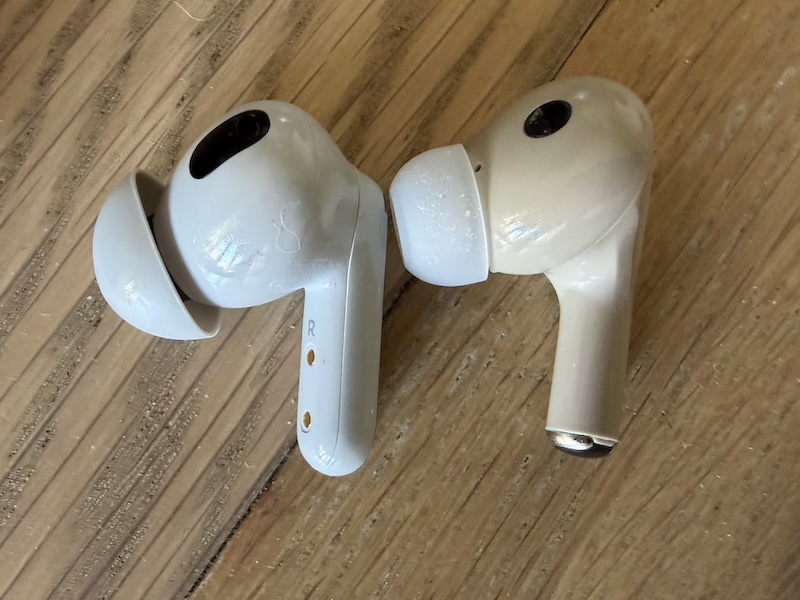
The design is not trying to reinvent anything which is a very good thing as far as TWS fit in most peoples ears.
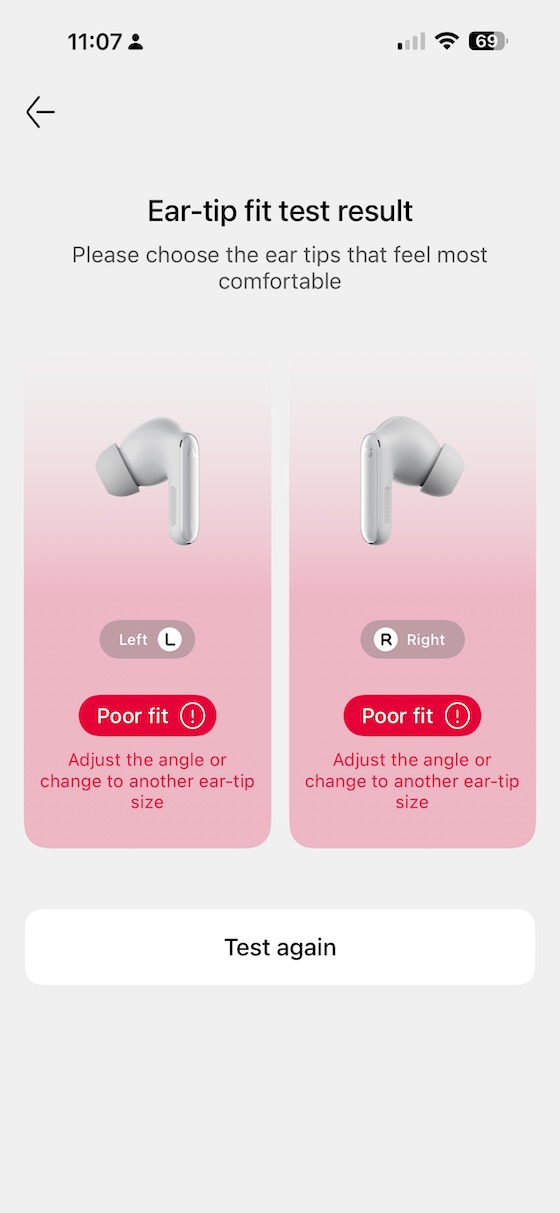
Viaim includes three eartip sizes in the box — XS, S, and L. I needed to size up to the large tips to get a proper seal; the medium tips I would normally reach for flagged a poor fit on both sides when I ran the earfit test in the app. That test is a genuinely useful feature that I wish more TWS earbuds included — it plays a tone and checks the seal acoustically, telling you whether sound is leaking before you leave the house. Seal matters both for bass performance and for ANC effectiveness, so it is worth taking thirty seconds to run it before you commit to a tip size.
Once I switched to the large tips the fit was secure and comfortable for extended commuting sessions. The earbuds sit flush in the ear without protruding too much, and the stem is short enough not to interfere with glasses or masks.
Features and App
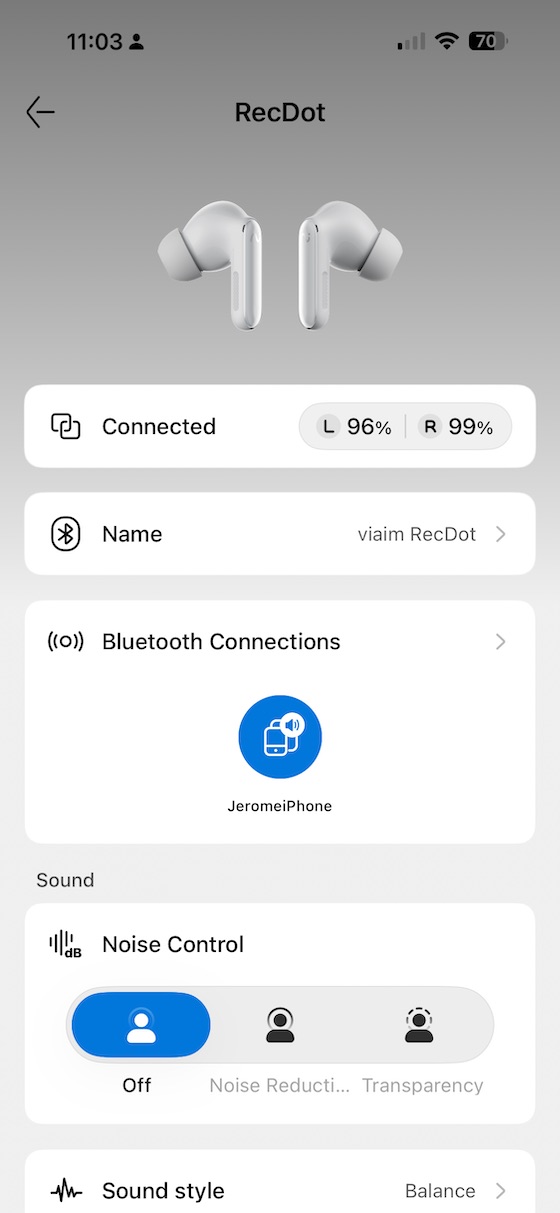
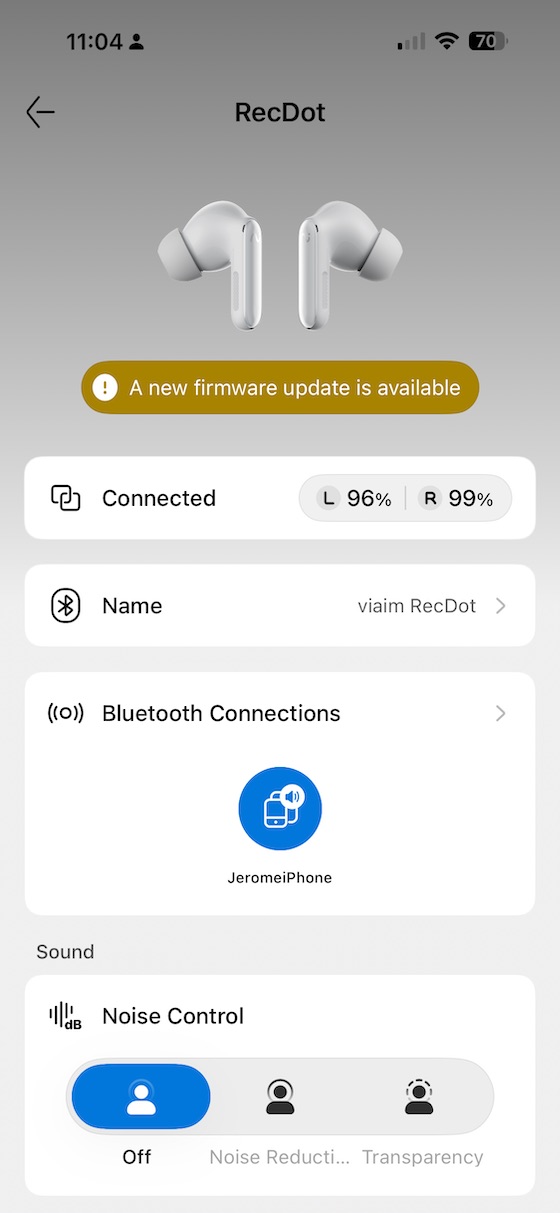
The companion app is one of the most feature-complete TWS apps I have encountered at any price point. The home screen shows battery levels for each earbud independently, the Bluetooth connection state, and quick access to Noise Control switching:
 |
 |
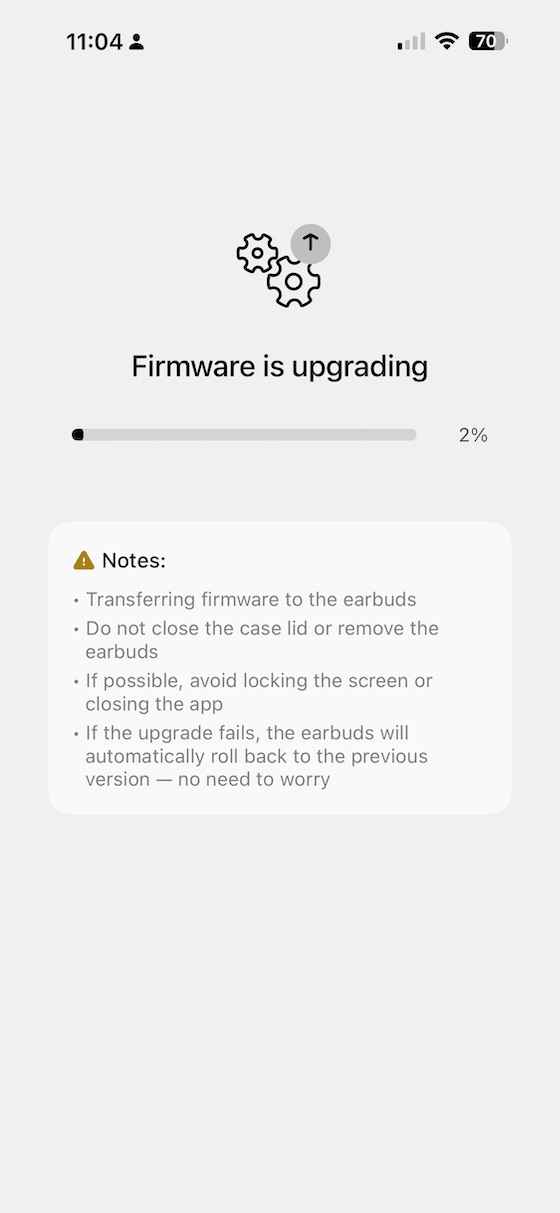
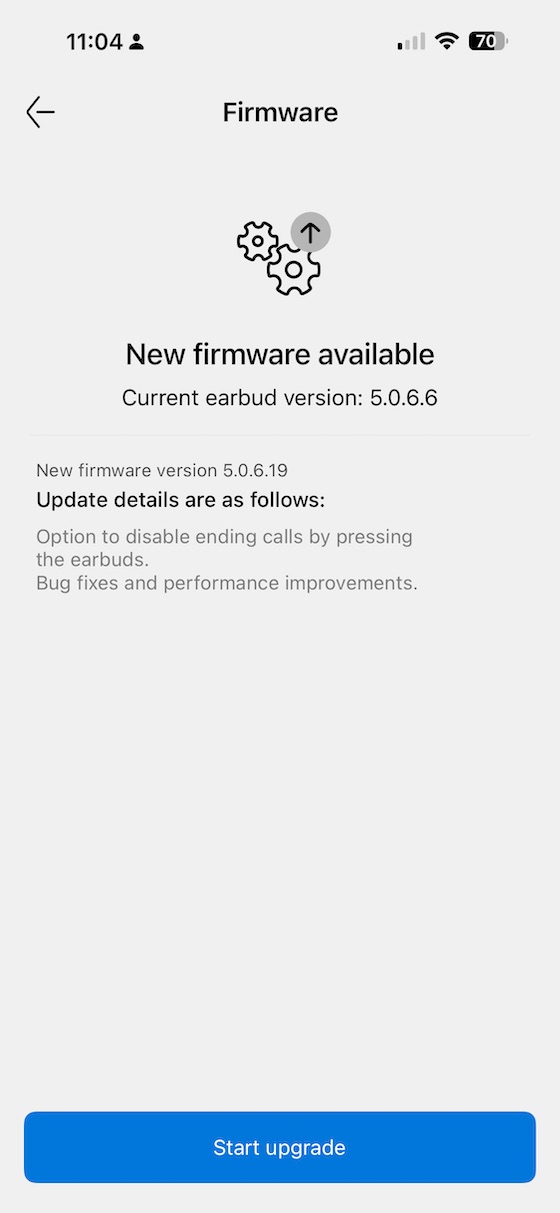
Firmware updates are handled cleanly in-app, with a progress screen and version details:
 |
 |
Fitness and Seal test
I love that the App has this fitness and seal test - this is a crucial feature that should be included with the comparison of ever ANC TWS that is serious about both ANC performance and bass quality:
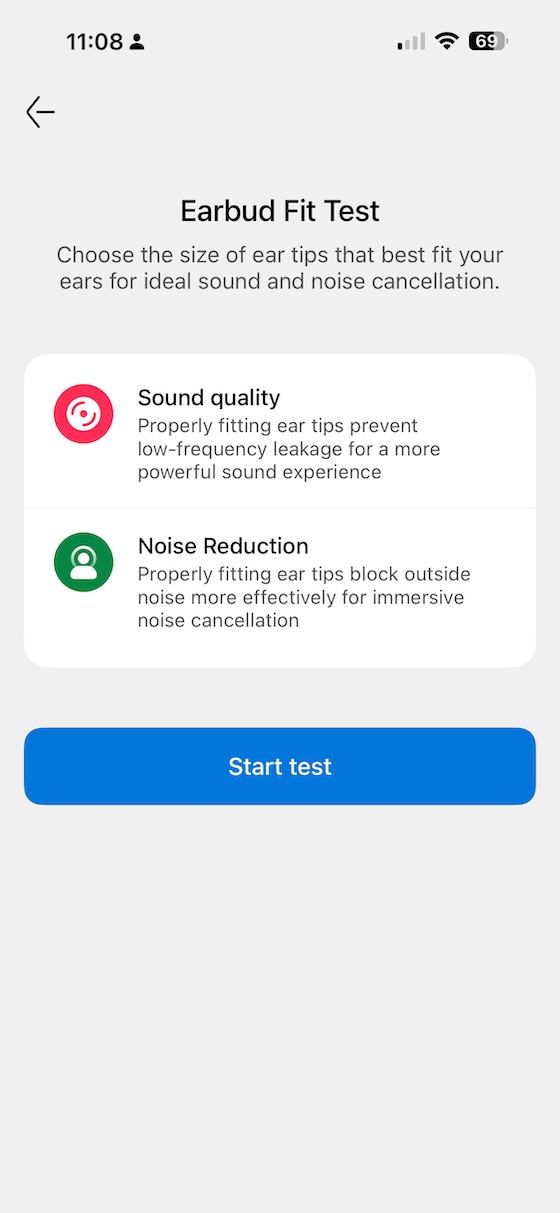
When I tried the initial ‘medium’ eartips - I got a poor fit, trying the larger ones fixed this issue:
Gestures
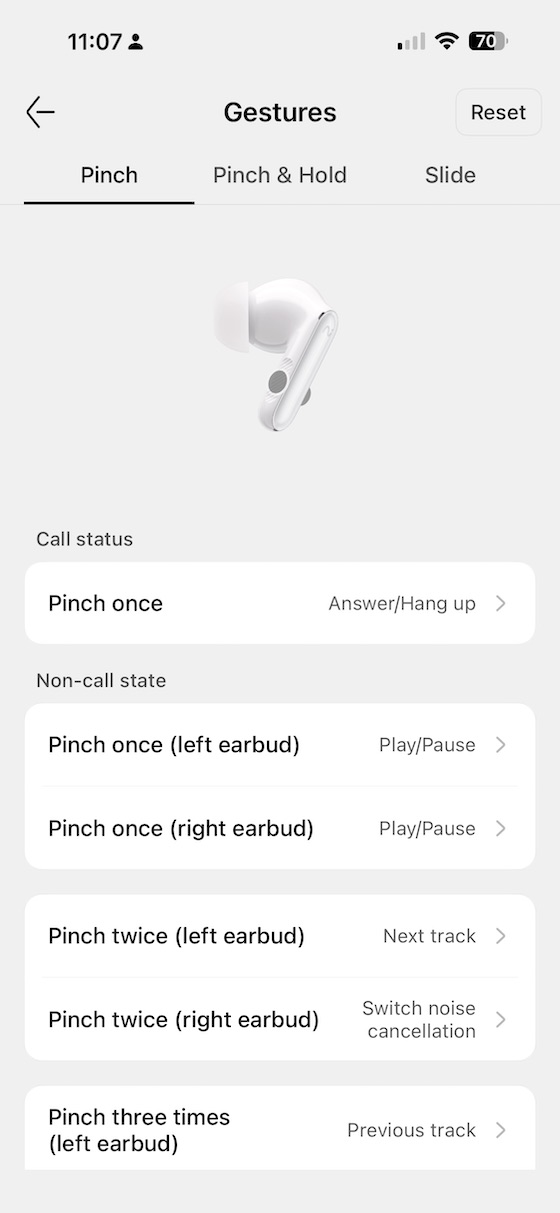
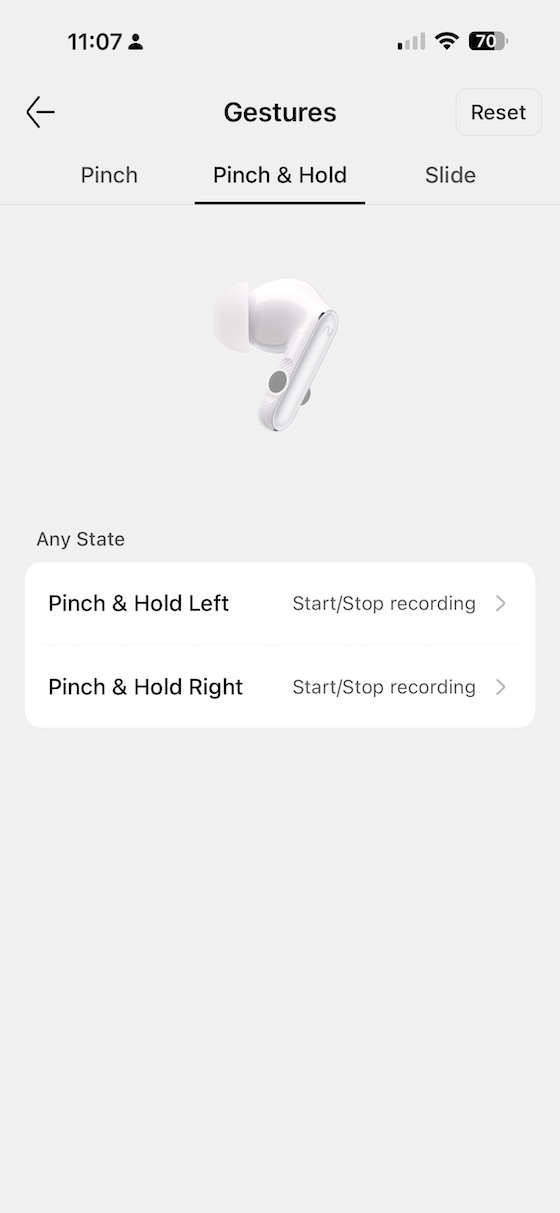
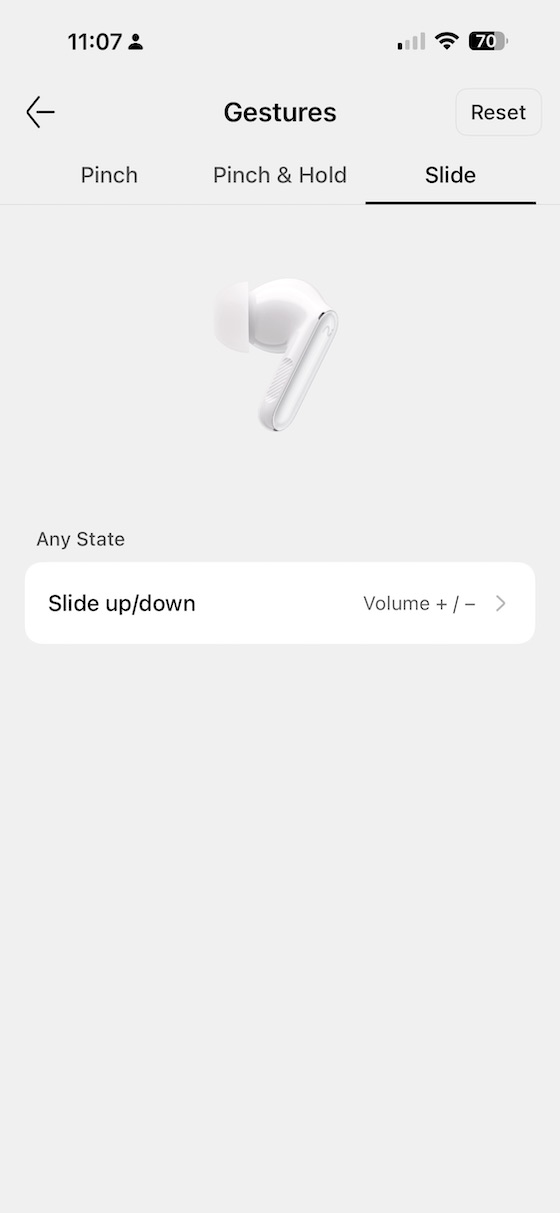
The gesture system is among the most configurable I have seen in a TWS product but given all the features it sort of needs to be. Pinch, Pinch & Hold, and Slide are each independently assignable per earbud, and the app dedicates a separate screen to each gesture type — shown below for Pinch, Pinch & Hold, and Slide respectively.
 |
 |
Another premium feature of the RecDot is the ability to slide for volume control:
In my experience, getting the muscle memory right took some time, particularly when the AI recording trigger would occasionally fire when I intended to switch tracks. It is something you can tune out with patience during the initial setup.
Voice commands and wear detection
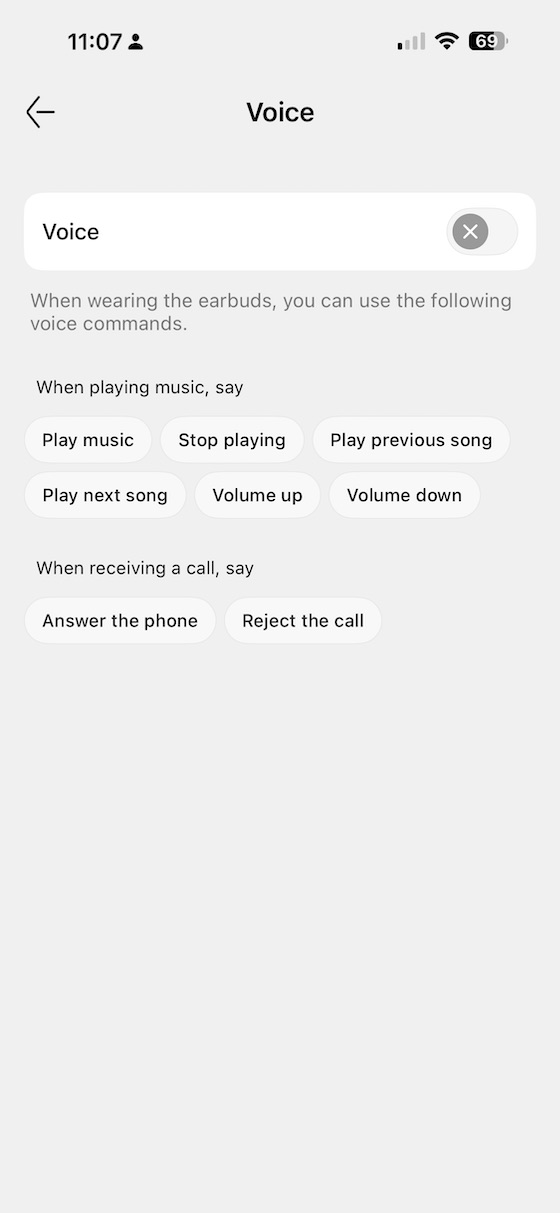
The app supports full voice command control for playback and calls — a useful fallback when you do not want to reach for the stem, and a natural companion to the recording-centric use cases the RecDot is built around.
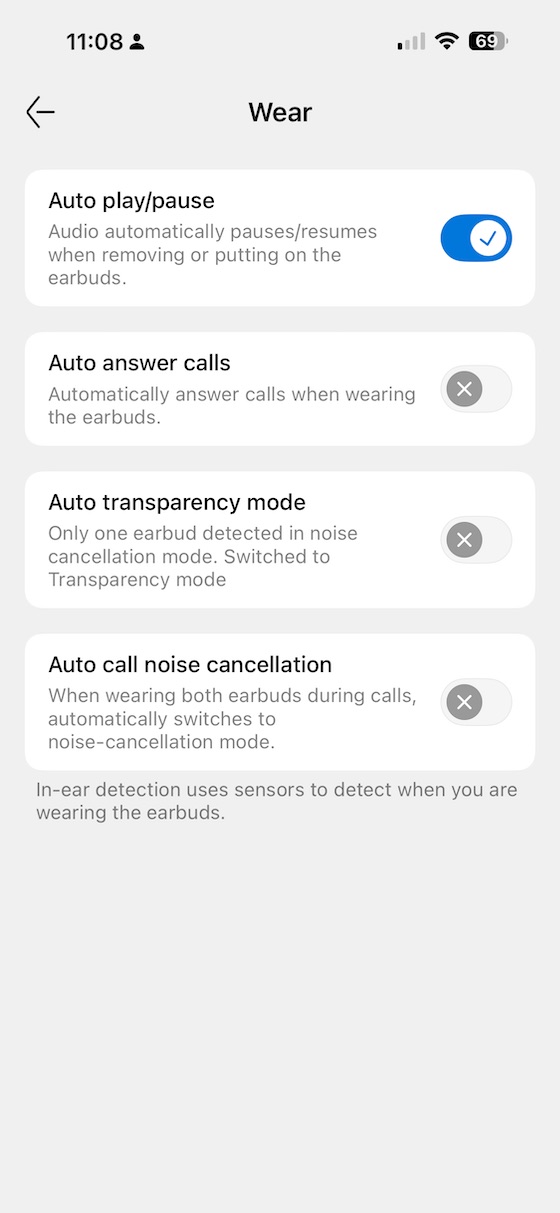
Wear detection is another great feature to have, and in my experience it worked pretty well. Auto-pausing when an earbud is removed and resuming on reinsertion, which behaves exactly as you would expect.
AI recording and live translation
The headline feature is Viaim’s AI recording system. Pressing the red button on the case — or using the assigned gesture — starts a recording that is synchronised to the app. The app then transcribes the audio and can provide a live translation, which is particularly impressive when the source audio is a foreign language. Spending time outside Tokyo was the real test, and the RecDot handled Japanese speech recognition and English translation with accuracy that genuinely surprised me. It is not flawless, and the translation latency is noticeable, but for understanding the gist of a conversation or announcement in an unfamiliar language it works.
The microphone array behind all of this is worth noting: the RecDot uses three standard microphones combined with a bone conduction microphone on each earbud. The bone conduction element picks up jaw and skull vibration directly, which helps the device separate your voice from ambient noise during calls and recordings — particularly useful in the kind of noisy environments where you would actually want to record something. In practice, call quality in my open-plan office was noticeably cleaner than most TWS earbuds I have tested, and voice accuracy in the AI transcription held up better in background noise than I expected.
Subscription Model
The advanced AI features operate on a subscription model layered on top of the $199 purchase price. Basic recording and transcription is included in the free tier — 600 minutes per month — but live translation and extended recording retention, the features most likely to influence a buying decision, require a paid plan. The Pro tier at $ 8.49 per month (or $79.99 per year) raises the limit to 1800 minutes; the Ultra tier at $16.99 per month (or $159.99 per year) removes it entirely and unlocks the most capable AI models for post-recording summarisation.
As someone who works in the software industry who is heavily adopting to using and paying for AI and using AI a subscrition model makes complete sense. The AI features are a large part of why you would choose the RecDot over a more conventional TWS. My recommendation is the same as I have for the OpenNote: start with the free tier and track whether you approach the monthly ceiling in your first few weeks of normal use before committing to a paid plan. Heavy meeting users will likely hit it.
EQ
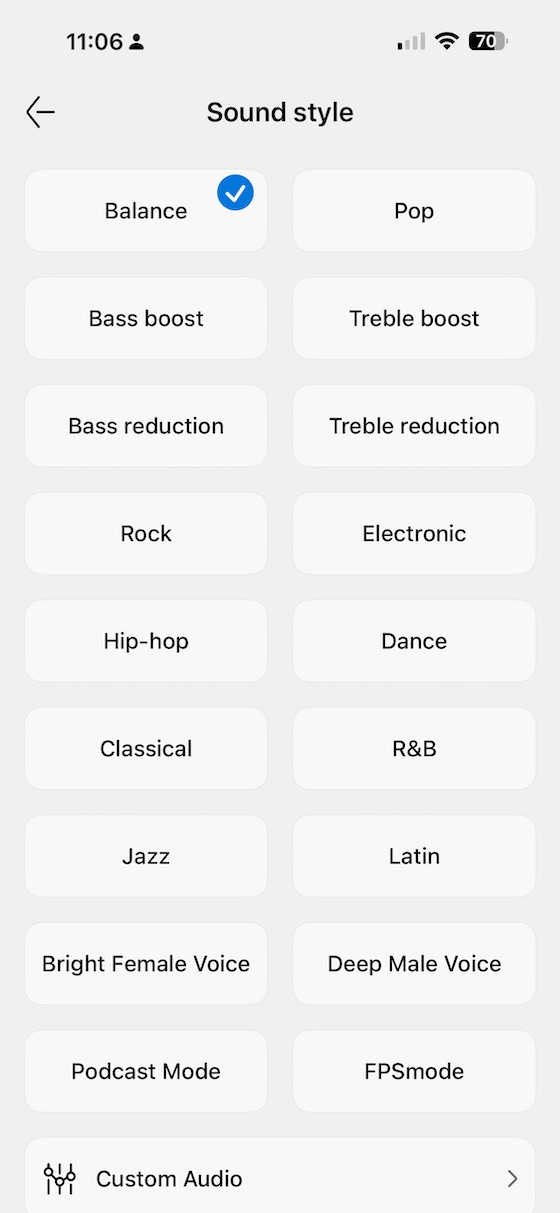
The app provides 18 EQ presets — covering everything from Balance and Pop through to Podcast Mode and FPS gaming mode:
You also get a full 8-band custom equaliser with bands at 20Hz, 150Hz, 300Hz, 1kHz, 2.5kHz, 3.8kHz, 5kHz, and 7kHz:
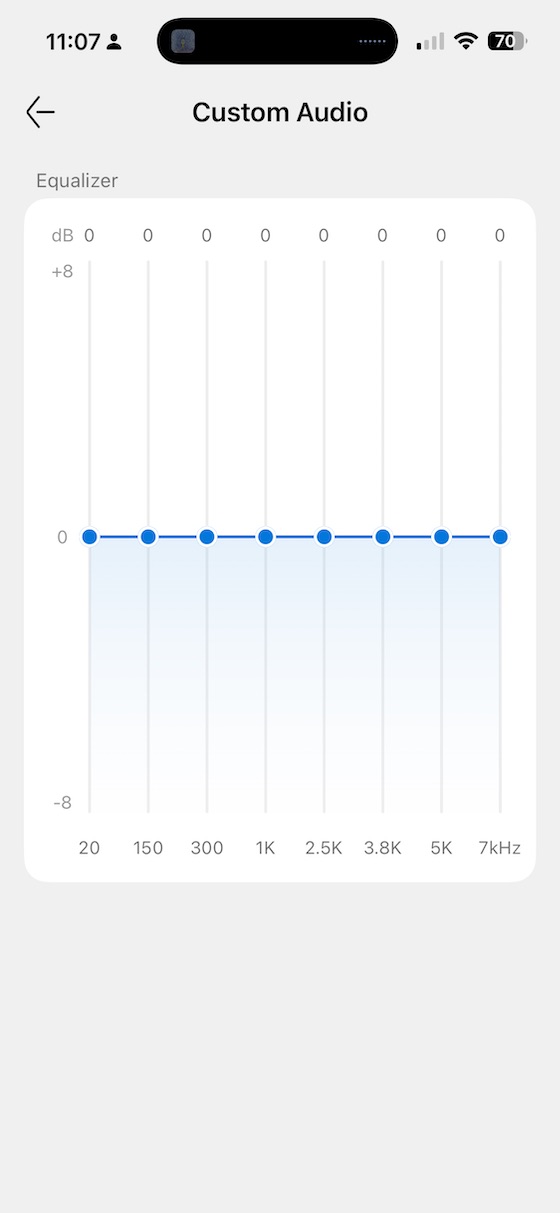
As you will see, the custom equaliser is where, in my opinion, the RecDot becomes considerably more listenable; I will cover the specific EQ recommendation in the measurements section.
Sound impressions
I used the RecDot primarily connected to an iPhone, driven by the default Bluetooth codec. Testing for this section was done in ANC Balanced mode unless otherwise noted, after extended use with large eartips and the tip seal confirmed via the app’s fit test.
Bass
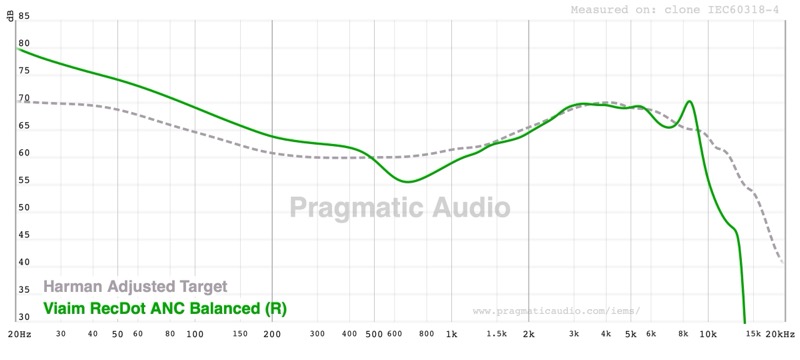
The default bass presentation is the RecDot’s most obvious flaw. There is a significant elevation across sub-bass and mid-bass that sits well above the Harman Adjusted Target, adding a warmth and low-end weight that can feel satisfying on first listen but becomes overpowering on busier tracks. The mid-bass bloom affects the sense of control — on “Angel” by Massive Attack the sub-bass is full and present, but the mid-bass thickening around 150–300Hz muddies the texture that makes that track interesting. Using the custom EQ to pull down the 20Hz, 150Hz, and 300Hz bands by three to four dB transforms the low end into something genuinely well-controlled and closer to what the driver is capable of.
Midrange
The midrange is uneven out of the box. There is a noticeable dip around 500–800Hz that pushes voices slightly back in the mix, and the presence region from 2–4kHz has its own texture inconsistencies. Vocals in particular can feel slightly hollow in the lower midrange. “Fast Car” by Tracy Chapman highlights this — the guitar body sounds thinner than it should, and her voice sits slightly further back than I would expect. As with the bass, the 8-band EQ brings useful improvement, and bumping 1kHz and 2.5kHz slightly adds back the note weight that the default signature lacks.
Treble
The lower treble — from around 2kHz through to 10kHz — was actually very well handled, with enough energy for cymbal work and string attack to feel present without becoming harsh on most tracks. The problem for me was the upper treble, which rolls off steeply, but as with anything in the treble region, this will be very dependent on your own ears. But for me, “Tamacun” by Rodrigo y Gabriela loses some of its pick attack and high-string shimmer in the extension range. But normally there is very little music in that upper range, and you can use some EQ to give yourself some extra sparkle / air if you feel you need it.
Soundstage and imaging
Soundstage width is reasonable for a closed TWS design with ANC — instruments sit in distinct positions and the centre does not feel congested. It is not deep, and it is not precise enough to tell you where in a room the drummer is sitting, but for a commute TWS that is a reasonable trade-off. With ANC engaged there is a slight narrowing of the stage compared to running in off mode, which is standard.
Comparisons
Viaim RecDot vs SoundPeats H3
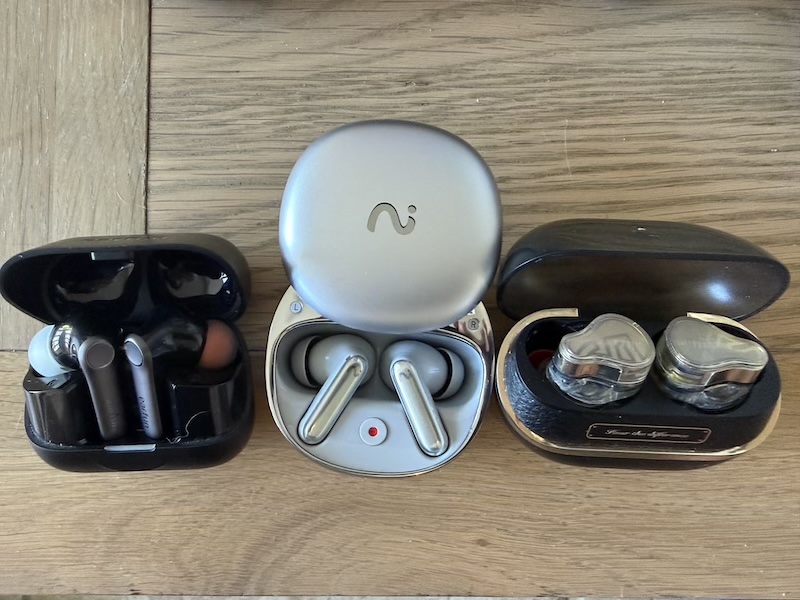
The SoundPeats H3 is positioned as an audiophile-first TWS — better driver configuration, better default tuning, and a sound signature that requires far less EQ to reach a neutral result. If pure sound quality is the priority, the H3 wins at a lower price. The RecDot makes up the deficit in features: the AI recording, live translation, deeper gesture customisation, and the firmware support ecosystem are all things the H3 does not offer. Which matters more depends entirely on what you are buying the earbuds to do.
Viaim RecDot vs EarFun Pro
Against the EarFun Pro the story is similar — the EarFun prioritises sound quality and ANC performance at the cost of the smart features. The RecDot trades some of that acoustic discipline for the Viaim AI platform. If you travel internationally and find live translation genuinely useful, the RecDot’s value case improves considerably.
Specifications and measurements
Specifications
| Specification | Value |
|---|---|
| Driver | 11mm titanium-coated dynamic driver |
| Bluetooth | 5.2 |
| Codecs | SBC, AAC, LHDC |
| ANC | 48dB hybrid active noise cancellation |
| Microphones | Triple mic + bone conduction per earbud |
| Dual Device | Supported |
| Gestures | Pinch / Pinch & Hold / Slide (per earbud, independently configurable) |
| EQ | 18 sound profiles + 8-band custom EQ |
| AI Recording | Speech-to-text, live translation; 78 languages / 145 accents |
| Wear Detection | Auto-pause on removal |
| Voice Commands | Supported |
| Earbud Battery | 9 hours |
| Total Battery | 36 hours (earbuds + case) |
| Earbud Capacity | 63mAh |
| Case Capacity | 550mAh |
| Charging | Wired USB-C + wireless Qi |
| Subscription | Free: 600 min/mo · Pro: $8.49/mo or $79.99/yr (1800 min) · Ultra: $16.99/mo or $159.99/yr (unlimited) |
| Price | $199 |
Measurements
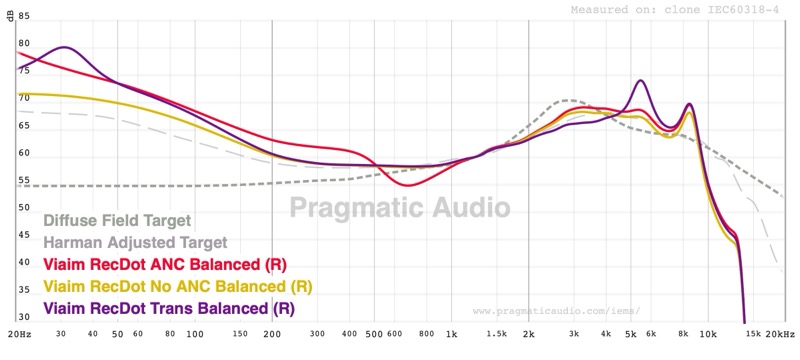
The main ‘Balanced’ frequency response graph below shows the RecDot in ANC, No ANC, and Transparency modes measured against both the Harman Adjusted Target and the Diffuse Field Target, as you can see the FR does change considerable depending on the mode which is a shame, but for me, I typically use a TWS with ANC mode though the other 2 modes have arguable better midrange:
So with the ‘balanced’ preset and ANC mode you can see that the bass is boosted too much and the midrange has a large dip:
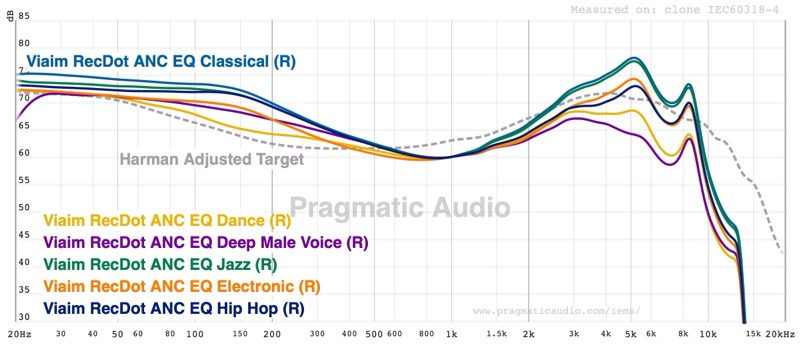
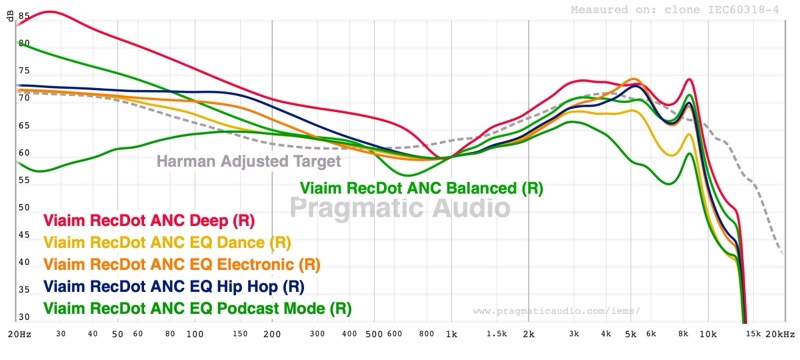
The other preset EQ modes mostly show variations of a v-shaped sound signature. “Balanced” is the closest built-in option to a neutral result, and Classical from the other preset batch pulls the bass down somewhat more:
 |
 |
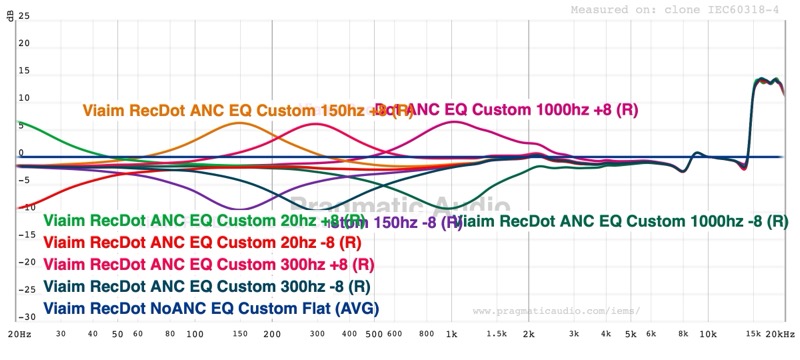
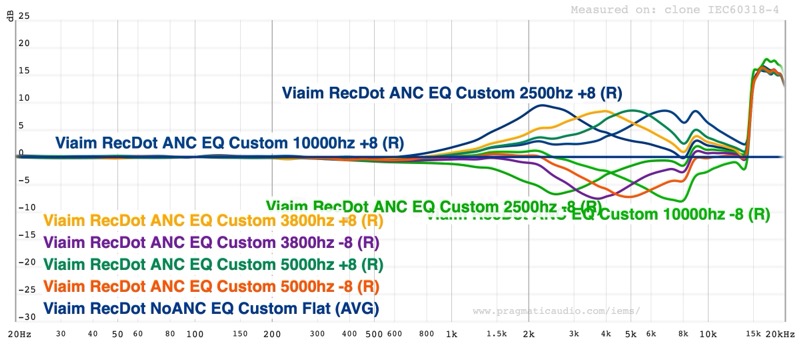
The custom EQ filter response measurements show how the eight bands actually behave — useful for understanding how much range you can change with each of the EQ filters available in the tool before dialling it in:
 |
 |
For a starting-point neutral EQ on the RecDot in ANC Balanced mode, the following adjustments tame the bass excess and bring the midrange forward, but being fixed EQ it can’t completely fix the sound signature:
| Band | Frequency | Adjustment |
|---|---|---|
| 1 | 20 Hz | −4 dB |
| 2 | 150 Hz | −4 dB |
| 3 | 300 Hz | −2 dB |
| 4 | 1 kHz | +1 dB |
| 5 | 2.5 kHz | +1 dB |
These values work well as a neutral starting point; but then adjust to taste from there.
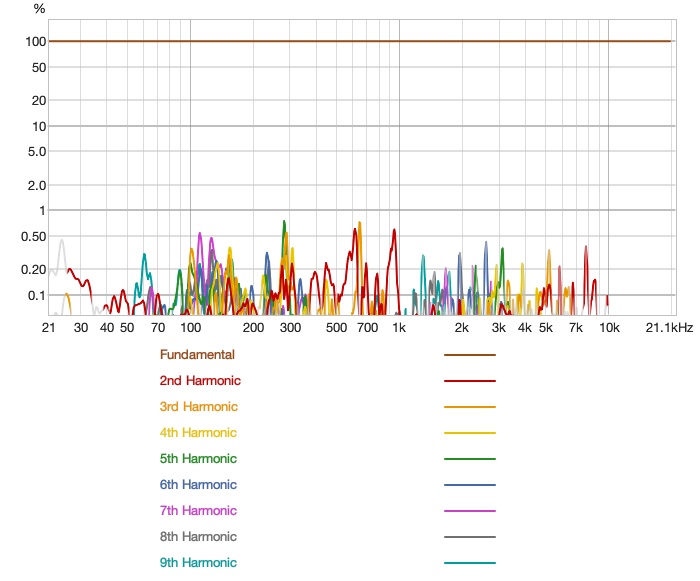
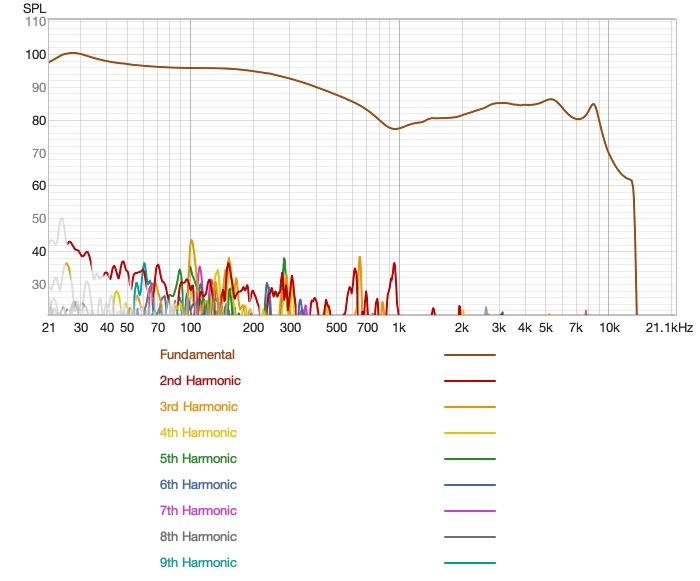
Distortion is measured at a reasonable level for the price tier, with no major anomalies in the critical midrange:
 |
 |
Rating explanation
The RecDot earns a pragmatic score of 4 out of 5. It does what it claims — a feature-packed TWS with AI recording and ANC at $199 — and does most of it well. The AI recording and live translation features are genuinely impressive and not something you will find replicated at this price point in a conventional TWS. The ANC performs well for daily commuting and office use especially after getting the right eartips with the fit test.
The app is one of the most fully-featured in the category, and at least the EQ responsiveness means the sound is meaningfully better with a little tuning than it is out of the box.
On price, a 4 out of 5 reflects good but not outstanding value. You are paying $199 partly for hardware and partly for access to the Viaim AI platform. If you use the AI features heavily, especially for travel or meetings, the pricing makes sense. If you are primarily a music listener who is mildly interested in the novelty, you would get better sound for less money from a more conventional TWS.
The RecDot does get an easy 5 for Features, there are so many features that it might take weeks to get to appreciate how the different capabilities work. I personally would have liked full PEQ rather than the fixed band EQ but, at this price, you can’t complain about features.
Conclusion
The Viaim RecDot is the rare TWS that I would recommend differently to different people. For a business / note taking or a frequent traveller who wants a capable pair of earbuds that can quietly transcribe a meeting or translate a conversation in real-time, the RecDot is compelling in a way that no audiophile-focused TWS at this price can match.
For the listener who cares primarily about sound quality and uses a TWS for music rather than productivity, the RecDot’s default tuning makes it harder to recommend. But with EQ applied, the RecDot can sound quite good — punchy and more balanced than the default, without the bass overhang that muddies busier tracks out of the box. But you should go in knowing that you are buying a smart device first and a pair of earbuds second.
Do that, and the RecDot is well worth the price.