Tanchjim OLA II
A Warmer-Tuned IEM from Tanchjim with the Flexibility of PEQ
The OLA II updates Tanchjim’s OLA line with a coaxial dynamic driver and balanced armature. Its bass-forward default tuning is a change from the more neutral balance I associate with several other Tanchjim IEMs.
It’s sold in three cable variants — 3.5mm single-ended, 4.4mm balanced, and the USB-C version reviewed here, which adds a built-in DAC and DSP stage with an eight-band PEQ controllable from the Tanchjim app. I picked the USB-C version specifically for that reason: it turns the OLA II from a fixed-tuning IEM into one you can reshape yourself, using either Tanchjim’s own presets or your own filters. Its listed 30-ohm impedance and 121dB sensitivity suggest that it should be easy to drive from an ordinary phone or dongle.
I would like to thank Tanchjim for providing the OLA II for the purposes of this review.
If you are interested in finding more information about this product, you can find it at the official Tanchjim product page.
The Tanchjim OLA II retails for $49.99 in the 3.5mm and 4.4mm cable versions, and $52.99 for the USB-C DSP version reviewed here.
I’ve had the OLA II for about a month. I like its compact fit, and the USB-C cable is obviously a great way to tune the sound to your preference. But first, let’s take a look at what’s in the box.
Unboxing and Packaging
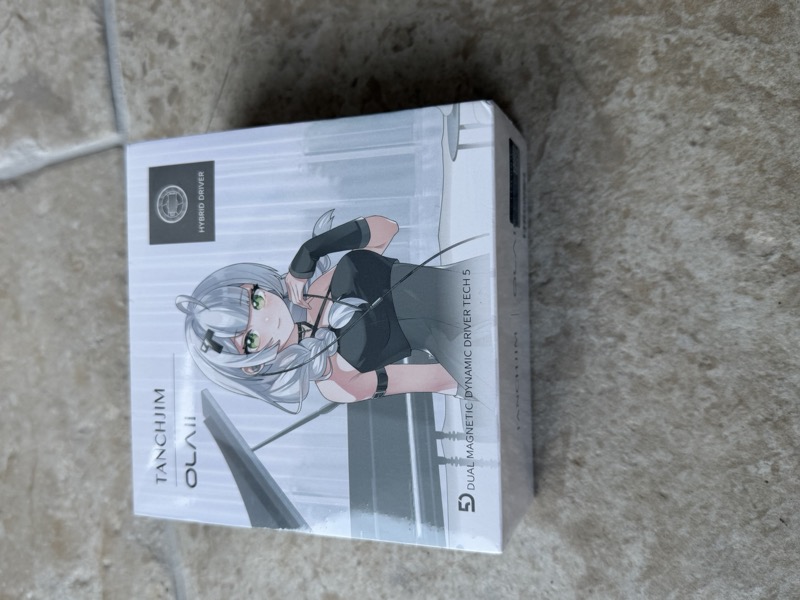
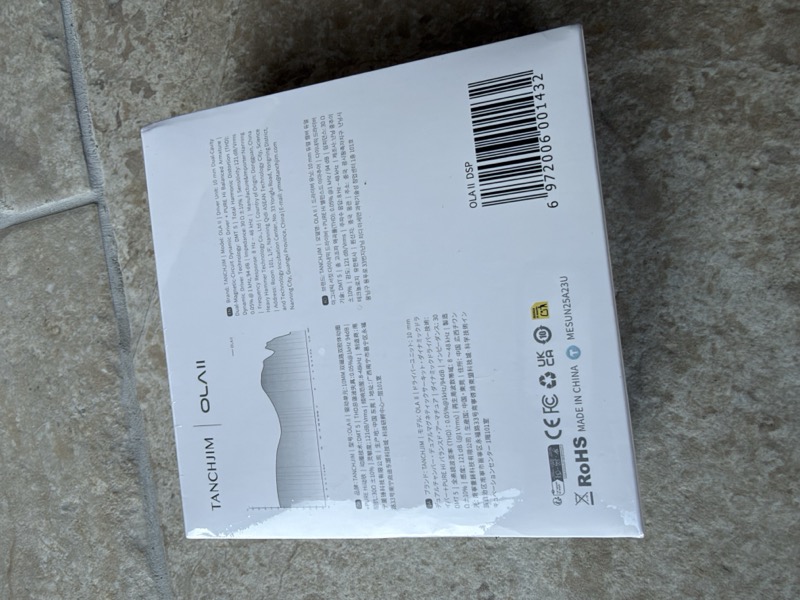
The illustrated outer sleeve carries Tanchjim’s character artwork and I love how Tanchjim print their own frequency response curve directly on the packaging:
 |
 |
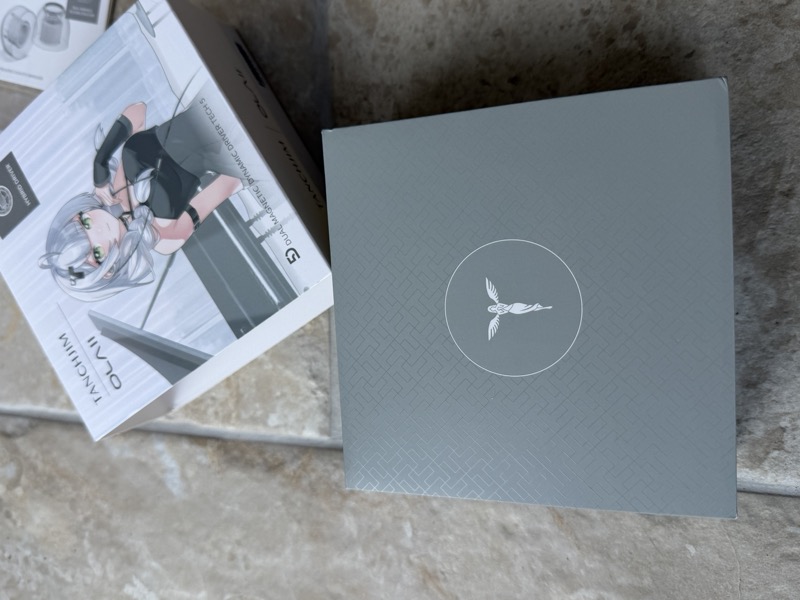
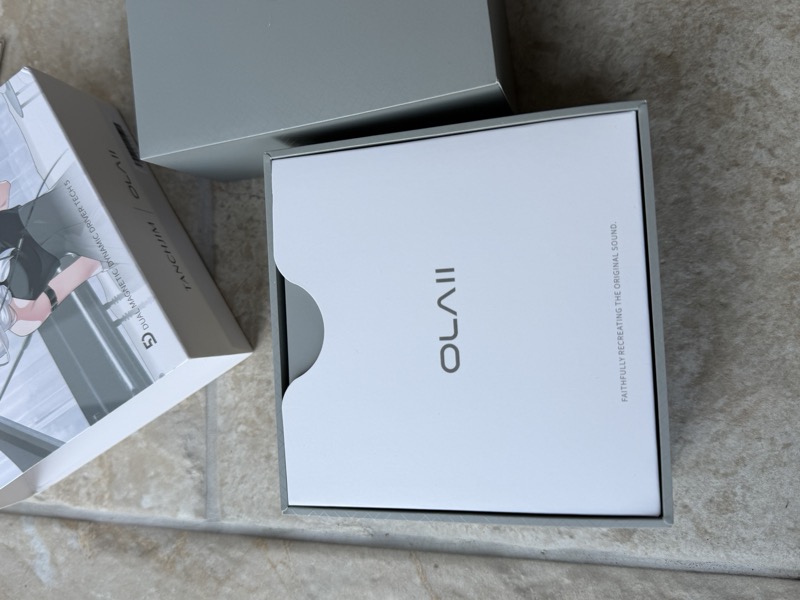
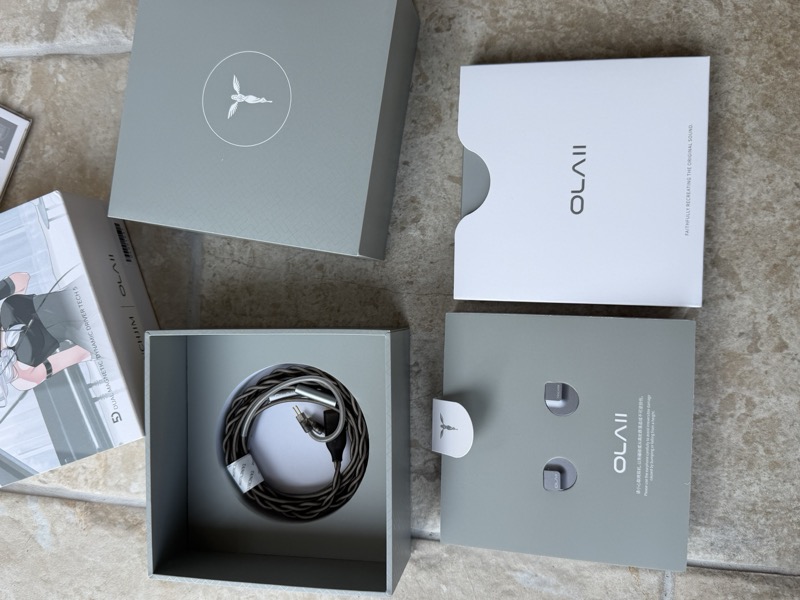
Opening the grey box reveals a white OLA II sleeve holding the earpiece tray, with the accessory compartments alongside:
 |
 |
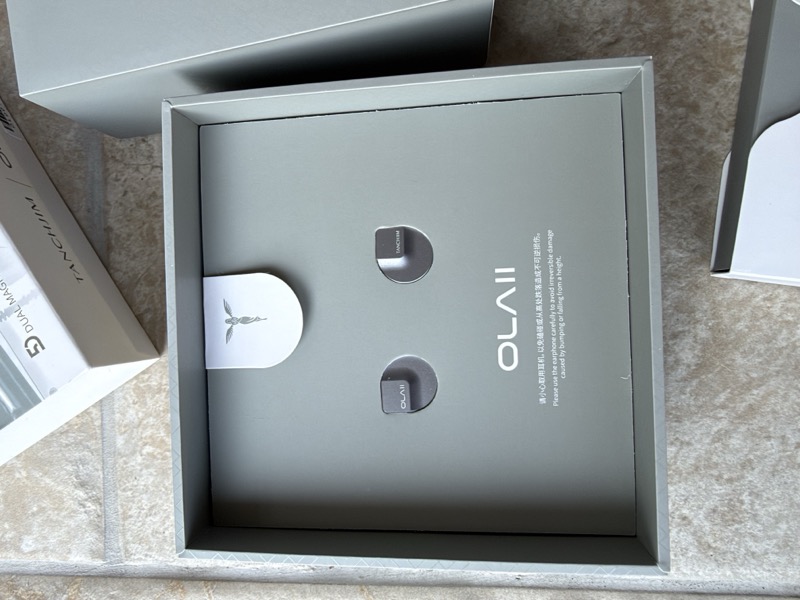
Pulling the tray fully open shows both shells nested against the printed handling warning, with the pull-tab above them:
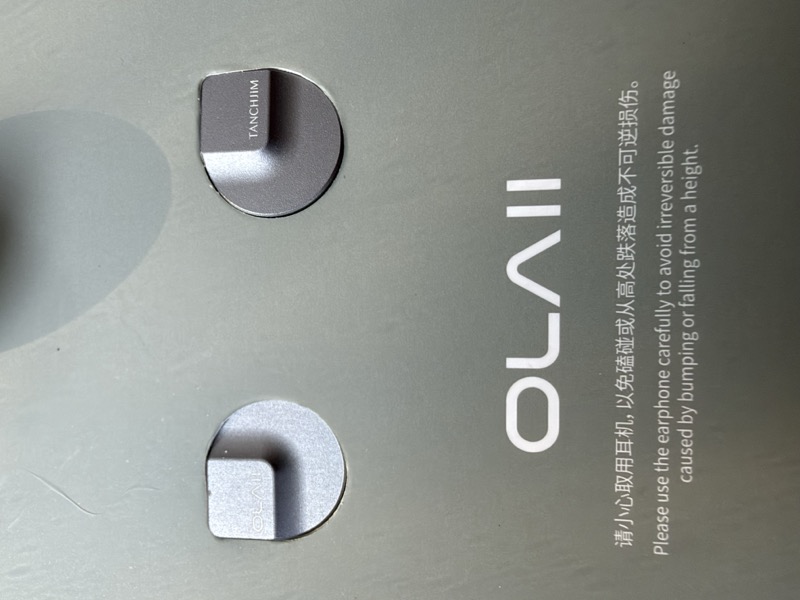
Inside that sleeve, the earpieces sit in cutouts in the display tray:
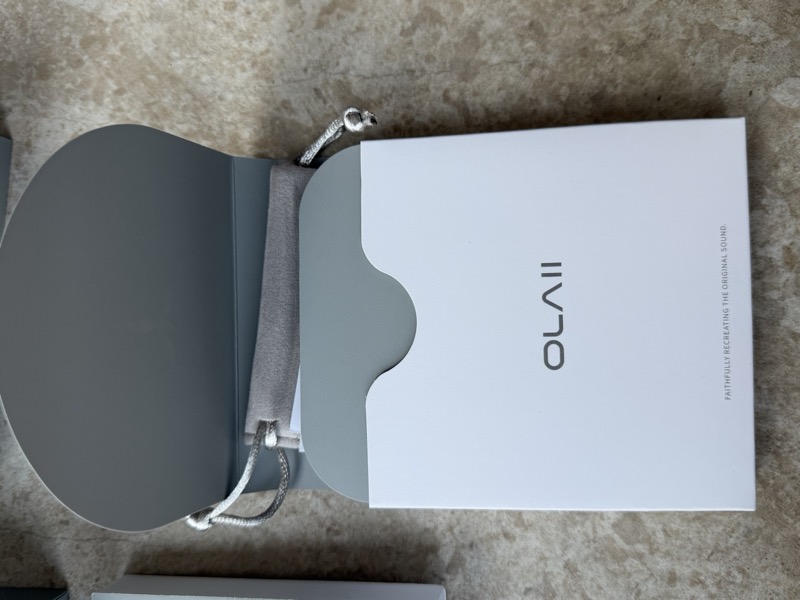
The cable gets its own separate compartment beneath the earpiece tray, coiled neatly inside:
 |
 |
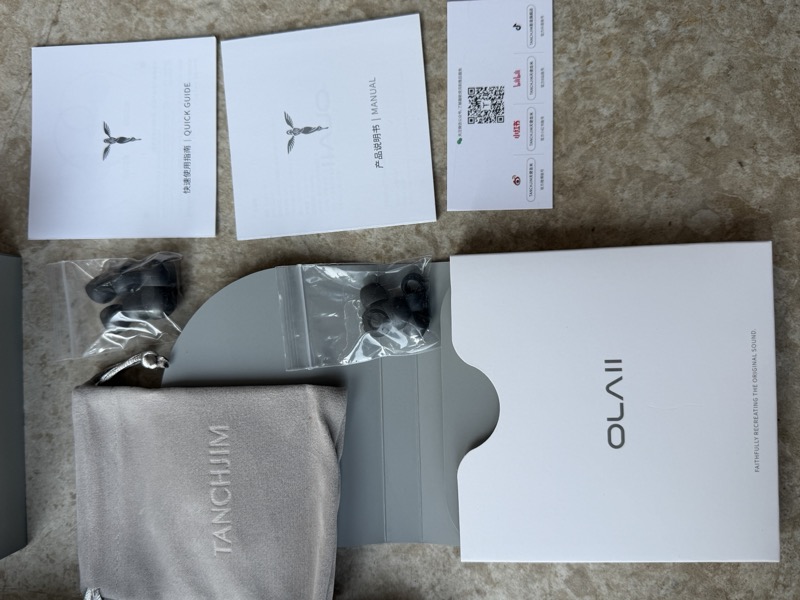
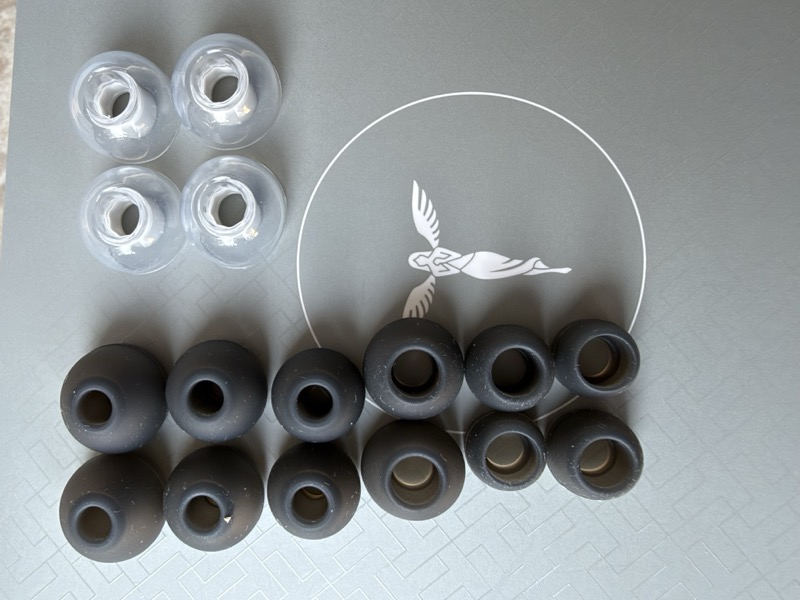
Once everything is laid out, the accessory count is straightforward: two IEM shells, a detachable cable, the eartips shown below, a grey velour carrying pouch, a manual, a quick guide, and a QR code card for the Tanchjim app:
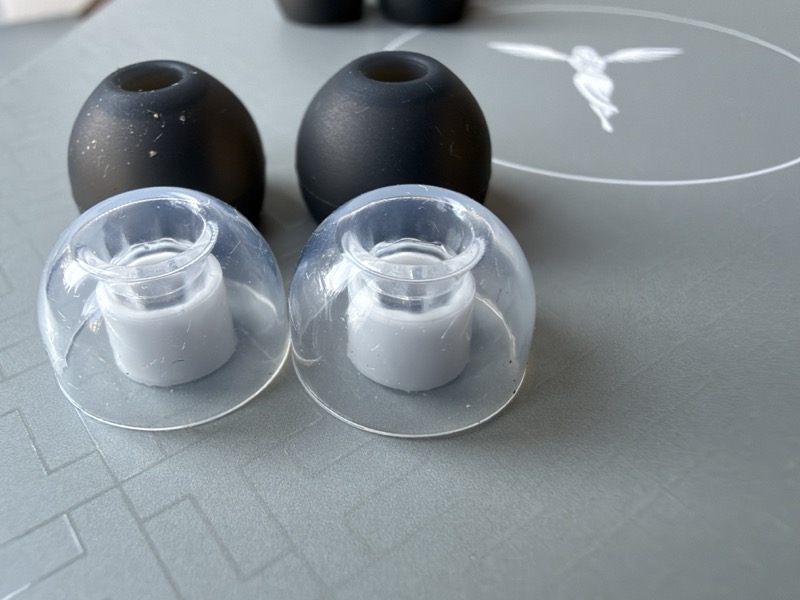
The review sample also included a separately packaged set of clear Tanchjim T500 tips. While the stock eartips are good, but the T500 tips were my preferred choice during listening.
| Tanchjim T500 tips | Tanchjim T500 tips fitted to the OLA II |
|---|---|
 |
 |
Design and Build Quality
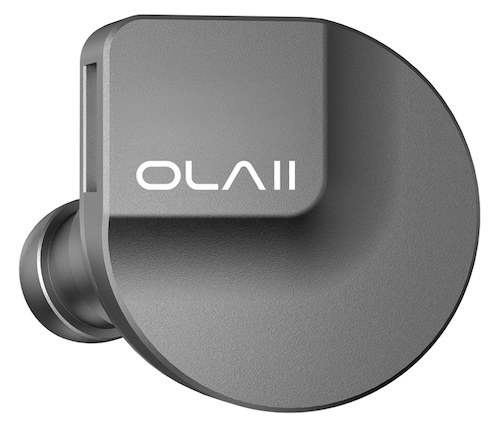
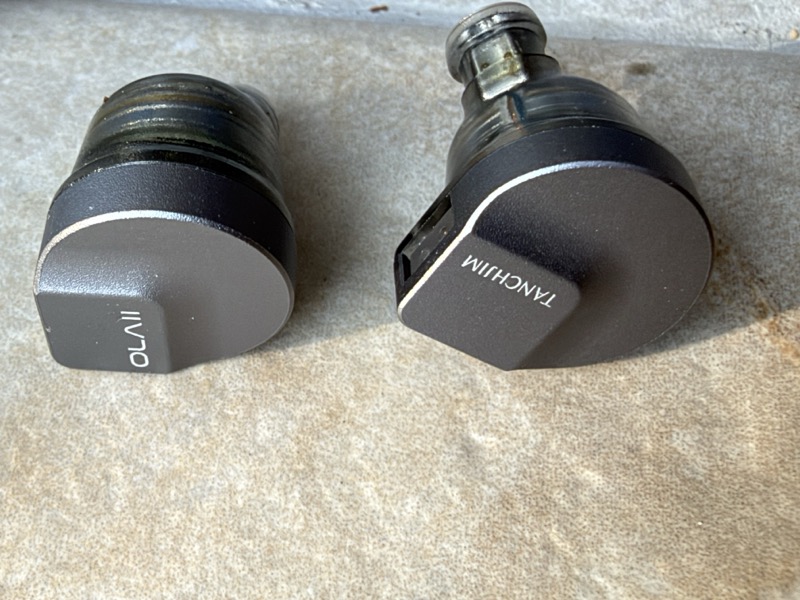
The OLA II uses a compact, rounded shell built around the dynamic driver at its core. The front housing is resin with a matte smoky-grey finish, nested into a metal rear shell, and the two materials meet with no visible gap. Each shell is clearly marked, with “OLAII” and “TANCHJIM” etched into the faceplate on opposite earpieces:
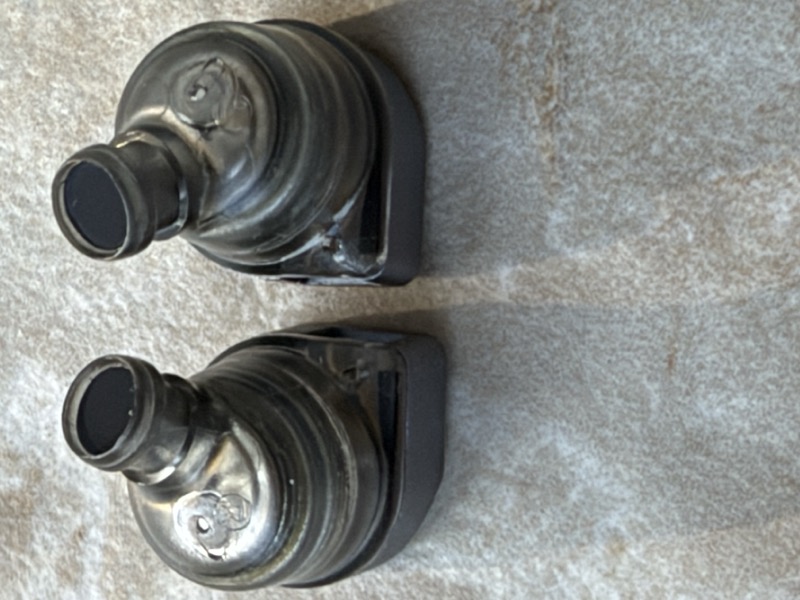
Looking straight down at the nozzles shows the vent Tanchjim describe in their pressure-relief design — a recessed groove intended to sit clear of the ear rather than getting blocked against it:
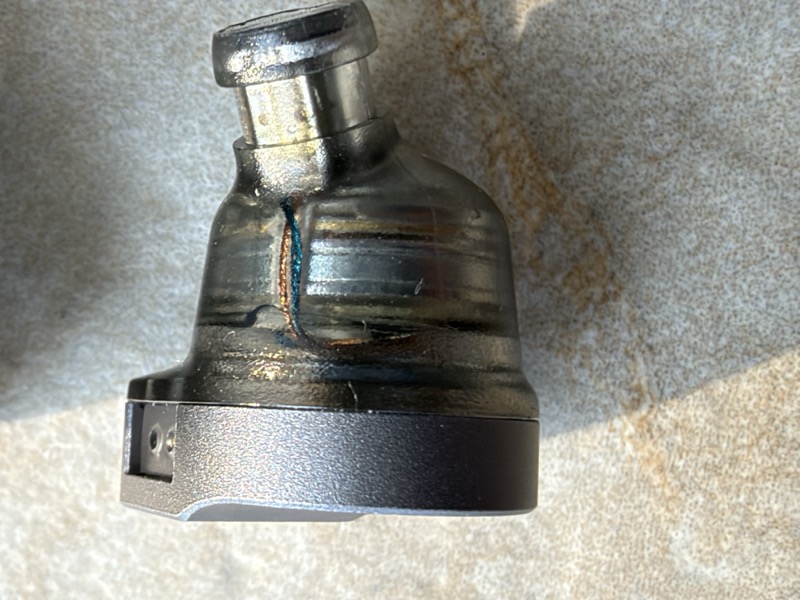
A closer look at a single shell shows the internal driver wiring visible through the semi-transparent housing base, along with the side vent connected to the dynamic driver cover:
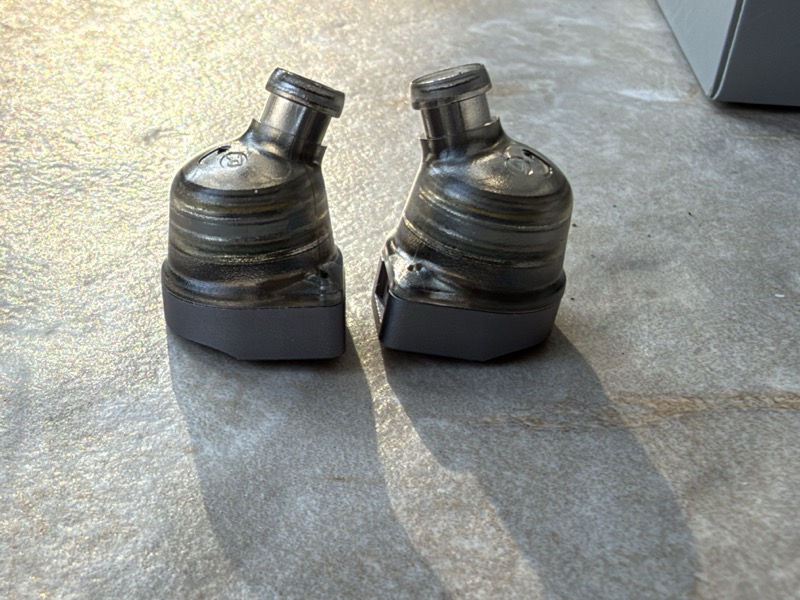
Side by side, the two shells show the same rounded, driver-centric shaping on both sides:
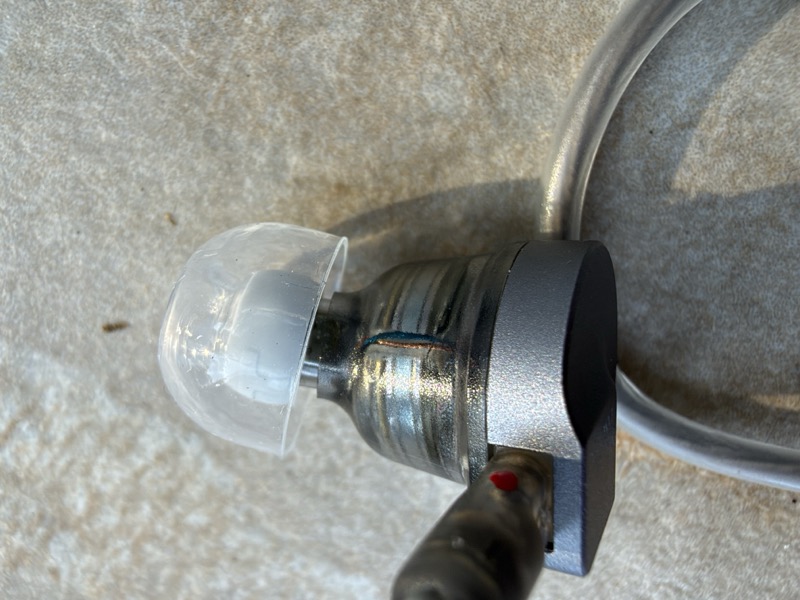
The nozzle itself is on the thicker side, with an alignment groove that made fitting the supplied tips straightforward, and the metal nozzle collar shows some machining lines under close inspection:
Fit and Comfort
The shell is genuinely compact for a hybrid design, and that shows up directly in wearing comfort — it sits light and doesn’t announce itself the way some larger multi-driver IEMs do. The rounded housing follows the concha cavity rather than filling it, so there’s no digging-in sensation even after extended wear.
Cable and Connections
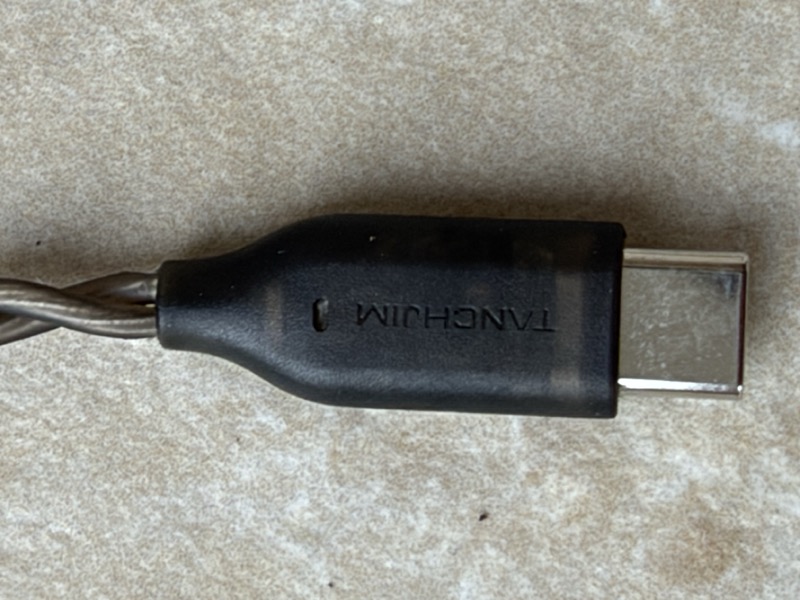
The included cable on this unit is the USB-C DSP version — a silver-plated copper twisted pair terminating in a USB-C plug with a “TANCHJIM” marking and a small opening in the housing:
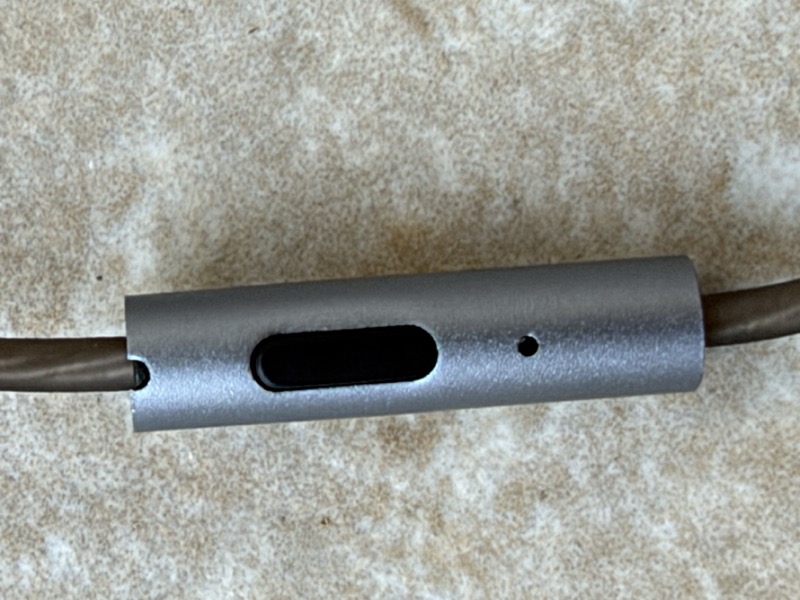
Partway down the cable is an inline remote with a single button and a mic port, matching the marketing description of a Goertek microphone and single-button control on this variant:
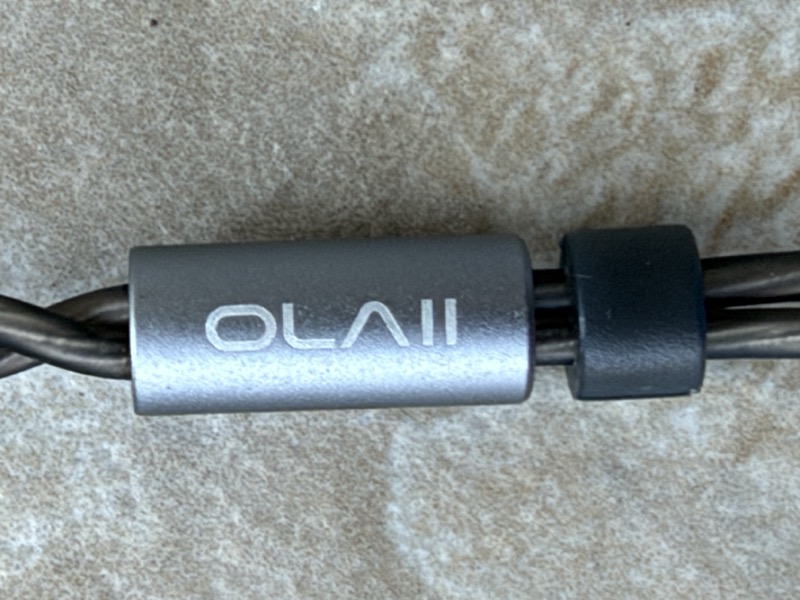
The Y-split is a metal barrel engraved “OLA II,” with a chin slider beside it:
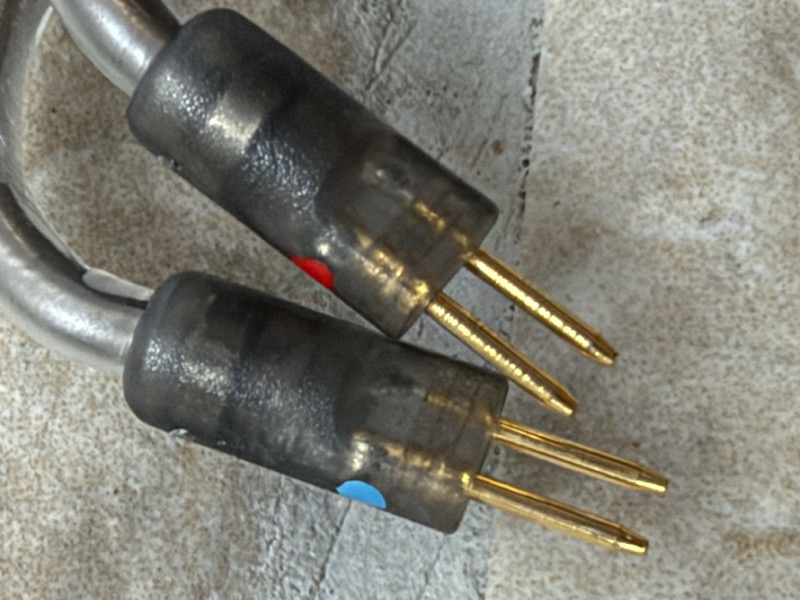
At the earpiece end, the cable terminates in a detachable two-pin connector, colour-coded red and blue for the two channels:
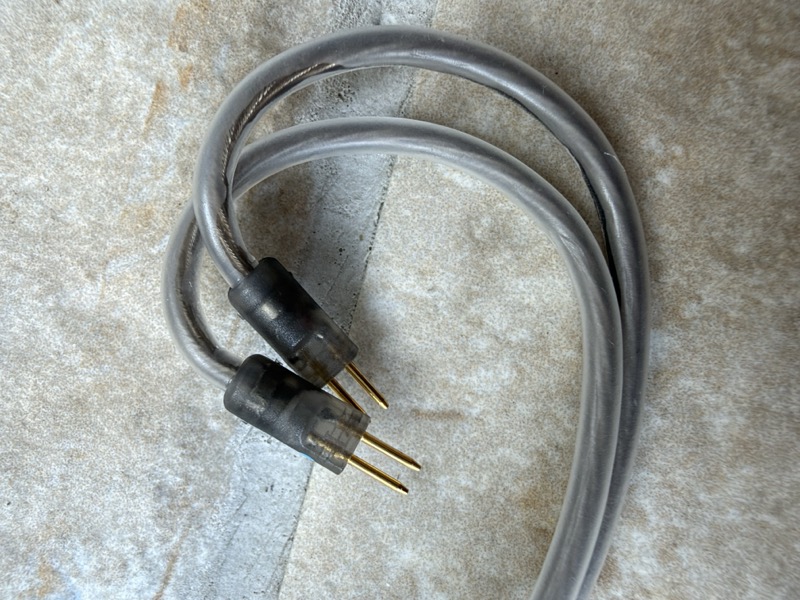
Coiled up, the cable is thin, light, and shows only slight self-tangling in normal handling:
Features and Performance
The core of the OLA II is Tanchjim’s DMT5 dynamic driver — described as a dual-magnetic-circuit, dual-chamber design intended to increase magnetic flux density and field uniformity within the magnetic gap, while the dual-chamber structure manages the air load on both sides of the diaphragm for more stable diaphragm control. Alongside it sits a second driver Tanchjim call PURE Hi, an independent balanced armature dedicated to extending the ultra-high-frequency range and adding overtones and air, which Tanchjim say lets the main diaphragm focus on lows, mids, and core treble without carrying the extreme top end itself.
The OLA II’s most useful feature is the ability to customise its sound with the PEQ within the Tanchjim app. The driver design and compact shell are sensible, but the adjustable tuning is the reason to choose the USB-C version.
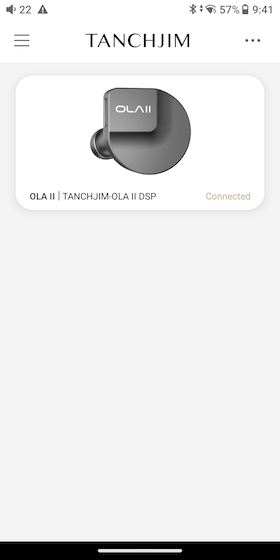
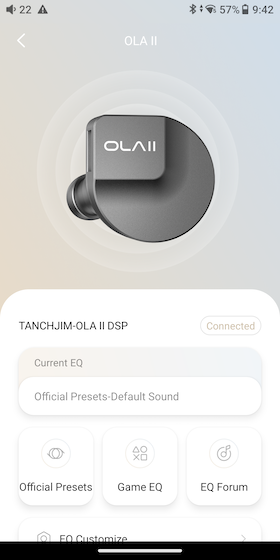
The Tanchjim app has more than the PEQ editor. It Opens a hub showing whichever EQ is currently active alongside shortcuts to Official Presets, Game EQ, and the EQ Forum:
 |
 |
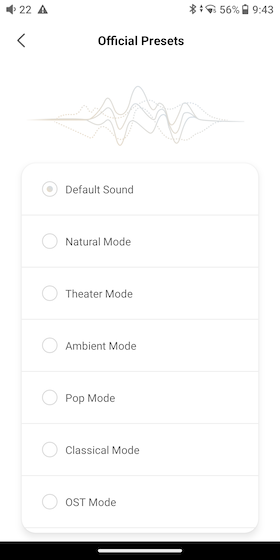
From that hub, Official Presets gives you a longer list of tuning options than most IEM apps bother with — the screen below shows Default, Natural, Theater, Ambient, Pop, Classical, and OST, with further presets including an Instrument mode further down the list — each just a tap away, no manual filter entry required:
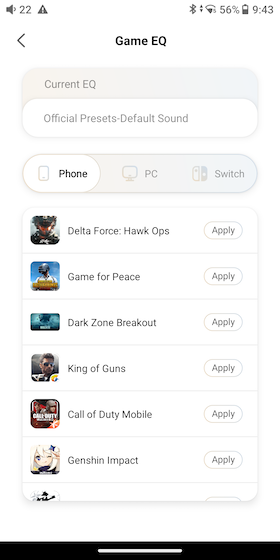
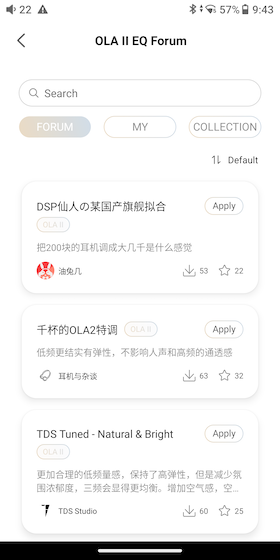
Beyond the official presets there’s a Game EQ section with separate profile lists for Phone, PC, and Switch, each with per-title entries for things like Delta Force, Game for Peace, Call of Duty Mobile and Genshin Impact, and an EQ Forum where other users publish and share their own filter sets for the OLA II, each with an Apply button and download/like counts:
 |
 |
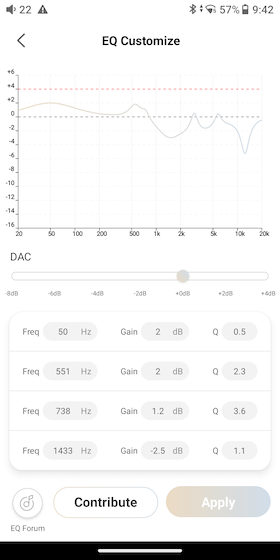
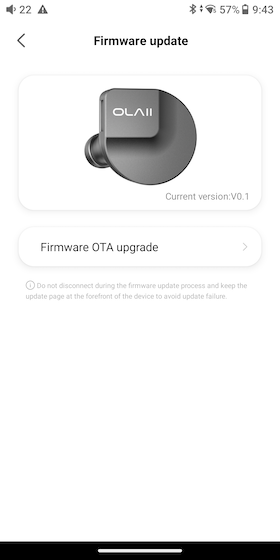
The custom PEQ editor itself plots the filter curve live as you adjust frequency, gain, and Q per band, which makes it easy to see exactly what a filter change is doing rather than guessing from numbers alone, and the same app includes a firmware-update page:
 |
 |
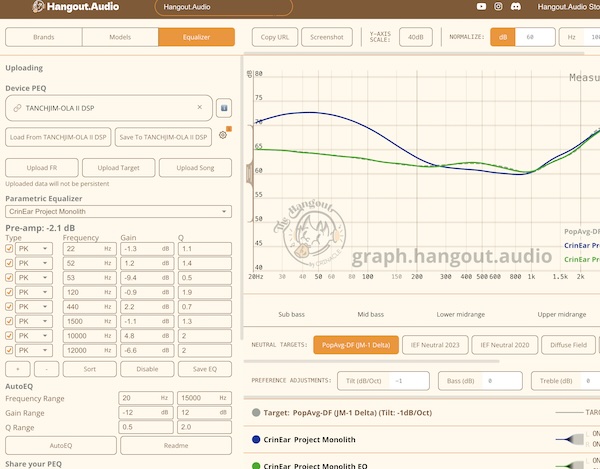
The USB-C DSP cable also works beyond the OLA II because it terminates in a standard detachable 0.78mm 2-pin connector. I tried the same cable on a CrinEar Project Monolith and loaded a Monolith-specific PEQ profile through Hangout Audio’s browser-based parametric EQ tool, and it worked exactly as it does on the OLA II itself, noticeably pulling back the Monolith’s usual bass excess:
That makes the USB-C cable a useful accessory in its own right for anyone with other 2-pin IEMs, not just a tuning tool tied to the OLA II.
Sound Impressions
The OLA II has a very enjoyable warm-leaning, mildly V-shaped tuning. There is noticeably more bass weight than I would associate with Tanchjim’s traditionally neutral tuning, particularly through the mid-bass, which gives drums, bass guitars and the overall presentation a pleasantly full-bodied character.
I would not describe the OLA II as dark or overly warm. There is plenty of energy through the upper midrange and treble, which keeps vocals clear and gives the sound an open presentation. The result is a warm, fun and energetic tuning rather than a relaxed one.
Bass
The bass emphasis is primarily around the mid-bass rather than being dominated by deep sub-bass. Kick drums have a satisfying punch and bass guitars have good weight, which works particularly well with rock, indie and rhythm-driven music. On Massive Attack’s “Angel”, the low end has weight without turning into a sub-bass demonstration.
There is enough sub-bass extension to provide some rumble when the recording calls for it, but I would not consider this a basshead or sub-bass-focused IEM. On particularly busy recordings the elevated mid-bass can occasionally sound a little soft or slightly over-emphasised, but most of the time that extra warmth gives instruments body without significantly muddying the midrange.
Midrange
The midrange is interesting because the warmer bass gives the lower mids some additional body, yet the overall presentation remains clean. Male vocals have a pleasant warmth, though they can sit slightly further back in the mix than the bass and upper mids. Female vocals tend to come further forward and benefit from the extra upper-midrange energy.
Overall I found vocals natural and articulate rather than particularly lush. This is not a mid-forward IEM, but the mild V-shaped tuning does not leave vocals buried. Tracy Chapman’s vocal on “Fast Car” is a useful example: clear and present, but not pushed ahead of the rhythm section.
Treble
The treble provides a useful counterbalance to the warmer bass tuning. There is plenty of extension and air, which contributes to the OLA II’s sense of clarity. Cymbals and higher-frequency percussion have good definition, and there is more upper-frequency information than the warm description might suggest.
There can be a little extra energy in the upper mids and treble. On brighter recordings or at higher listening levels this can occasionally become slightly spicy, and eartip choice can noticeably affect this area. Tool’s “Chocolate Chip Trip” makes the upper-frequency detail easy to follow, while the DSP version’s PEQ provides a simple way to tame that energy without changing the overall character of the IEM.
Soundstage and Imaging
For its price, I think the OLA II performs particularly well technically. The soundstage has good left-to-right width, although I would not describe it as exceptionally deep. More impressive is the imaging: individual instruments occupy convincing positions and remain relatively easy to follow when the arrangement becomes busy.
Separation is also very good for an IEM in this price range. Combined with the airy upper frequencies, this gives the OLA II a presentation that sounds more spacious and resolving than its warmer tonal balance might suggest. On Eagles’ “Hotel California”, the stage is wide and the instrument positions are easy to follow, although depth remains limited.
Tanchjim has struck an enjoyable balance here. The OLA II has enough mid-bass warmth to make music sound full-bodied, while the energetic upper frequencies stop it becoming dull or overly smooth. It is an easy-going tuning at normal listening levels, with enough clarity, imaging and treble extension to remain interesting for more critical listening.
Comparisons
The OLA II sits in an interesting spot in Tanchjim’s own lineup, since the Bunny and the One (DSP) both cover similar USB-C, DSP-equipped territory at nearby price points and with broadly similar shell sizes.
Here it is alongside several of them — the Nora, the One and the Bunny are all in shot:
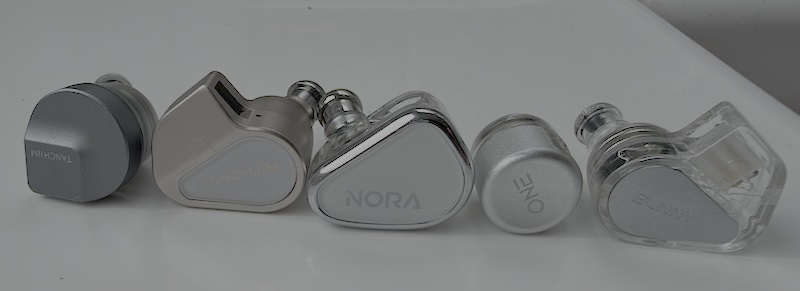
The photo shows how much variation there is in shell format across a single brand’s range, from small capsule shapes to full moulded shells. Choose the OLA II if you want the USB-C cable’s PEQ and prefer starting from a warm, bass-forward tuning. If you only need a conventional cable and want to avoid the app, the cheaper analogue version or another fixed-tuning IEM may make more sense.
Outside Tanchjim’s own range, the Truthear lineup is the obvious comparison set at this price — the Gate, Pure, and Zero Blue 2 all compete directly with the OLA II on price and are all IEMs I already have measurement data for. I have not run the OLA II against them on the same coupler, so I am not going to put a graph here and imply otherwise.
Specifications and Measurements
Specifications
| Specification | Value |
|---|---|
| Brand | Tanchjim |
| Model | OLA II (OLA2) / OLA II DSP (USB-C variant) |
| Driver configuration | 10mm DMT5 dual-magnetic, dual-chamber dynamic + PURE Hi balanced armature, coaxial arrangement |
| Impedance | 30Ω ±10% |
| Sensitivity | 121dB (1kHz, 1Vrms) |
| Frequency range | 8Hz – 48kHz |
| THD | 0.03% (1kHz, 94dB, per Tanchjim) |
| Cable | Detachable 0.78mm 2-pin; 3.5mm, 4.4mm, or USB-C DSP variants |
| USB-C variant | Built-in DAC/DSP, 8-band PEQ via Tanchjim app |
| Eartips | Sample photographed with six pairs of dark tips and two clear pairs; check the retail bundle |
| Price | $49.99 (3.5mm / 4.4mm); $52.99 (USB-C DSP) |
Tanchjim print their own frequency response curve directly on the retail box, alongside the full specification listing — a useful reference, though it’s a small printed chart rather than a proper measurement overlay:
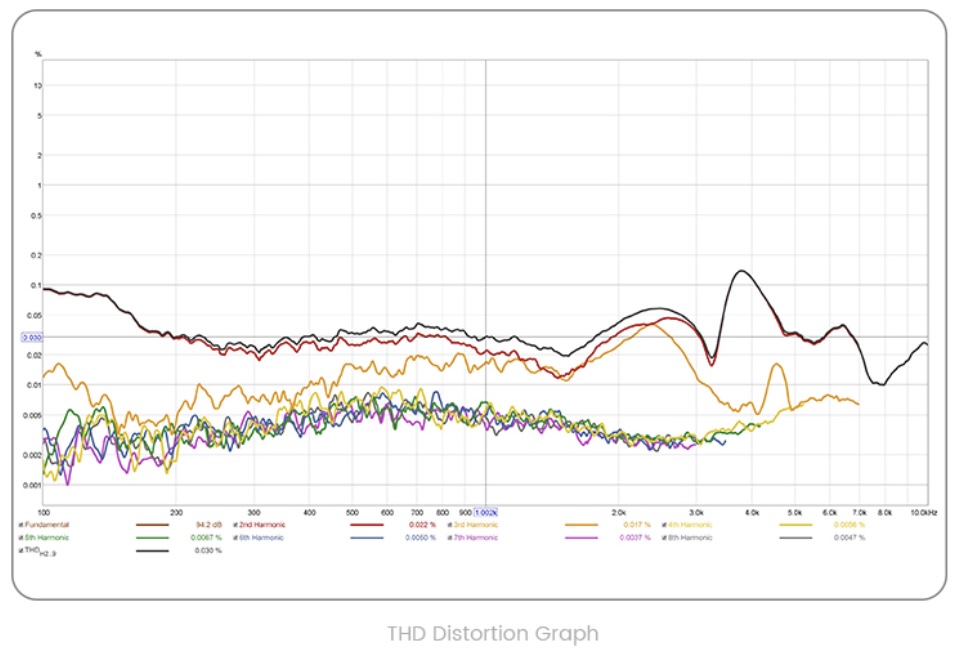
Tanchjim also supplied a distortion graph. Its published specification is 0.03% THD at 1kHz and 94dB SPL; the image below is manufacturer data, not a distortion sweep I made:
What the app makes obvious is how directly Tanchjim have shaped the default tuning through the same PEQ engine you get to use yourself, rather than baking it into the driver alone. Here’s the default filter set as it ships on the USB-C variant, transcribed in the filter editor:
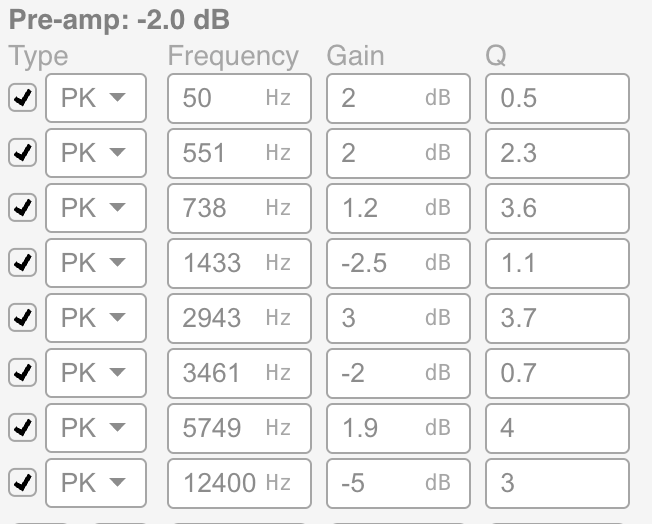
Preamp: -2.0 dB
Filter 1: ON PK Fc    50 Hz Gain  2.0 dB Q 0.5
Filter 2: ON PK Fc   551 Hz Gain  2.0 dB Q 2.3
Filter 3: ON PK Fc   738 Hz Gain  1.2 dB Q 3.6
Filter 4: ON PK Fc  1433 Hz Gain -2.5 dB Q 1.1
Filter 5: ON PK Fc  2943 Hz Gain  3.0 dB Q 3.7
Filter 6: ON PK Fc  3461 Hz Gain -2.0 dB Q 0.7
Filter 7: ON PK Fc  5749 Hz Gain  1.9 dB Q 4.0
Filter 8: ON PK Fc 12400 Hz Gain -5.0 dB Q 3.0
These values describe the EQ applied to the driver’s acoustic response, not the final tuning on their own. The 50Hz filter adds a broad bass lift and the 12.4kHz filter reduces a narrow treble region. The measured response shows how the filters and the underlying IEM combine; the editor lets you adjust frequency, gain and Q to taste.
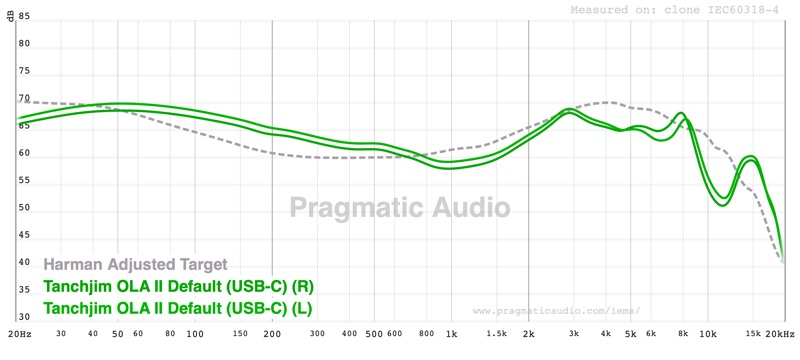
Those are Tanchjim’s own graphs. My frequency-response measurements below use a 711 clone coupler. The two USB-C channels track closely, though with some separation in the bass and lower midrange. The response has a broad lift from roughly 100Hz to 600Hz, with the sub-bass at or slightly under the target, a dip near 800Hz and a rise towards 3kHz. Fine structure above roughly 8kHz needs insertion-depth caution:
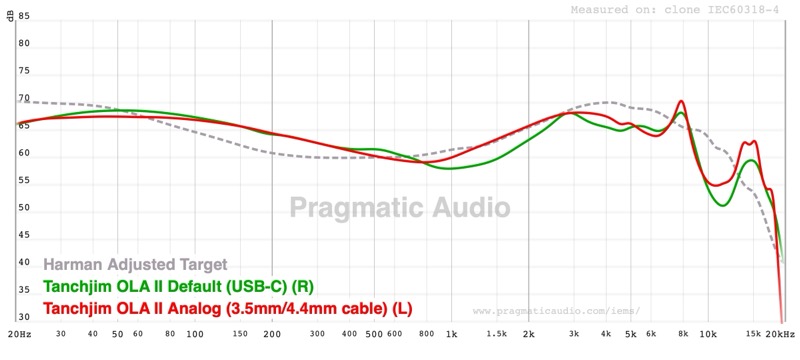
The analogue and USB-C curves differ through parts of the midrange as well as above 5kHz. This overlay uses different channels, as the legend shows, so it is not a fully controlled same-channel cable comparison:
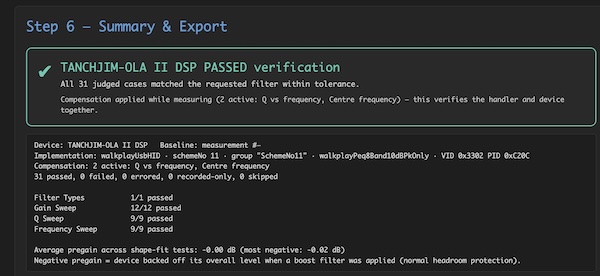
The available devicePEQ verification capture reports 31 judged cases passed, covering gain, Q and frequency sweeps. That supports the filter-control implementation tested here; it is not a full DAC distortion or output-power test:
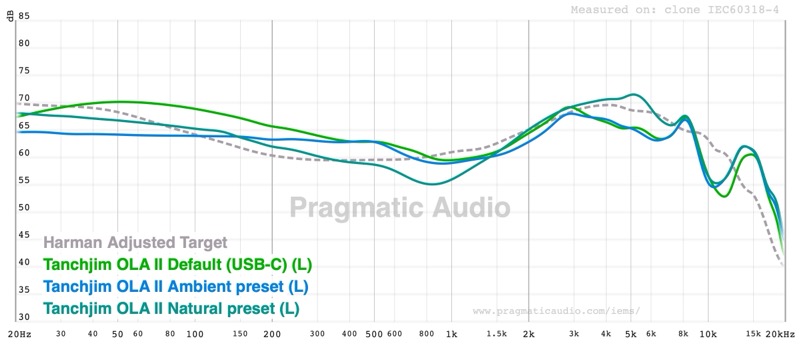
The official presets make a real, measurable difference rather than just relabelling the same curve. Ambient and Natural both reduce the stock bass level; Ambient makes the larger reduction of the two:
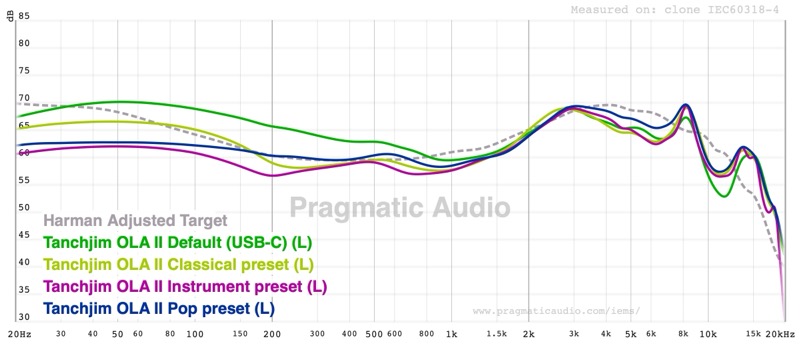
Classical also reduces bass relative to Default. Pop and Instrument reduce it further, with differences in the lower midrange:
Theatre reduces bass more than Natural in this comparison. Default remains the bassiest curve shown; Classical sits below it:
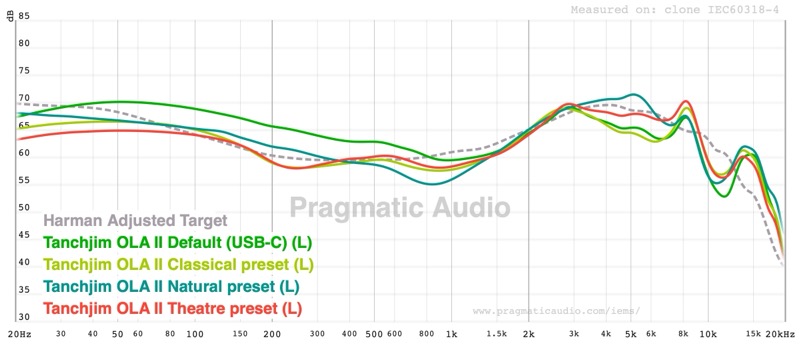
The measurements make the preset choices useful: start with Default if you like the bass weight, then try Natural or Ambient if you want less. Compare at similar perceived volume before settling on one.
Rating Explanation
The Pragmatic Rating of 5 reflects the compact, comfortable shells and the USB-C version’s adjustable tuning at $52.99. The stock mid-bass emphasis will not suit everyone, but the eight-band PEQ gives you a practical way to reduce it or trim the upper-frequency energy.
The Price Rating of 5 reflects $52.99 buying a hybrid driver design, a proper detachable cable, two full eartip families, and — on the USB-C variant — a DAC/DSP stage with an eight-band parametric EQ, which is a useful set of features at this price. The Features Rating of 5 reflects the same USB-C DSP implementation: an app-controlled PEQ with adjustable frequency and Q values is a genuine step up from fixed presets, and it’s exactly the kind of feature that turns a fixed-tuning IEM into one you can shape yourself.
The Measurement Rating of 4 reflects the broadly similar left/right responses and the useful measured changes between presets. The bass-forward default and recessed presence region remain tuning choices to weigh, and the manufacturer’s distortion graph is separate from my own frequency-response measurements.
For the combination of comfort and adjustable tuning, this is my favourite value proposition among the Tanchjim IEMs I have reviewed. Buy it if you are willing to spend a few minutes in the app; if you want a finished tuning out of the box, decide whether the default’s mid-bass warmth and energetic treble suit you.
Conclusion
The OLA II is smaller and more comfortable than I expected. I like having a warm, mildly V-shaped stock tuning that I can reshape through the USB-C cable, and the measured presets give useful starting points without entering filters manually.
At $52.99 for the USB-C variant, this is a sensible choice if you want a compact shell, detachable cable, and app-controlled PEQ, and don’t mind spending a little time tuning it. If you want a warm, mildly V-shaped tuning with good upper-frequency energy that you can reshape, this is the one I would choose; if you want a neutral IEM straight out of the box, start somewhere else.