EarFun Clip 2
Open-Ear TWS with Larger Driver, AI Translation, and All-Day Battery for Under $80
I really like the original Earfun Clip, not necessarily for music but just for it’s ’easy living’ simplicity. You clip it on and you still hear everything around you, it light enough that you forgot you are wearing it, and you can enjoy audio on the go or just around the house. My wife liked it too, maybe a little too much as I hadn’t got to use the original in a while as I think it is in her handbag now. So, but when EarFun announced the Clip 2, I thought this might be a good idea to get one for a short comparison review.
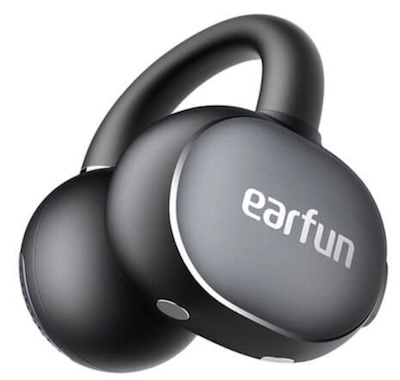
I purchased the EarFun Clip 2 on Amazon.de for approximately €60 after a discount applied.
If you are interested in finding more information about this product, you can find it at the official EarFun product page.
I believe rhe EarFun Clip 2 typically retails for $79.99 and I imagine you will see the typical 10%-20% discounts on Amazon.
I have been using the Clip 2 for about three weeks, working through all the scenarios I reach for this form factor: desk listening while staying aware of what is happening in the office, walks, calls, and even listening to audiobooks in bed. The biggest change I noticed immediately is volume. The Clip 2 is noticeably louder than the original at the same settings, which matters more than it might sound: with an open design in a busy environment, headroom is the difference between hearing your podcast clearly and straining to make it out. The extra dynamic range the extra volume also gives you room to apply EQ for better bass without the driver running out of steam. The other major upgrade I noticed was that the battery now comfortably lasts 8 hours or more, so a full night of audiobook listening.
But before I get into any more details, let’s start with the box.
Unboxing and Build Quality
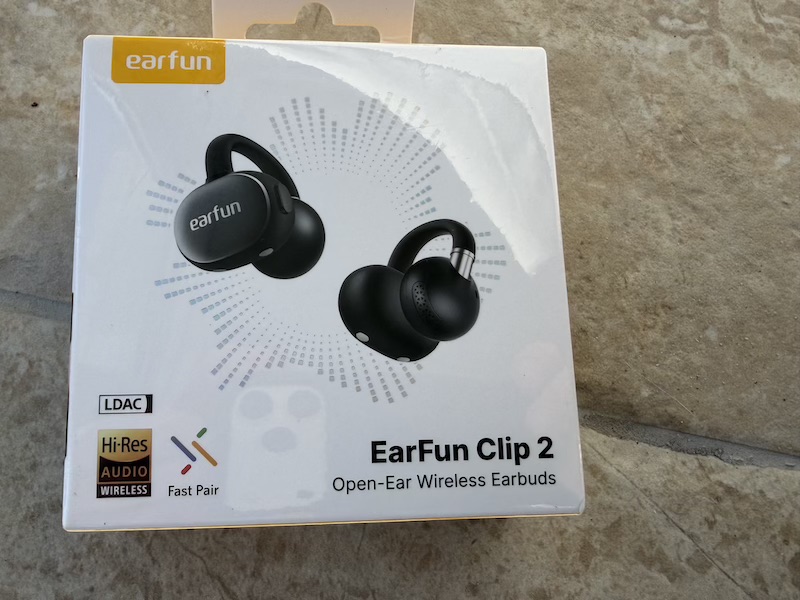
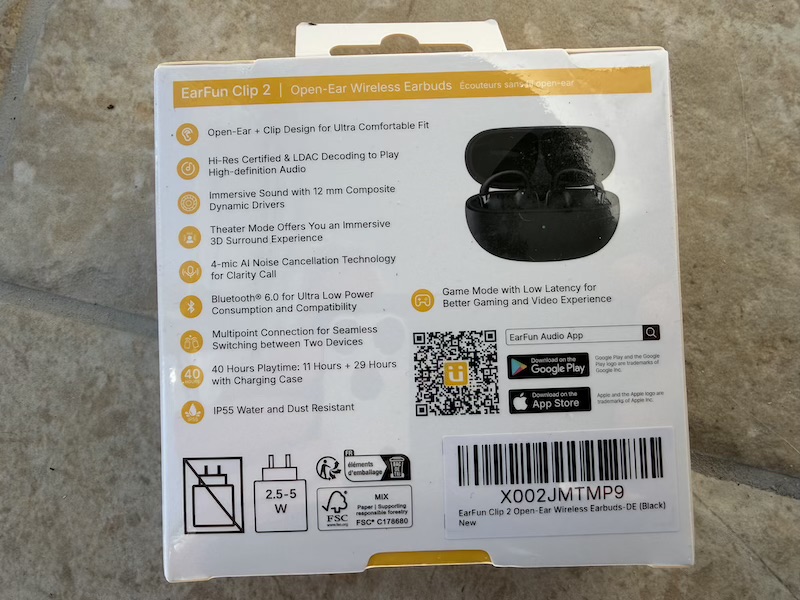
Packaging is clean and compact — typical EarFun presentation with nothing wasted:
 |
 |
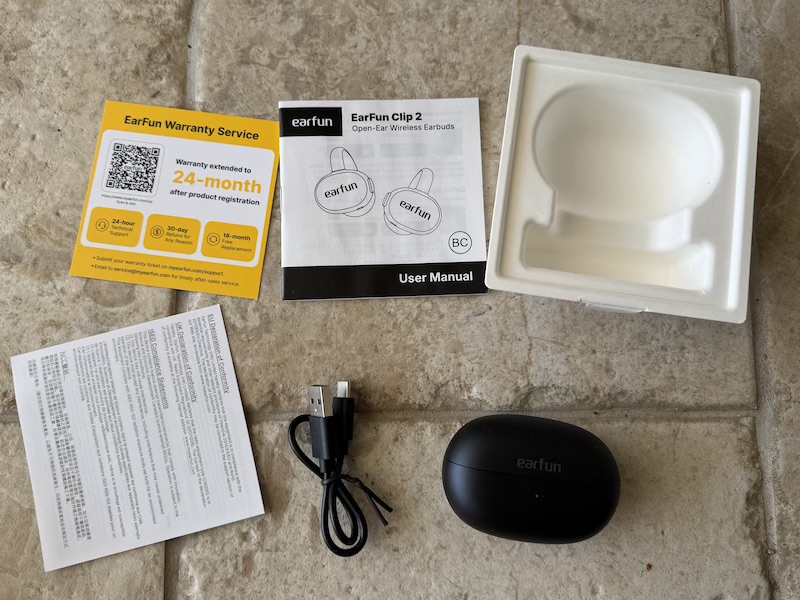
Opening reveals the case in foam alongside the usb charging cable:
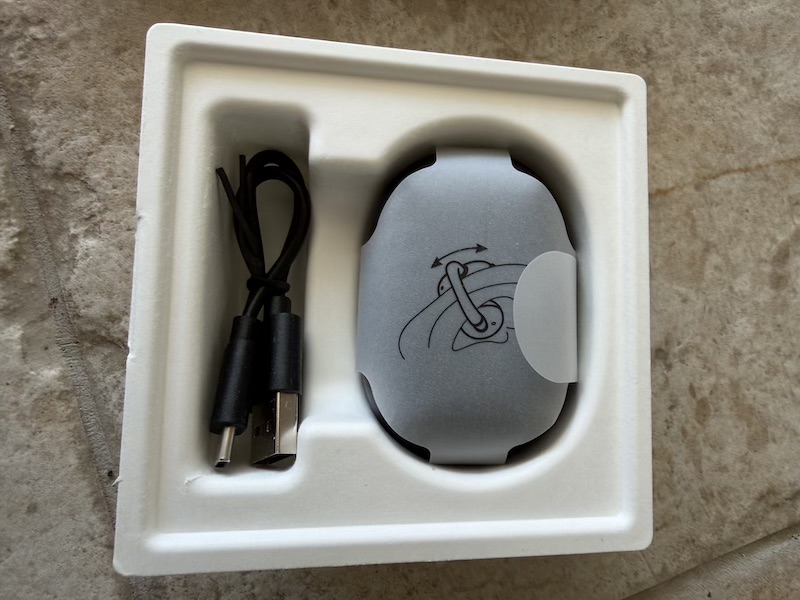
In the box: the Clip 2 earbuds in their charging case, a USB-C cable, and a quick start guide.
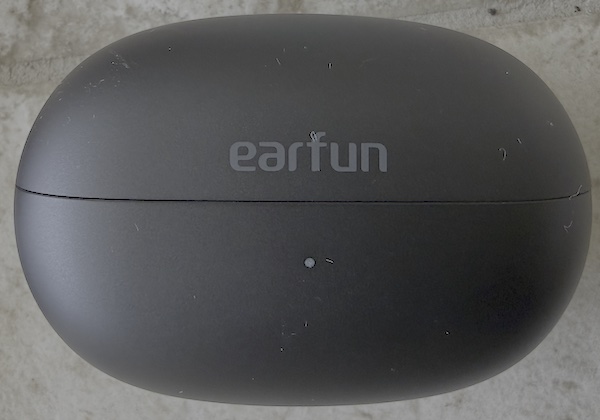
The case is compact and pocket-friendly. Closed it has a satisfying solid feel:
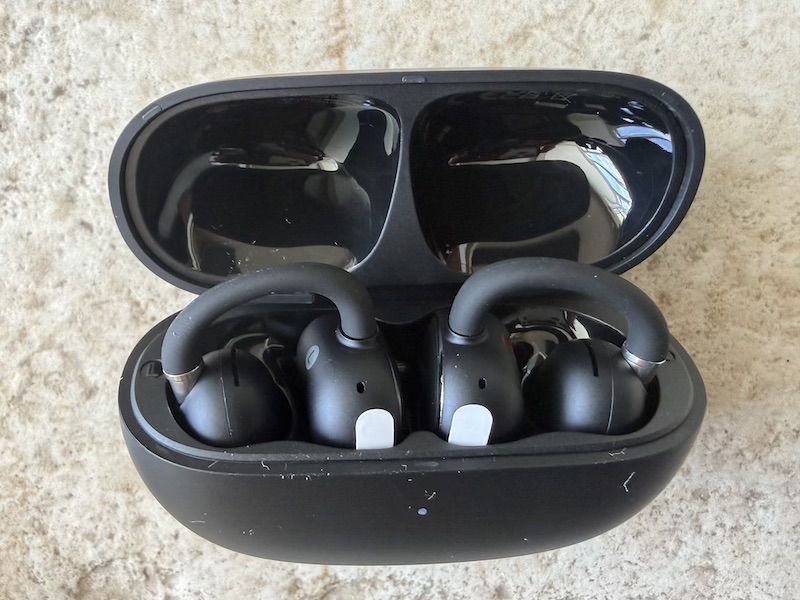
Opening reveals both earbuds seated magnetically, the clip arms folded neatly without awkward angles:
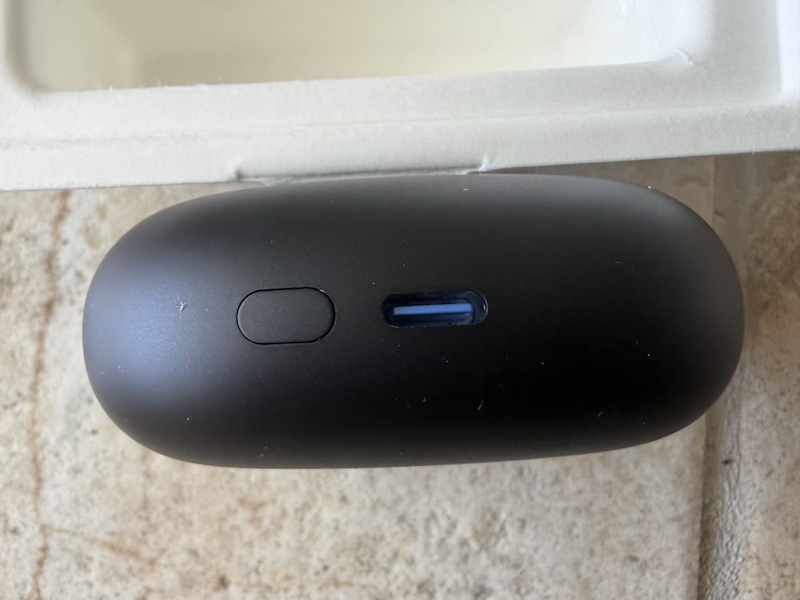
The USB-C port sits on the underside of the case where it belongs:
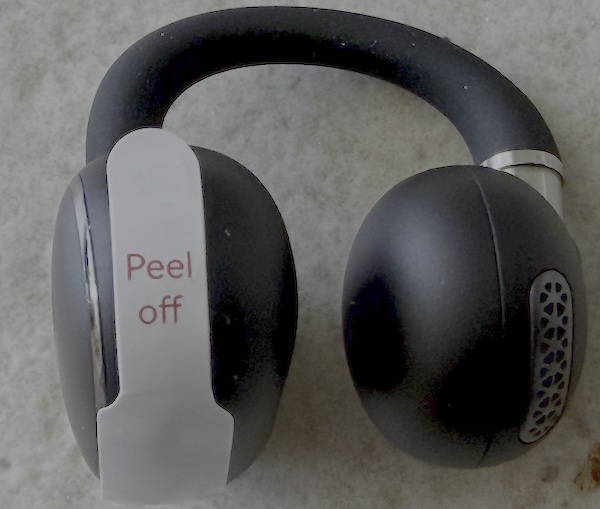
Each earbud ships with a battery protective tab to peel before first use:
Build and Design
The earbuds are well-finished:
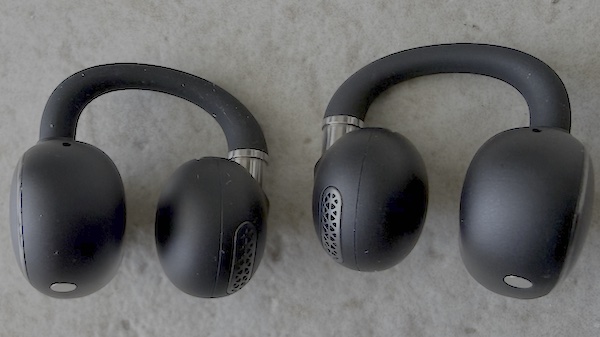
With a solid feel to the housing and clean detail on the driver face:
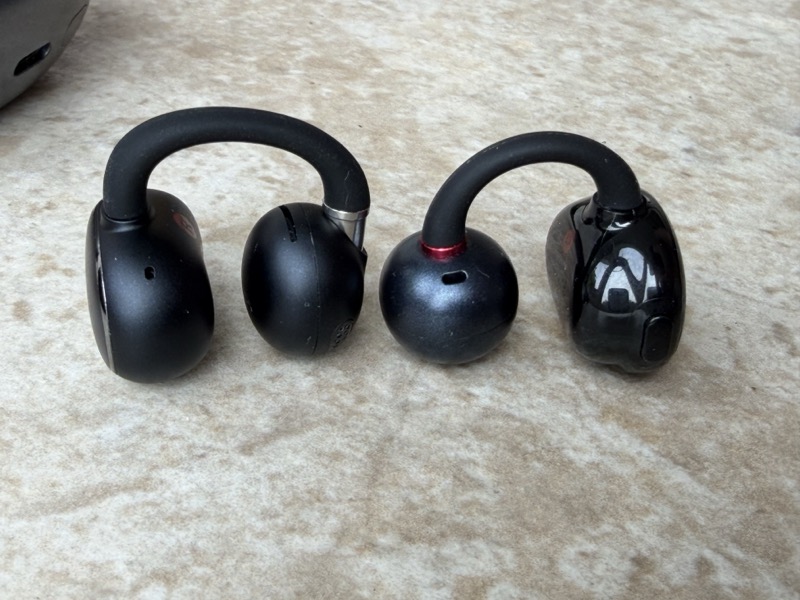
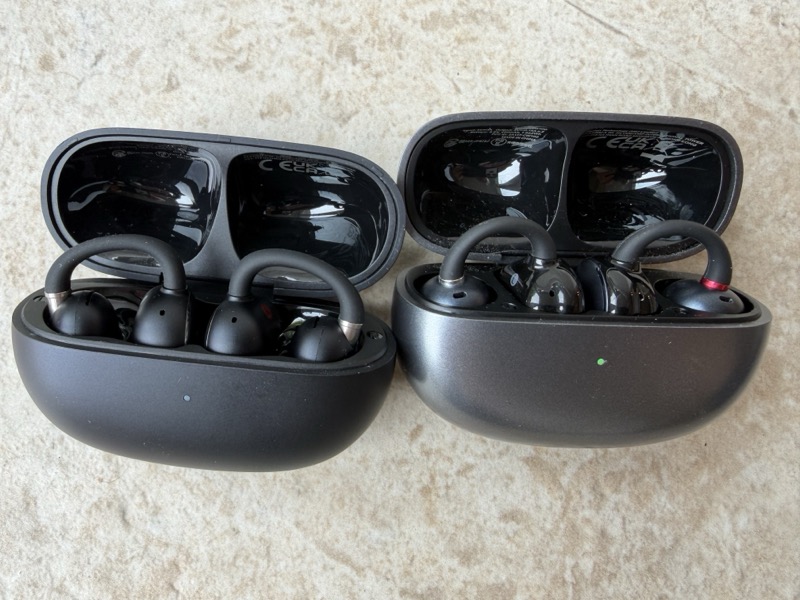
So, I thought it would be useful to various pictures of the subtle design changes between the original clip and
clip 2, they share many similarities both with the carry case design and the overall clip on design :
 |
 |
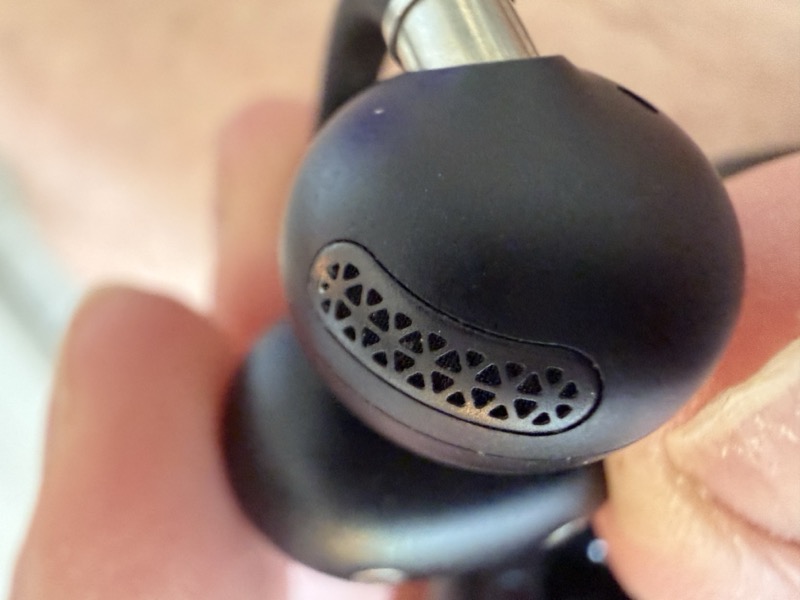
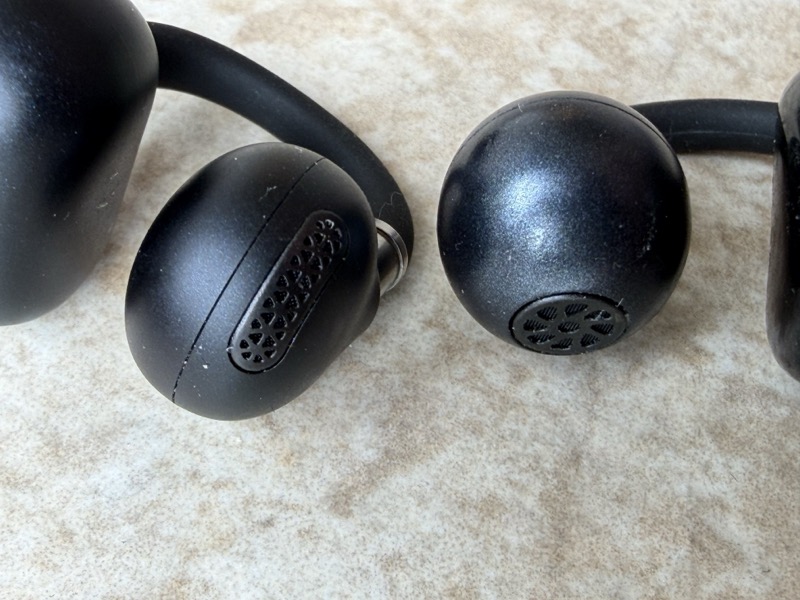
But you can see the driver is very different with the Clip 2 on the right below with a more elongated driver grill:
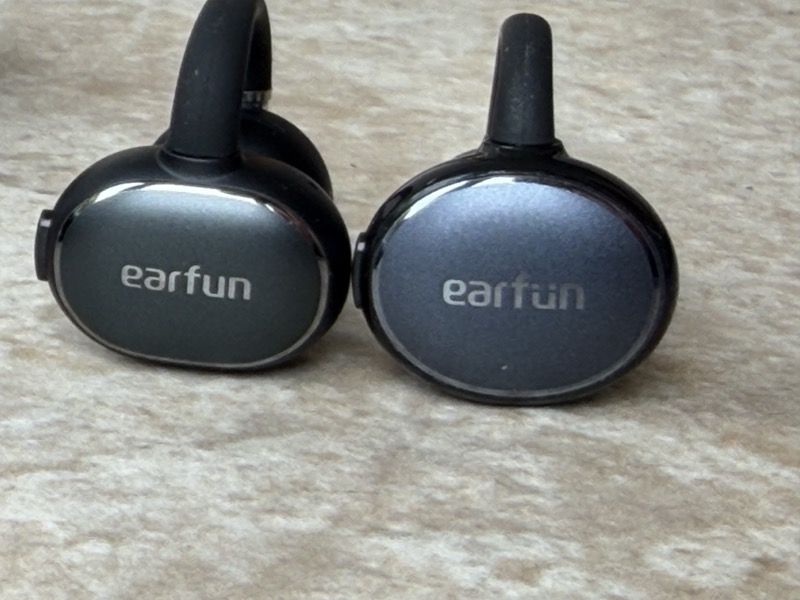
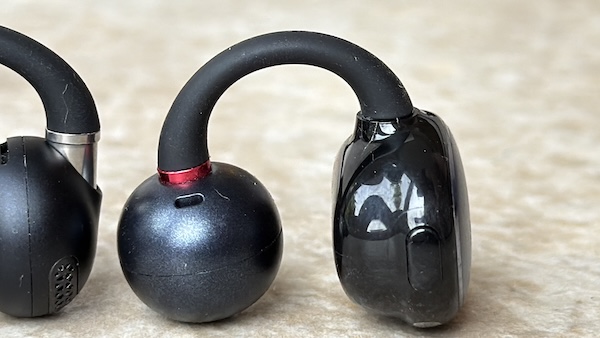
The clip housing is subtly revised from the original:
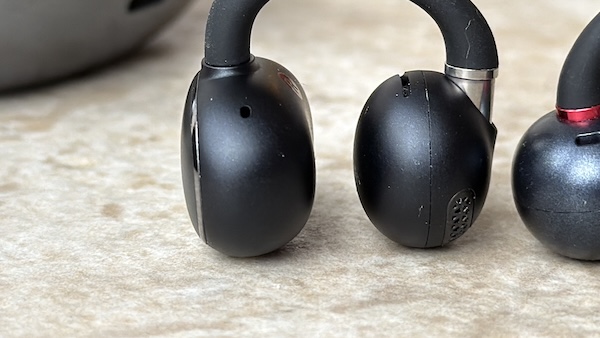
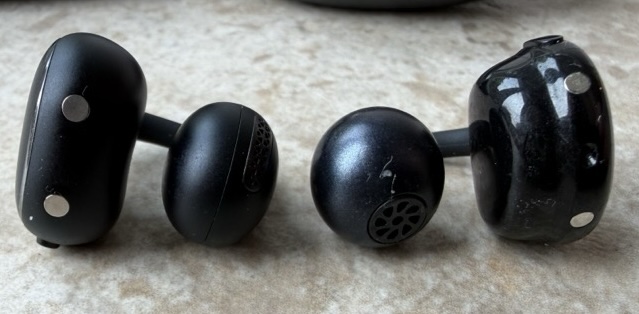
The profile from both sides shows a slightly more refined form, but it retains the little button to change the volume and skips tracks:
 |
 |
Design and Comfort
The clip mechanism has been subtly revised, and in three weeks of use across walking, desk listening, and lying in bed I have not had them come loose once. The grip is slightly firmer than the original without feeling tight. The original was already good; the Clip 2 is better.
Weight remains a non-issue. Like the original, these are easy to forget you are wearing — the most important comfort criterion for this form factor. In an office environment the open design means you stay engaged with what is happening around you while still catching every word of a podcast. I had several conversations with colleagues while wearing them without needing to remove them, which is precisely the point. For long evening audiobook sessions, the combination of light weight and improved battery made it easy to put them on after dinner and still have charge left in the morning.
Features
App Overview
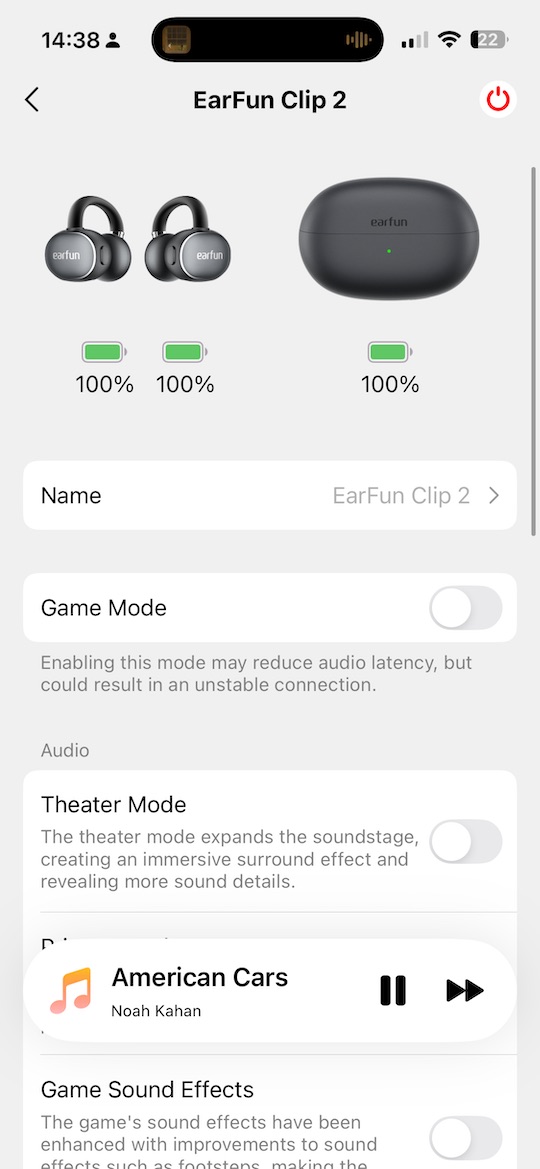
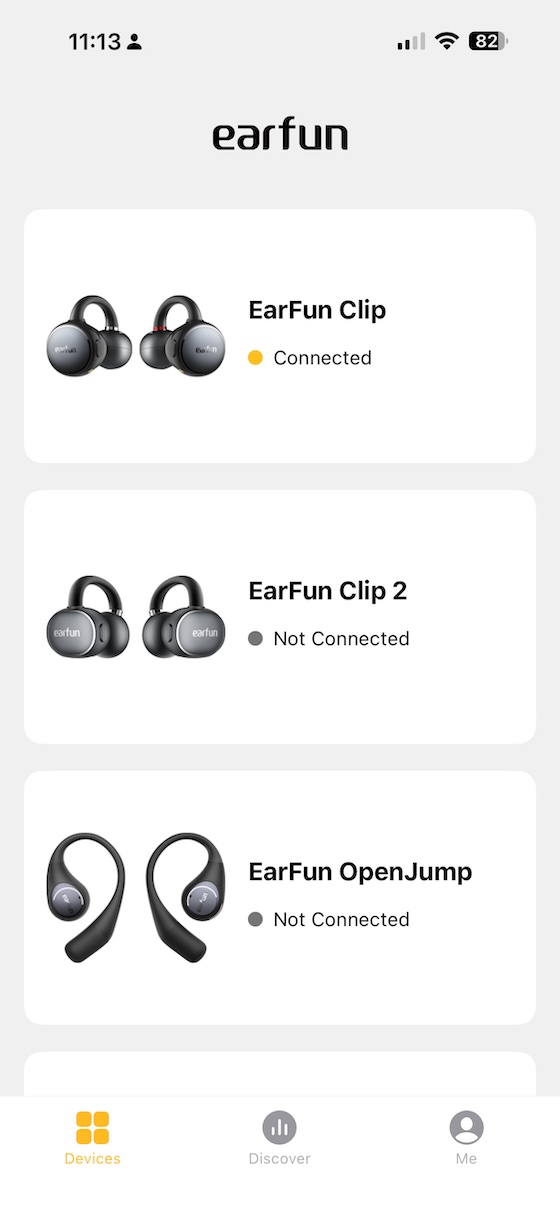
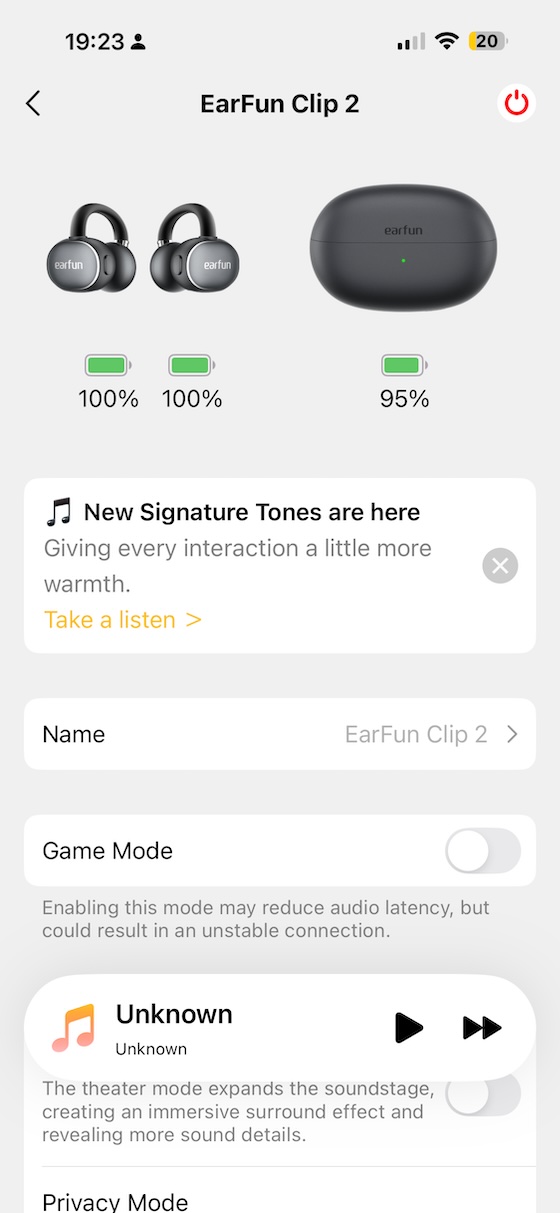
The EarFun Audio app covers the full feature set. The home screen shows both earbuds with individual battery levels:
 |
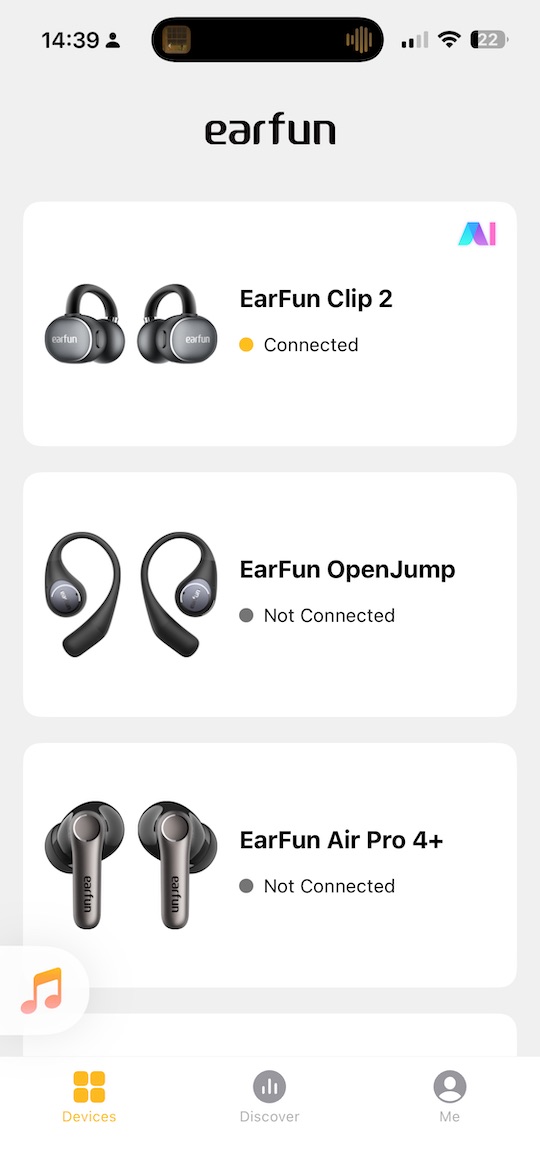 |
With both clips connected, the main screen gives a clear status overview:
AI Translation
The AI translation feature lives in the main menu alongside dual-device controls:
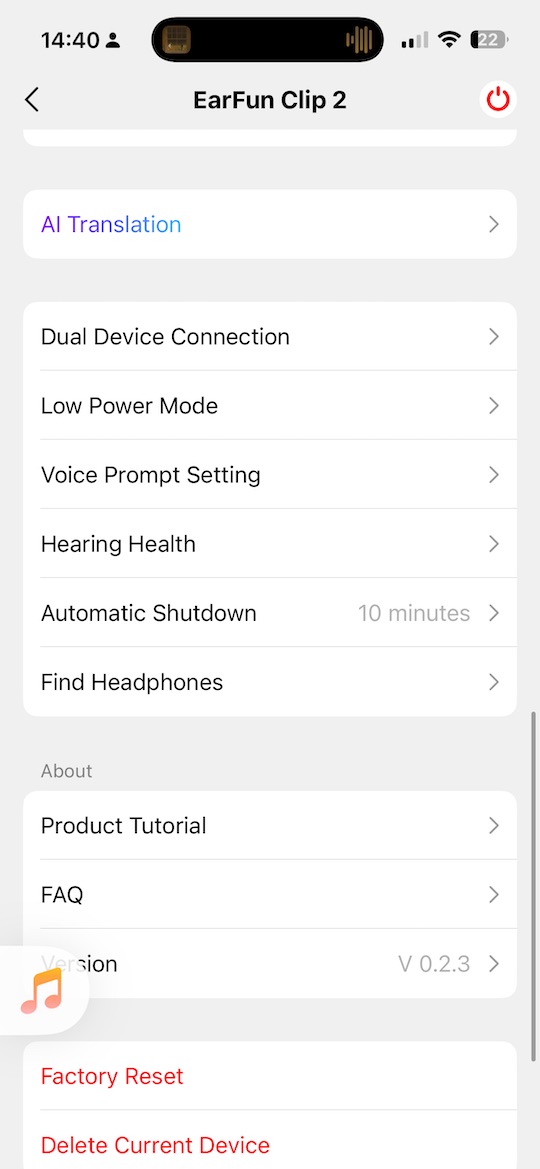
I tested it with my Spanish-speaking team at work. There is a noticeable delay — roughly a second — but the result is genuinely useful, more so than I expected going in.
Theater Mode and Audio Settings
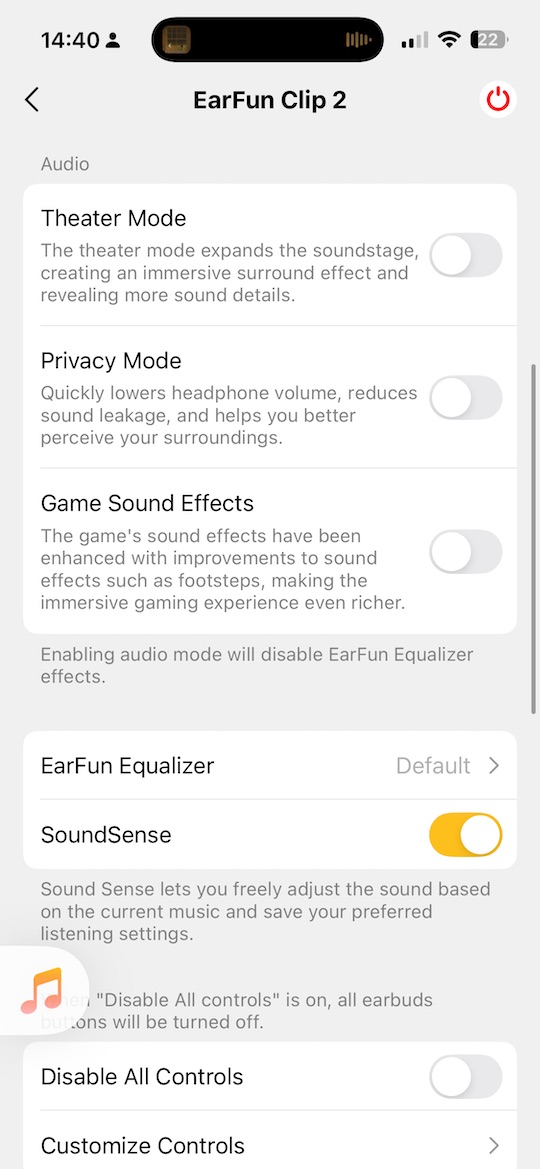
The audio settings screen includes a theatre mode that can be a fun listening, and while it does make the sound more spacious for me it changes the tonality too much, but a fun option to try:
Equaliser
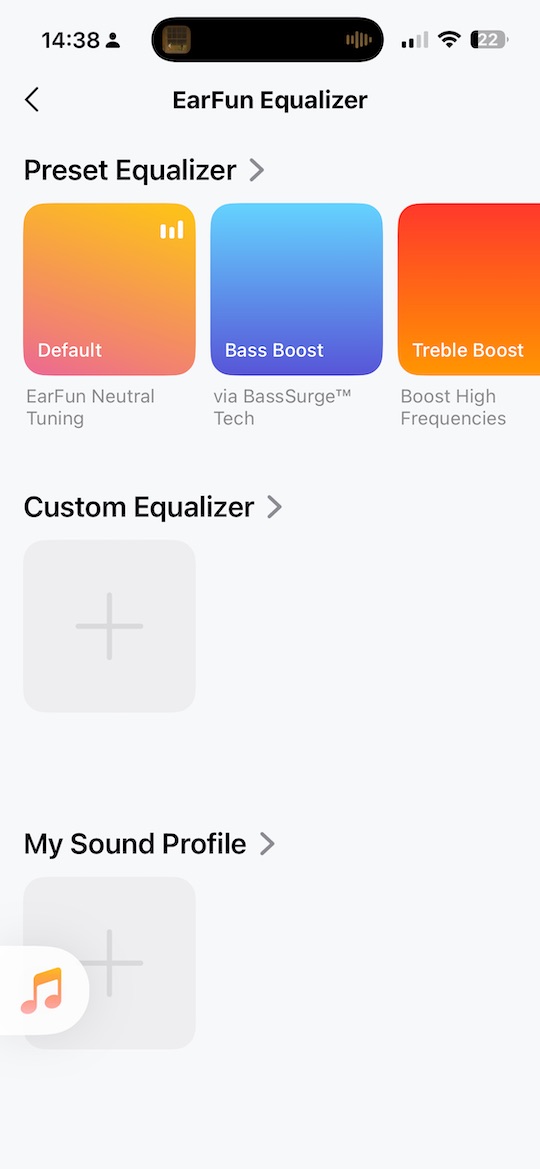
EQ is the most practically useful feature in the app for getting the best from the Clip 2. Preset curves are available for different listening styles:
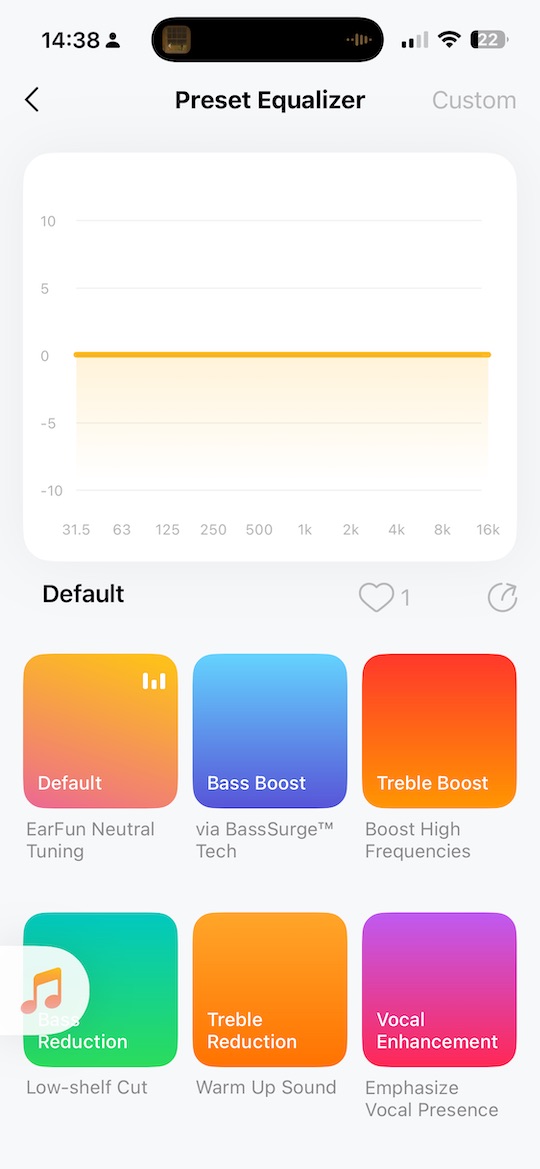
Custom entries allow you to build and save your own curves:
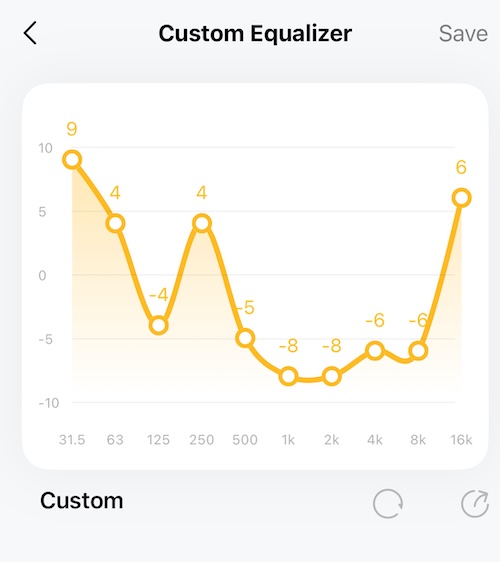
The extra volume headroom in the Clip 2 compared to the original means that adding a bass lift through EQ does not immediately run into distortion — there is real room to apply it. My usual setting adds a moderate bass boost that brings the mid-bass into a more satisfying range for music listening without asking the driver to do what the open design physically cannot.
These were the settings that worked for me, but even more so than with IEM and headphones, the FR of an open ‘clip-ear’ earphone like this will be very different on everyone’s head, so don’t take this as a recommended EQ:
Controls
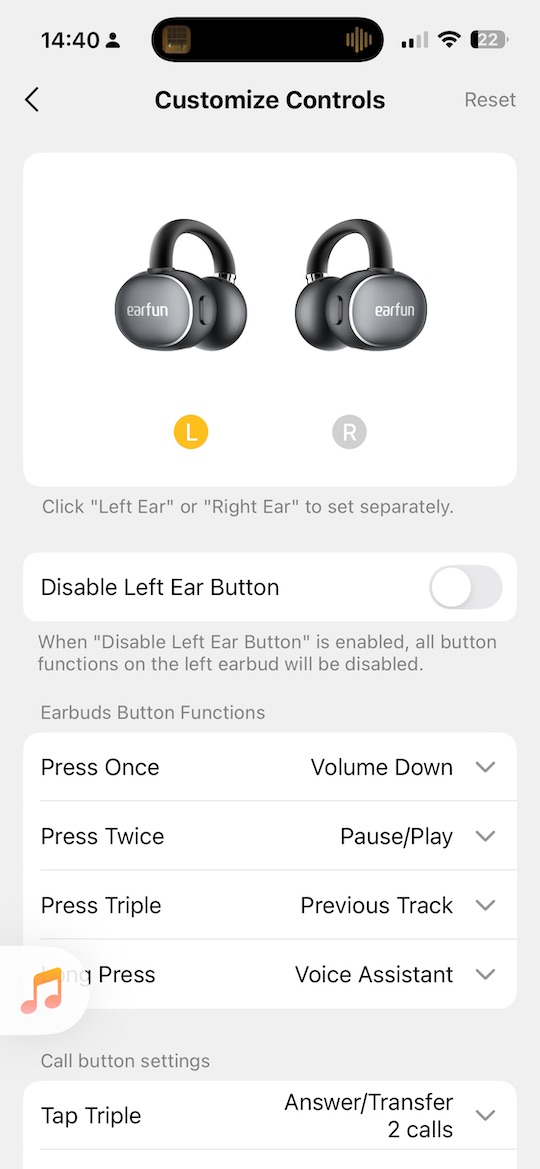
Touch controls are customisable from the app, which is useful for setting tap actions to match your actual usage rather than a default assumption:
Audio Prompts / Signature Tones
And I noticed a new feature popup up over the past few days with the latest version, so we new get some nice new
‘audio prompts’ instead of a spoken voice to tones:
It is a nice but subtle improvement that feels more polished and less intrusive during use:
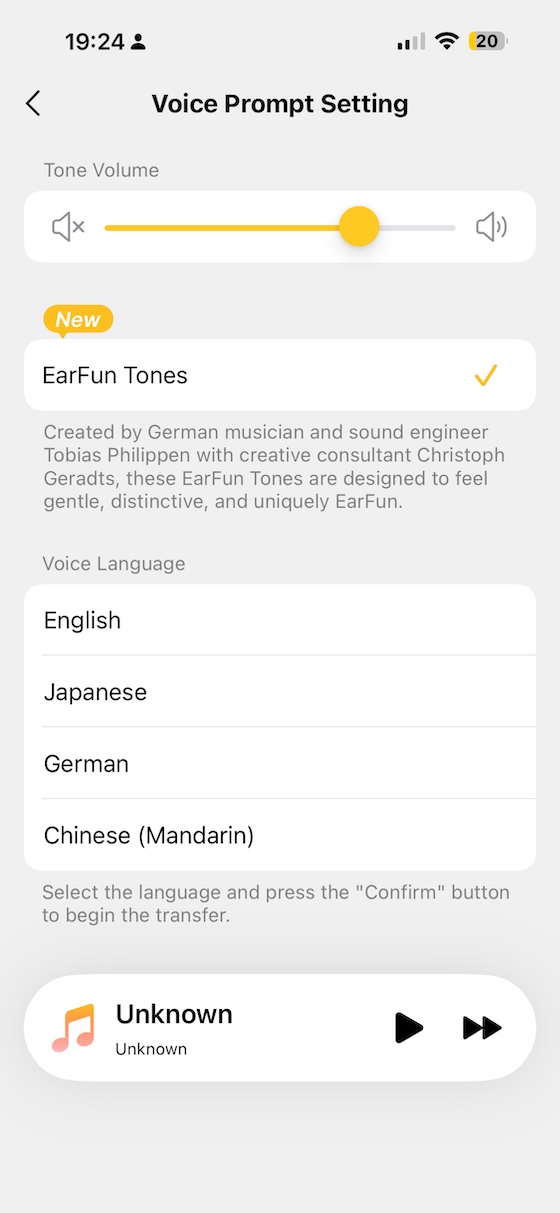
This change only comes with the latest firmware, so it is worth updating promptly after unboxing.
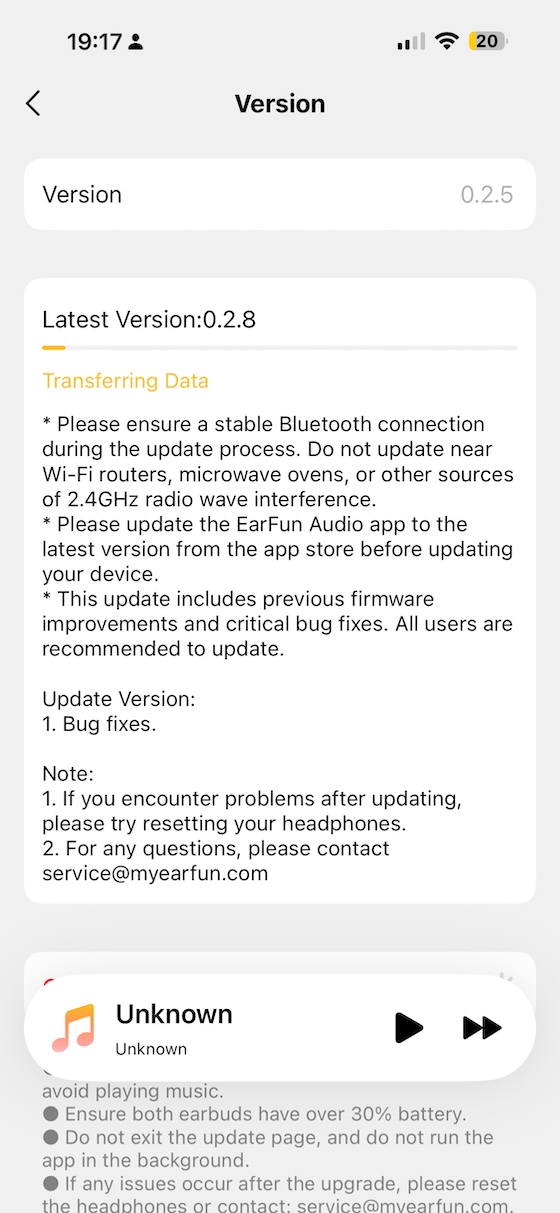
Firmware
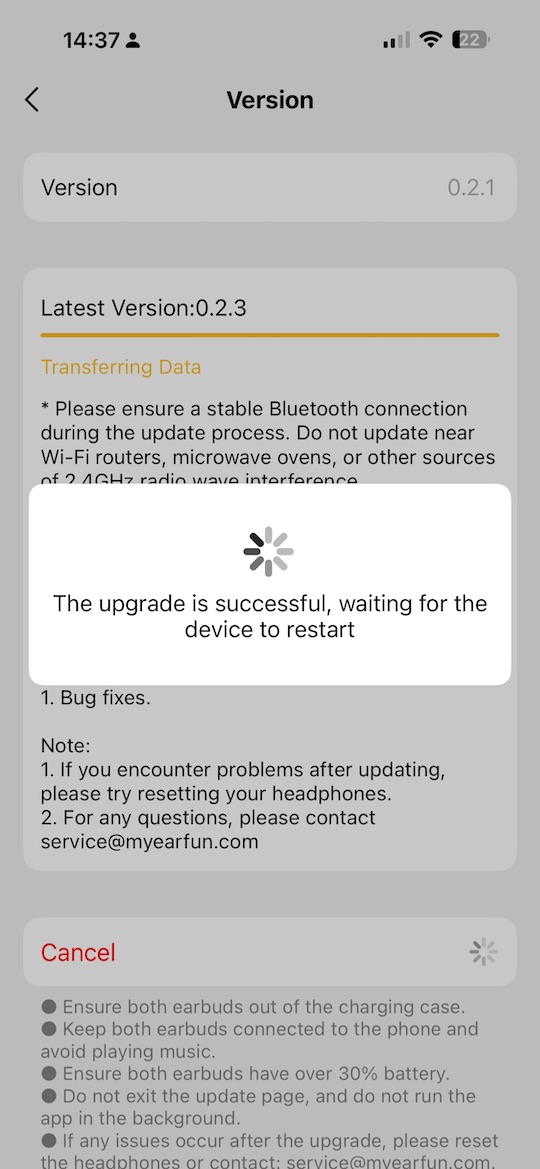
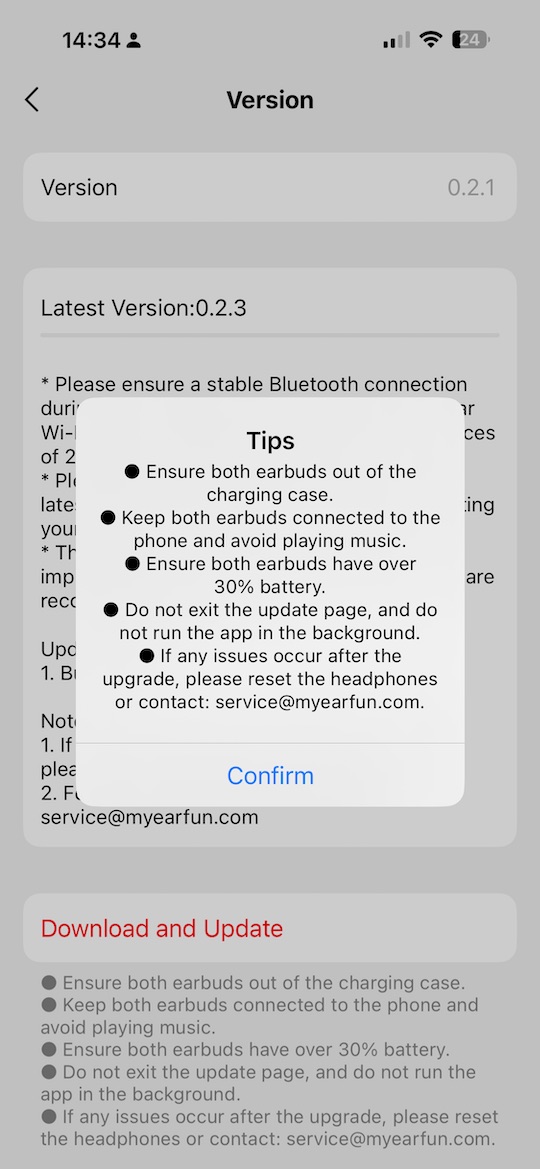
One sign of a very good audio company is when they do regular firmware updates, I have bought too many devices in the past that either only got one update or never received any and only the next versions of their product would receive the new features. This is not the case with Earfun, and as I mentioned above, you do get fairly regular updates, like the AI Translation one and now these new signature tones. So it’s well worth keeping the app update to date:
 |
 |
Connectivity and Calls
The Clip 2 uses Bluetooth 6.0 and supports LDAC for high-resolution audio alongside AAC and SBC. One practical note on LDAC: enabling it reduces battery life from the claimed 11 hours down to around 6 hours per charge, so for all-day use AAC is the more sensible default. Dual-device connection lets you switch between a phone and laptop without repairing, and Google Fast Pair makes the initial setup almost instant on Android. Pairing was quick and stable across three weeks of daily use.
Call performance was solid throughout. The 4-mic array with AI noise cancellation does its job well — I took several calls over the Clip 2 and had no complaints from the people on the other end. The microphone handles light office background noise without making the caller sound like they are in a busy cafe, which is about as much as you can ask from open-ear earbuds.
Sound Impressions
All listening was done with the Clip 2 connected via AAC to an iPhone. Source material included podcasts, audiobooks, and music across electronic, folk, and classical genres. Music impressions below are from a moderate bass-boosted custom EQ profile, which is how I use these for anything beyond spoken word.
Bass
Sub-bass is absent — that is the physics of an open driver without a seal, and there is no point pretending otherwise. Mid-bass is where the Clip 2 earns its sound quality. With a moderate EQ lift, there is genuine warmth and body in the low-mids that makes the sound feel substantially fuller than the original Clip.
On “Angel” by Massive Attack the deep sub-frequency weight will not arrive, but the mid-bass pulse and the textural weight of the track come through clearly enough to give the music its character. The larger driver relaxes this range — there is less strain at moderate levels compared to the original, and the response around 100–200Hz feels more composed.
Midrange
The midrange is where the open design works in the Clip 2’s favour. Vocals are clear and immediate — podcast voices, spoken word, and singing all benefit from the directness that comes without a canal seal pushing the sound inward.
On “Fast Car” by Tracy Chapman the vocal body and acoustic guitar texture sit naturally in the mix without any obvious colouration from the transducer. The sense that sound is coming from in front of you rather than from inside your head is exactly what makes this form factor comfortable for long sessions. Instrumental separation is decent for an open design, though dense complex mixes can feel slightly compressed at higher volumes.
Treble
Treble is one of the more interesting aspects of the Clip 2 — for better and worse. The treble on most audio devices change depending on the position and with a clip on that will change even more. But I think the larger driver and different shape to the drive gives a slightly more consistent treble this time, so for me the detail and extension are good:present enough to add air and resolution without the harshness that lots of open designs exhibit.
On “Tamacun” by Rodrigo y Gabriela the guitar texture in the upper register resolves cleanly. However, as the measurements show, treble response is notably variable depending on how close the driver sits to your ear canal. Ears where the clip positions the driver closer will get more treble energy; ears that push it slightly away will find it rolls off sooner. This is not unique to the Clip 2, but it is worth understanding before EQing — the treble you measure on yourself may be different from what the graphs show for someone else.
Soundstage
Soundstage is one of the inherent wins with any open-ear design and the Clip 2 is no exception. Width is generous and instruments spread naturally without artificial processing. Imaging accuracy is acceptable but imprecise — with a clip design where the driver position varies slightly between ears and between wearings, left-right localisation is approximate rather than surgical. For music, podcasts, and audiobooks this is fine. For gaming with critical positional audio, a sealed in-ear is the better tool.
Comparisons
EarFun Clip (Original)
The original EarFun Clip was (and still is) a strong product that I enjoyed until my wife adopted it. The Clip 2 moves forward in three areas that matter: it is louder, giving more room for EQ and for real-world noisy environments; the clip sits more securely; and the battery goes noticeably further. AI translation is entirely new. The sound character is similar in broad strokes — open design, no sub-bass, midrange as the strength — but the extra headroom makes the Clip 2 easier to tune and more forgiving at higher volumes.
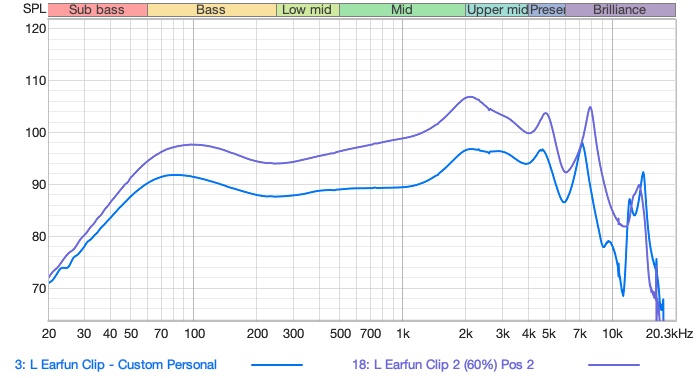
The raw frequency response comparison below shows the Clip 2 measured alongside the original. The Clip 2 is measurably louder even before EQ, and the custom-EQ version brings it to a more satisfying profile than the original could achieve though the bass drops away around 60hz :
EarFun OpenJump
The EarFun OpenJump takes a different physical approach to the open-ear category and sits differently on the ear. The Clip 2 has the advantage in output volume, battery life, and AI features. The OpenJump may suit listeners who prefer a less prominent clip mechanism. Sound-wise, the Clip 2 is more flexible through EQ and gives more usable volume. For everyday use, the Clip 2 is the more complete device at a comparable price.
Viaim OpenNote
The Viaim OpenNote is the most feature-rich open-ear device I have tested recently and also considerably more expensive. It has a richer app ecosystem and more comprehensive AI feature integration, but in my experience it is more prone to dislodging during movement. The Clip 2 clips more securely, costs significantly less, and delivers better measured output volume. For most everyday open-ear use cases — commuting, office, exercise — the Clip 2 is the easier recommendation. The OpenNote is the step up if you specifically want the fuller AI feature set and do not mind the price.
Specifications and Measurements
| Specification | Value |
|---|---|
| Driver | 12mm titanium-composite dynamic driver, dual-magnetic circuit |
| Bluetooth | 6.0 |
| Codecs | LDAC (up to 6h battery), AAC, SBC |
| Dual-device | Yes (Google Fast Pair supported) |
| Water resistance | IP55 (dust + water resistant) |
| Battery (earbuds) | ~8 hours real-world (claimed 11h); 40h with case |
| Fast charge | 10 min = 2.5 hours |
| Microphones | 4-mic array with AI noise cancellation |
| AI translation | Yes (100+ languages, real-time and face-to-face modes) |
| Theater / surround mode | Yes |
| EQ | App-based, fully customisable |
| Controls | Customisable physical buttons |
| Game mode / low-latency | Yes |
| Charging | USB-C (case) |
| App | EarFun Audio (iOS / Android) |
| Price | $79.99 |
The key measurement story with the Clip 2 is positional variability — the open-clip design means treble response changes significantly depending on how the driver sits relative to the ear canal:
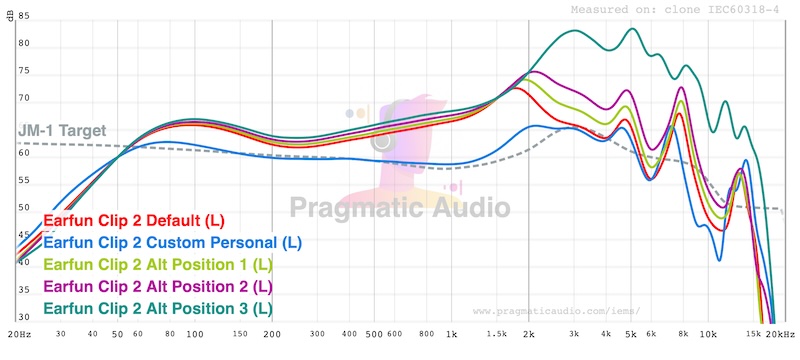
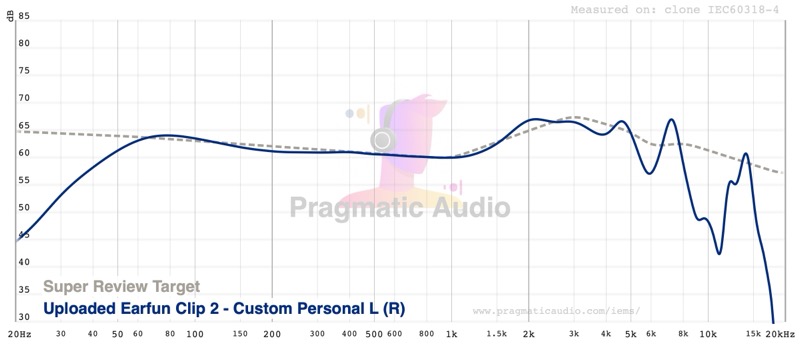
The shift in treble between positions is audible in practice and is the main reason individual EQ adjustments may differ from person to person. The frequency response plotted against a reference target shows how close a custom EQ curve can get to a more neutral frequency response, but given this does vary dramatically with position, it might be hard to get the Clip 2 this close to a target on your own head:
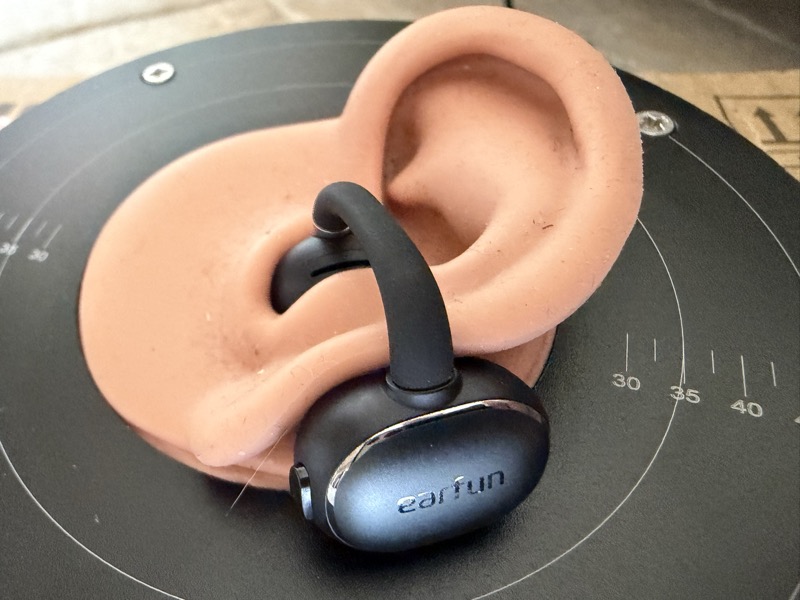
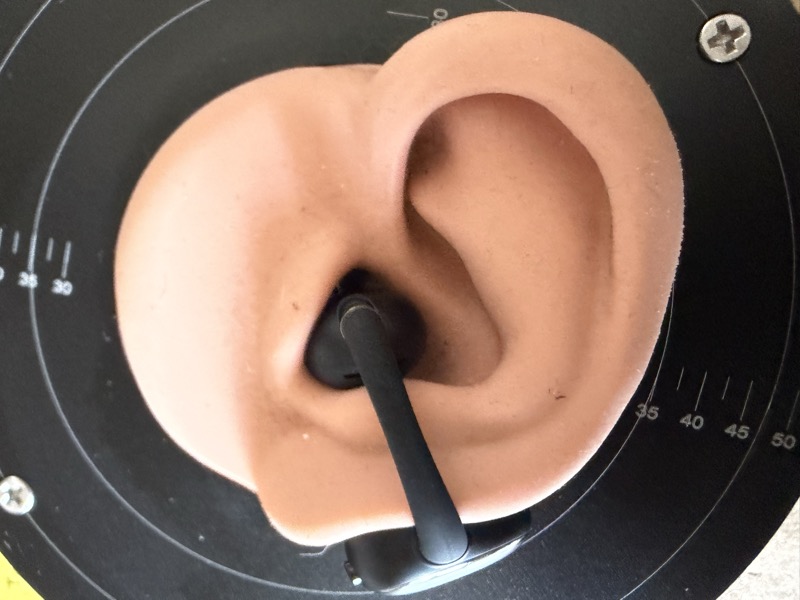
Here is the ‘clip 2’ on one ear on my measurement rig, the position 2, and 3 in the measurements above were when I plugged it back up the ear into probably an unnatural position it does illustrate how different the treble can be depending on the position:
 |
 |
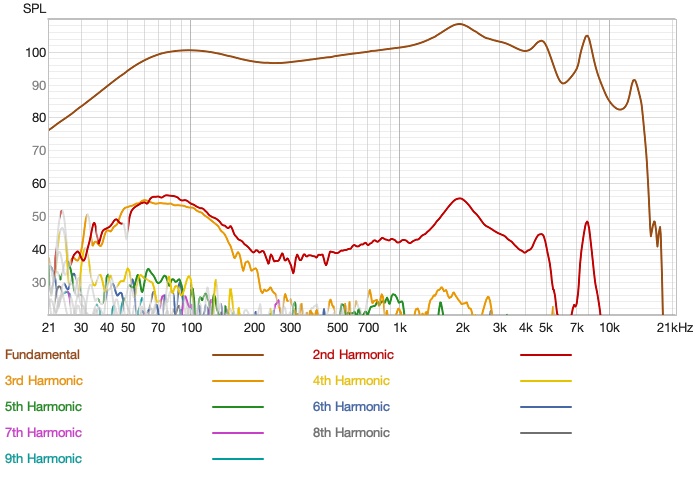
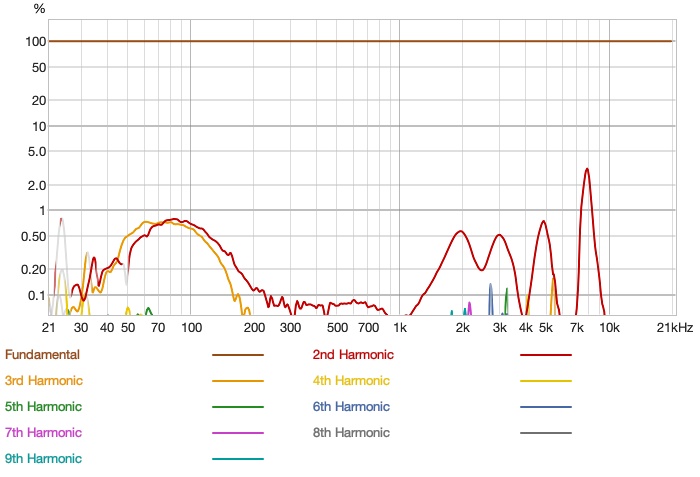
Distortion measurements are clean across the audible band, with no unusual peaks that would suggest the driver is under mechanical stress at typical listening levels:
 |
 |
Rating Explanation
The Clip 2 earns a pragmatic rating of five because it delivers exactly what this form factor should: an open-ear listening experience that is comfortable enough to wear all day, loud enough to be genuinely useful in a real-world environment, with a battery that outlasts the situations I use it for and a clip mechanism that stays put.
The features are good, with AI translation being a ‘cool’ addition that works better in practice than I expected going in. The EQ app provides real control, the updated firmware’s tone-based prompts are a noticeable quality-of-life improvement, and the call microphone performance is solid. Measurements confirm what the physics dictate: no sub-bass, variable treble depending on fit, and a frequency response that benefits meaningfully from EQ. Neither limitation is a problem if you set your expectations and play around with EQ to get a good personalised sound signature.
The price rating of five is straightforward. At $79.99 — and frequently less — the Clip 2 is one of the best-value open-ear earbuds available. The combination of louder output, improved battery, and a more secure clip puts it ahead of most alternatives at this price.
Conclusion
The EarFun Clip 2 improves on the original in every way that matters for how I actually use this type of earbud.
If you liked the original EarFun Clip, the Clip 2 is an easy upgrade. If you have never tried a clip-style open-ear design and find traditional in-ear earbuds uncomfortable or impractical for staying aware of your surroundings, the Clip 2 is the first device I would point you toward.