Emiuzek R20
Say HDMI: A Streamer With an ARC Port for the TV
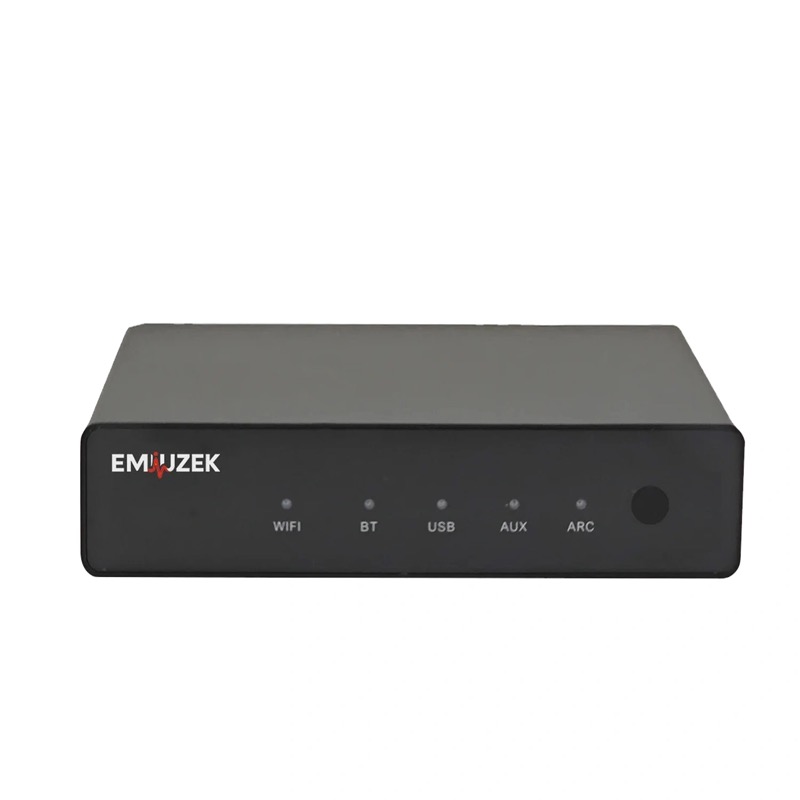
The Emiuzek R20 is a network streamer with Wi-Fi, Ethernet and Bluetooth in, HDMI ARC, optical, analogue and subwoofer outputs, and a remote control.
The R20 is a small black box that takes Wi-Fi (2.4 GHz only), Ethernet or Bluetooth in and sends the result out over an optical port, a 3.5 mm analogue output or a subwoofer output, with an HDMI ARC input for a TV and a 3.5 mm line input as well.
I would like to thank Emiuzek for providing the R20 for the purposes of this review.
If you are interested in finding more information about this product, you can find it at the official product page.
Emiuzek lists the R20 at $68.40, reduced from a regular price of $109.00 (emiuzek.com, checked 29 September 2026). A Walmart listing titled “HiFiMuse R20” showed $80.00 in a search result on the same date. I could not find a euro price. The unit reviewed here is the black version, which is the only colour listed; the power adapter plug is chosen by region.
The R20 is a perfectly respectable streamer that borrows most of the capabilities of the cheaper LinkPlay / WiiM streamers but crucially adds HDMI as its key feature.
I have had the R20 set up for a few weeks, mainly with a FiiO Air Amp. The Air Amp lacks an HDMI ARC input, so I have the optical output of the R20 going into the Air Amp, and for a simple ‘second room’ setup I had no issues at all with that.
But first, let’s take a look at what’s in the box.
Unboxing and Build Quality
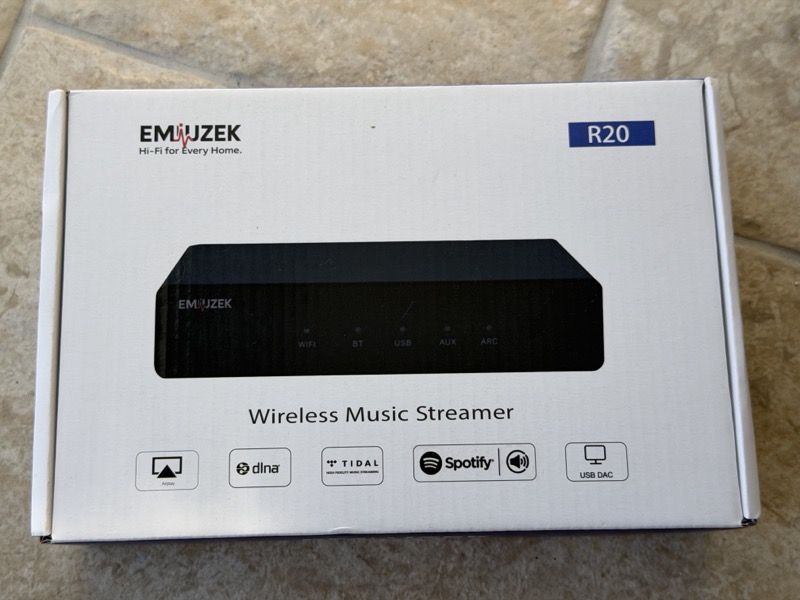
The R20 ships in a plain white retail box that shows the streamer on the front, with AirPlay, DLNA, TIDAL, Spotify and USB DAC logos along the bottom:
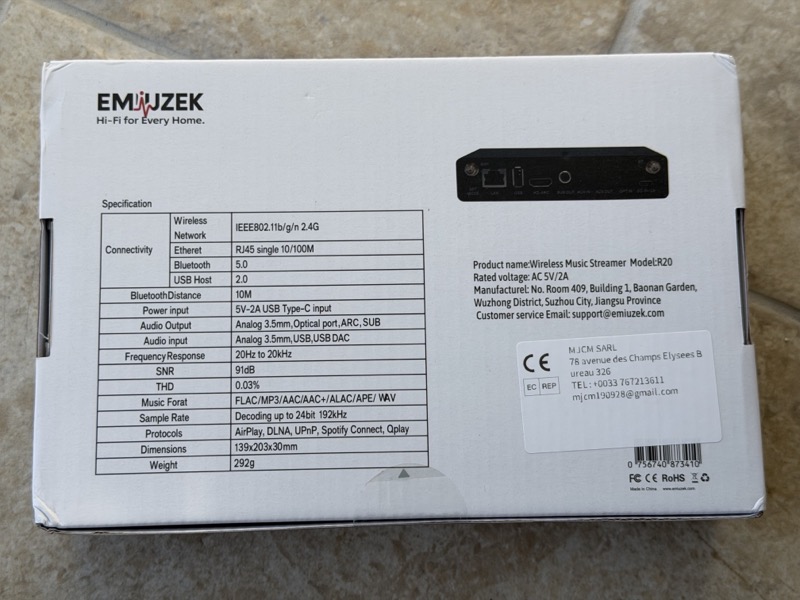
The back of the box carries a specification table and the manufacturer details. Two of the printed values differ from Emiuzek’s web page (Bluetooth 5.0 rather than 5.3, and 91 dB SNR rather than 110 dB), which I come back to in the specifications section:
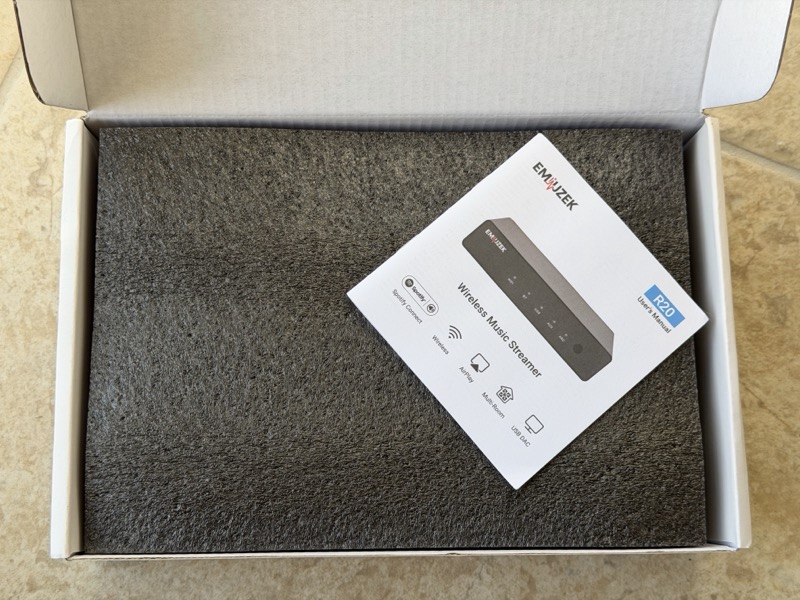
Lifting the lid shows the user manual sitting on a foam sheet:
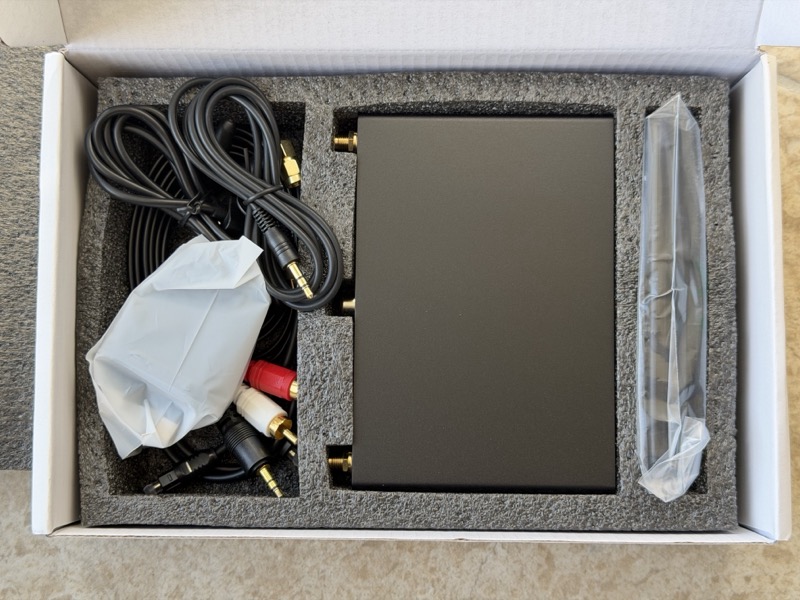
Under that sheet the streamer, cables and antennas are each in their own cut-out:
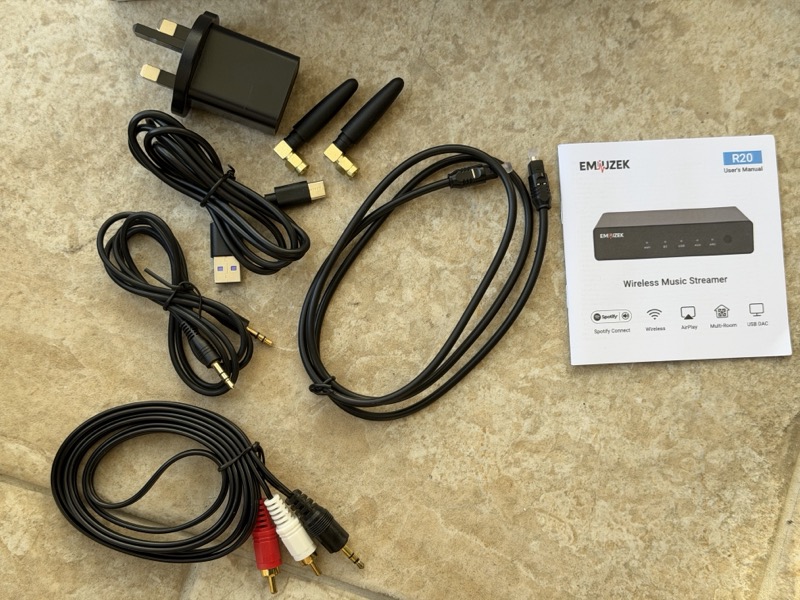
Everything that comes with it, laid out on the table, is a power adapter with a UK plug, a USB-A to USB-C power cable, two screw-on antennas, an optical cable, a 3.5 mm to 3.5 mm cable, a 3.5 mm to two-RCA cable and the manual:
The packaging is respectable, even good, for a feature rich device at this price.
The remote is a plain black plastic unit with source buttons for Wi-Fi, Bluetooth, USB and AUX IN, bass and treble buttons, a flat button, six preset buttons and a transport ring:
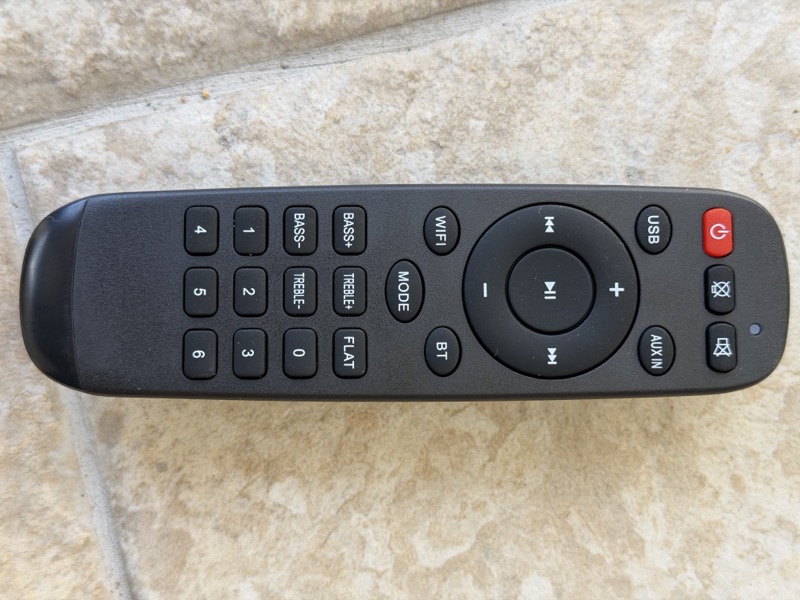
The remote has only basic controls: power, volume, mute, playback, input selection and preset buttons. It was useful, but I mostly used the streaming app when I was not in ARC mode. In ARC mode the TV remote controls the volume, and when using the app the app itself controls the volume, so it is useful to have a remote but not necessary to use (and I know less remotes in the house is appreciated).
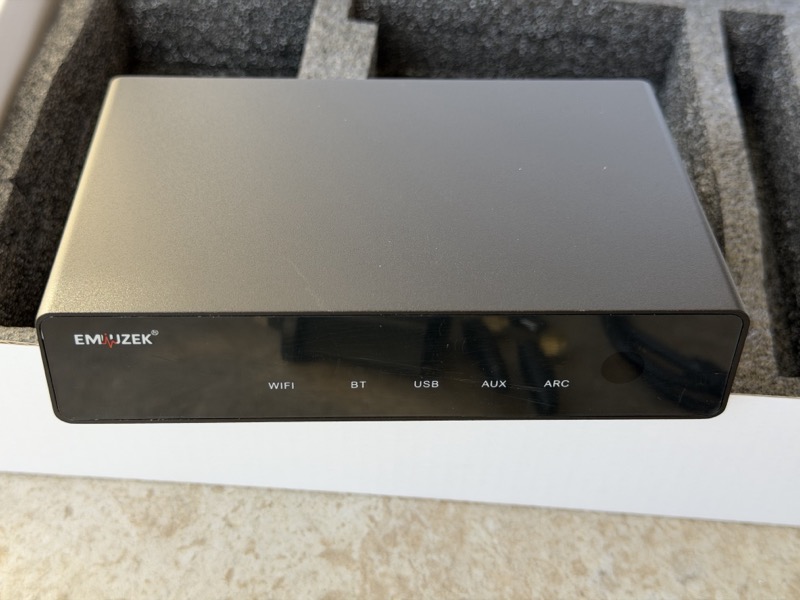
The streamer itself is a black aluminium box with a glossy front panel that carries the Emiuzek logo and five indicator labels for Wi-Fi, BT, USB, AUX and ARC:
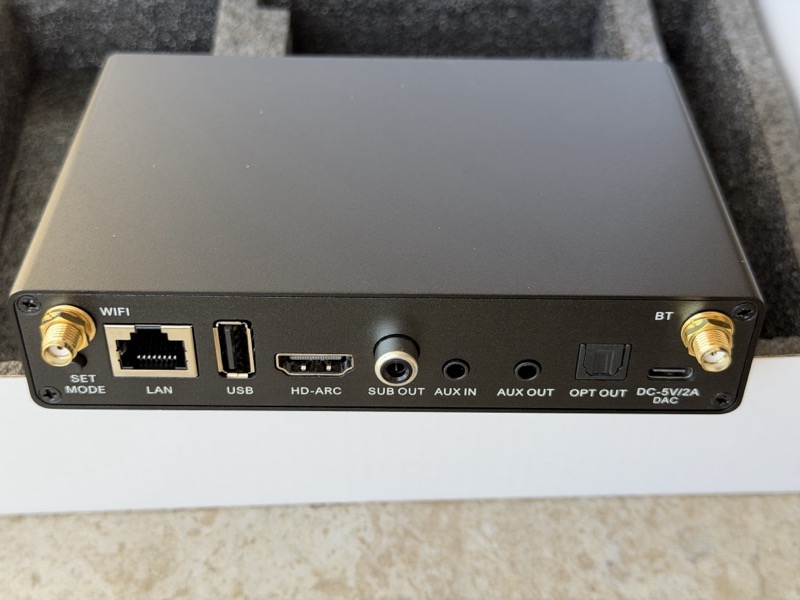
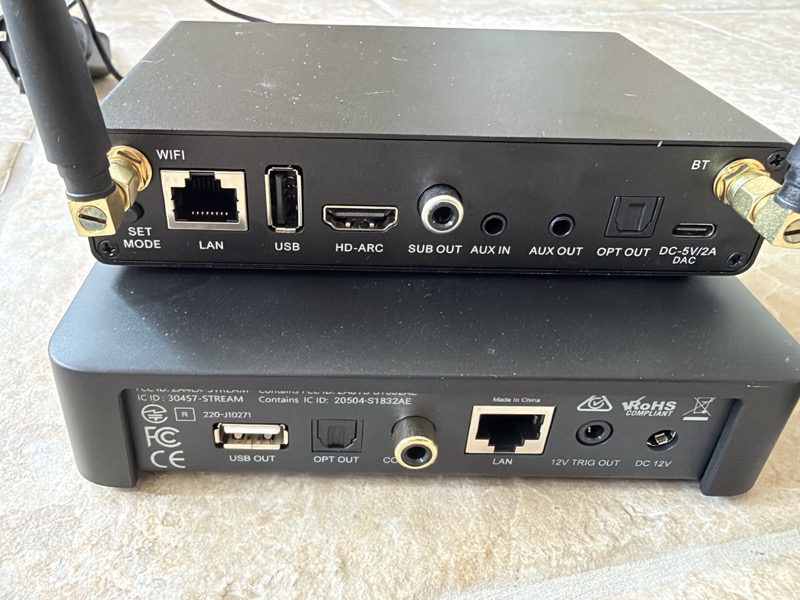
The rear panel holds the connections, and it is busy for the size: a Wi-Fi antenna socket and a set-mode button on the left, then Ethernet, a USB-A port, HDMI ARC, a subwoofer output, AUX in, AUX out, an optical output and a USB-C power port marked DC-5V/2A, with the Bluetooth antenna socket on the right:
There was no heat build up, and I really appreciated how fast it boots. I power the R20 from the USB port of the Air Amp, and it all works within about 10 seconds.
Features and Connectivity
Setup
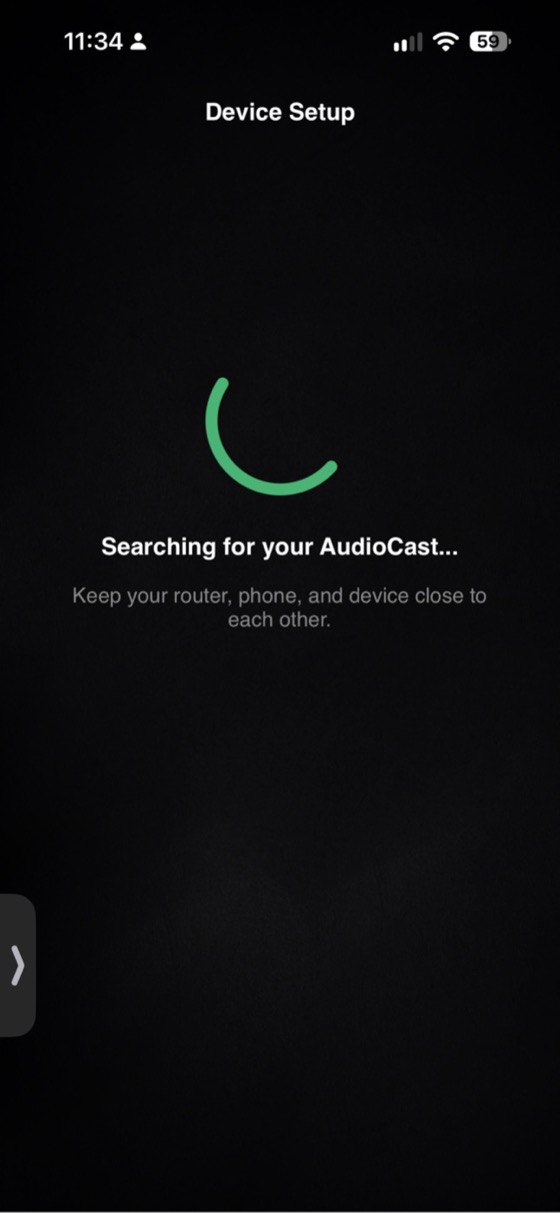
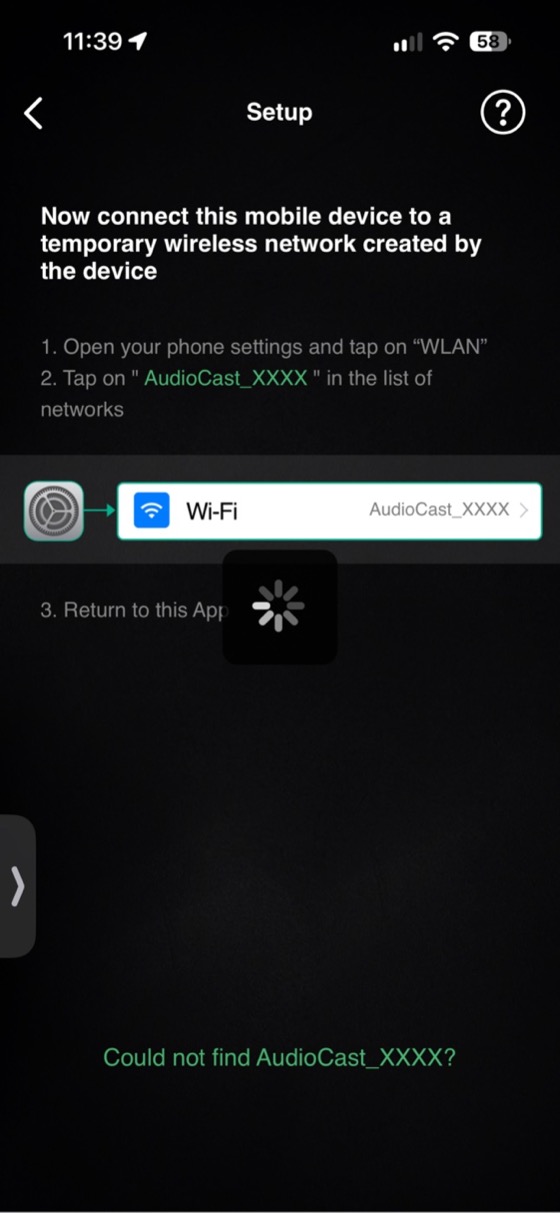
The R20 is set up from the AudioCast app. It first searches for the device, then asks you to join the streamer’s temporary hotspot (named AudioCast_XXXX in the instructions) from the phone’s Wi-Fi settings before it can be moved onto the home network:
 |
 |
Setup was very quick. The R20 was not recognised by the current WiiM Home app, but it was immediately recognised by the ‘AudioCast’ app, which is effectively an older version of the WiiM Home app for LinkPlay streamers that share the common platform.
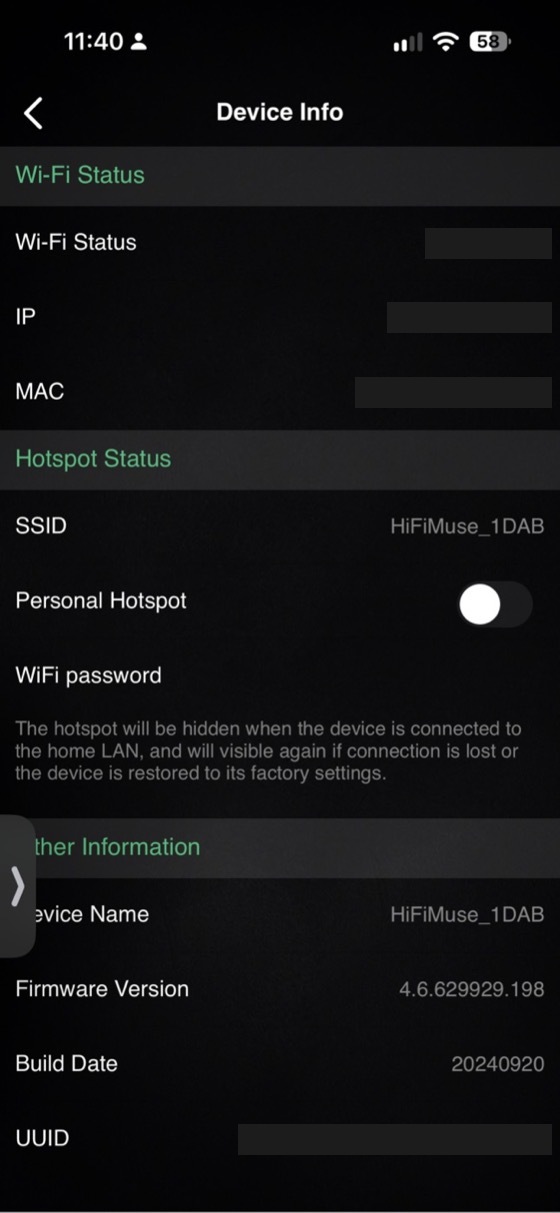
The Device Info screen shows firmware 4.6.629929.198 with a build date of 20240920 (I have hidden my Wi-Fi name, IP address, MAC address and UUID):
App and multi-room
Once connected, the app lists the R20 (named HiFiMuse_1DAB in the screenshots) as one entry in a device list that also shows two WiiM devices, each with its own volume slider and left/right channel control, and it has a per-device settings menu with rename, device info, alarm clock, preset content, sleep timer and beep options:
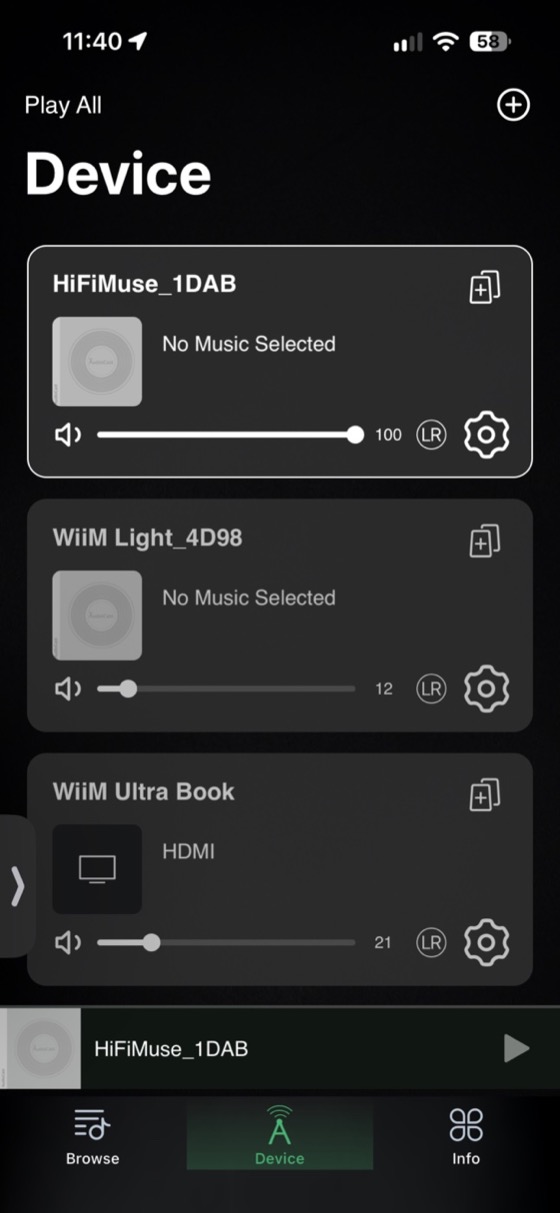 |
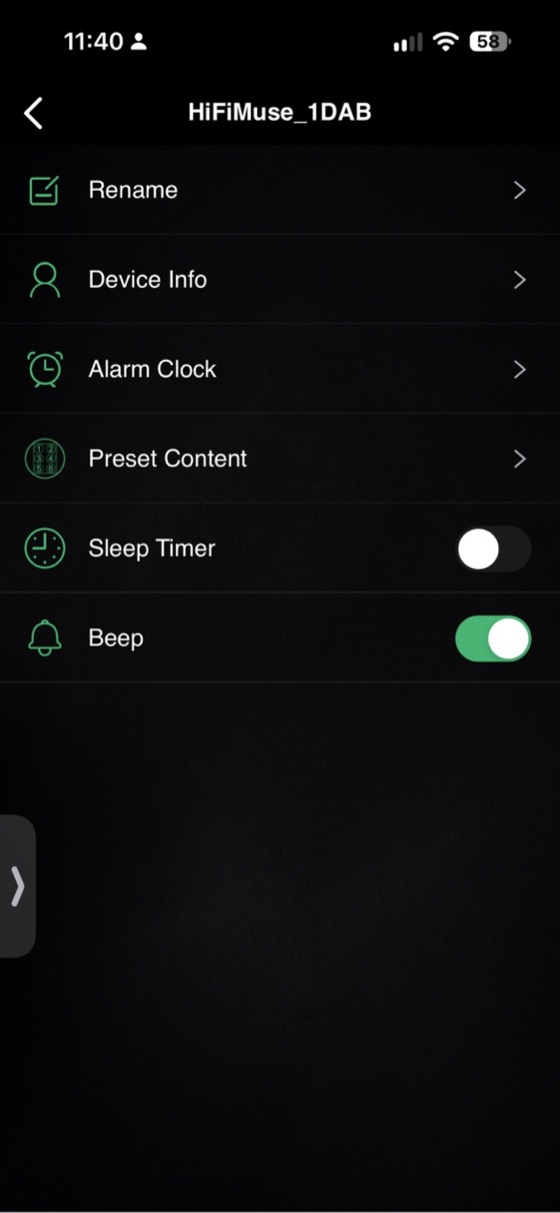 |
AudioCast is basically a slimmed down version of the WiiM Home app, with all the basics available, though it is missing the room correction and the advanced EQ capabilities. Here it is playing Radio Paradise to the R20:

Basic EQ is available in the app. I believe that if you want advanced EQ, the R20 will be visible to the ACP Workbench tool when it is connected to a PC, but I don’t really use Windows so I did not get to try it.
Sources and services
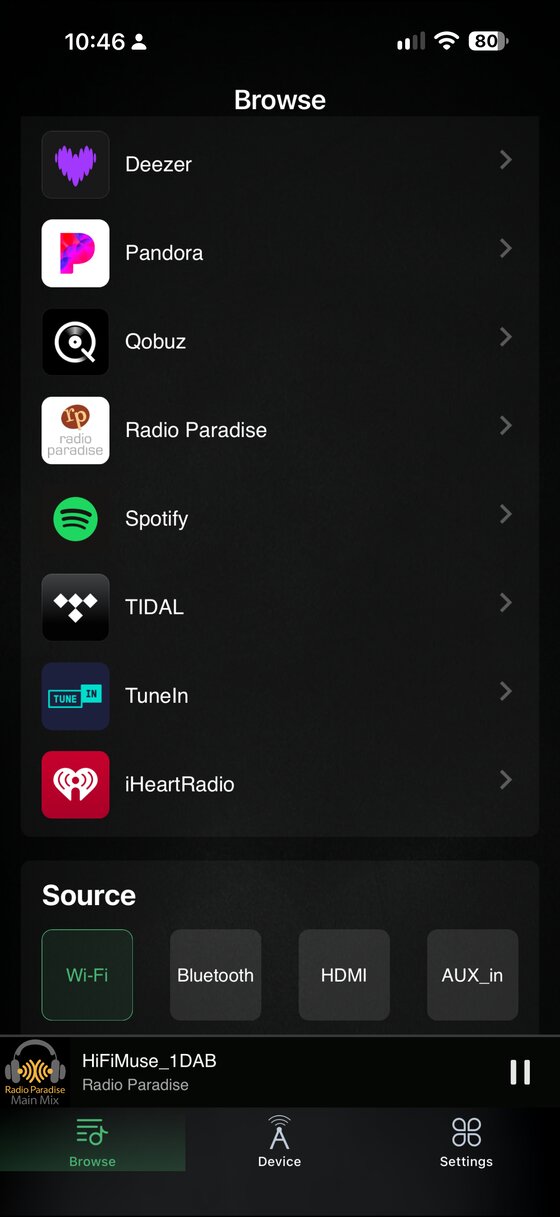
The Browse tab lists streaming services and has a source selector for Wi-Fi, Bluetooth, HDMI and AUX_in:
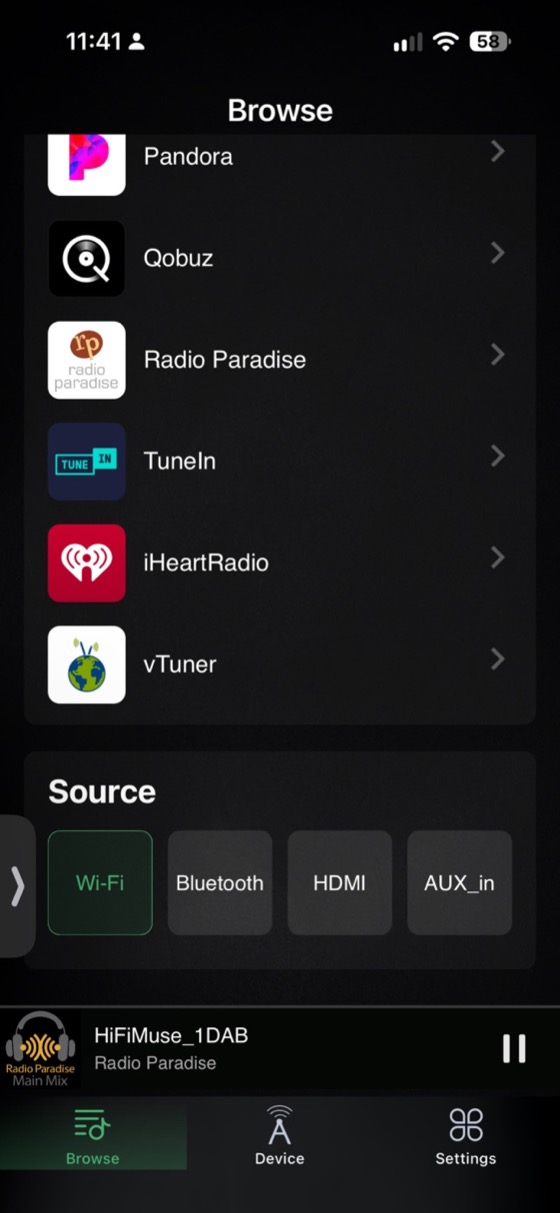
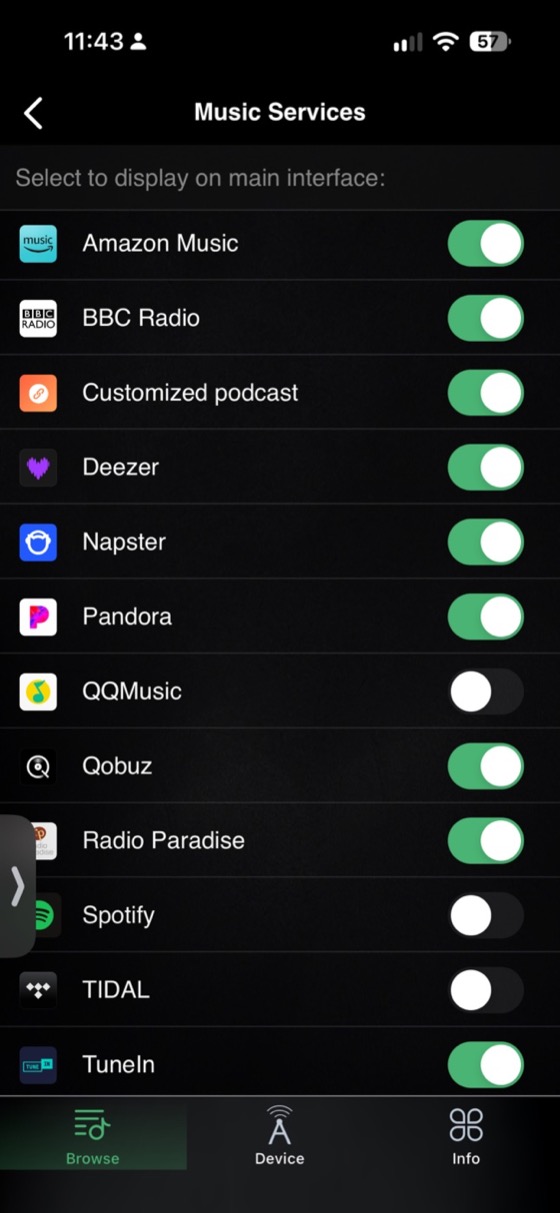
A separate Music Services screen lets you switch each service on or off for the main interface. In the screenshot Amazon Music, BBC Radio, Deezer, Napster, Pandora, Qobuz, Radio Paradise and TuneIn are on, and QQMusic, Spotify and TIDAL are off (Spotify and TIDAL are switched off in this list, although they do show up in the Browse tab, as the next screenshot shows):
Scrolling down the Browse tab shows Spotify and TIDAL in the service list too, above the source selector for Wi-Fi, Bluetooth, HDMI and AUX_in:
I also experimented with AirPlay streaming. My Lossless Streaming app will send AirPlay 1 audio at 44.1 kHz once I enable ’encrypted audio’.
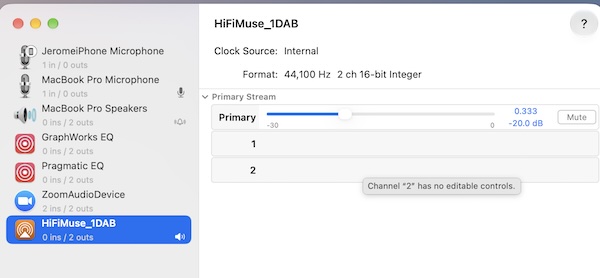
The box carries a USB DAC logo, and when I plugged the R20 into my MacBook Pro it showed up in macOS Audio MIDI Setup as ‘HiFiMuse_1DAB’, a two-channel, 16-bit, 44,100 Hz device. I did not use the USB DAC capabilities of the R20 for listening:
ARC worked well once I gave the TCL a quick restart to get it working. I also played around with the PCM and Passthrough options on the TCL to get it to handle all types of audio, which basically gets the TV to downsample 5.1 audio into something easy for the R20 to process.
I did not test the Bluetooth range, but I did test it from both Android and iOS devices in the same room. I briefly tested Wi-Fi and it worked as expected, but because of where I wanted to use the R20 my preference was the Ethernet connection, which is another advantage over the similarly priced WiiM Mini.
Sound Impressions
It sounded perfect via the optical output going into the Air Amp and out to the speakers. I realise it is not as ‘bit’ perfect as some of the WiiM products, but for a simple second room setup I had no issues at all, and it sounded transparent with ‘CD quality’ audio output. Hi-res would be downsampled though.
Because I was using the optical output at 48 kHz, I mainly had the TV’s ARC control the volume (or the AudioCast app when streaming), and the amplifier, the FiiO Air Amp, control the EQ, as it has full parametric EQ. That means I can adjust the speaker output without needing to do any EQ with the R20.
I also used the analogue line out when I had the R20 with the Aiyima B07 Pro amplifier, which doesn’t have digital inputs, so the analogue output went into the B07 Pro’s RCA input.
I didn’t use the subwoofer output, as both the Air Amp and the Aiyima amplifier have subwoofer outputs where I can control the LPF going to the sub better than the R20 allows (though it could still be useful for some people). I did not test the remote’s bass and treble buttons.
The speakers on the Air Amp setup were my Polk ES20.
Comparisons
The nearest published comparisons are streamers that also add network playback to an existing system. The first thing the R20 does differently from all of them is cost: Emiuzek’s current price is under half of the WiiM Pro’s roughly $149 and well under the S3 Lite’s $199.99.
The WiiM Ultra has ARC, the WiiM Pro and the WiiM Mini do not, the Volumio Integro (as an integrated streamer) has limited ARC and the FiiO Air Amp has none.
Against the WiiM Mini (roughly $89), the two key killer features of the R20 for me are the HDMI ARC input and the ability to use Ethernet instead of just Wi-Fi. They are effectively equal as far as streaming options go, and both have AirPlay support, so that is less of a differentiator. I feel the WiiM / LinkPlay integration of music streaming services that the R20 gets is superior, unless you are a heavy Roon user. The WiiM Mini does have more advanced EQ within its app, but the ACP Workbench tool adds very advanced EQ for the R20, which can be configured from a Windows PC.
Against the WiiM Pro (roughly $149), which is the closer match for outputs and Ethernet, the R20 has HDMI ARC and a remote but no coaxial output, no Chromecast and, as far as its product page says, an optical output fixed at 48 kHz.
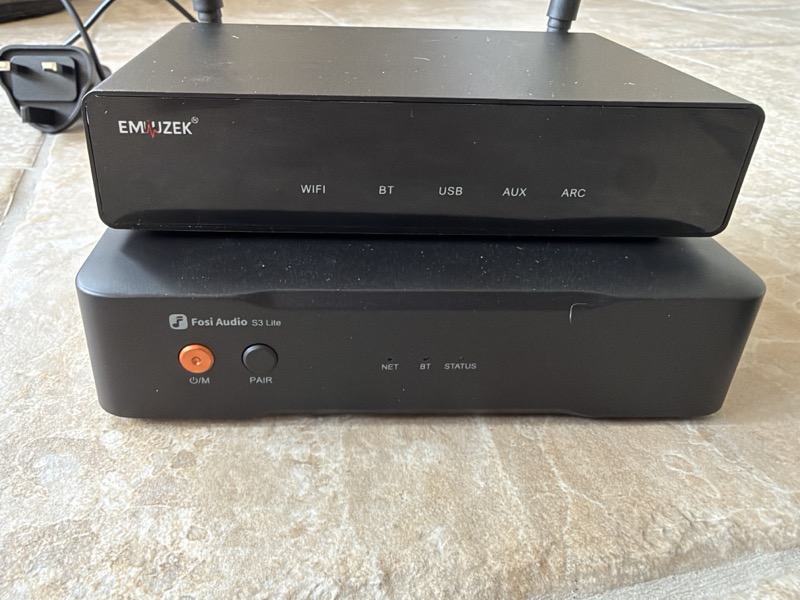
Against the Fosi Audio S3 Lite ($199.99), the S3 Lite is a dedicated transport with USB, optical and coaxial outputs, while the R20 spends its ports on ARC, analogue in and out, and a sub output.
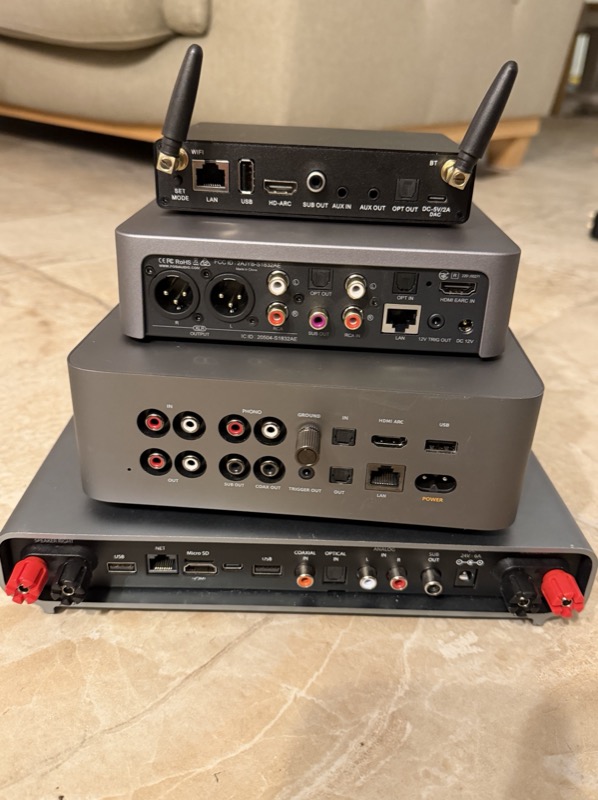
A stack of the R20 with other streamers I have here shows how the sizes compare. The visible labels include an Arylic S10+ (reviewed as the Arylic S10+) and a WiiM with a touch strip on top:
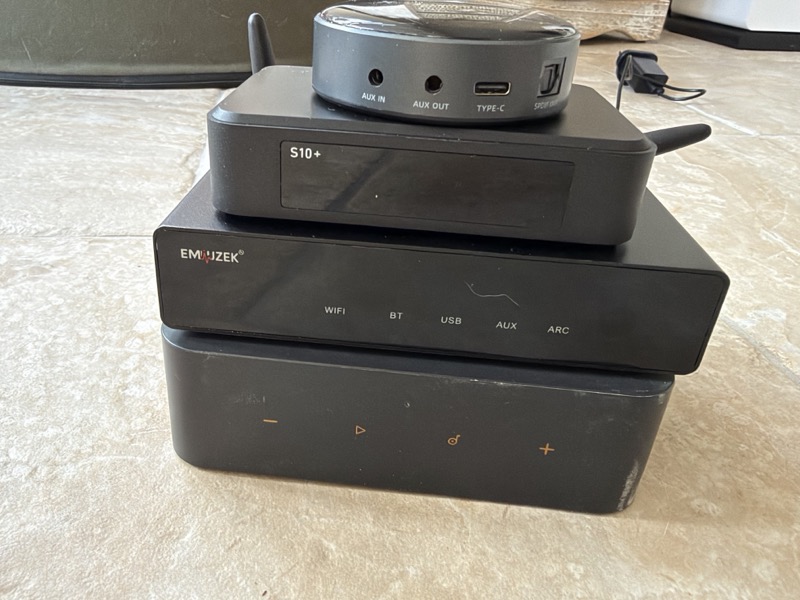
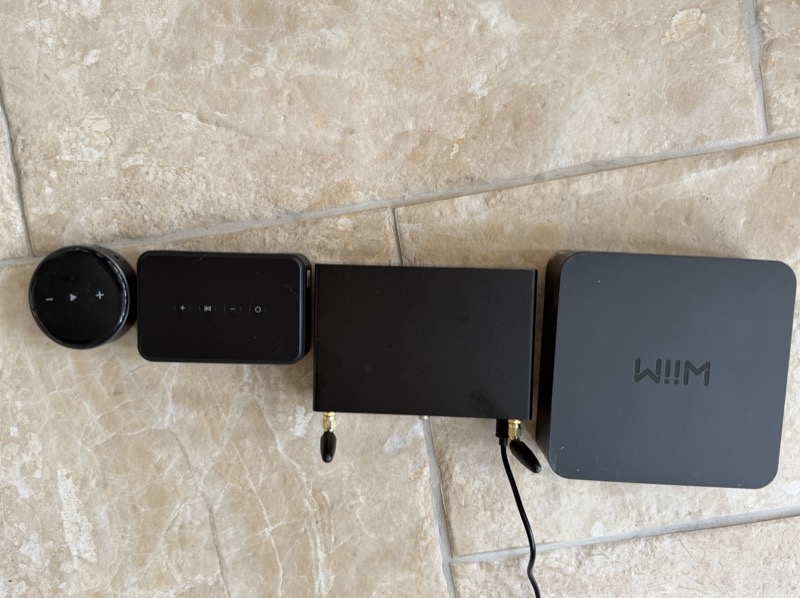
The round unit on top is the WiiM Mini and the one at the bottom with the touch strip is the WiiM Ultra. The Arylic S10+ is a similar streamer in many ways to the R20, with similar capabilities, but I liked the size of the R20 better, and being able to power it from USB is also very useful.
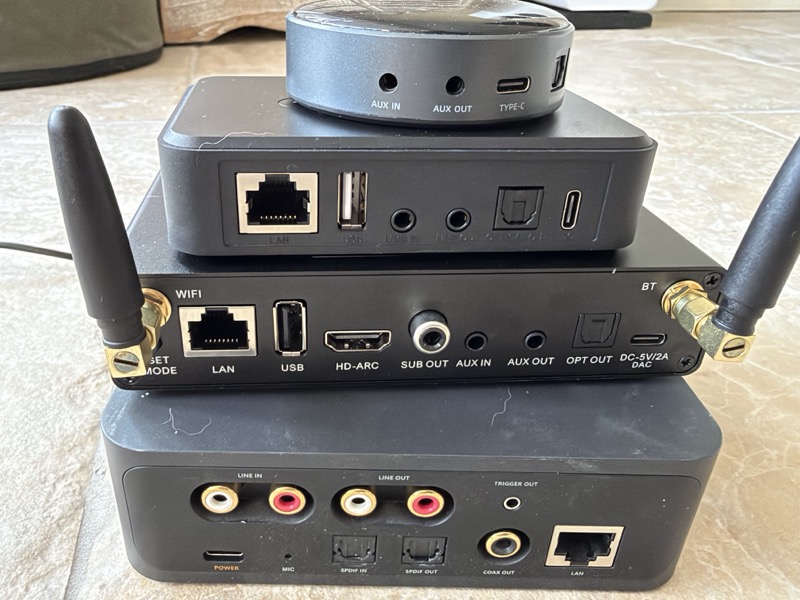
The same stack from the rear shows each unit’s connections:
The R20 sitting on top of the S3 Lite, front view:
And from the back, the R20’s rear panel above the S3 Lite’s USB out, optical, coaxial, LAN and 12V trigger connections:
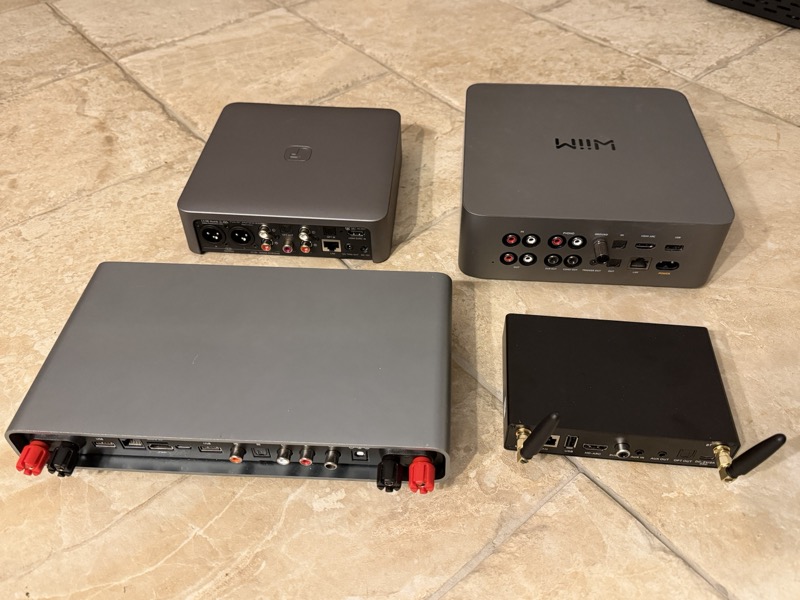
Lined up on the floor with a WiiM at the right and two smaller units to the left:
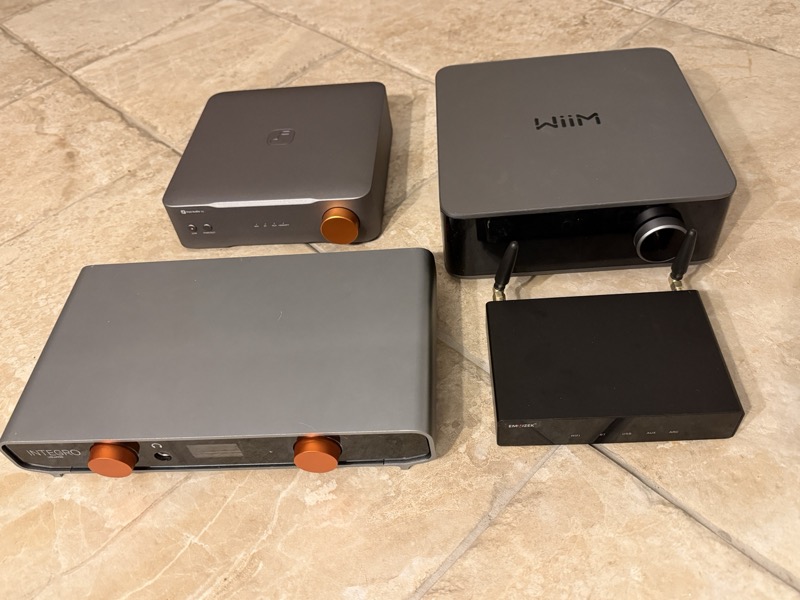
Next to larger desktop units the R20 is the smallest box in the group. Here it sits beside a WiiM, an amplifier labelled INTEGRO and a smaller unit with an orange volume knob (the Fosi Audio S3 streamer), shown from the front and then from the back:
 |
 |
Stacked on top of the same three units, the rear panels line up so the R20’s connections can be compared directly with theirs:
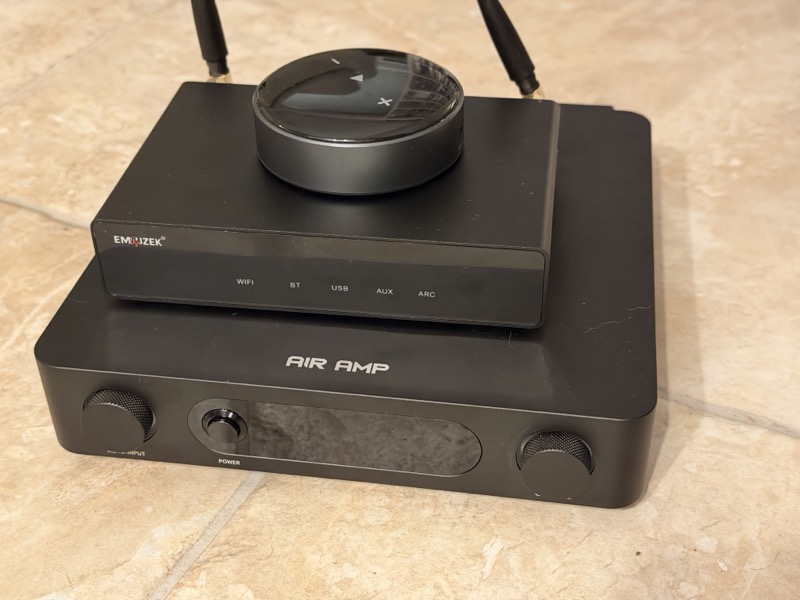
The R20 also sits on the FiiO amplifier labelled AIR AMP, with the round WiiM Mini from the line-up above placed on top of it, which is the R20’s main competitor:
 |
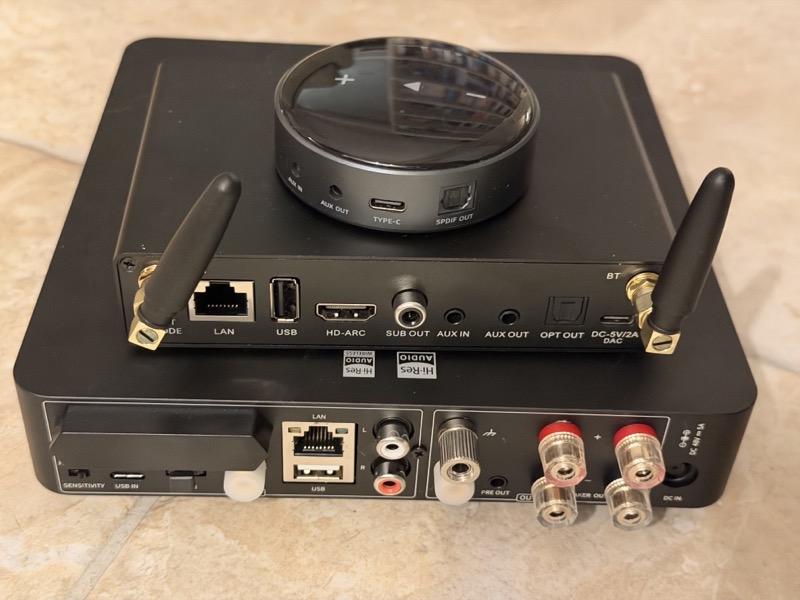 |
The AIR AMP here is the FiiO Air Amp, fed from the R20’s optical output.
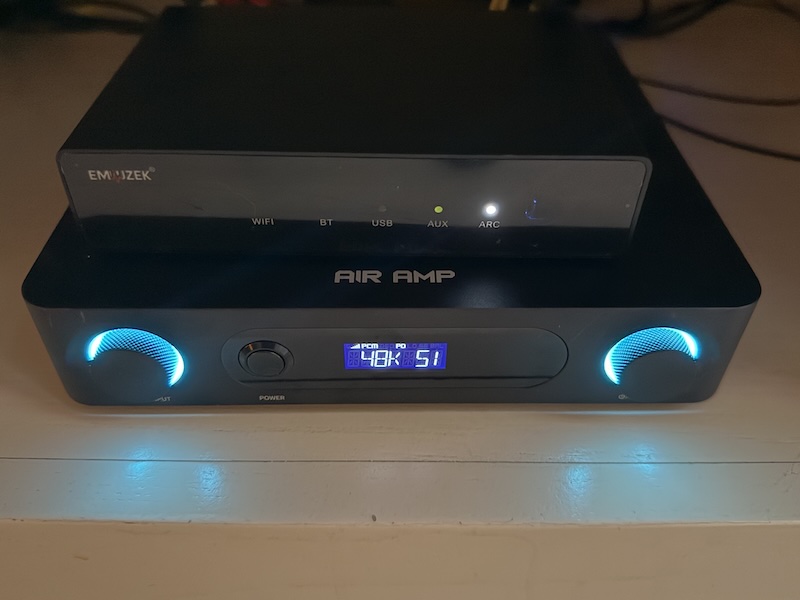
In the dark, with the R20 on top of the AIR AMP, the ARC indicator on the R20 is lit and the AIR AMP’s display shows ‘48K’:
Specifications and Measurements
Specifications
The specification table below compares what Emiuzek’s product page says (checked 29 September 2026) with what is printed on the retail box of the unit I have. They disagree on several lines, and the box is the version that matches the hardware in the photos where I can check it, since the rear panel has a USB-C power port rather than the Micro-USB the web page lists.
| Emiuzek product page | Printed on retail box | |
|---|---|---|
| Model | R20 | R20 |
| Wi-Fi | 2.4 GHz IEEE 802.11b/g/n | 2.4 GHz IEEE 802.11b/g/n |
| Ethernet | RJ45 10/100M | RJ45 single 10/100M |
| Bluetooth | 5.3, up to 30 m | 5.0, 10 m |
| USB host | not listed in the summary | USB 2.0 |
| DAC / processor | Actions BP1048 | not stated |
| Power input | 5 V / 1 A, Micro-USB | 5 V / 2 A, USB Type-C |
| Inputs | 3.5 mm AUX, HDMI ARC | 3.5 mm analogue, USB, USB DAC |
| Outputs | 3.5 mm AUX, optical (fixed 48 kHz), subwoofer | 3.5 mm analogue, optical, ARC, sub |
| Frequency response | 20 Hz to 20 kHz | 20 Hz to 20 kHz |
| SNR | 110 dB | 91 dB |
| THD | 0.03% | 0.03% |
| Formats | FLAC, MP3, AAC, AAC+, ALAC, APE, WAV | FLAC, MP3, AAC, AAC+, ALAC, APE, WAV |
| Sample rate | not listed | decoding up to 24-bit / 192 kHz |
| Protocols | AirPlay, DLNA, UPnP, Spotify Connect, TIDAL Connect | AirPlay, DLNA, UPnP, Spotify Connect, Qplay |
| Dimensions | 116.2 x 64 x 22.6 mm | 139 x 203 x 30 mm (probably the packaging) |
| Weight | 0.31 kg | 292 g |
Measurements
Emiuzek publishes no measurement graphs for the R20, only the SNR and THD figures in the table, and the two sources quote different SNR values (110 dB on the web page, 91 dB on the box). That absence and that discrepancy are the reasons to want independent numbers.
I have not measured the R20 yet. Emiuzek say the optical output follows a fixed 48 kHz internal processing path, and I appreciate the honesty of that statement.
Rating Explanation
I give the R20 a Pragmatic 4 stars overall, 5 for price, 4 for features and 4 for sound quality.
It is very hard to beat getting HDMI ARC support with streaming at this price, so that is a 5 for price. Features get a 4 because it is a pity the advanced EQ is only available via a separate app and is not integrated, but compared to mostly every other streamer this is a very feature rich experience. Sound quality gets a 4 as I had no audio quibbles, but I would have loved bit perfect playback, though at this price it is still very good.
It missed the roomfit capabilities that even the WiiM Mini has now, but if that isn’t of interest this is probably a better bargain and easy to use with your home TV setup.
Conclusion
I would not recommend this for a larger ‘home theatre’ setup but I do think that for a second room, instead of a sound bar, using the R20 with a nice amplifier (like a Fosi Audio, Douk Audio or Aiyima) and a good set of speakers (and maybe a small subwoofer) would provide an excellent experience, far better than any soundbar in that price range.