Moondrop GM01 Pro
A well-tuned wireless closed-back with a real PEQ, at a price that does not ask much of you
Moondrop’s first gaming-centric headset, looked at from a pragmatic audiophile perspective rather than a gaming one.
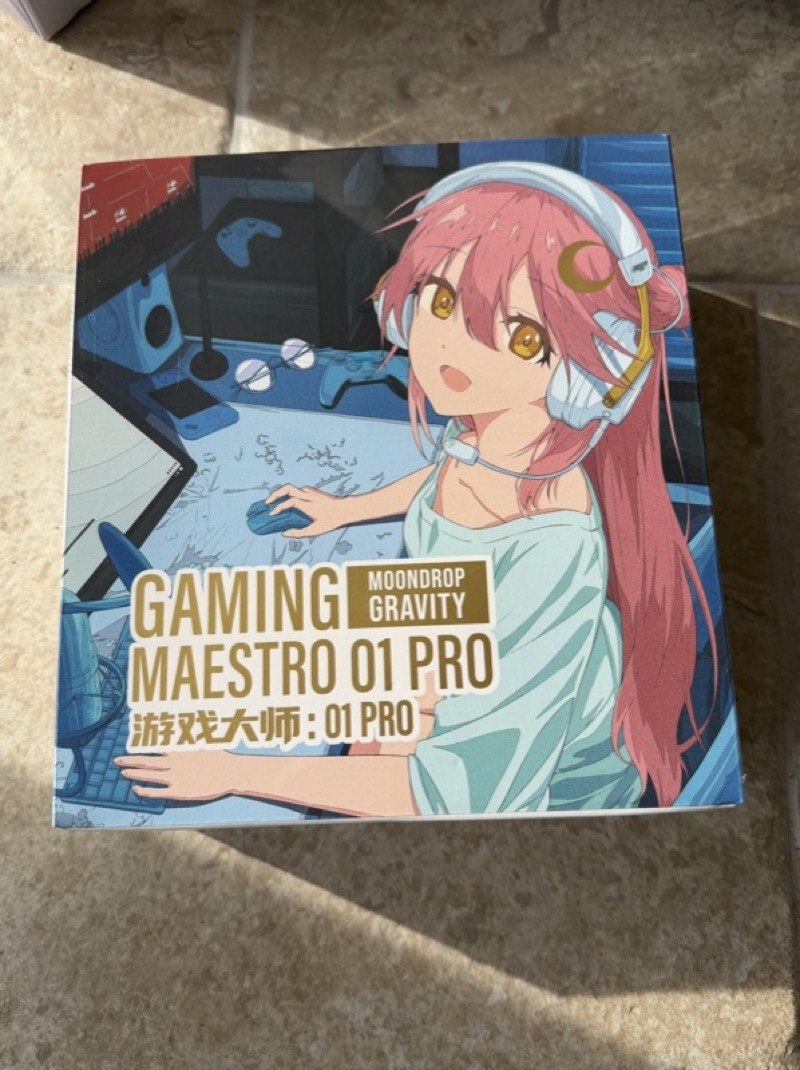
The GM01 Pro is well tuned out of the box in a way you hear in the first minute. It is sold as a gaming headset — the box says Gaming Maestro 01 Pro and has an anime illustration on the front — and the most interesting thing about it is that this is almost beside the point. I have looked at it from a pragmatic audiophile perspective rather than a gaming one, which is to say: as a wireless closed-back headphone that happens to come with a boom microphone and a low-latency dongle. On those terms Moondrop have built something with a genuinely good default tuning, a ten-band parametric EQ, a standard earpad fitting, and a microphone good enough for work calls.
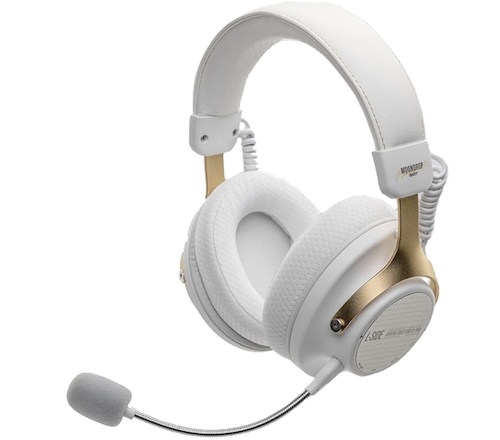
I would like to thank ShenzhenAudio and Moondrop for providing the GM01 Pro for the purposes of this review.
The GM01 Pro launched in mainland China at 299 RMB, which is roughly US$44 at the time of writing. It was not yet listed outside China when I wrote this, so there is no international price to quote; my guess is that it lands somewhere between $50 and $60 once it appears, but that is a guess and not a figure from anyone. Moondrop’s own product page for it is at moondroplab.com, and ShenzhenAudio’s Moondrop collection is where it should appear at retail.
The unit here is the white version. Black is the other option.
I have a few niggles and they are worth saying up front rather than burying: the earcups do not swivel, the stock pads are a little small, there is no ANC, dual-device pairing is unreliable enough that I turned it off, and at the top gain setting the loudest material is only just loud enough once you have applied your own EQ. At this price, all these niggles are unimportant — this is a technical and audio marvel.
Unboxing and Build Quality
The retail box is pure Moondrop — an anime key visual, the Gaming Maestro branding, and the Gravity sub-brand under which this product line sits:
 |
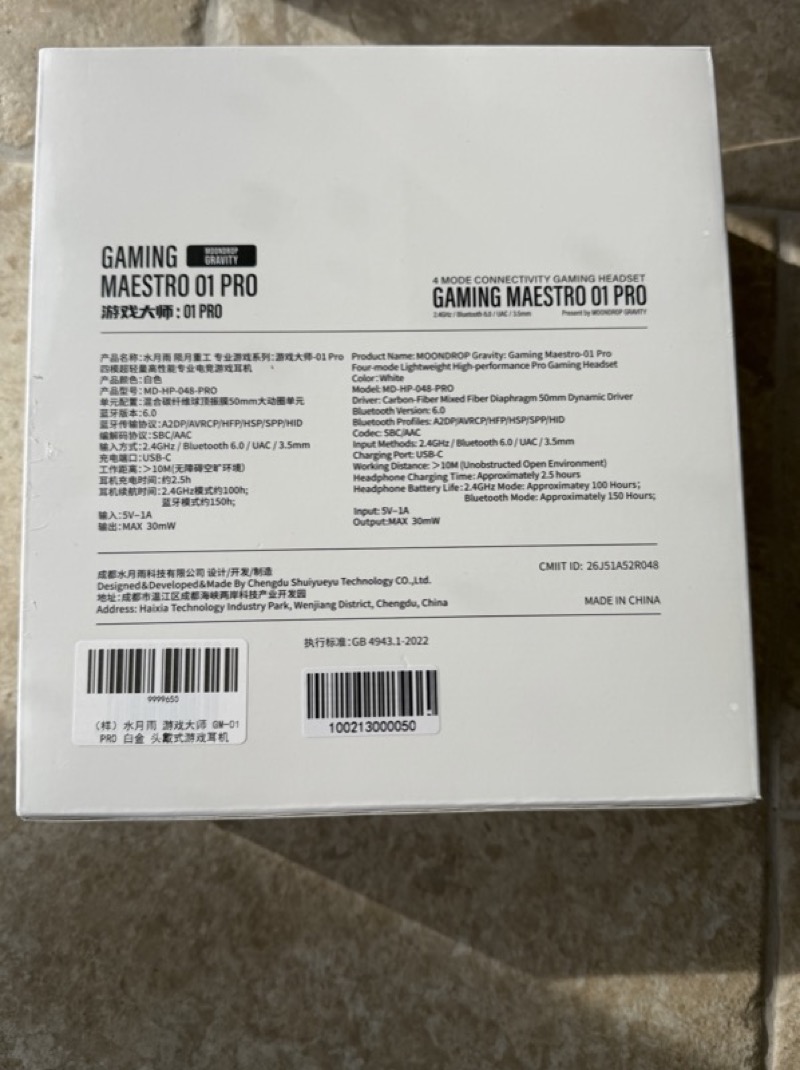 |
That rear panel is unusually useful, because Moondrop had not published an English product page for this model when I wrote this, so the box is the specification sheet. It gives the model as MD-HP-048-PRO, the driver as a 50mm carbon-fibre mixed-fibre diaphragm dynamic, Bluetooth 6.0 with SBC and AAC codecs, four input methods, a 2.5 hour charge time, battery life of approximately 100 hours in 2.4GHz mode and 150 hours over Bluetooth, and a maximum output of 30mW. The absence of LDAC is worth noting given how good this sounds wirelessly — Moondrop have spent their budget on tuning and DSP rather than on a codec licence, and on this evidence that was the right call.
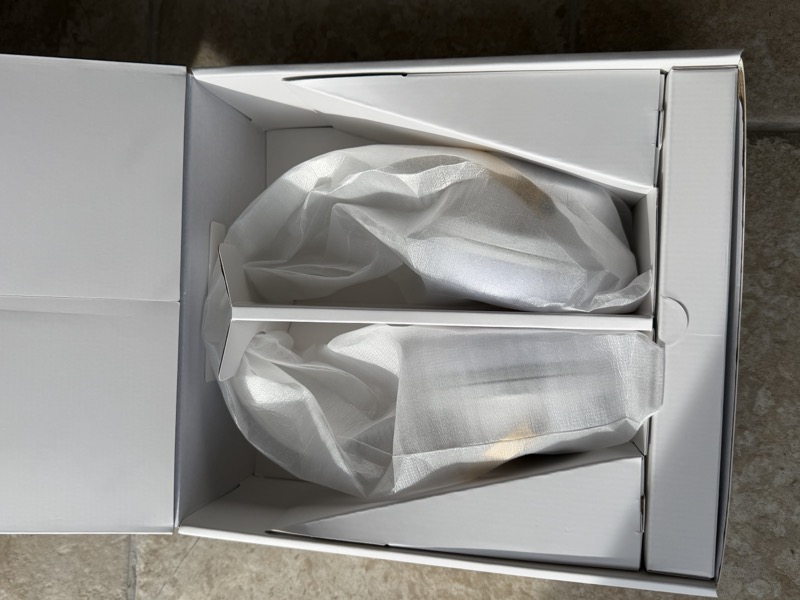
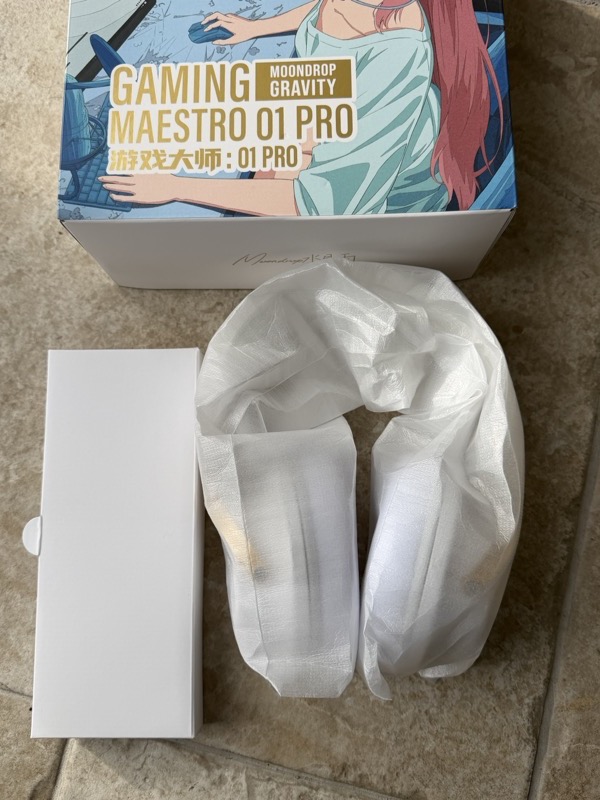
Lifting the lid, the cups sit bagged in a cardboard cradle with the accessory box alongside:
 |
 |
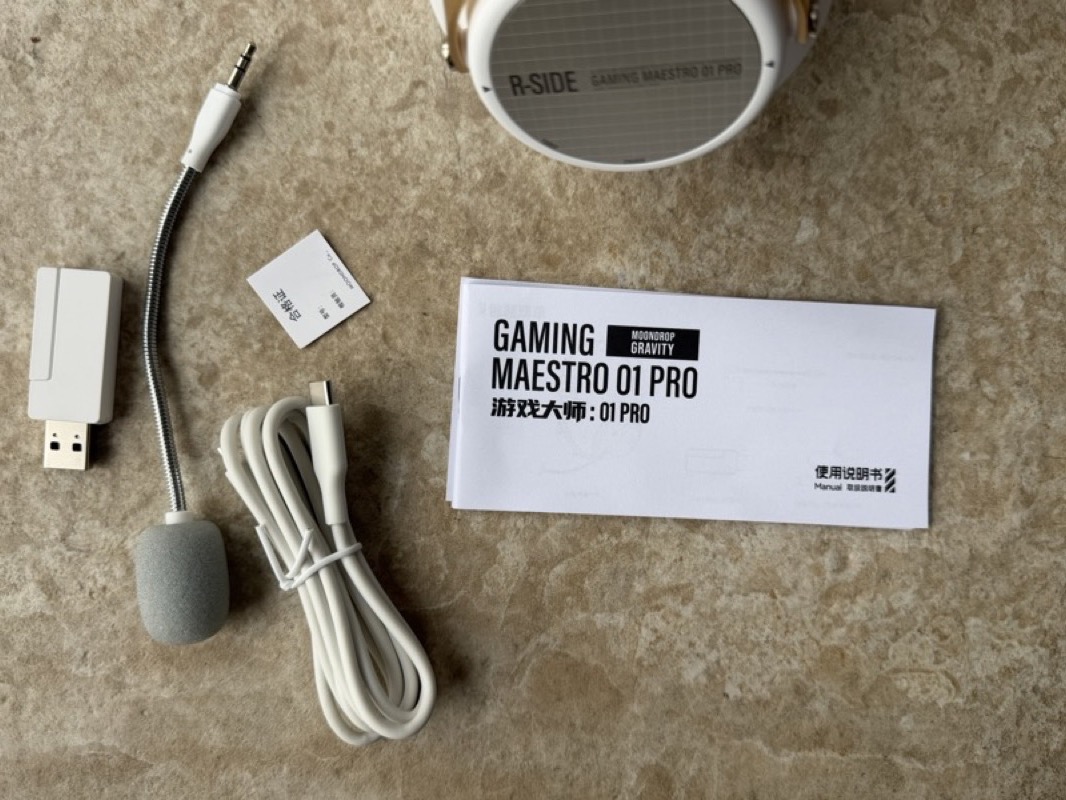
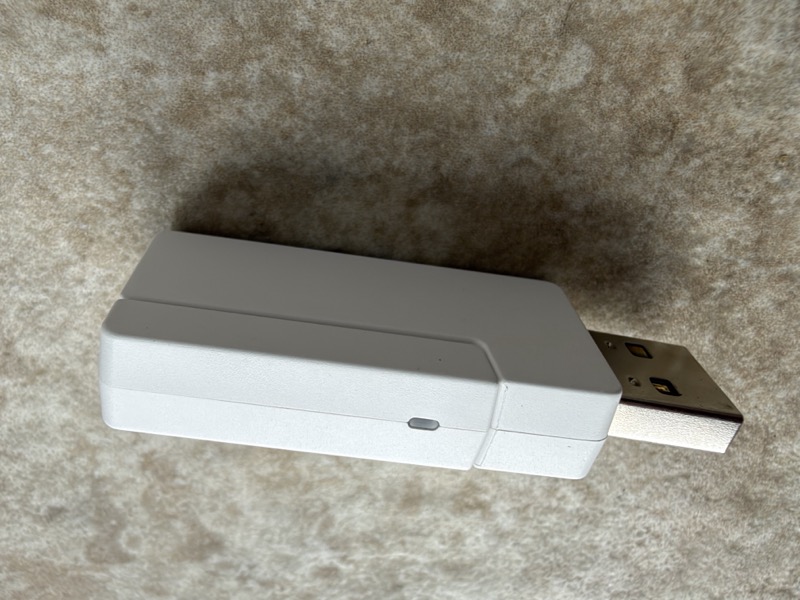
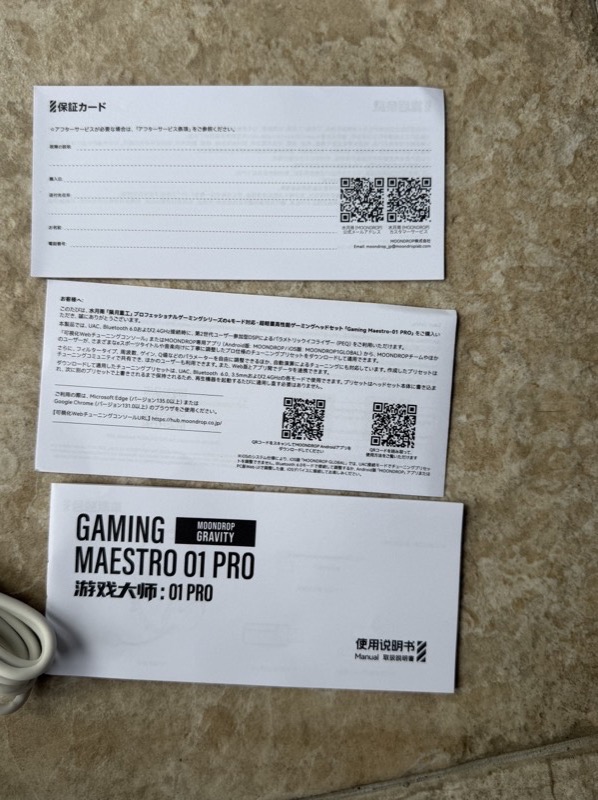
Laid out, the accessory set is the headset, the 2.4GHz USB dongle, the detachable boom microphone, a USB-C cable, the manual and a couple of paper inserts:
 |
 |
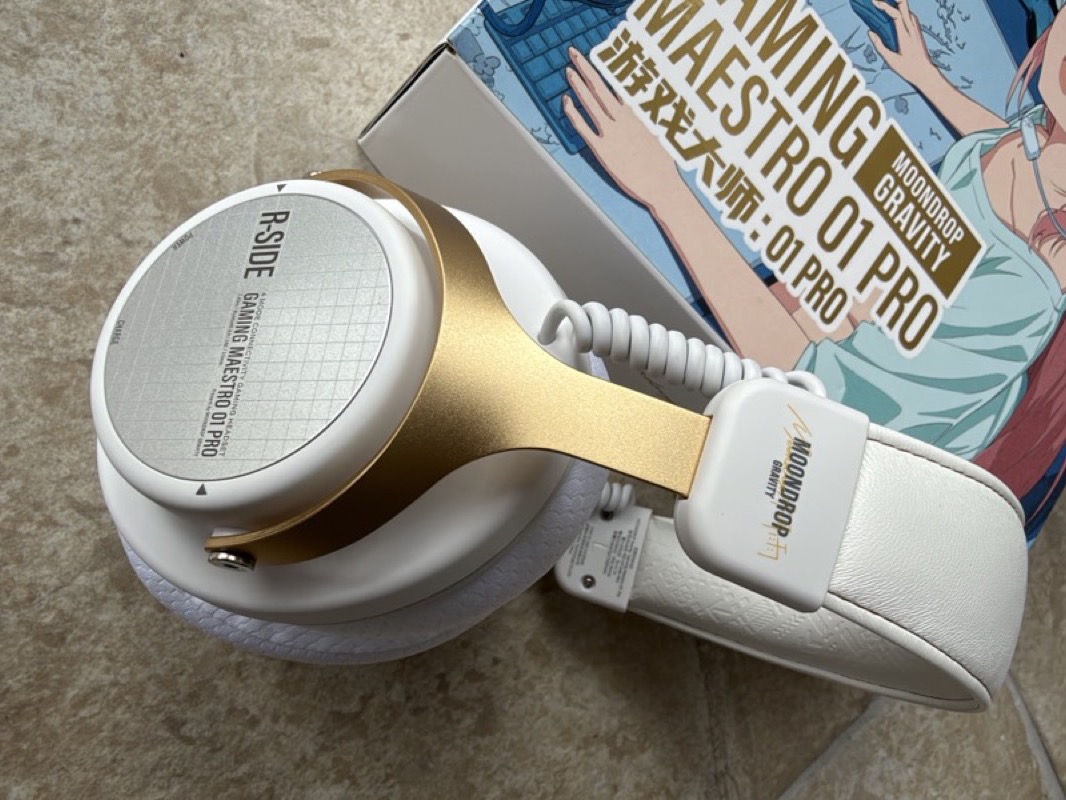
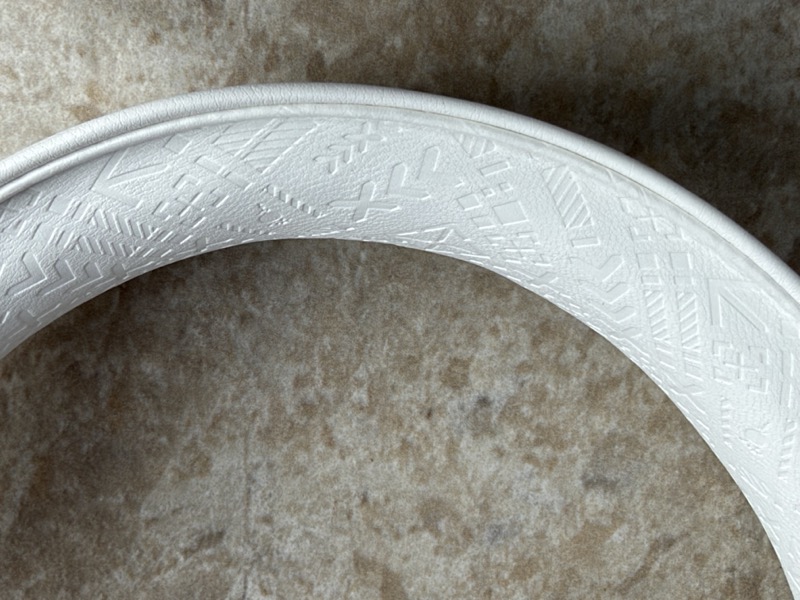
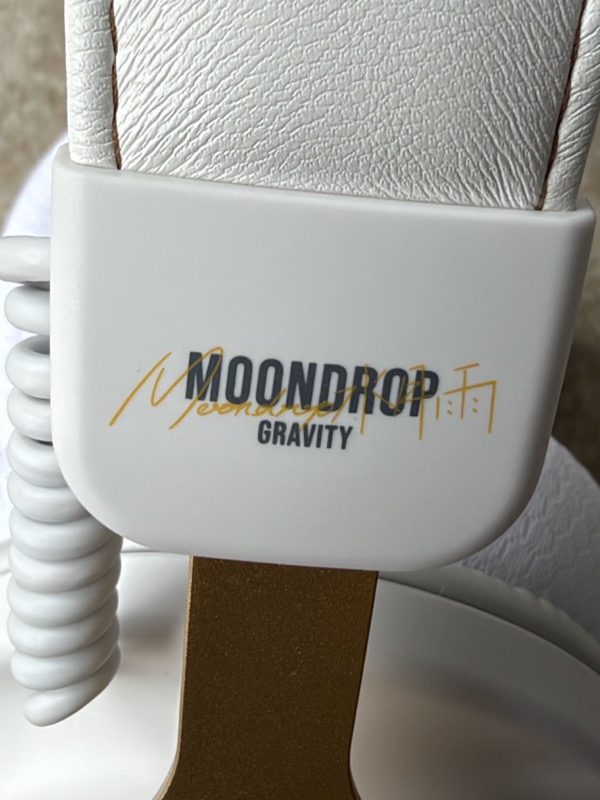
The headphone itself is white with gold-toned yokes, and it looks considerably more expensive than it is. Moondrop describe an aluminium alloy frame with carbon fibre and aluminium decorative panels, and a leather headband with an embossed pattern:
 |
 |
 |
 |
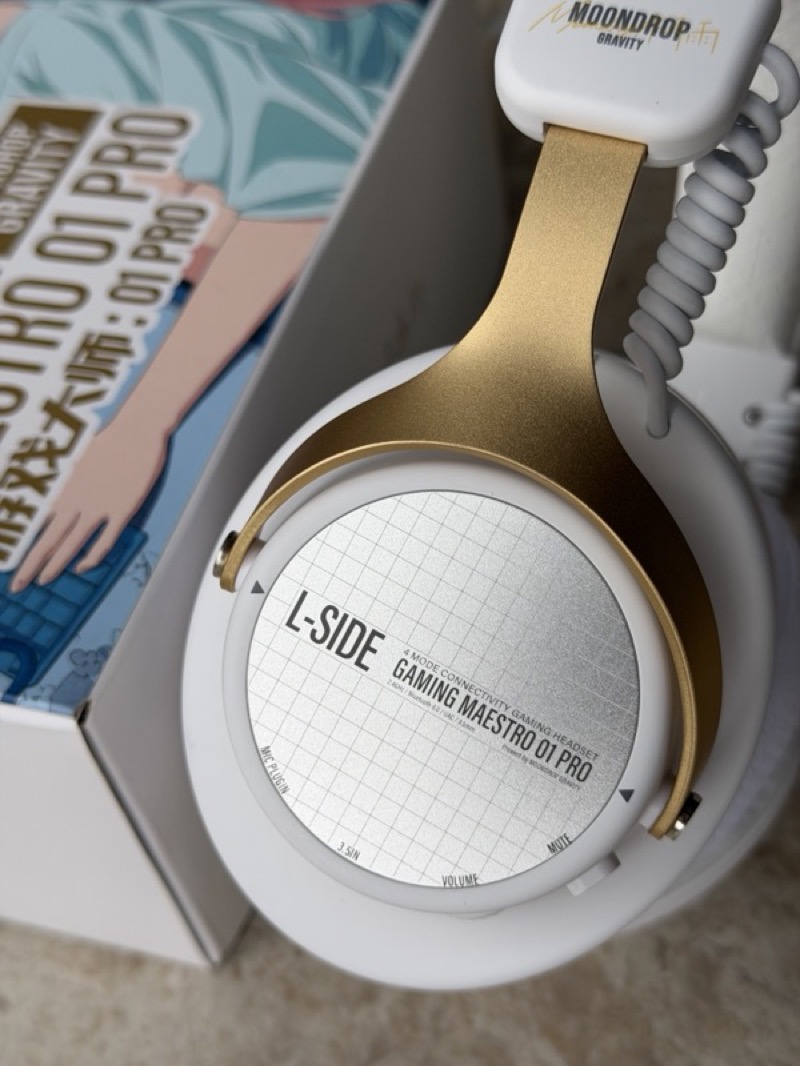
The cup plates carry the side marking and, on the left, a printed guide to what each control does — MIC PLUG-IN, 3.5 IN, VOLUME and MUTE around the rim:
That headband is the part worth dwelling on, because it is not Moondrop’s design. It belongs to a family that has been around for years: the same architecture appears on the VE Vanguard, on the Thieaudio Ghost, and originally on the Shure SRH1540 line. Put the Vanguard and the GM01 Pro side by side and the shared lineage is obvious:
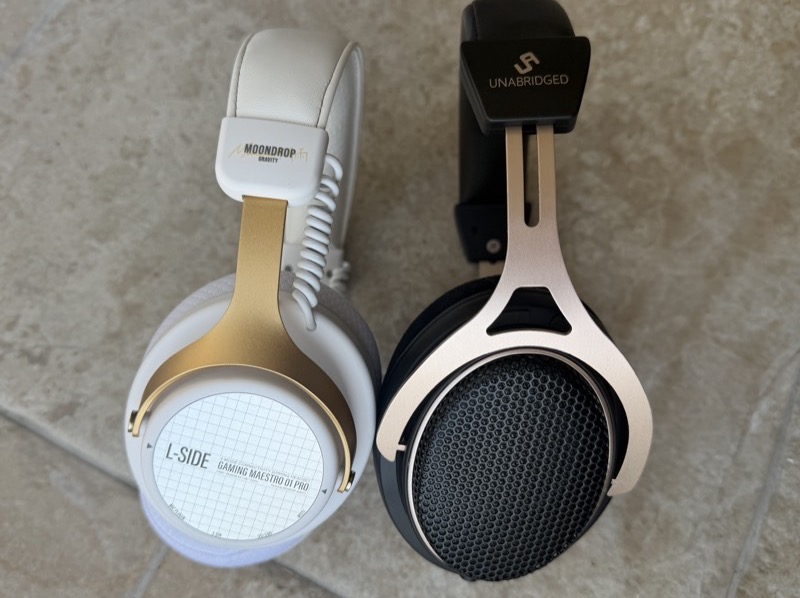
Using a well-established design like this cuts both ways, and I think it lands on the right side. The advantage is that it is a known quantity, easy to repair and easy to find parts for. The cost is that this mechanism allows no left-right swivel at all. The yokes tilt but they do not rotate, so the cup meets your head at whatever angle the frame decides. The headband padding is adequate rather than good. Neither is a dealbreaker on a headphone this light, but both are things a more expensive headphone would fix.
Fit and Comfort
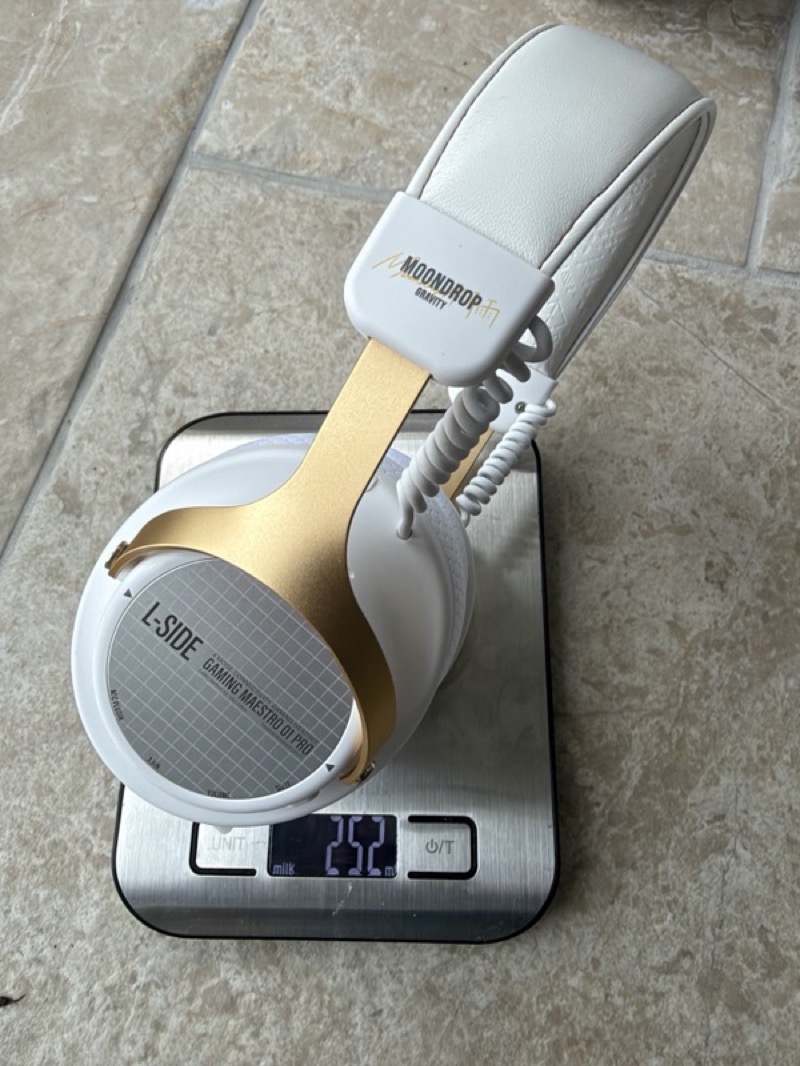
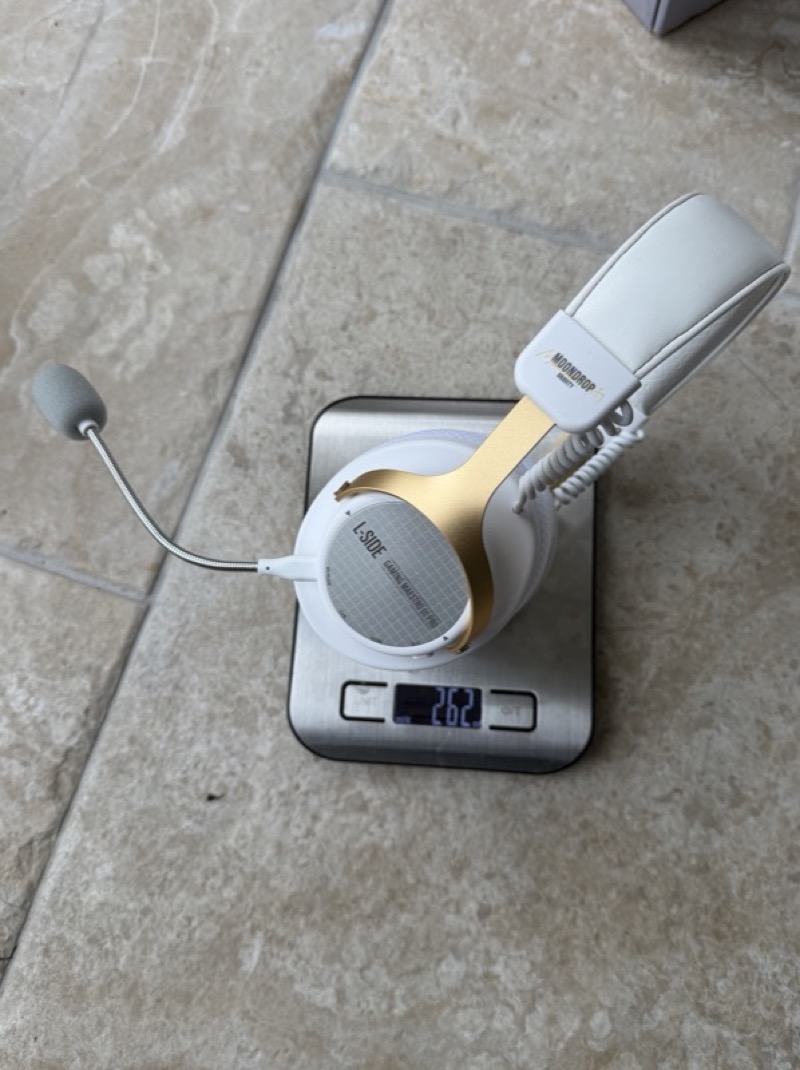
The measured weight is the first pleasant surprise, and it beats the claim. Moondrop specify no more than 270g. On my scale it is 252g without the boom microphone and 262g with it fitted:
 |
 |
For context, the Audeze Maxwell weighs 516g on the same scale. That is not a small difference, it is double, and weight is what decides whether you are still wearing a headphone four hours later. I have worn the GM01 Pro for entire working days without thinking about it, which is the highest compliment a comfort section can pay.
The stock pads are memory foam under a breathable knit, with a pale acoustic scrim across the driver opening:
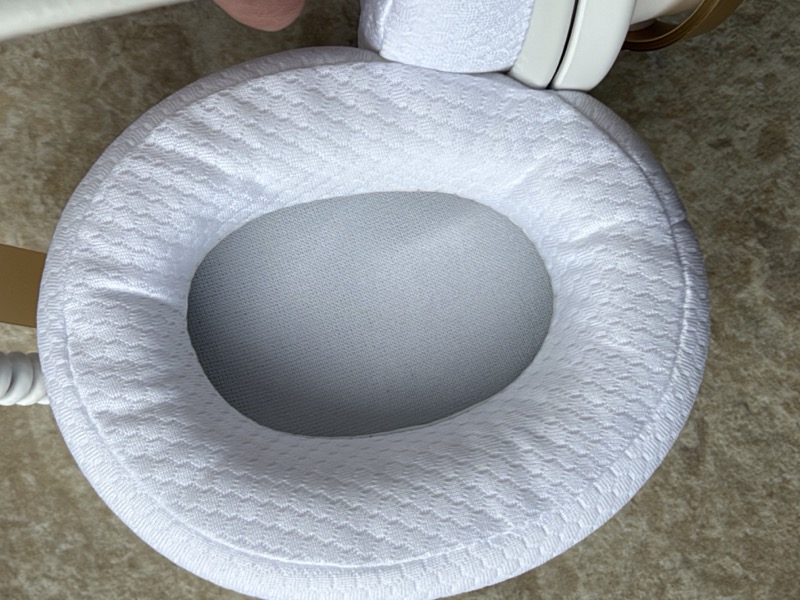
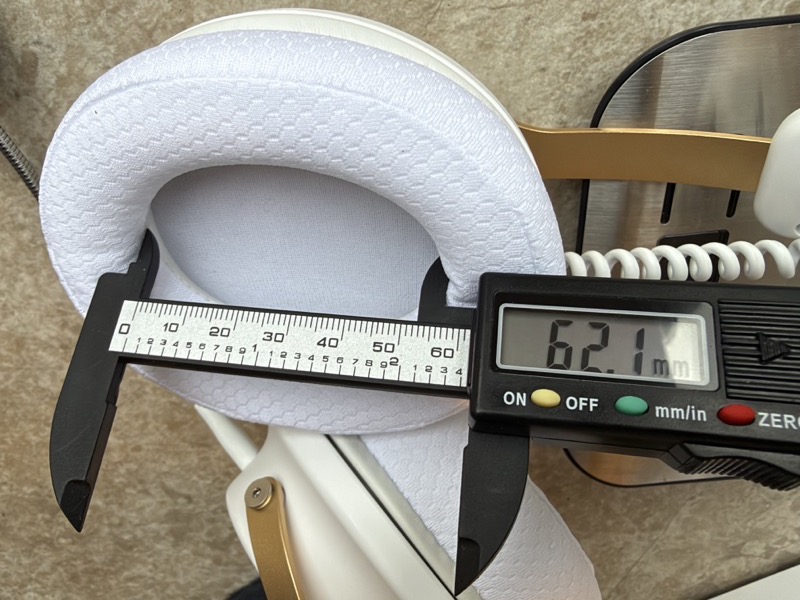
The opening is a standard oval, and I measured it rather than guessing, because the number matters for what comes later: 62.1mm on the long axis and 44.5mm on the short:
 |
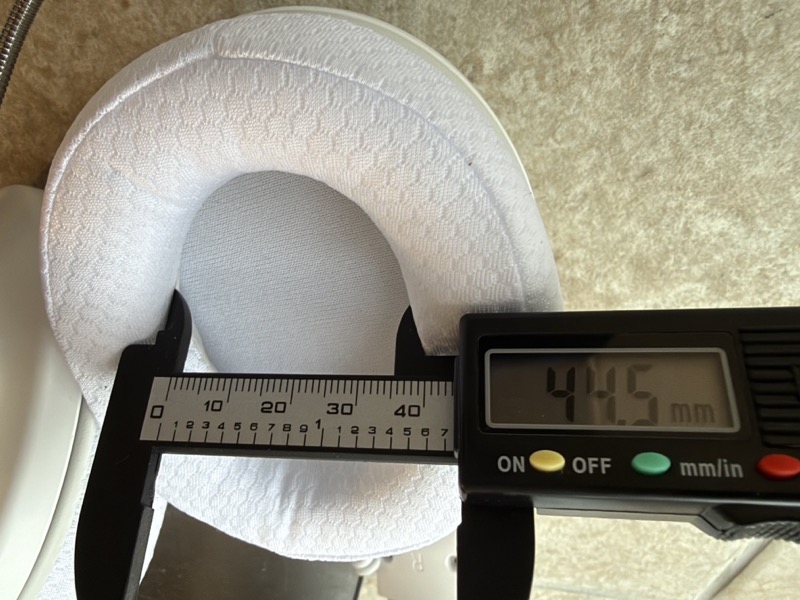 |
That is a common size, and the pads mount on a standard lip, so the replacement market is enormous. Against two other over-ear headphones the GM01 Pro’s pad is visibly the smaller one:
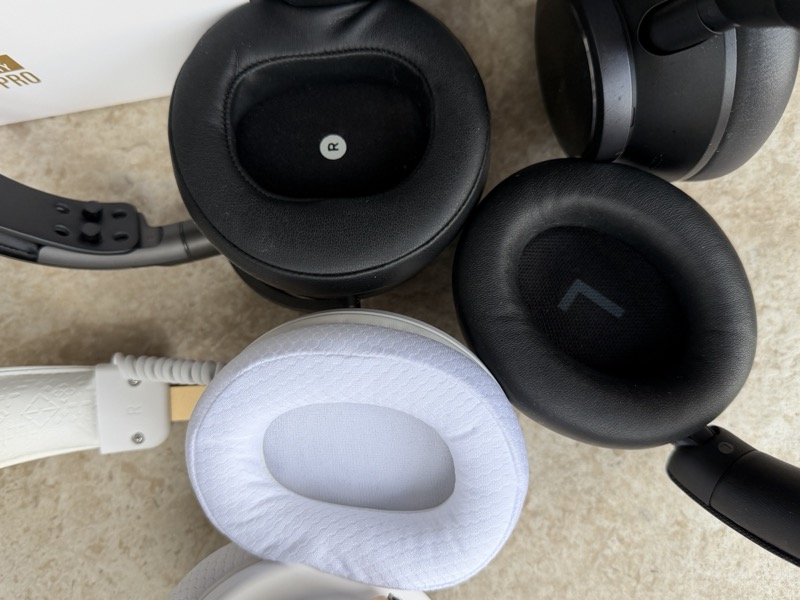
The stock pads are good enough for most ears, but they are small next to a typical audiophile headphone and small even next to the Maxwell. If your ears are larger than average this is the thing to plan around — and, unusually for a headphone at this price, you can simply plan around it. More on that in the measurements.
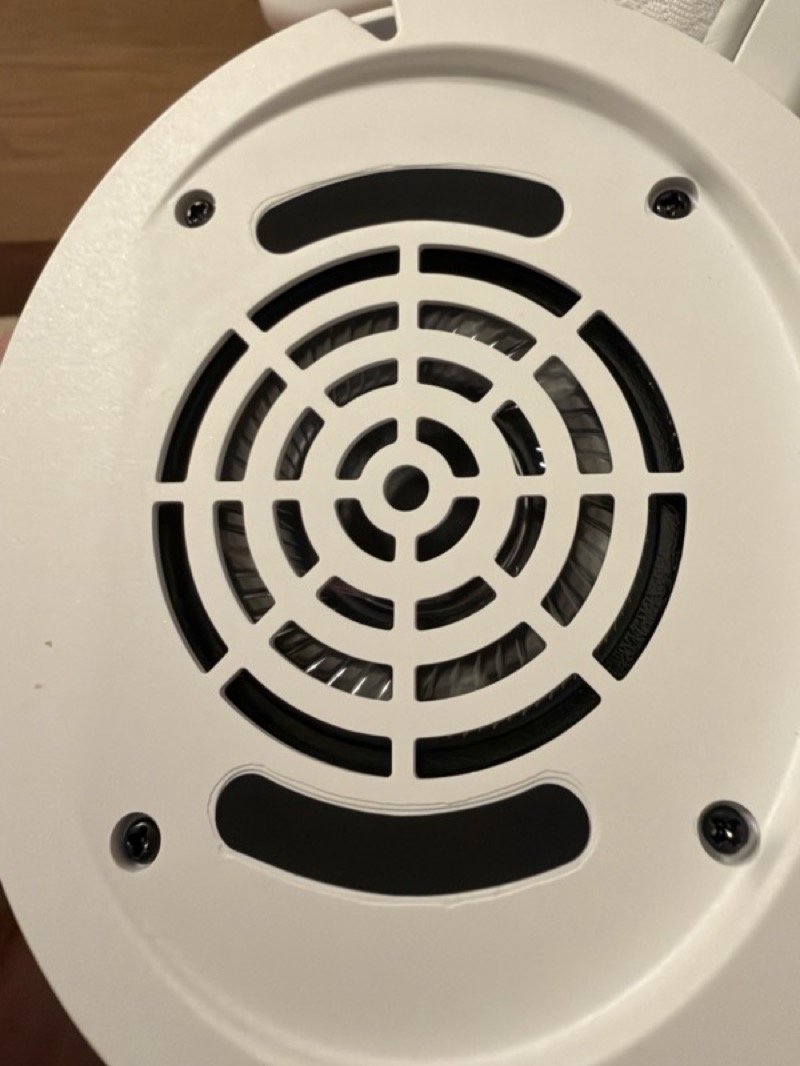
With the pad off, the baffle is a plain white plate with a concentric grille and two damping slots:
Features and Performance
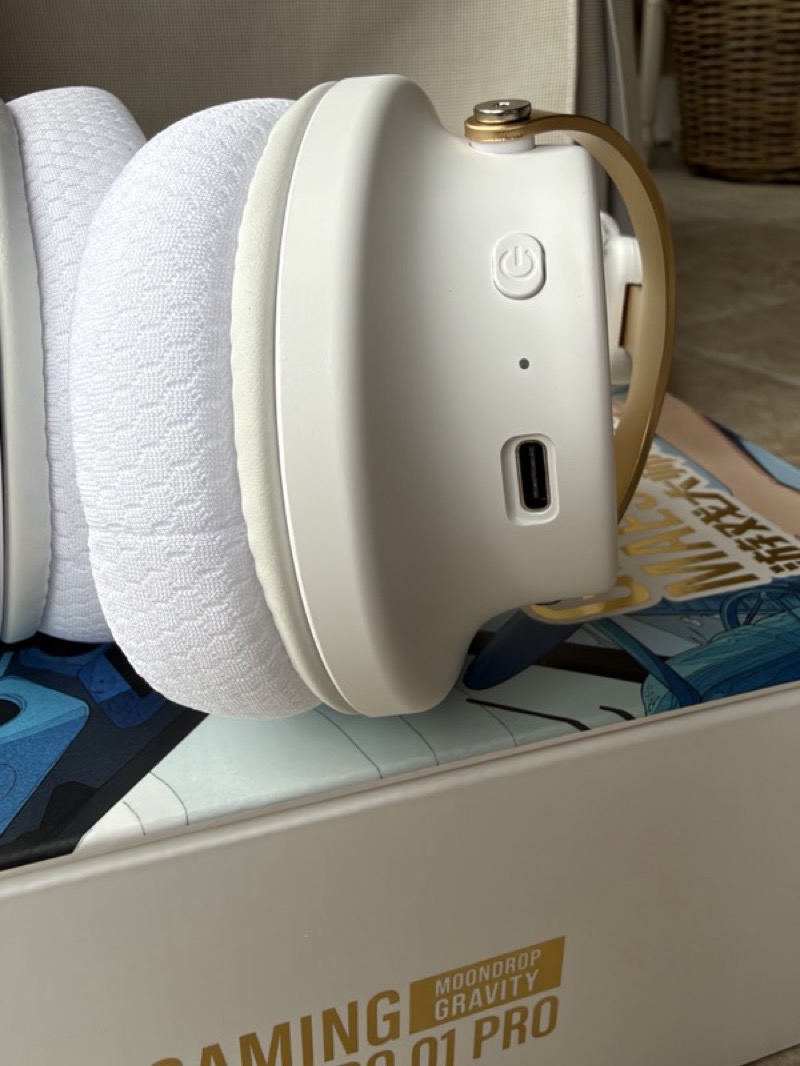
The controls are the simplest I have used on a wireless headphone, and after struggling with Maxwell’s multi-button configuration that is a genuine relief. The right cup has the power button, an LED and the USB-C port. The left cup has mute, the volume control, the 3.5mm input and the microphone socket:
 |
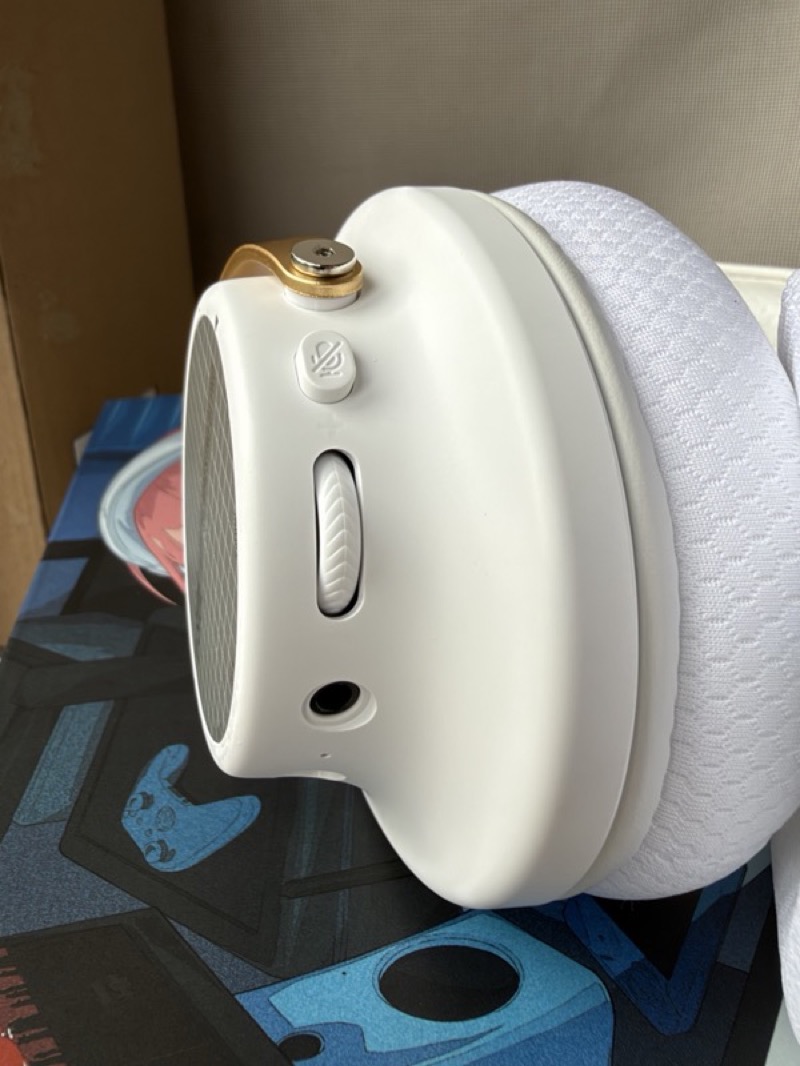 |
Power doubles as play and pause, and that is essentially the whole interface. On the Maxwell I regularly hit the wrong thing and turned on sidetone by accident; here there is nothing to get wrong.
Pairing is the one place that simplicity works against it, and it is my other real niggle. Double-tap power and the indicator flashes blue for Bluetooth pairing; double-tap again and it flashes green to pair the 2.4 GHz link instead. That is a perfectly sensible scheme once you know it, and nothing on the headphone tells you it exists — two different pairing modes behind repeated presses of the same button, distinguished only by the colour of a light you cannot see while wearing it. It was also slow to show up the first time, slow enough that I checked whether I had the right mode before it eventually appeared. Once paired it has been faultless, but the first five minutes are more confusing than they need to be.
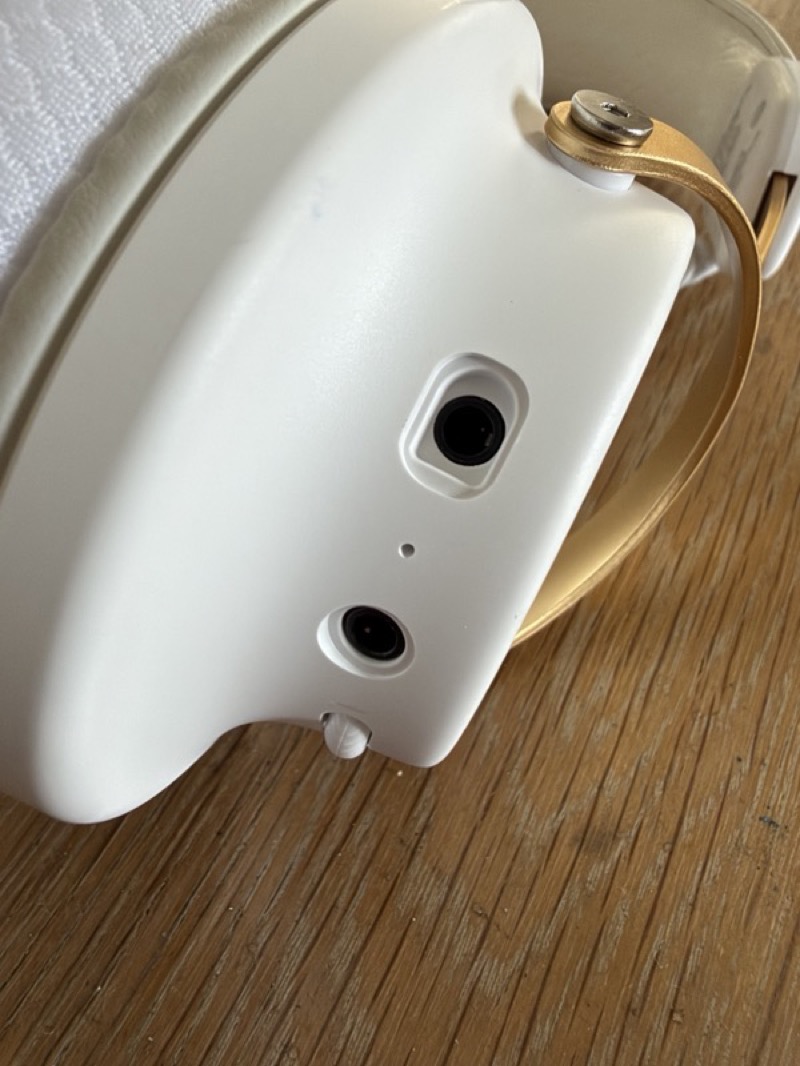
The microphone plugs into a dedicated socket on the underside of the left cup, beside the 3.5mm jack:
 |
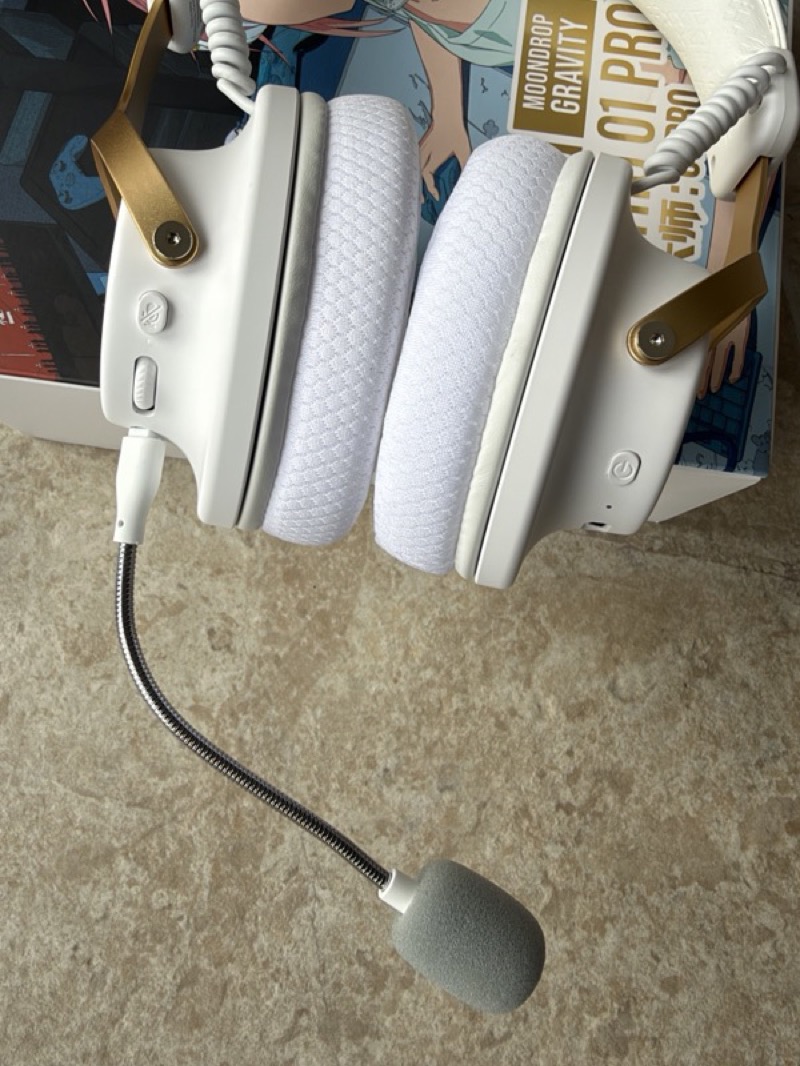 |
I did not expect much of a microphone bundled with a 299 RMB headset, and it is genuinely fine for the money. I have used it for work calls all week with no complaints from the other end, which at this price is not something I would have predicted. Be clear about what “fine” means here, though: it is tuned for vocal clarity rather than accurate tonality. Your voice comes through intelligible and present, which is what a call needs, but it is not a neutral capture and I would not use it to record anything you intended to keep. For calls and for gaming it does the job and then some. Moondrop describe it as a dual-array beamforming design with AI noise reduction, and they say the headset still takes calls through its ambient microphones with the boom removed.
The app, the targets and the ten-band PEQ
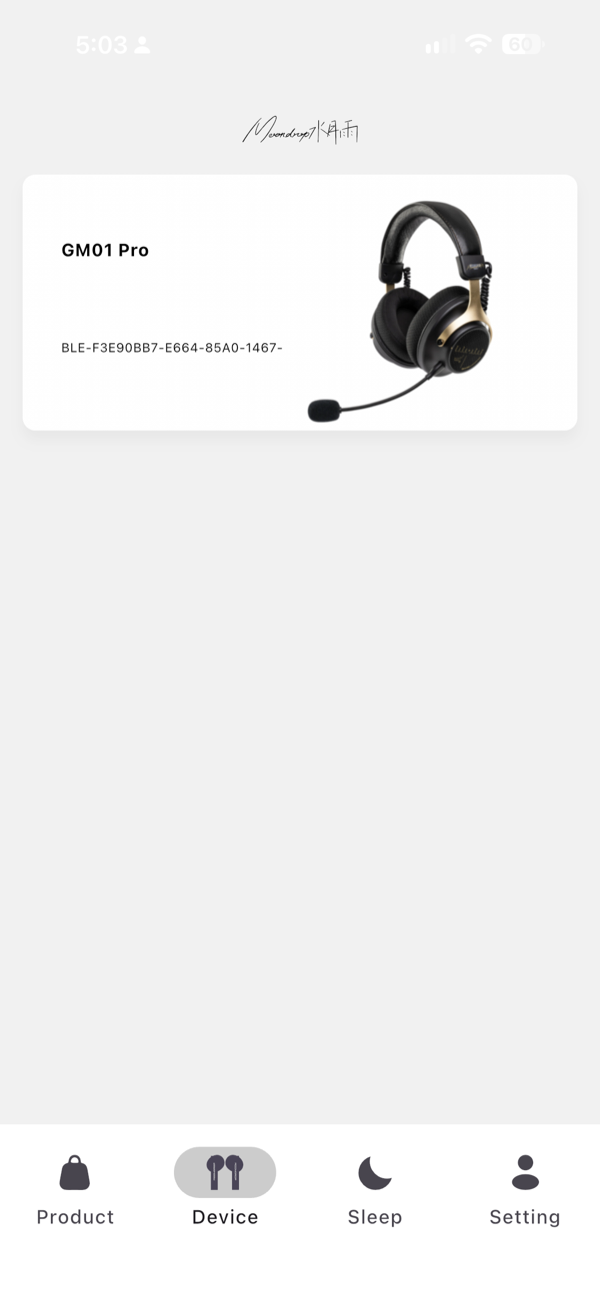
This is where the GM01 Pro stops being a cheap headset and starts being interesting. The Moondrop app finds the headphone, reports battery, and gives you the settings that matter:
 |
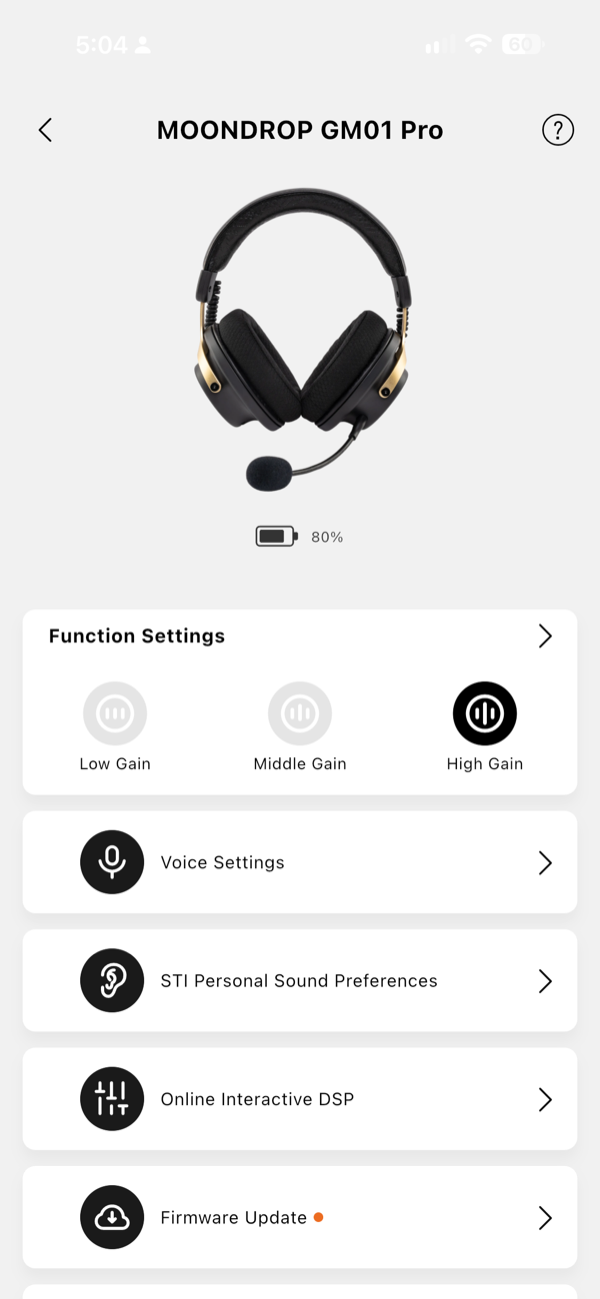 |
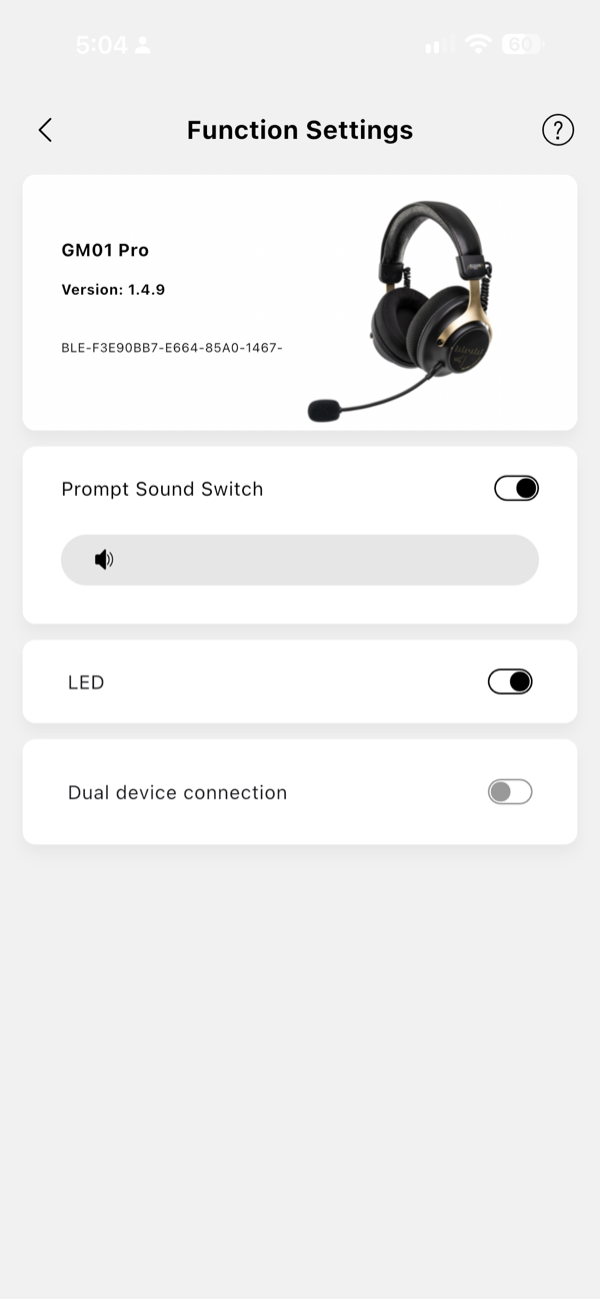
The three gain settings are on that second screen, and they are needed rather than decorative — more on why in the measurements. The Function Settings page covers prompt sounds, the LED, and dual-device connection:
 |
 |
Dual-device connection is the one feature I would approach with caution, and more extensive use turned it into my third niggle. Paired to both an iPhone and a MacBook Pro, I several times pressed play, heard the connection prompt tones, and got no music at all — the headphone had quietly attached itself to the Mac while I was looking at the phone. Nothing is broken, and once you know the failure mode it is obvious, but the symptom is silence with no indication of where the audio has gone. Dropping back to one device at a time made it reliable immediately. This is the kind of thing firmware fixes, so I would expect it to improve, and the toggle to turn it off is right there in the settings if it bothers you in the meantime.
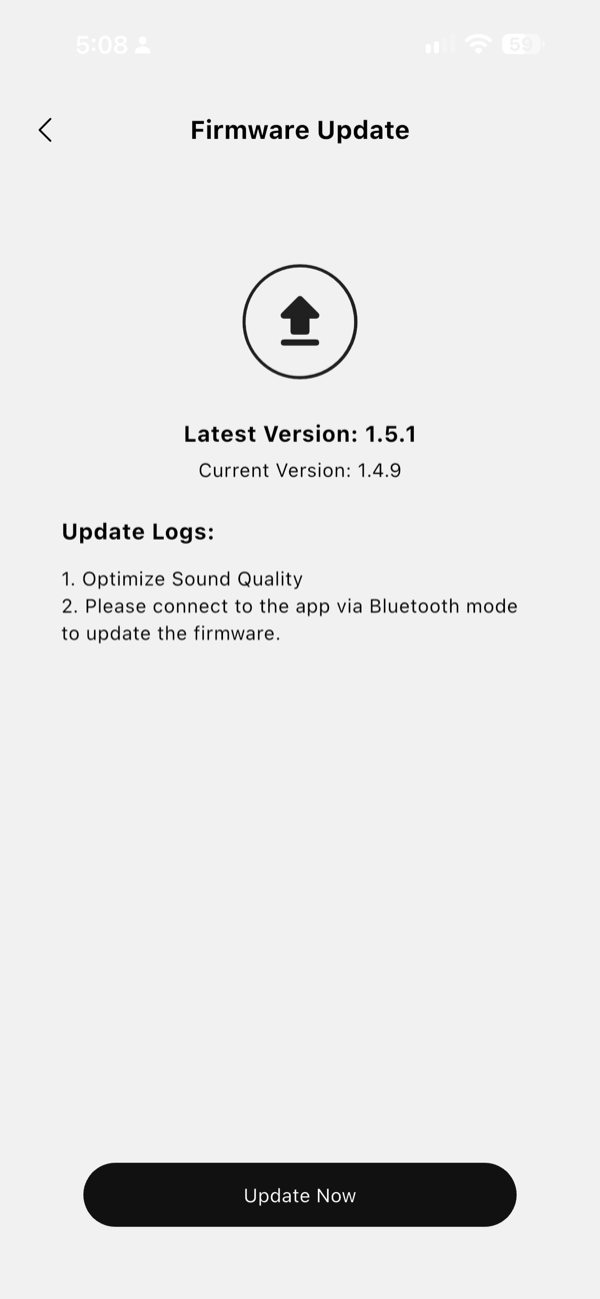
My unit shipped on firmware 1.4.9 with 1.5.1 available, whose release notes say only “optimise sound quality” — and note that firmware updates require a Bluetooth connection, not the dongle. On a pre-release sample a note like that is worth taking literally: an update described as optimising sound quality is an update that may move the tuning, and everything I measured was on 1.4.9.
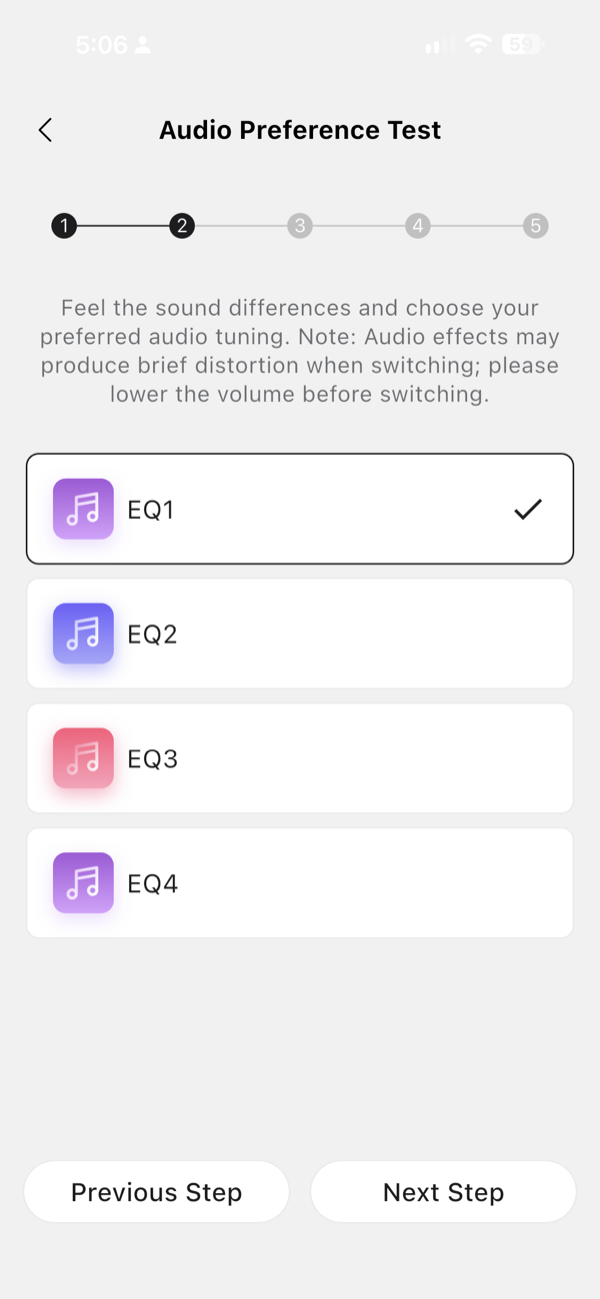
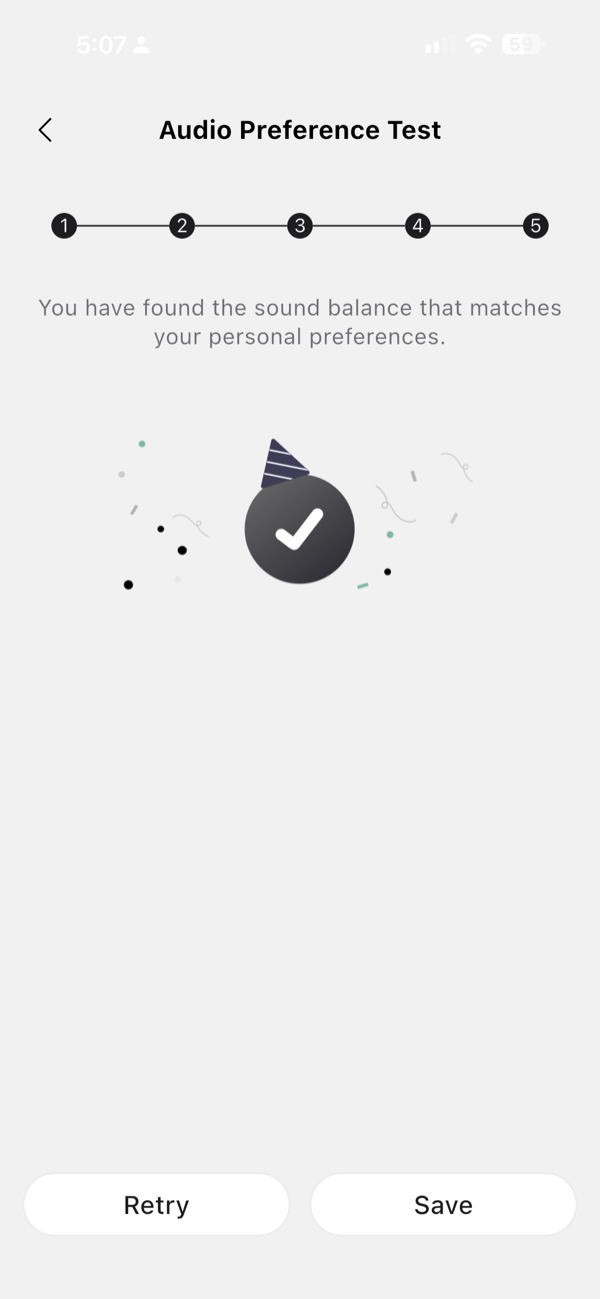
The EQ lives under Online Interactive DSP, which offers a Simple and an Advanced mode. Simple mode is a five-step blind listening test: it plays the same material through four tunings at a time and asks which you prefer, narrowing down over four rounds, and then stores the result as your personal profile:
 |
 |
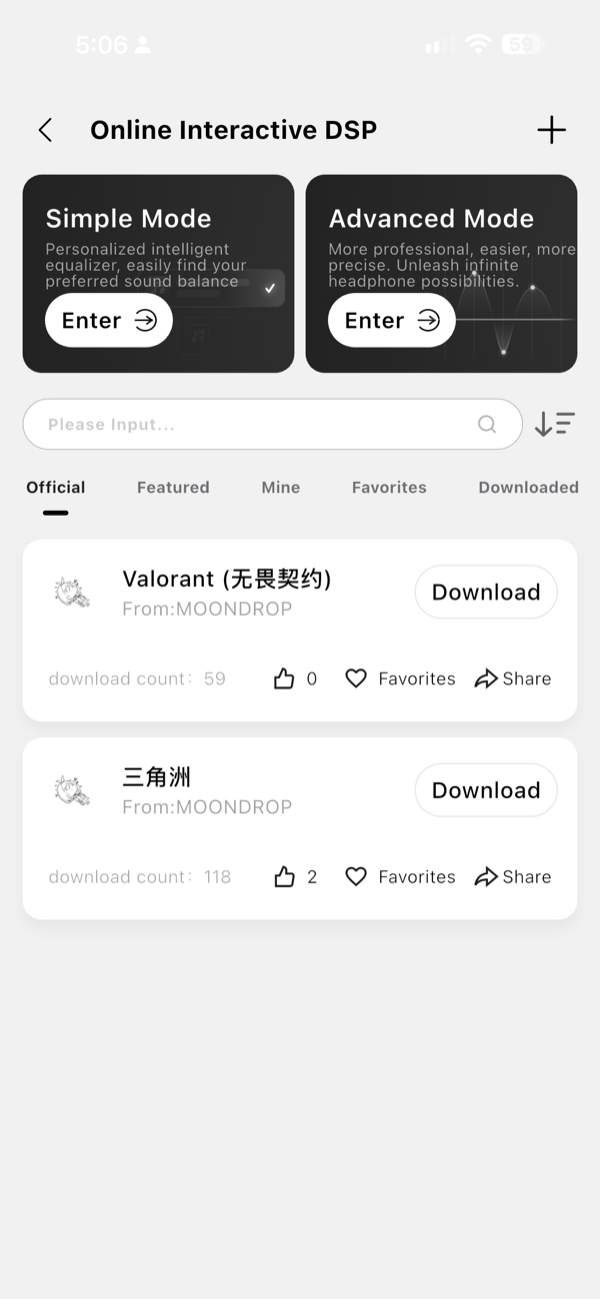
That is a sensible feature to put in front of a non-technical buyer, and it is the kind of thing that usually appears three price brackets higher. The same screen area also carries downloadable profiles published by Moondrop, including per-game tunings — Valorant and Delta Force were both in the official list when I looked — and configurations can be imported by QR code or link. I can see this screen but I could not download anything from it, for the account reason described below:
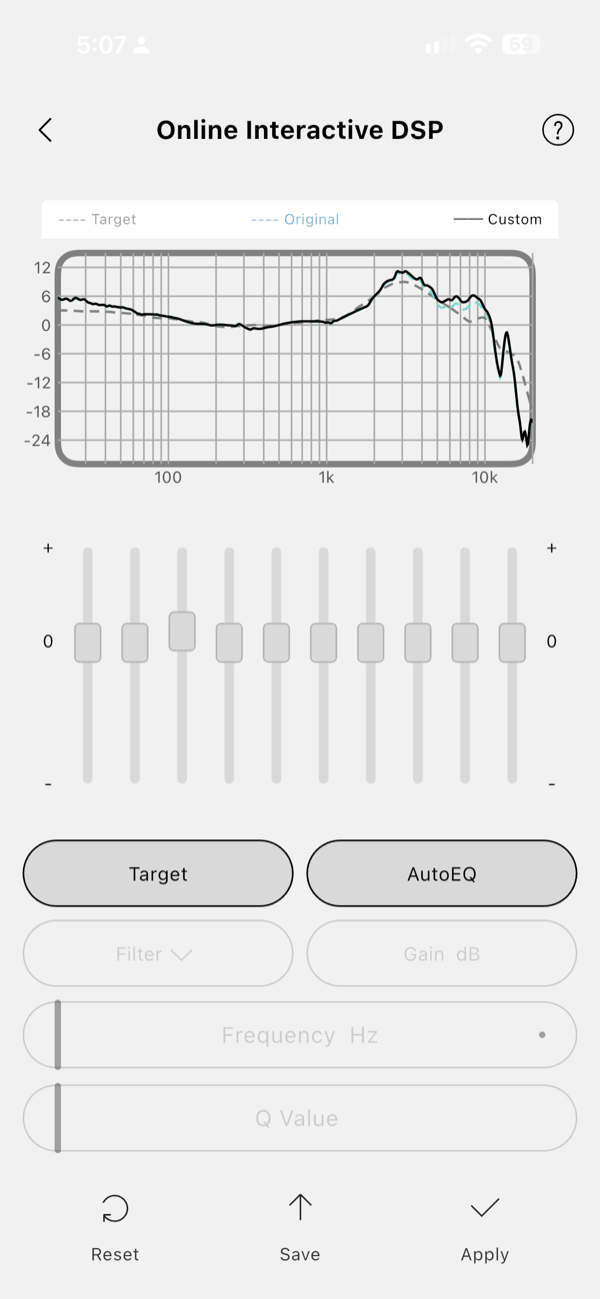
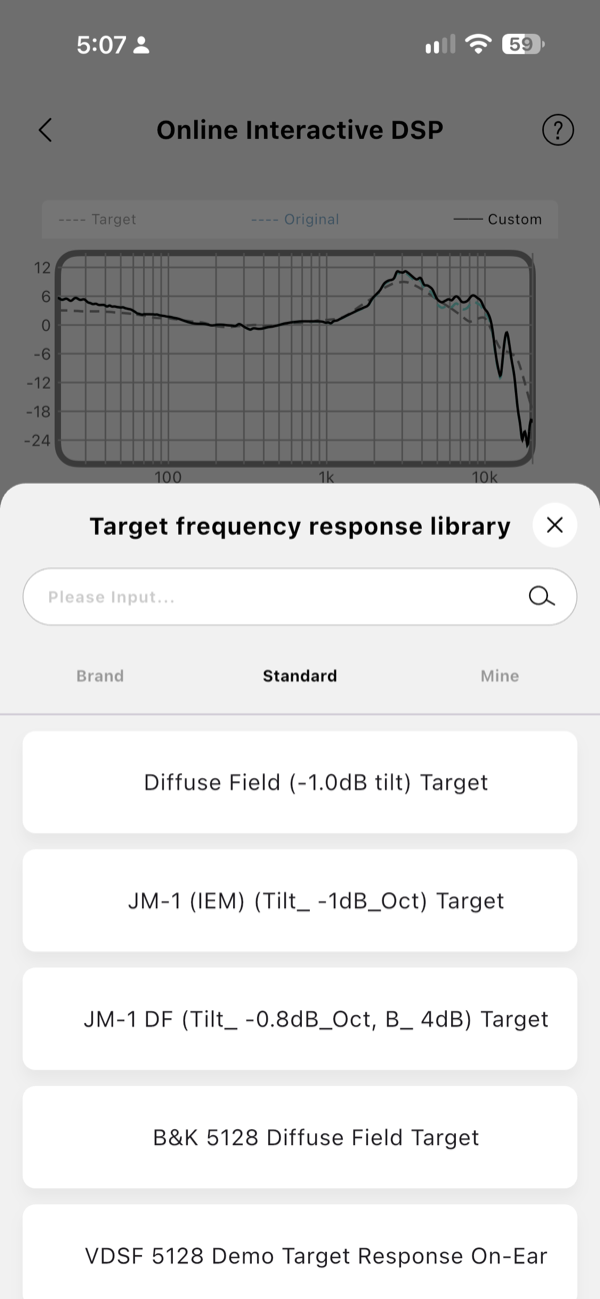
Advanced mode is a full ten-band parametric EQ, with a target overlay, an AutoEQ button, and per-band filter type, gain, frequency and Q:
 |
 |
One thing the editor appears to be missing, and it is the only functional complaint I have about the DSP: there is no master gain. Every parametric EQ that lets you boost needs a preamp control, because boosting a band without pulling the overall level down is how you get clipping, and nothing in the editor I could reach offers one. I could not log in, so I cannot rule out that a master gain is available once you have an account, but on the screens available to me there is no preamp field. It matters most when you are correcting something large, as the earpad section further down shows, where the filters need about 9 dB of headroom taken off the top and there is nowhere in the app to take it.
That is a genuine gap, and I want to be clear that it does not change how I feel about any of this. A 299 RMB headphone that is well tuned to begin with and then hands you ten bands, a target library and a blind preference test is doing something almost nothing else at this price does. I would rather have this with a missing master gain than most of its competition with nothing at all.
That target library is the part I did not expect. Alongside Moondrop’s own brand targets it carries the standard research targets: Diffuse Field with a −1.0 dB tilt, JM-1, JM-1 DF at a −0.8 dB/octave tilt, the B&K 5128 diffuse field target and a VDSF 5128 demo.
One caveat I have not been able to settle. Coverage at launch reported that the PEQ and stored profiles work only over the 2.4GHz connection and not over Bluetooth, USB or analogue. I have not verified that either way, and it matters, so treat it as unconfirmed, not as a limitation I am reporting.
The other niggle here is registration, and it is the one caveat that limits this review rather than just annoying me. The app wanted an account, and I could not create one without a Chinese mobile number. Everything I have described above worked without logging in, and the measurements in this review were all taken with the app in that state — but the parts requiring an account I could not reach at all, which means I have not been able to test the whole of what this app does. Downloading the official profiles, storing a tuning in the cloud, the Mine and Favorites tabs, and sharing a configuration are all functions I can see and cannot use. Anyone outside China is in the same position, and given how much of this product’s appeal rests on its DSP, that is a real gap rather than a cosmetic one. I hope Moondrop change it, and if they do I will come back and test the rest.
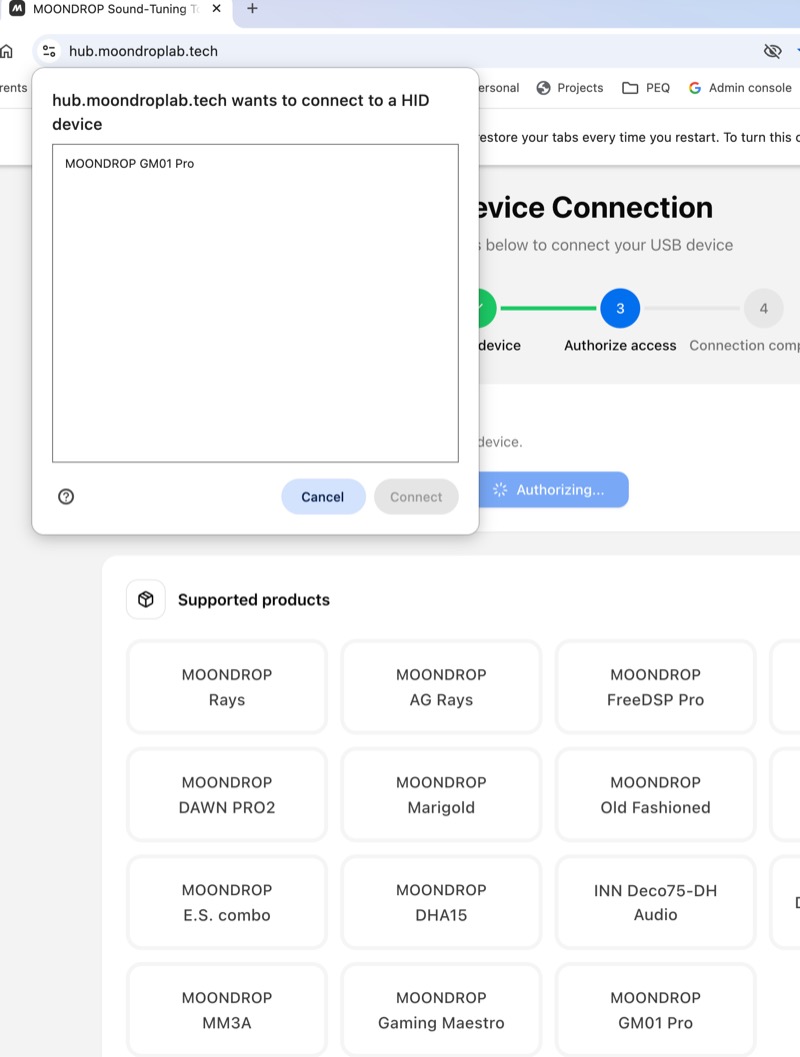
Moondrop also has a separate Gaming PEQ website for the GM01 Pro. It recognises the headset as a USB HID device and appears to provide another route into the tuning controls. I had problems getting it to connect reliably, though. That may be a pre-release issue; the browser reached the GM01 Pro, but the connection did not complete consistently enough for me to rely on the site.
Sound Impressions
Before my own notes, the GM01 Pro has had a warm reception elsewhere. Headphones.com heard it at the Shenzhen show and have since published a feature under the title “How is Moondrop’s cheap gaming headset THIS good??”, describing an energetic presentation with punchy mid-bass and well-controlled treble, with a slight upper-midrange forwardness as their main criticism. That is broadly where I landed too, which is not always how these things go.
Everything below is the stock default tuning on low gain unless I say otherwise, over the 2.4GHz link and over Bluetooth from a phone.
Bass
The bass is decent all the way down to the sub-bass and well balanced with everything above it, which is a harder combination to get right than either half on its own. It reaches 20 Hz with real level instead of rolling away, and it does that without the mid-bass hump most headphones use to fake weight. The measurements below show a genuinely large sub-bass shelf, and yet nothing about it sounds bloated in use — the low end is present when the recording has one and absent when it does not.
Midrange
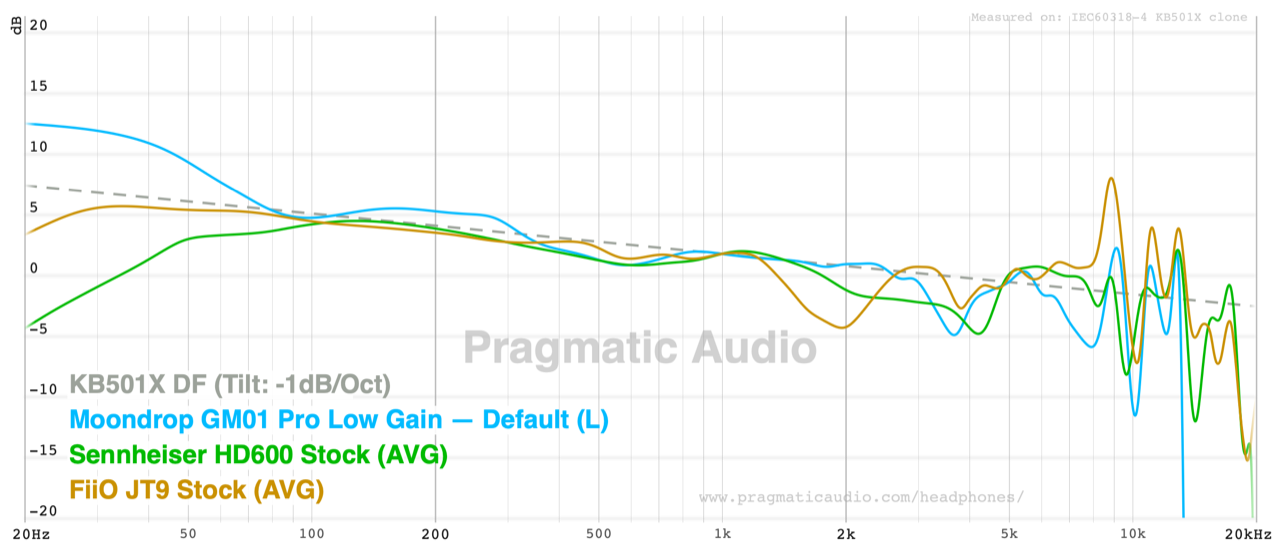
This is the best part of the headphone and the reason I keep reaching for it. The midrange is, to my ears, one of the best you can get in any Bluetooth headphone at any price I would call sensible. Voices have the right weight and the right tone, and there is none of the scooped-out quality that budget wireless headphones fall into when they chase a V-shape. Against the tilted diffuse-field target it tracks about as well through the midrange as a Sennheiser HD 600 does, which is a sentence I did not expect to write about a 299 RMB gaming headset.
Treble
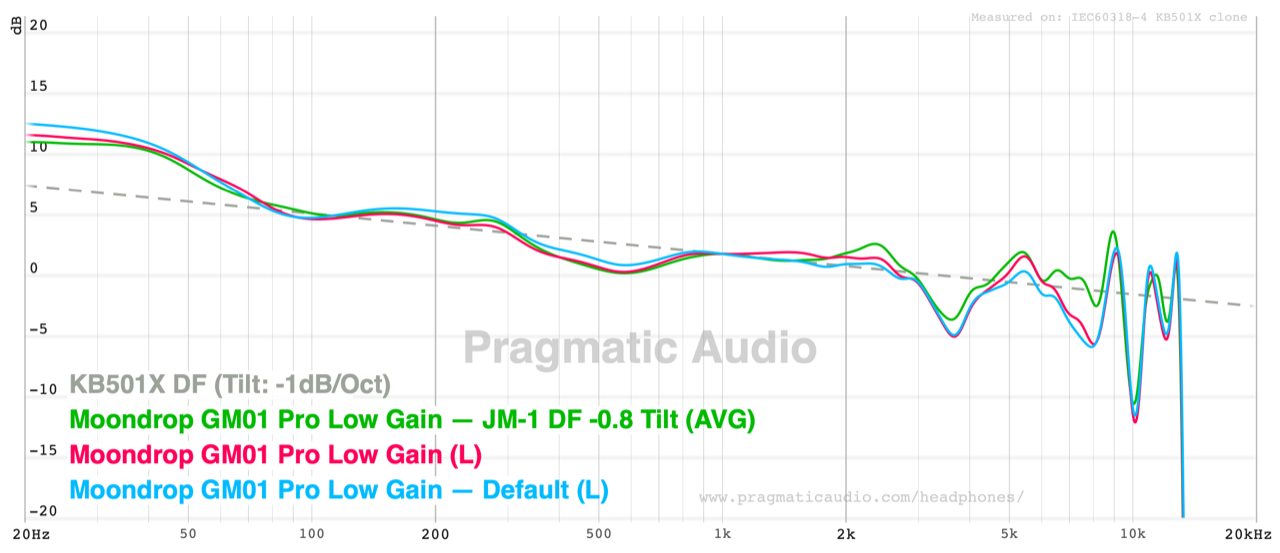
Generally nicely extended, and the one area where I have a reservation about the default tuning. On the stock preset the treble struck me as a little forward around 5 kHz. Switching to the JM-1 target fixed essentially every complaint I had with the tuning, and after that I stopped adjusting anything. I should be precise about the measurement here, because it does not say quite what I assumed: relative to the tilted target the default’s 5 kHz region is close to neutral, and the JM-1 preset actually has slightly more energy there, not less. What the graphs do show is a deep dip just below it, at around 3.7 kHz, and a narrow dip like that makes whatever follows it stand out. So my reading is that the forwardness I hear at 5 kHz is the dip at 3.7 kHz talking, and the JM-1 preset fixes the overall balance around it rather than the 5 kHz region specifically.
Soundstage and Imaging
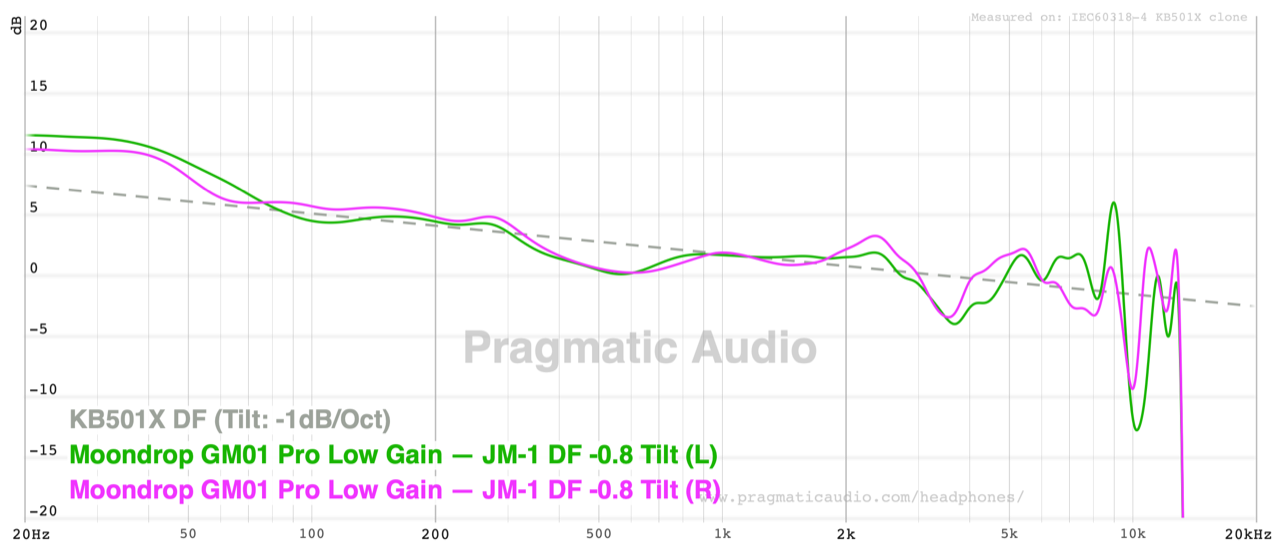
For a closed back this images well, and the channel matching is part of why — the two channels measure within about a decibel of each other across the band, which is the unglamorous foundation that puts an instrument where it belongs. It is not a wide-open sounding headphone and it does not pretend to be. Within the limits of a closed cup, everything sits where it should.
Comparisons
The Audeze Maxwell is the obvious reference, and the comparison is less lopsided than the prices suggest. The Maxwell is the better headphone: a planar driver, a deeper feature set, sidetone, on-headset profile switching, and a microphone that is better still. It is also double the weight and many times the price. Where the GM01 Pro closes the gap is tonality — the measured responses of the two are remarkably close across the audible band, as the graph below shows — and where it does not is in the gaming-specific features. If you actually play games competitively, the Maxwell’s ability to switch EQ profiles from the headset for footstep cues, and its sidetone, are real advantages the GM01 Pro has no answer to. None of that weighed on my own assessment, which came at this from the audio side; if it matters to you, weigh it properly.
Within Moondrop’s own range, the Moondrop Edge at $89 is the closer relative in spirit — a Bluetooth headphone with an on-device PEQ set from the app. The Edge has five bands and ANC; the GM01 Pro has ten bands, no ANC, a dongle, a boom mic and a lower price. Which of those trades you want depends entirely on whether you need noise cancelling, and at home I never use it.
The Kiwi Ears S-Link is the alternative from the other direction: a $25.99 USB-C cable with a boom mic and a five-band PEQ, for people who already own IEMs they like. If your listening is on a phone and you have IEMs you are happy with, that is a cheaper route to the same use case. It cannot do wireless, and it cannot give you a closed cup.
Specifications and Measurements
Specifications
This is the manufacturer’s published specification, taken from the retail box panel and Moondrop’s launch announcement of 14 August 2026. Nothing here is independently verified except where I say so.
| Specification | Manufacturer’s claim |
|---|---|
| Product name | MOONDROP Gravity: Gaming Maestro-01 Pro |
| Model | MD-HP-048-PRO |
| Type | Closed over-ear wireless headset |
| Driver | 50mm dynamic, carbon-fibre mixed-fibre diaphragm, N52 neodymium magnet |
| Connection modes | 2.4GHz dongle, Bluetooth 6.0, USB audio, 3.5mm analogue |
| Bluetooth codecs | SBC, AAC |
| Bluetooth profiles | A2DP, AVRCP, HFP, HSP, SPP, HID |
| Latency (2.4GHz) | 15 ms theoretical; 30 ms measured full chain |
| Channel matching | ±1 dB left to right (confirmed on my rig) |
| DSP | Ten-band parametric EQ with target library, profiles written to the headset |
| Microphone | Detachable dual-array boom mic with beamforming and AI noise reduction |
| Battery | 1000 mAh; approx. 100 h on 2.4GHz, approx. 150 h on Bluetooth; 2.5 h charge |
| Maximum output | 30 mW |
| Working distance | >10 m unobstructed |
| Weight | ≤270 g claimed (measured 252 g without the boom mic, 262 g with) |
| Clamping force | Approx. 4 N |
| Earpad opening | Measured 62.1 × 44.5 mm |
| Colours | Black, white |
| Launch price | 299 RMB |
Impedance, sensitivity and a rated frequency response were not published.
The obvious omission from the Bluetooth specification is support for high-resolution codecs. It supports SBC and AAC, but there is no LDAC or aptX option listed.
Frequency Response
These are my own measurements, on a KB501X soft ear and pinna with a 711 clone coupler, plotted against the KB501X diffuse-field target with a −1 dB/octave tilt. Everything above about 8 kHz on this rig is coupler and pinna resonance more than headphone, so I would not read the wiggles up there. Note: this is the pre-release tuning but should be the final tuning as it is pretty excellent.
You can load the measurements in the Pragmatic Audio headphones database.
Starting with the stock default tuning against the app’s VDSF 5128 preset:
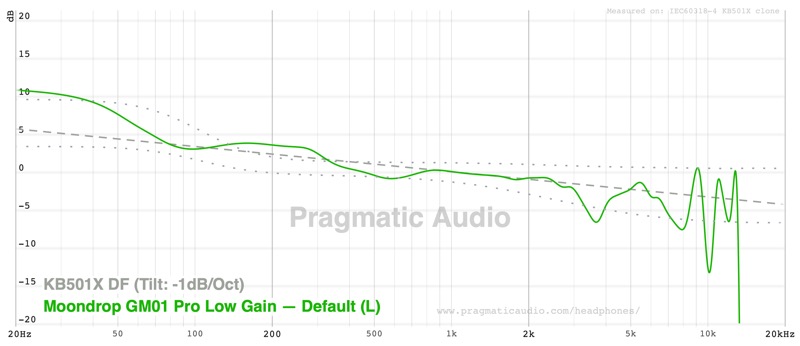
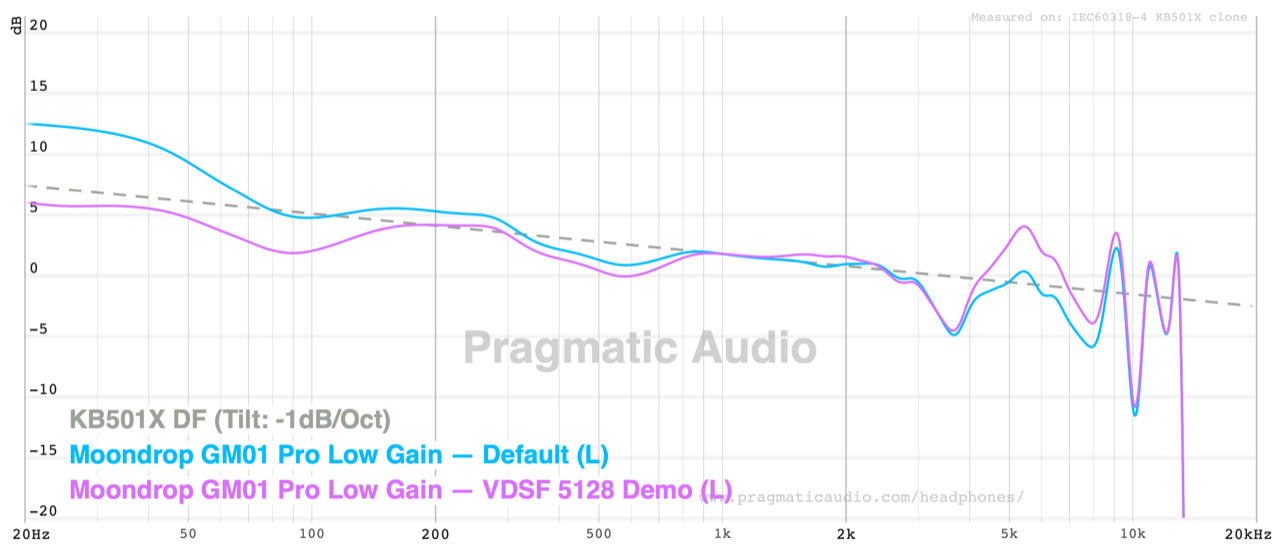
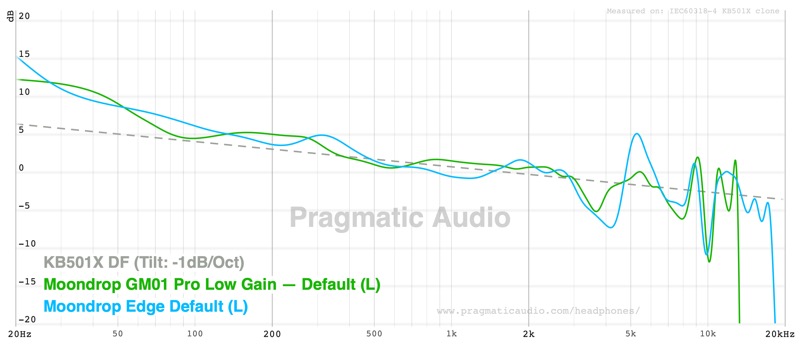
The default has a nice sub-bass boost of roughly 5 dB over a tilted DF target. It is the rare case where a large shelf does not make the headphone sound thick, because the lower midrange behind it is not lifted with it. The other feature is the dip at around 3.7 kHz, which is the one discussed in the treble notes above.
Adding the JM-1 preset, and a second capture of the default, shows how little separates them below 2 kHz and how the presets mostly work above it:
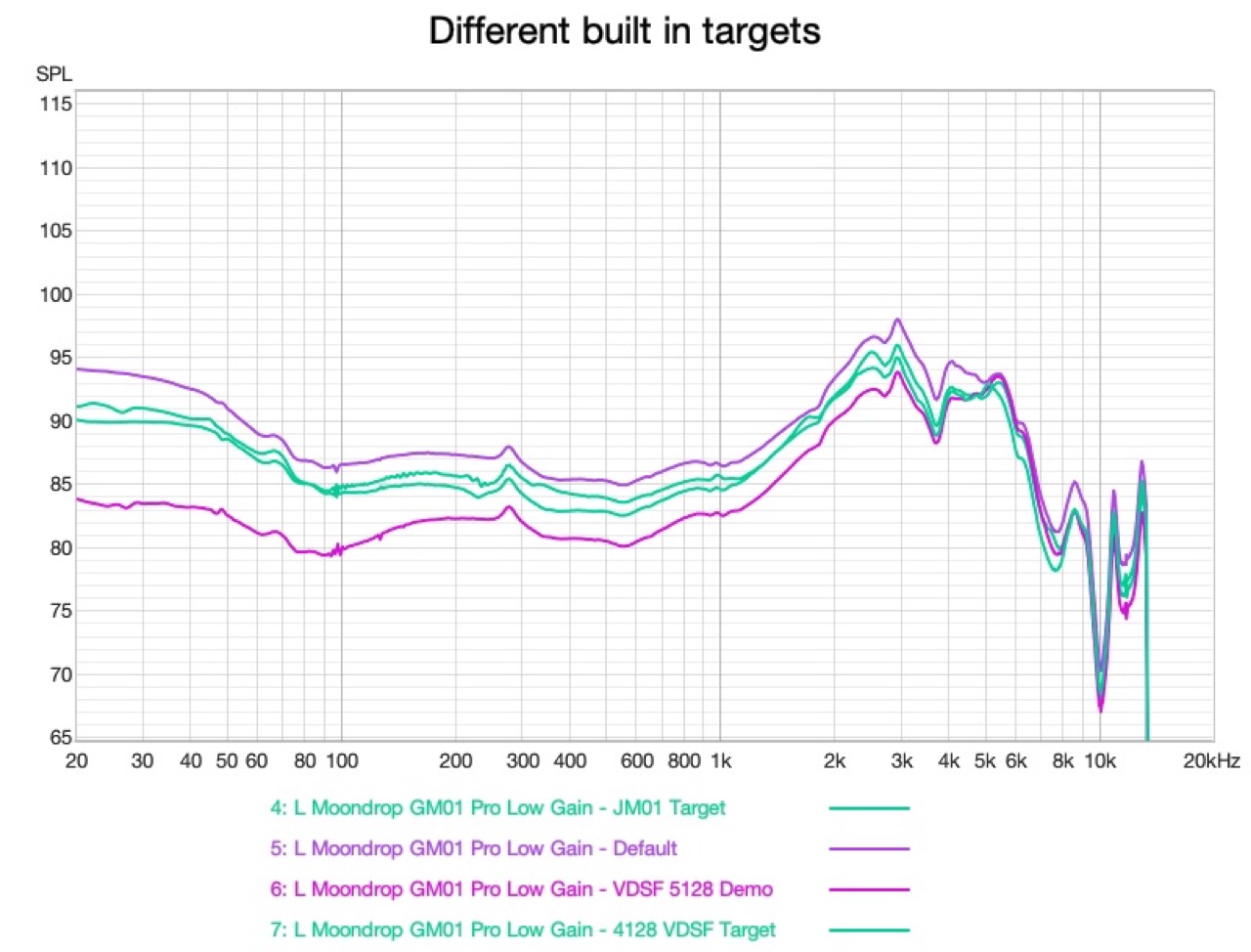
The app’s target presets are subtle, not dramatic, and they are absolute, not normalised, so it is worth seeing them on a straight SPL scale too. The default is simply the loudest of the four as well as the bassiest:
Channel matching is where Moondrop’s ±1 dB claim gets tested, and it holds. Left and right on the JM-1 preset track each other within about a decibel from 20 Hz to 8 kHz:
Against two headphones with no wireless and no DSP, the comparison is not embarrassing, which it should be at this price. The GM01 Pro tracks the tilted target through the midrange about as evenly as the Sennheiser HD 600 does, and it has far more bottom end than either the HD 600 or the FiiO Jade Audio JT9 — at 20 Hz the GM01 Pro is at +12 where the JT9 is at +3 and the HD 600 is at −5:
And the graph that surprised me most, against the Audeze Maxwell on its own Audeze preset:
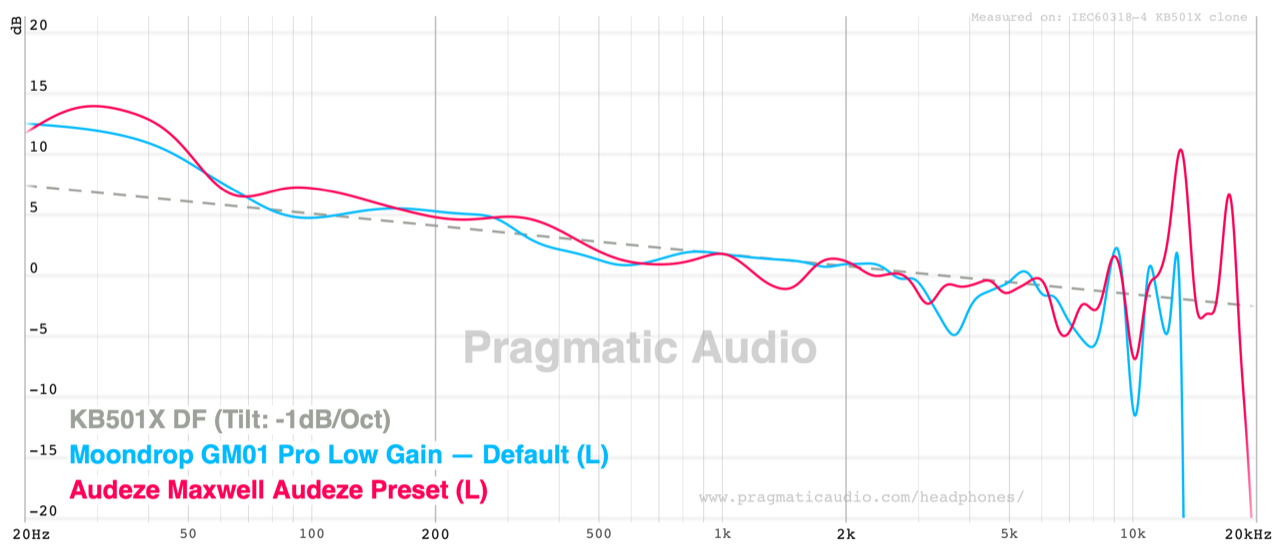
From 20 Hz to 8 kHz these two are close to each other almost everywhere. The GM01 Pro’s 3.7 kHz dip is deeper and the Maxwell’s bass is slightly fuller through 60–200 Hz, but the shapes are the same shape. One of these headphones costs about six times the other.
Maximum output, and why the gain settings matter
The three gain settings are spaced roughly 6 dB apart, about 12.5 dB from low to high in total:
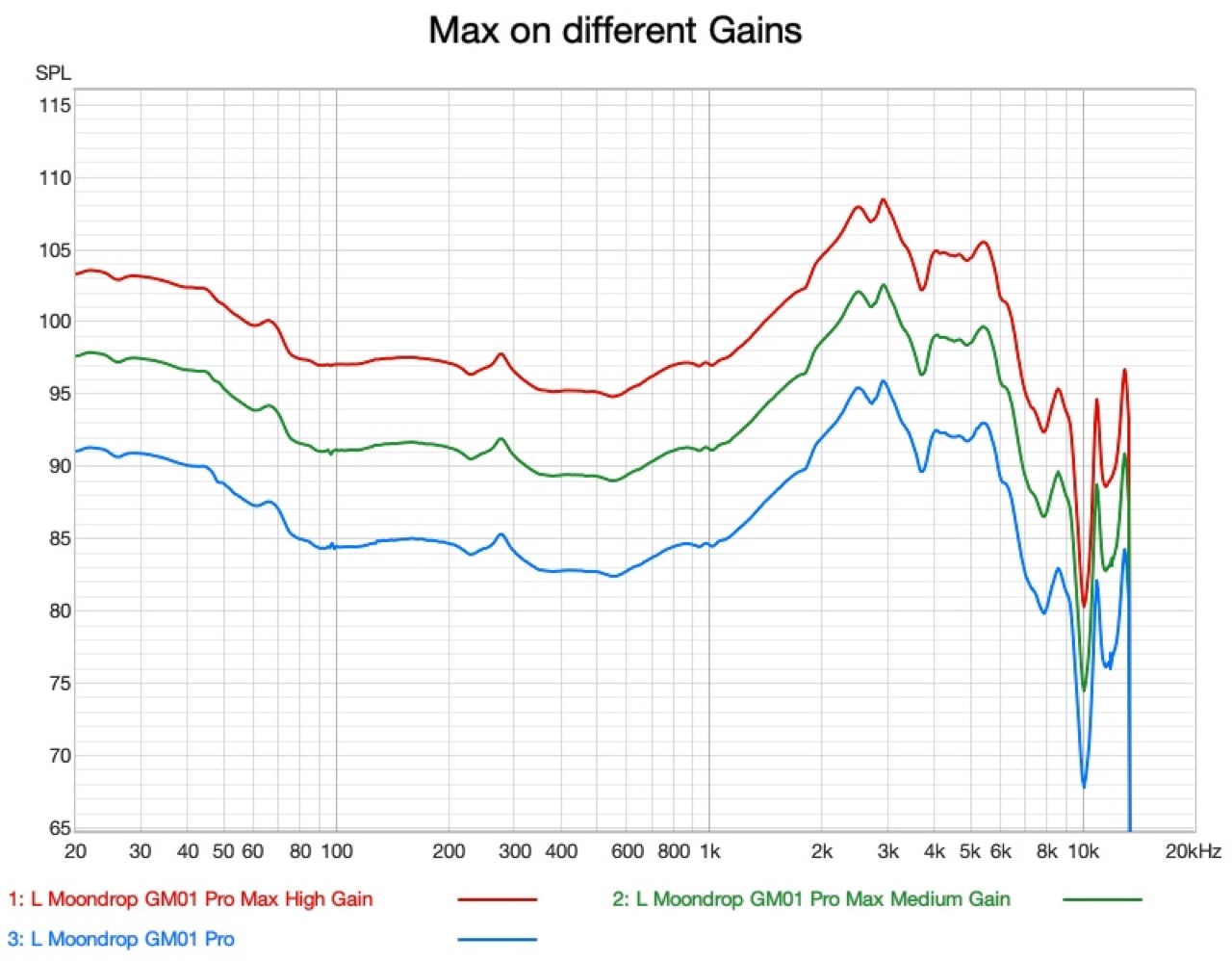
High gain tops out at around 95 dB through the midband, rising to about 108 dB at the 3 kHz peak. For most listening that is plenty. It is also the number behind my one functional complaint: on the most dynamic tracks, at high gain, with my own EQ already applied, it was only just loud enough. EQ costs headroom, so if you boost the bass and then listen loud, you may run out. For my listening levels it is fine. If you are a bass-head who listens loud, be aware that the ceiling is real.
Third-party earpads, and correcting them
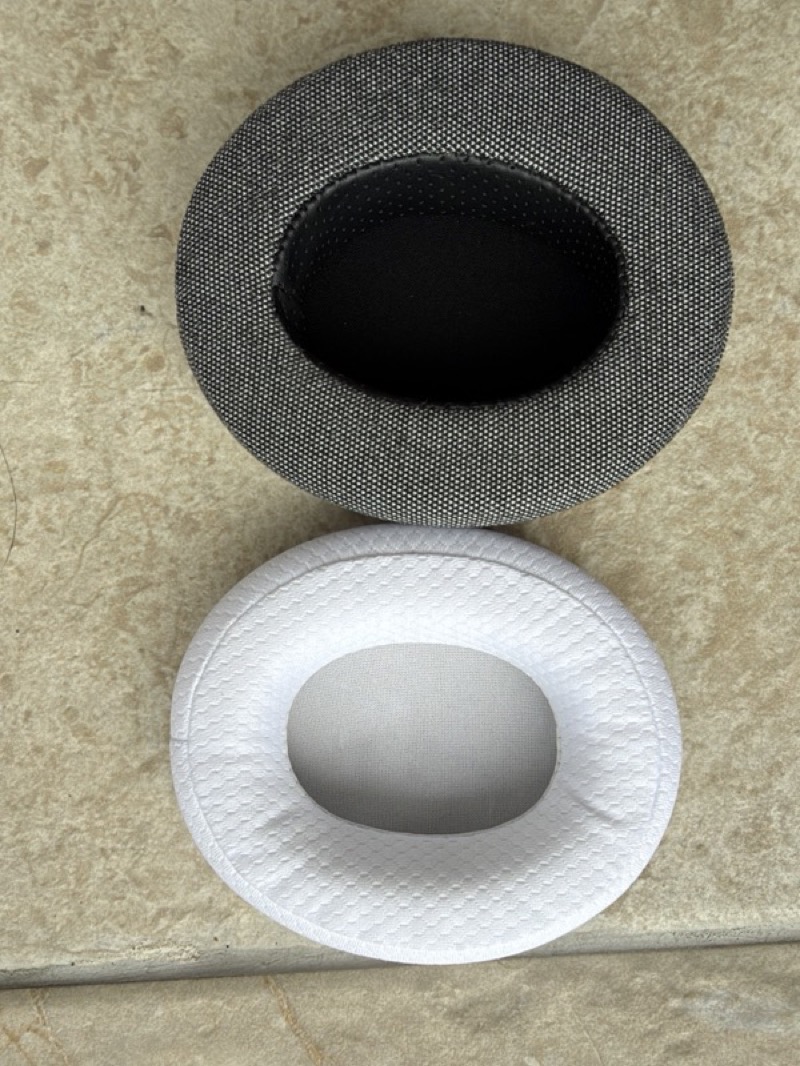
Because the pads mount on a standard lip and the opening is a common oval, the replacement market is wide open, and I wanted to know what that actually costs you acoustically. I fitted a third-party replacement — deeper, with a coarser woven face and a more sharply undercut opening than the stock pad:
 |
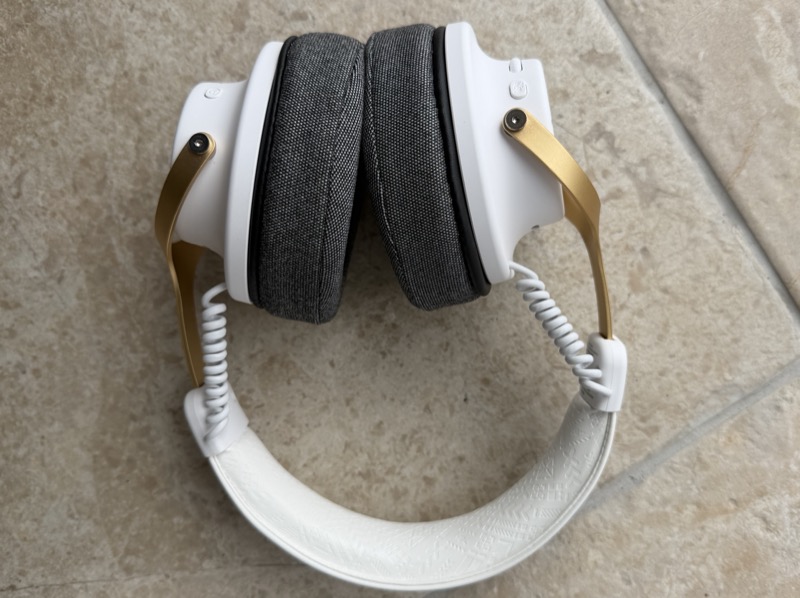 |
They are more comfortable. They also wreck the tuning. The measurement is unambiguous: the replacement pads cut roughly 9 to 10 dB out of the midrange, centred around 400–500 Hz, while leaving everything above 2 kHz essentially untouched:
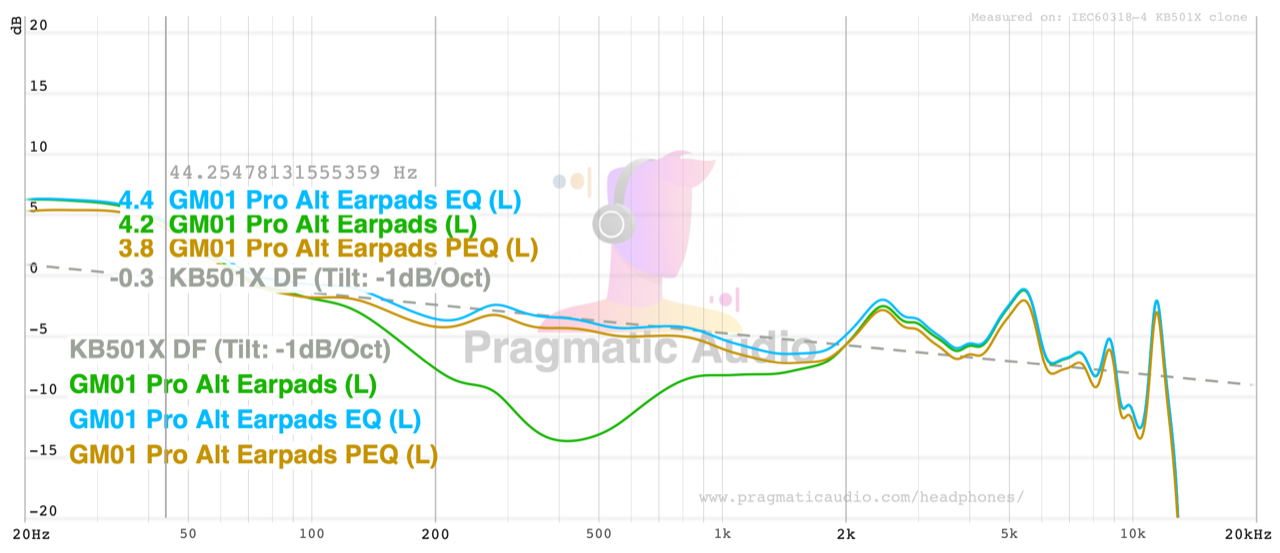
The green trace is the third-party pads with no correction, and that hole through the midrange is not a subtlety — it is the single largest tuning change I have measured from a pad swap. The other two traces are the same pads with PEQ applied, and they land back on the target.
These are the filters I arrived at, entered into the default profile in the Moondrop app:
| Filter | Type | Frequency | Gain | Q |
|---|---|---|---|---|
| Preamp | — | — | −9.4 dB | — |
| 1 | Peaking | 190 Hz | +1.8 dB | 2.00 |
| 2 | Peaking | 380 Hz | +9.2 dB | 0.90 |
| 3 | Peaking | 1500 Hz | +3.0 dB | 2.00 |
| 4 | Peaking | 2500 Hz | −4.0 dB | 1.70 |
Filter 2 is doing the heavy lifting and sits exactly on the hole. Here is the 2500 Hz band selected in the app’s editor, with the corrected curve visible against the original:
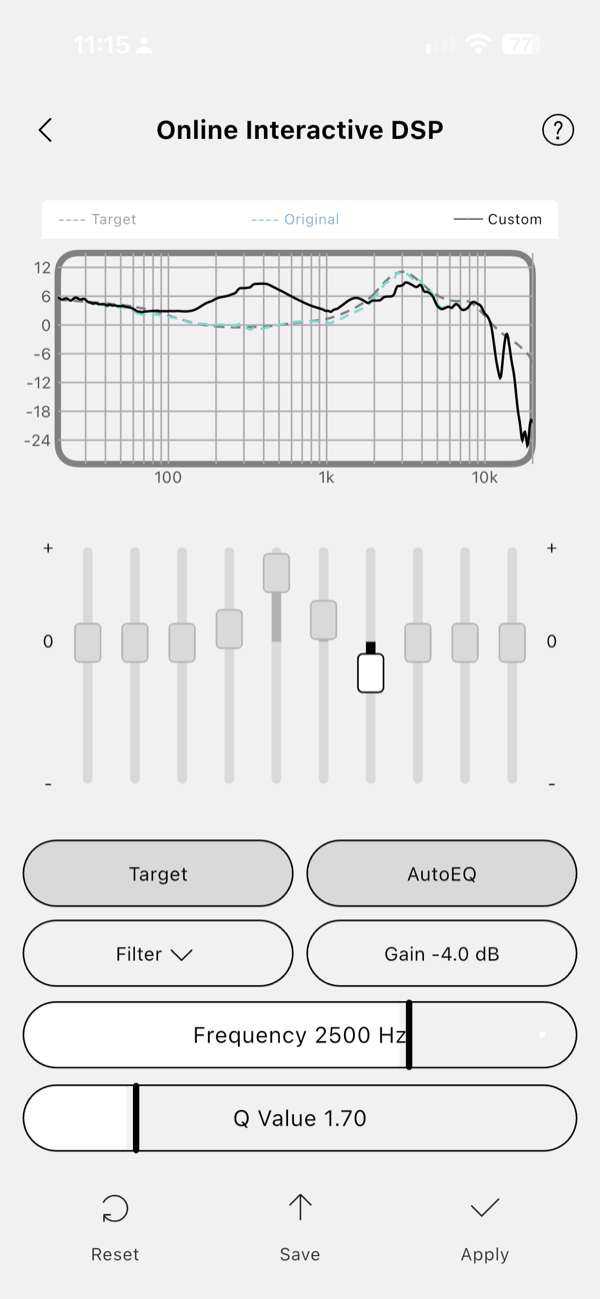
The cost is in that preamp figure, and it runs straight into the missing master gain discussed earlier. Restoring 9 dB of midrange means dropping everything else by about the same amount, and with no preamp control in the app that headroom has to come off the volume you had instead. Given the ceiling discussed above, this is a possible issue depending on the replacement pads you pick: you do trade some volume to “fix” the tuning with EQ. But this was only one third-party earpad replacement I tried. There will no doubt be a large community of people trying different earpads, and some might not cause as much of a change in the FR while still providing better comfort and more “wiggle room” for your ears. What makes it worth doing at all is that the option exists: a standard fitting, hundreds of pads, and ten bands of EQ to put the tuning back. That combination does not exist at this price anywhere else I know of.
Distortion
The distortion sweep was run at the headphone’s maximum output on high gain, which is a considerably harsher test than normal listening — the fundamental sits between 95 and 103 dB across the band and peaks near 108 dB:
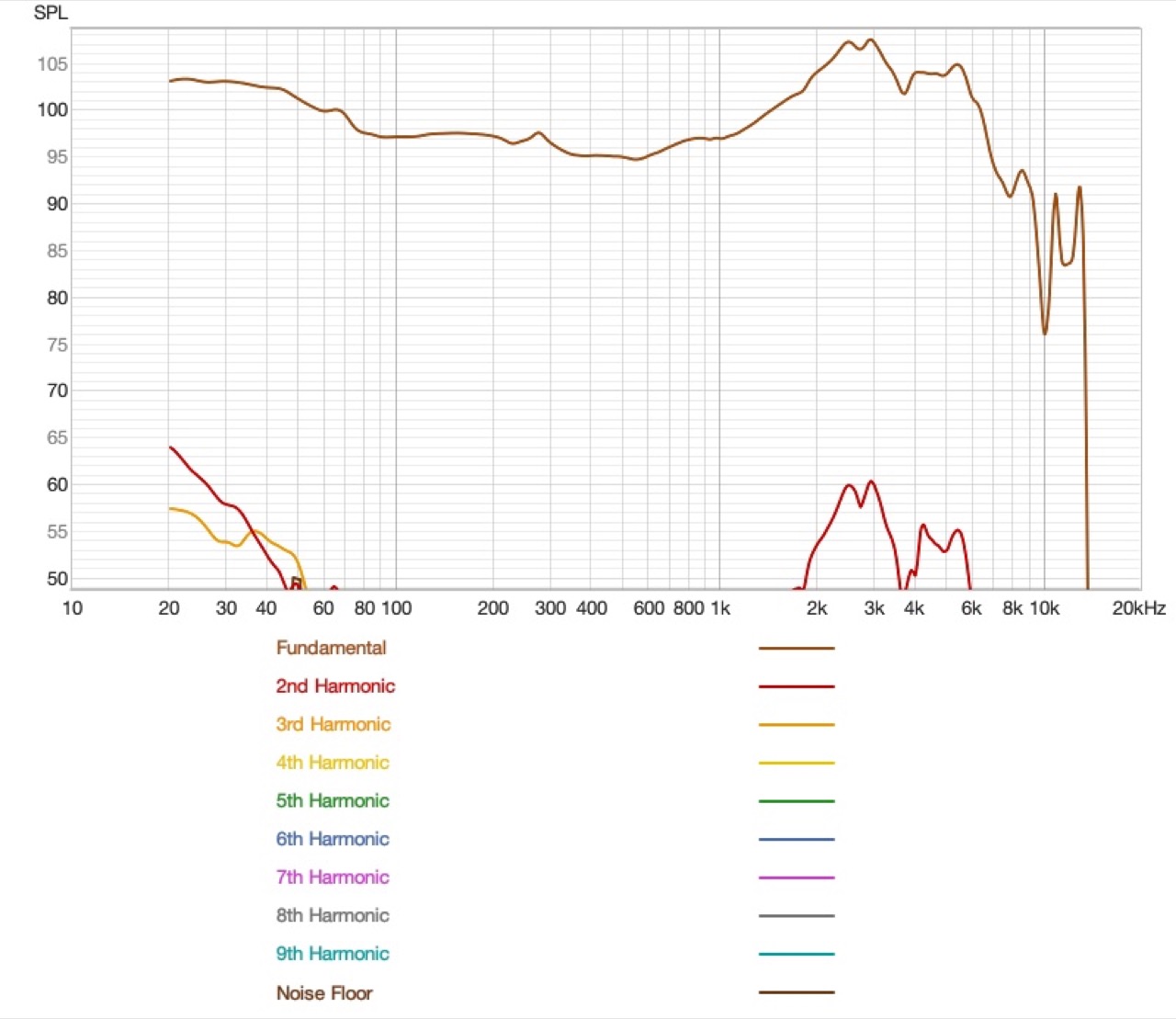
As a percentage of the fundamental, second harmonic distortion peaks at about 1% at 20 Hz, falls below 0.2% through the midrange, and rises to a broad hump of about 0.45% around 2.5–3 kHz:
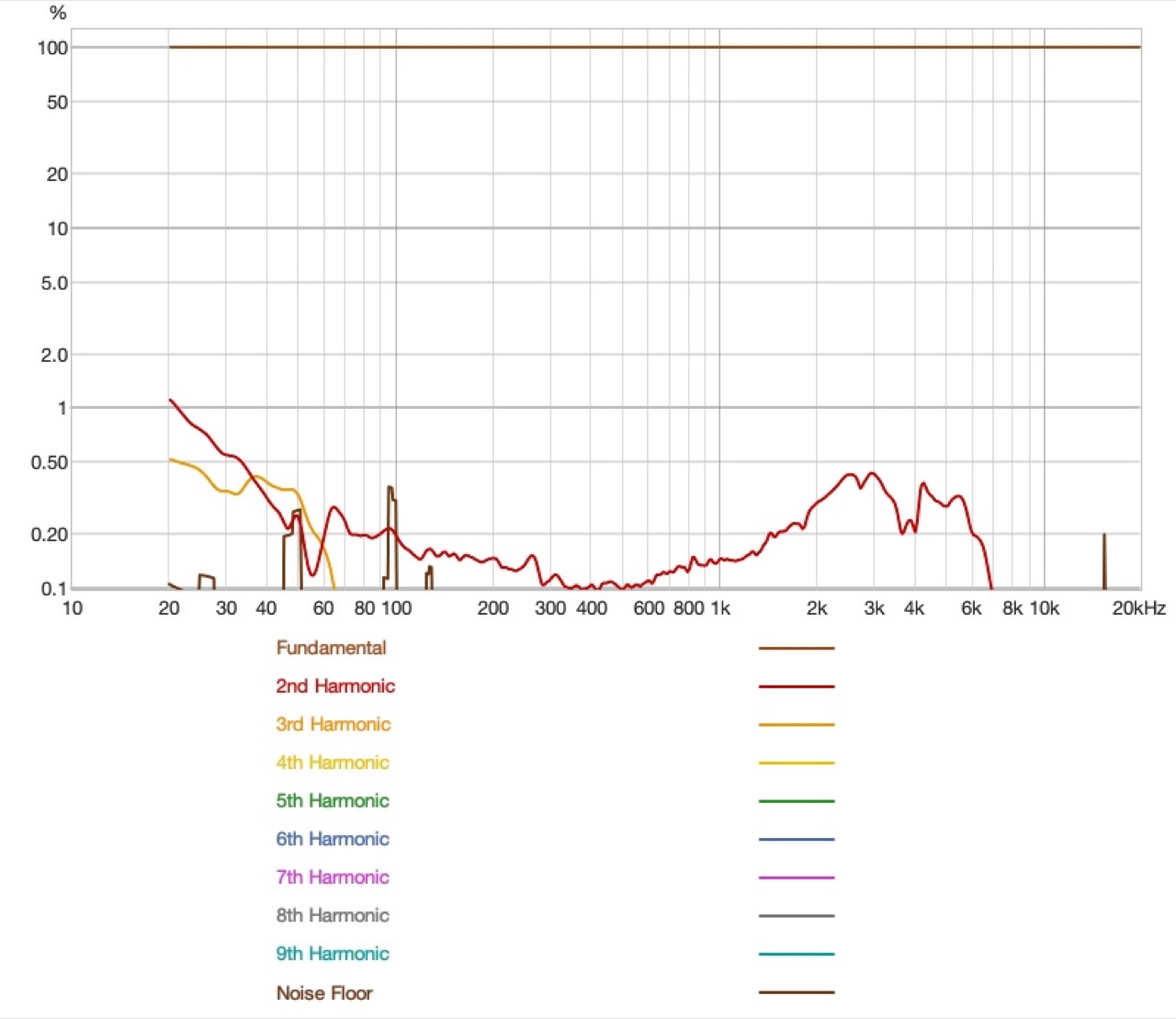
Those are good results, and they are better than they look, because this is the driver being pushed as hard. At the levels anyone actually listens at, distortion will be far below these figures. A 50mm driver producing a +12 dB sub-bass shelf with about 1% second harmonic at 20 Hz at 103 dB is doing well.
Rating Explanation
For me it is a full pragmatic score of 5 and a similar price rating of 5. This is an extremely good bargain if you care about sound quality and the ability to tweak it: a wireless closed-back with a tuning that needs no apology, a ten-band PEQ with real research targets in it, a microphone good enough for a working day, and a battery figure measured in weeks, not hours. Five for measurements, because the evidence supports the listening — a midrange that tracks the tilted target about as well as an HD 600, a response shape close to the Maxwell’s, channel matching that confirms the manufacturer’s own ±1 dB claim, and distortion that stays low even at maximum output.
Four for features, not five, and the missing point is a collection of small absences instead of one big one: no ANC, no sidetone, no way to switch EQ profiles from the headset, no LDAC, and no swivel in the earcups. Several of those are deliberate omissions that keep the price where it is, and I would rather have this headphone at 299 RMB than a worse one with ANC bolted on.
The one functional limit rather than a missing feature is the output ceiling. Even on high gain it is harder than I would like to get this headphone loud once your own EQ is applied, because the EQ spends the headroom that is left. It is fine at my listening levels, but it is the thing I would want to know before buying.
Conclusion
Before the praise below, I should clarify that this is not the best gaming headset: it has no sidetone and no way to switch EQ profiles from the headset, and if you play competitively those absences will matter. It is also not the best closed-back, or even the best Bluetooth headphone, and there are compromises such as the lack of swivel that limit it. But at this price range — and possibly anywhere below $100 or even $150 — it is one of the best wireless headphones you can get, whether you are a gamer or not.
At around $50 to $60 — still an estimate until it is listed outside China — I cannot think of a competitor. Something this cheap should not sound this good, and it should not have this many features that turn out to be useful rather than decorative. My guess is that it sells like hot cakes. Buy it if you want a comfortable wireless closed-back for working, listening and calls and you are happy to leave noise cancelling out of it. Think harder if you need ANC on a commute, if your ears are large and you are not willing to swap pads, if you EQ heavily and listen loud — even high gain runs out sooner than I would like — or if your gaming is competitive. For everyone else this is the easiest recommendation I have made this year, and it has become my favourite casual working headphone by a distance.